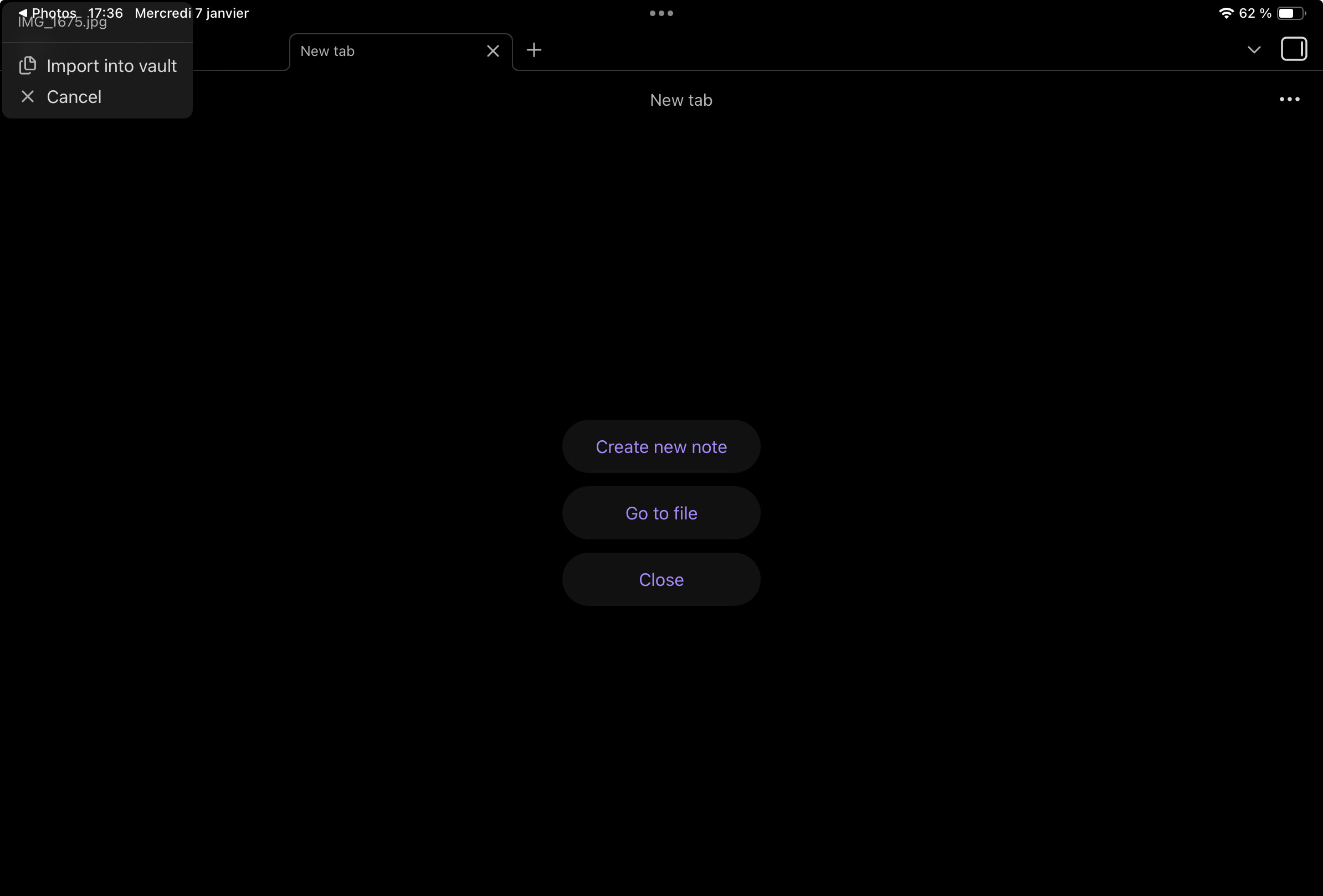
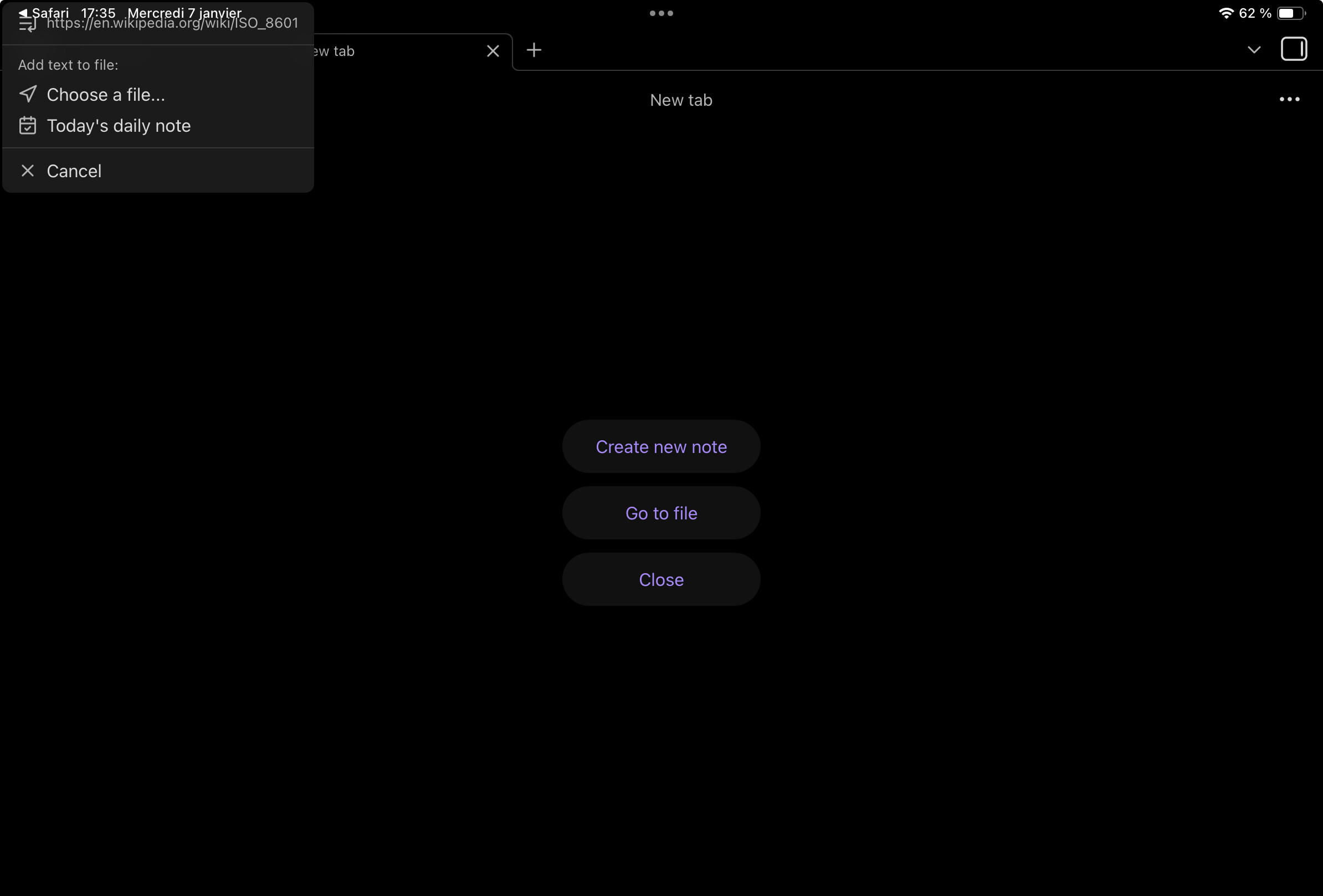
Steps to reproduce
- On iPad, navigate to a photo in Photos app.
- Share the photo to Obsidian.
Did you follow the troubleshooting guide? [Y/N]
Yes
Expected result
Have a usable menu, maybe a modal instead. On iPhone it opens as a bottom sheet that works well for this use case.
Actual result
The menu doesn’t have a defined position and partially obscured by iPad status bar.
Environment
SYSTEM INFO:
Operating system: ios 26.2 (Apple iPad13,4)
Obsidian version: 1.10.6 (256)
API version: v1.10.6
Login status: not logged in
Language: en
Live preview: on
Base theme: adapt to system
Community theme: none
Snippets enabled: 0
Restricted mode: off
Plugins installed: 0
Plugins enabled: 0
RECOMMENDATIONS:
none
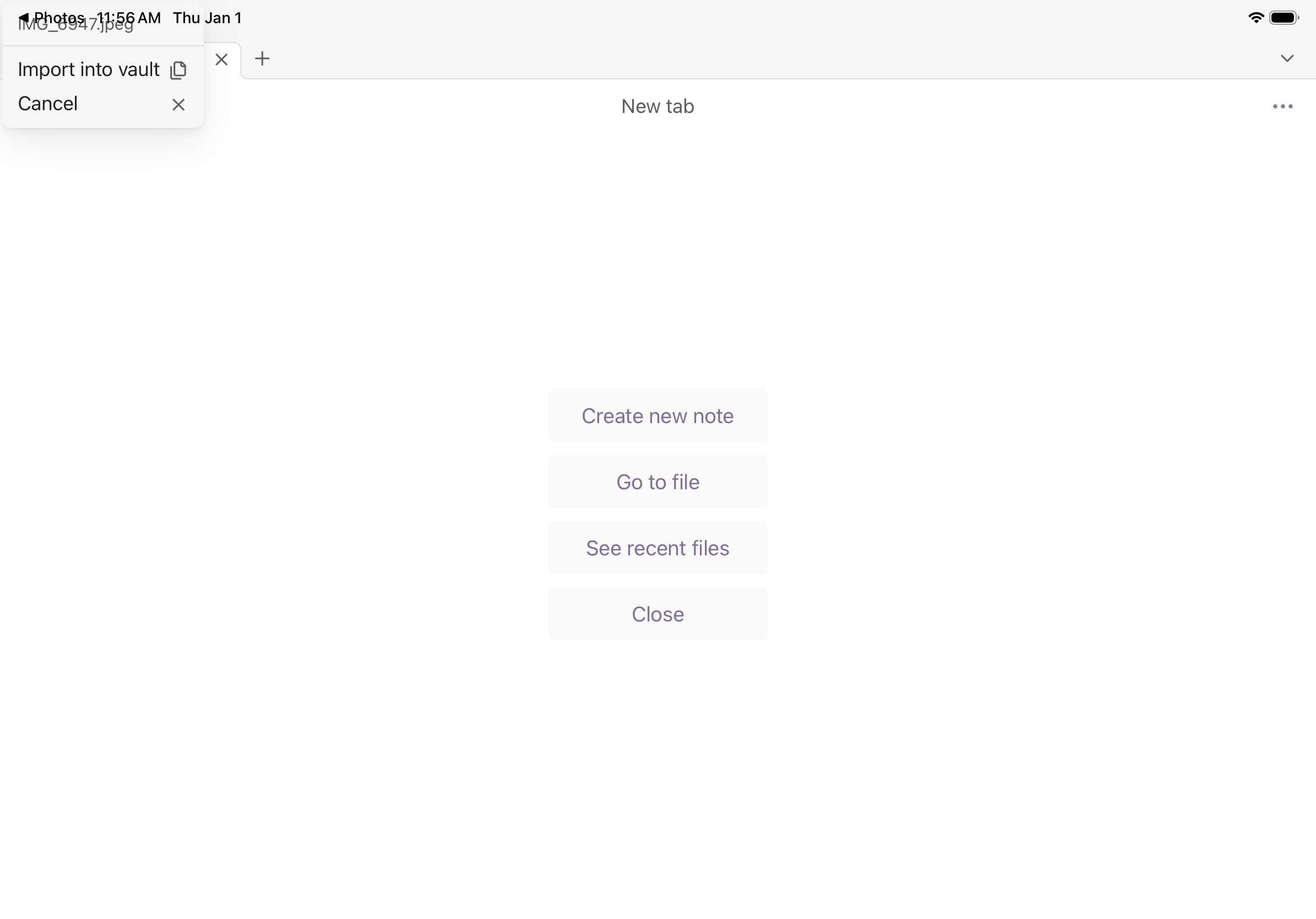
 (both in portrait and landscape mode)…