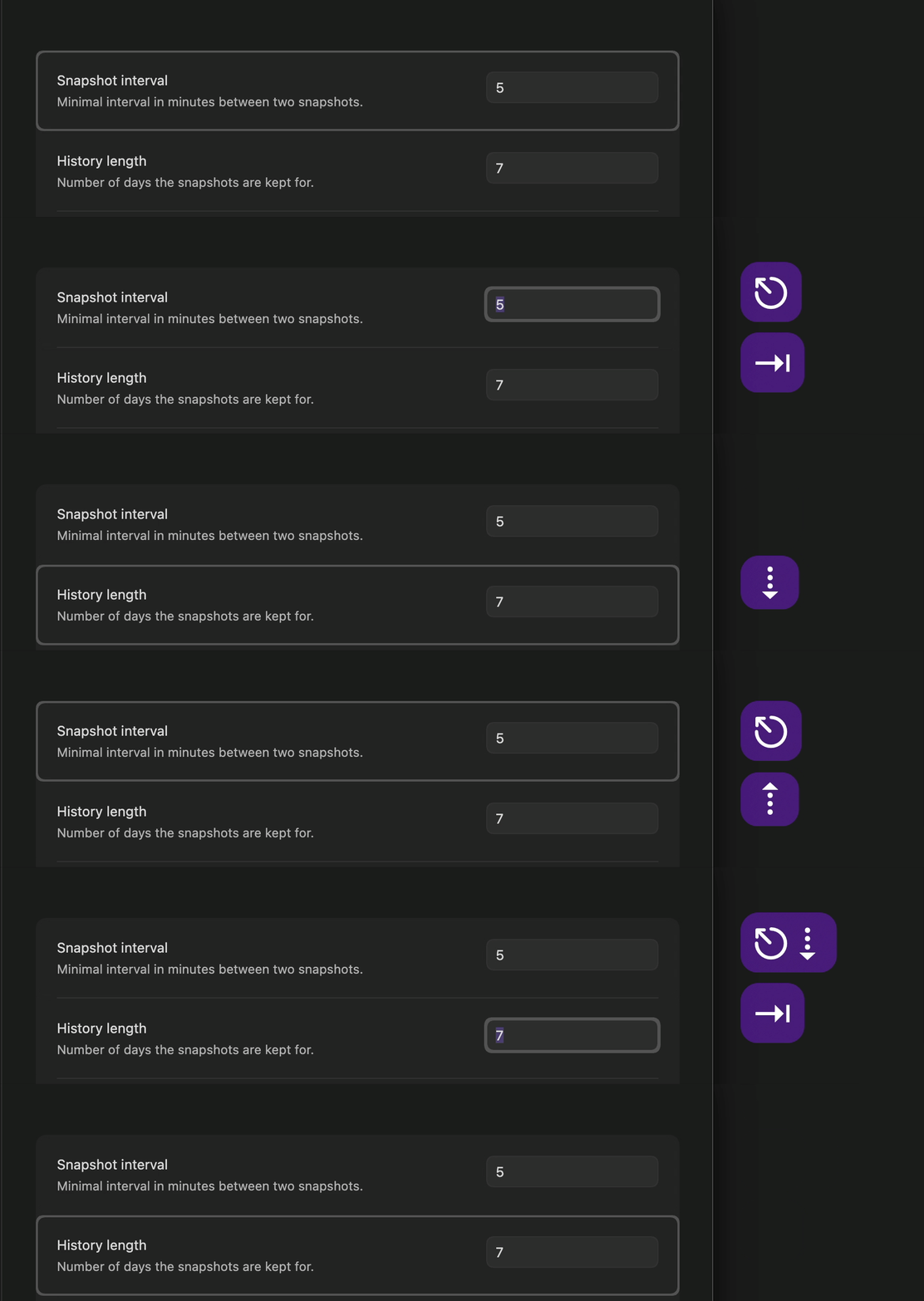
Steps to reproduce
- Open sandbox vault
- Open settings
- Navigate to “Core plugins > File recovery” tab
- Place cursor in “Snapshot interval” input
- Click “tab” key
Did you follow the troubleshooting guide? [Y/N]
Yes
Expected result
The cursor to move to the next input field.
Actual result
Cursor remains in original input field.
Environment
SYSTEM INFO:
Obsidian version: 1.13.1
Installer version: 1.12.7
Operating system: Darwin Kernel Version 24.6.0: Mon Jan 19 22:01:13 PST 2026; root:xnu-11417.140.69.708.3~1/RELEASE_ARM64_T8122 24.6.0
Login status: logged in
Language: en
Catalyst license: insider
Insider build toggle: on
Live preview: on
Base theme: adapt to system
Community theme: none
Snippets enabled: 0
Restricted mode: off
Plugins installed: 0
Plugins enabled: 0
RECOMMENDATIONS:
none
Additional information
This same behavior is prevalent in the new 1.13.0 settings window. Not accessible and requires mouse clicks to navigate and select/change inputs.
 .
.