Disclaimer
Is this plugin open source? Yes
Is this plugin completely free? Yes
Is this plugin vibe-coded beyond the author’s ability to comprehend how it works? No
Community Directory: Section Reader
I made Section Reader for a simple workflow: keep a long note in one Markdown file, but read one section at a time.
If you keep study notes or reading notes in a single file, it gives you a focused view of the current section while keeping the rest of the note together. You choose the sections by placing --- between them.
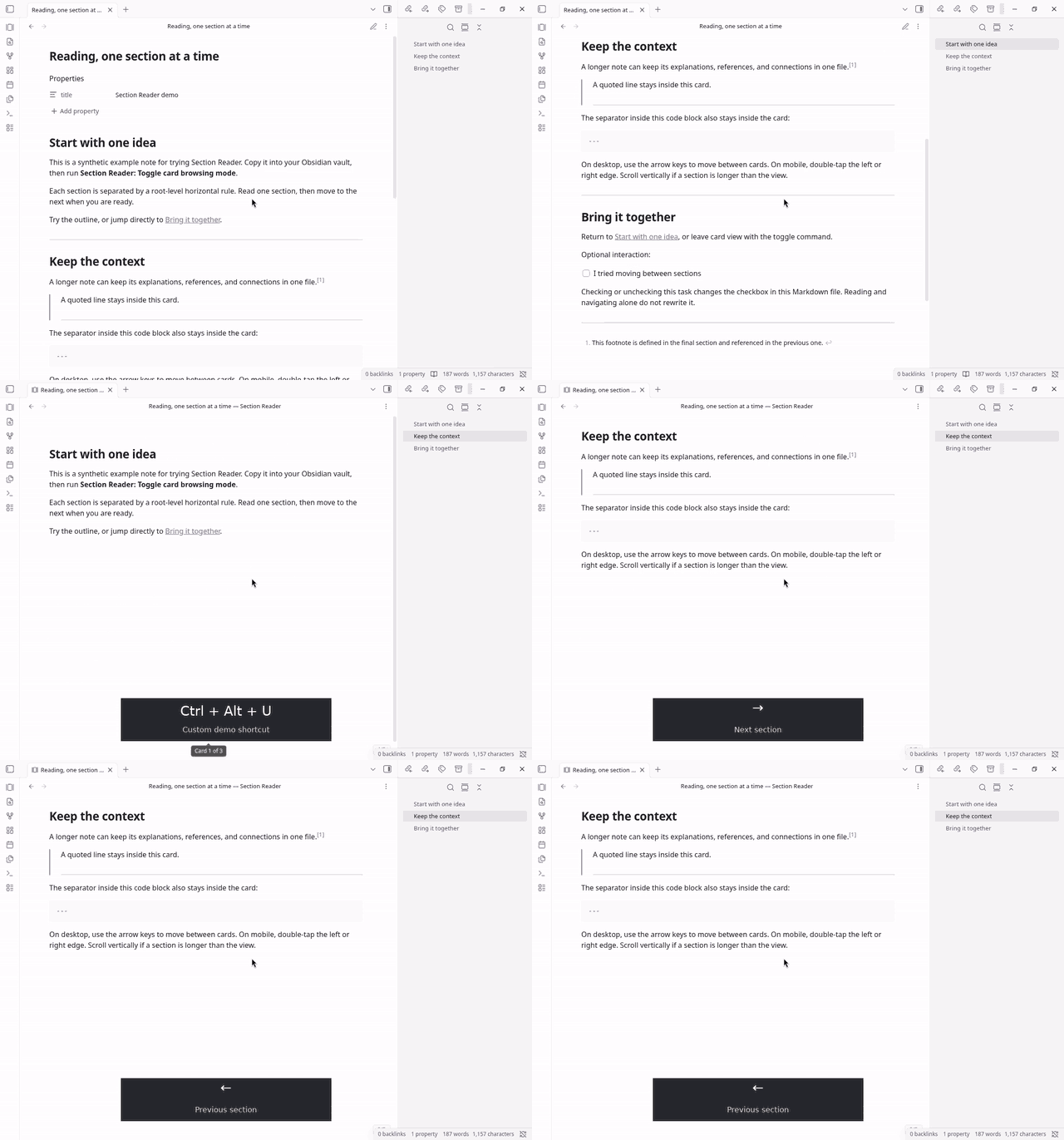
The shortcut shown in the recording is configured for the demo. You can assign your own toggle shortcut in Settings → Hotkeys.
What stays available while reading
- Your note’s connections: Obsidian’s native Markdown rendering, wikilinks, embeds, footnotes, and task checkboxes.
- Navigation within the note: use the Outline or links to headings and blocks to jump to the relevant section.
- Reading progress: when you return from Reading view, resume at your saved section. Entering from Editing view opens the section at your cursor.
On desktop, click inside a section and use ← / → to move between sections. On mobile, double-tap the left or right screen edge. Press Esc, or toggle the view again, to return to the normal note view.
Try it
- Install and enable Section Reader from Obsidian’s community plugin browser, or open its community listing.
- Go to Settings → Hotkeys, find Section Reader: Toggle card browsing mode, and assign a shortcut.
- Open any note and press your shortcut to enter the section view. Press it again to return to the normal note view.
For your own notes, put --- on an unindented line between sections, with a blank line before and after it. Each section becomes a card in the reading view; the note remains a single file.
The section view is for reading. Switch back to the normal note view to edit. Browsing does not change the Markdown; checking or unchecking a task updates its checkbox in the source as usual.
Requires Obsidian 1.8.7 or later, on desktop or mobile. Free and open source under the MIT license.
Source code and documentation · Report an issue
If you try it with your own notes, I’d like to hear what you used it for and where the reading experience could improve.