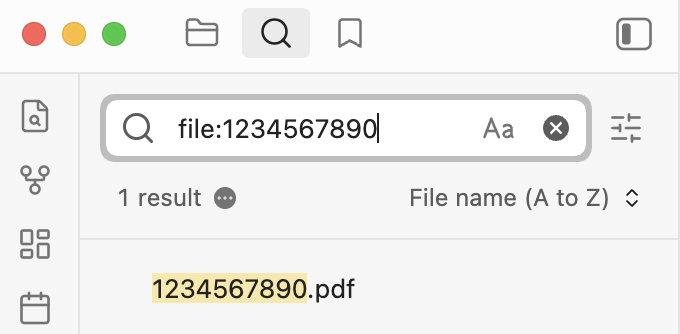
What I’m trying to do
Search for a pdf file, just the title name.
Things I have tried
Verified that Settings->FilesAndLinks->ShowAllFileTypes is ON.
Tried with restricted mode (all community plugins disabled, also tried with OmniSearch enalbled).
Tried case-sensitive ON and OFF in search
Tried renaming a test pdf file: 1234567890.pdf
Searched term “1234567890” returns no results. Also tried partial strings which do not find the file.
Browsed for the file in Files view, verified is in the vault.
Tried “Rebuild vault cache”, no change.
Searched forum topics, only found items saying it should work (?)
Give the file: operator a try.
| Search operator |
Description |
file: |
Find text in filename. Matches any file in the vault. |
Example: file:.jpg or file:202209.
https://obsidian.md/help/plugins/search#Search+operators
Ah great. Thanks, that works.
I see there is already a feature request “make file search enabled by default”, to make this happen more automatically, which is what I had expected.
Thanks!
the built-in search function in obsidian is very powerful.
I use to have the same feeling that making the file name search as default is better. But now I think it is not necessay for me. Typing file:() does not break my work flow. And I can also save the search pattern as bookmark, such asfile:(/.*26.*\.canvas/), to get access to the result of some frequently used search patterns, so that I will not need to type them every time.