I have been using Obsidian on a Mac for a couple of years, with my vault stored on OneDrive with manual backups every so often. If it makes any different, my vault is only accessed through one Mac machine. Recently, I have two problems appear which might be related:
Search takes ages (often never completes). If I try to open one of the file that was returned from the search while the search is ongoing, the filename appears but nothing else. For example, if I have my daily note open, and then I try to search and all files containing the tag project, the search may take several minutes. If I click on any of the files that appear while the search is ongoing, the name of my daily note changes to that of the file I clicked on, but the content remains that of my daily note. (Note: the daily note doesn’t get modified, it only appears to change name)
Trying to copy / compress my vault does not complete. I’m stuck at “Preparing to copy” and nothing happens.
I don’t use OneDrive and while I remember issues relating to OneDrive folders I cannot say anything about it now. Maybe someone with a fresher memory can impart knowledge as to how that can lead to issues like this.
This is an easy fix on a regular vault.
What is not a regular vault? Content that messes with Obsidian indexing: huge files with markdown tables, base64 images, etc.
We don’t know your content.
Secondly, go to command palette and copy contents of Show Debug Info. We need to see what plugins that do indexing may have contributed to your corruption.
(If all your plugins are enabled, you’ll see that indexing is slower than if you’d turn off your plugins.)
I remember this problem of Obsidian showing the filename with empty contents: I think it was about running multiple DataViewJs queries with unlimited loops (searching file content).
Thirdly, there is a lesser known issue with theme or large CSS files. I don’t know the internal workings of Obsidian, and I don’t want to look into what DOM means and how the main app is supposed to work, but I’ll say this: badly fitting CSS can slow down Obsidian considerably.
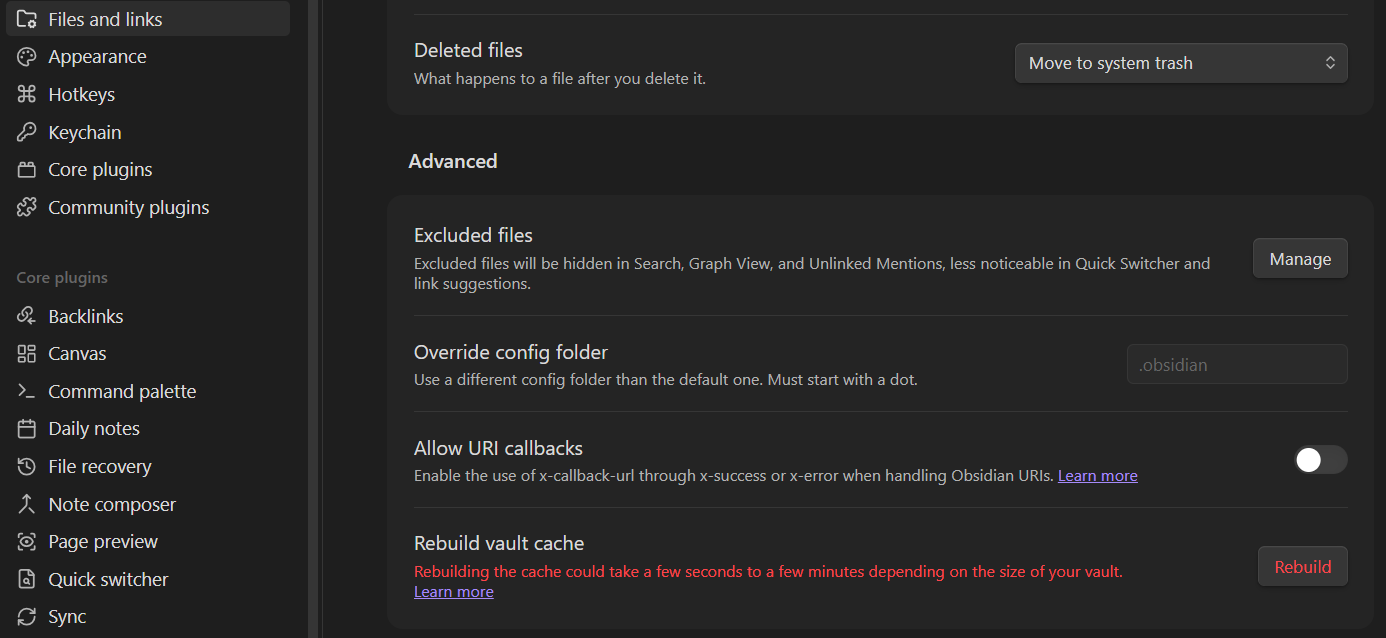
So I’d suggest turning off all CSS (or at least those above 30-40kbs), going with the default theme, disabling all plugins and rebuild cache and checking speed with searches yielding a lot of results. If speed is good, we can probably rule out content issues and you can go about re-enabling CSS and plugins but for us to help you, we need more info: we need to see what you have and you need to see why this matters. You need to learn about your vault.
Something else to possibly check : Are you sure your vault in OneDrive is fully downloaded when you’re using Obsidian ?
I don’t know if OneDrive has a setting similar to the iCloud Drive “Keep downloaded” feature but to work properly, Obsidian needs the files to be locally available (i.e.: fully downloaded on your hard drive).
Sometimes (often? most of the time?) the simplest explanation is the right explanation. For some reason 3 .md files from a couple of years ago seem to have been having sync issues.
 : Are you sure your vault in OneDrive is fully downloaded when you’re using Obsidian ?