What I’m trying to do
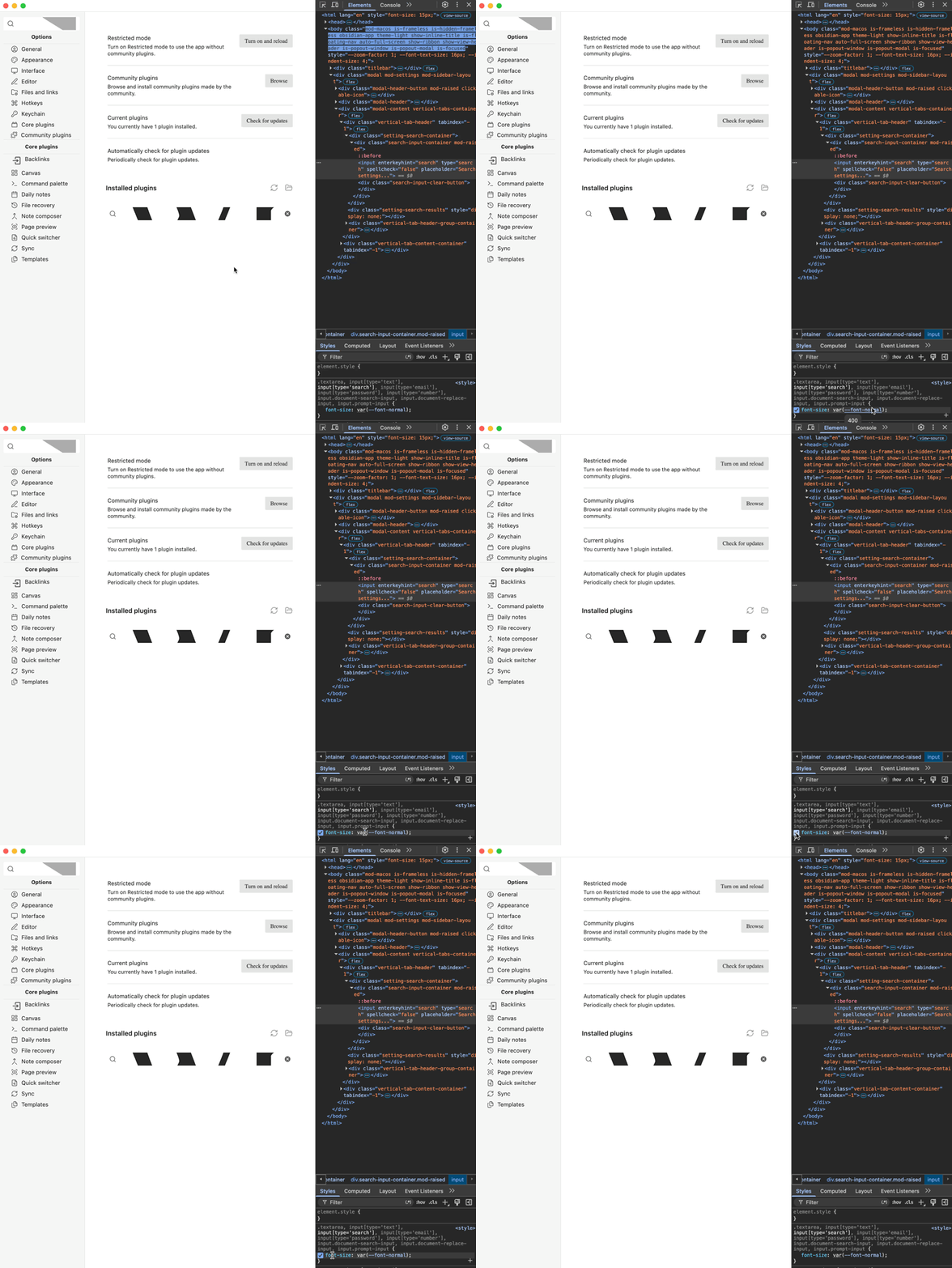
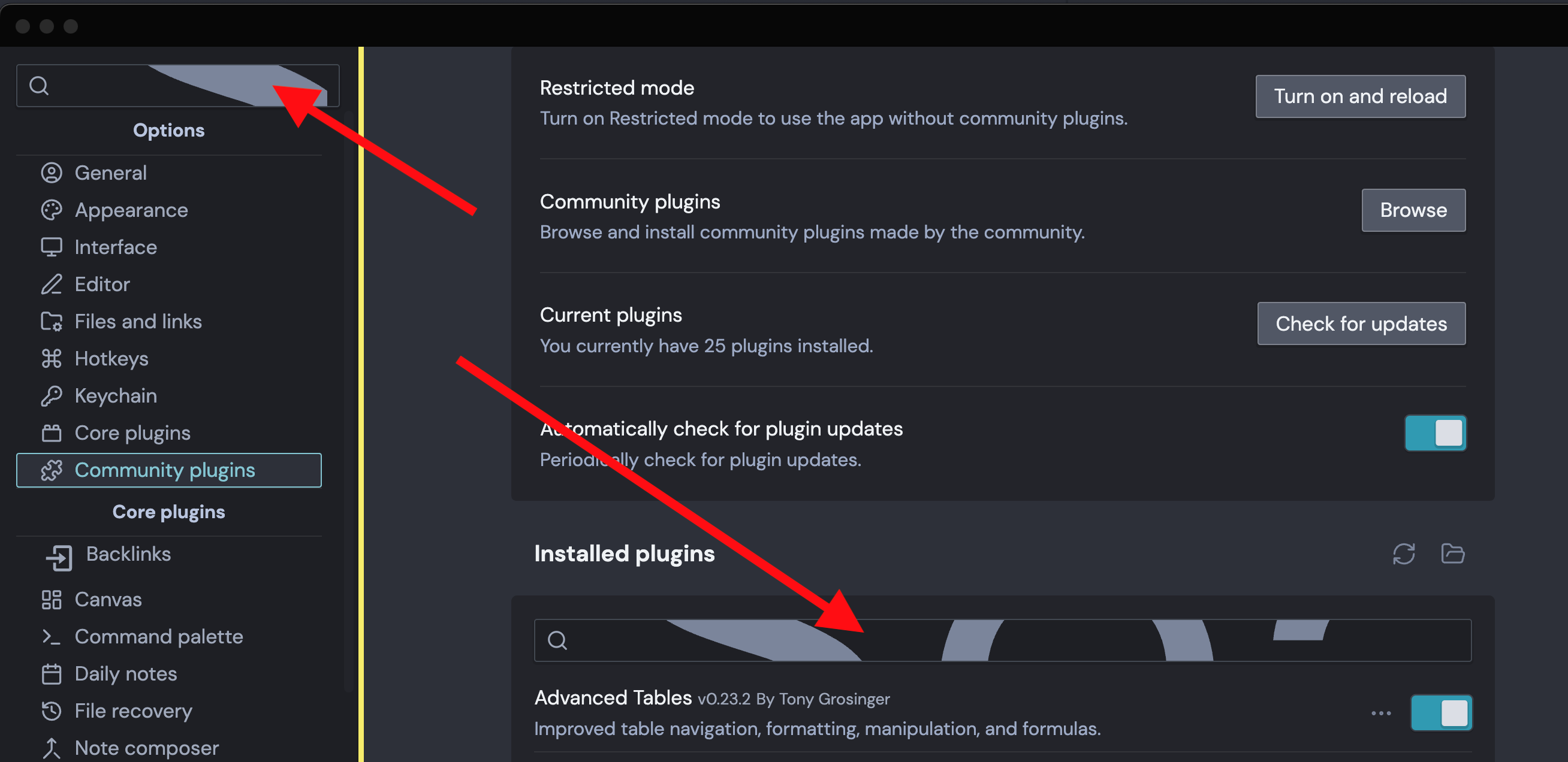
The search window in the settings window has developed a very large font size which makes it unusable. The actual search executes properly it’s just the font which is unusable. The standard Obsidian Search bars are unaffected.
Things I have tried
I’ve tried restarts and have also shut off both the core plugin Search and the Community plugin Omnisearch. The problem is present even when running in Restricted mode. Before I start down a rabbit hole of trying to resolve this I wanted to post in the hope someone recognizes this problem.
Thanks for any help.
Ron
Debug Info
SYSTEM INFO:
Obsidian version: 1.13.7
Installer version: 1.12.7
Operating system: Darwin Kernel Version 24.6.0: Wed Nov 5 21:33:58 PST 2025; root:xnu-11417.140.69.705.2~1/RELEASE_ARM64_T6000 24.6.0
Login status: not logged in
Language: en
Insider build toggle: off
Live preview: on
Base theme: adapt to system
Community theme: LYT Mode 1.9.1
Snippets enabled: 0
Restricted mode: off
Plugins installed: 25
Plugins enabled: 23
1: Templater v2.20.5
2: Style Settings v1.0.9
3: Notebook Navigator v3.3.4
4: Callout Manager v1.1.1
5: Advanced Tables v0.23.2
6: Auto Note Mover Plus v1.0.8
7: Automatic Table Of Contents v1.8.0
8: Charts v3.9.0
9: Daily Note Navbar v0.2.1
10: Dataview v0.5.68
11: Enhance Copy Note v0.2.1
12: Homepage v4.4.4
13: Image Converter v1.4.4
14: Maps v0.1.6
15: Meta Bind v1.4.15
16: Open Tab Settings v2.1.1
17: Print v0.5.4
18: Query Control v0.8.0
19: QuickAdd v2.12.3
20: Sheets Extended v2.0.2
21: Text Extractor v0.7.0
22: Tasks v8.3.0
23: Pane Relief v0.5.9
RECOMMENDATIONS:
Custom theme and snippets: for cosmetic issues, please first try updating your theme and disabling your snippets. If still not fixed, please try to make the issue happen in the Sandbox Vault or disable community theme and snippets.
Community plugins: for bugs, please first try updating all your plugins to latest. If still not fixed, please try to make the issue happen in the Sandbox Vault or disable community plugins.