I can reproduce this using Home and End keys.
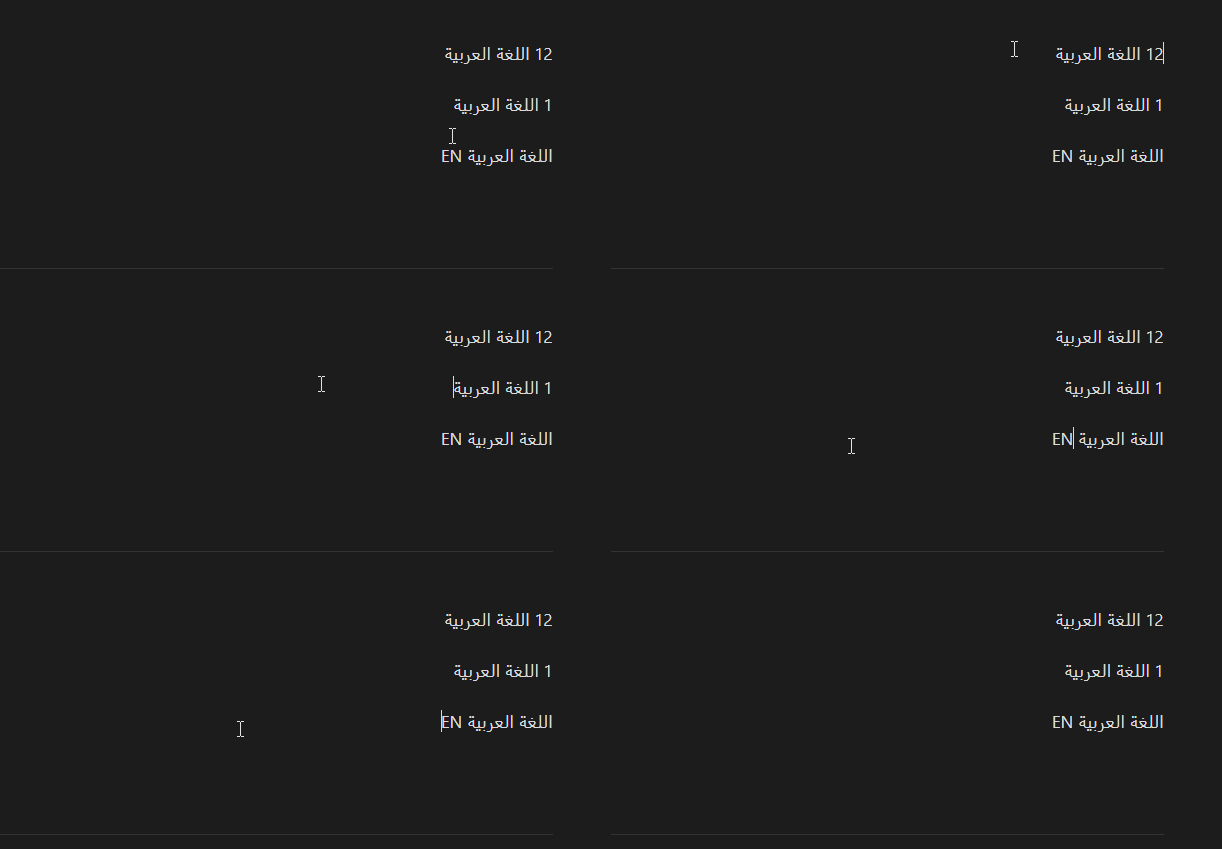
I can reproduce this using Home and End keys.
I tried to recreate it as you said, it wont go to last character when pressing Home.
@MG250 reproduced it perfectly.
+1. indeed
I hope it would be fixed soon, it really ruins the experience.
Hi, does anyone have a solution?
The issue occurs when a line begins or ends with a left-to-right (LTR) character, a number, or a symbol, while the rest of the line consists of right-to-left (RTL) text.
Some examples of these lines:
EN اللغة العربية

اللغة العربية EN

12 اللغة العربية

اللغة العربية 5

✅ اللغة العربية

اللغة العربية ✅

♬ اللغة العربية

اللغة العربية ♬
Pressing the Home or End key on these lines does not move the cursor to the beginning or end of the line. Instead, it places the cursor before the LTR character or symbol, requiring an additional press of the Home or End key to move the cursor to the actual beginning or end of the line.
Clicking with the mouse at the beginning or end of a line places the text cursor before the LTR character or symbol. This requires pressing the Home or End key to move the cursor to the actual beginning or end of the line.
In these recordings, the Home and End keys were pressed, and the text cursor was also placed at the beginning and end of the line.
Obsidian:
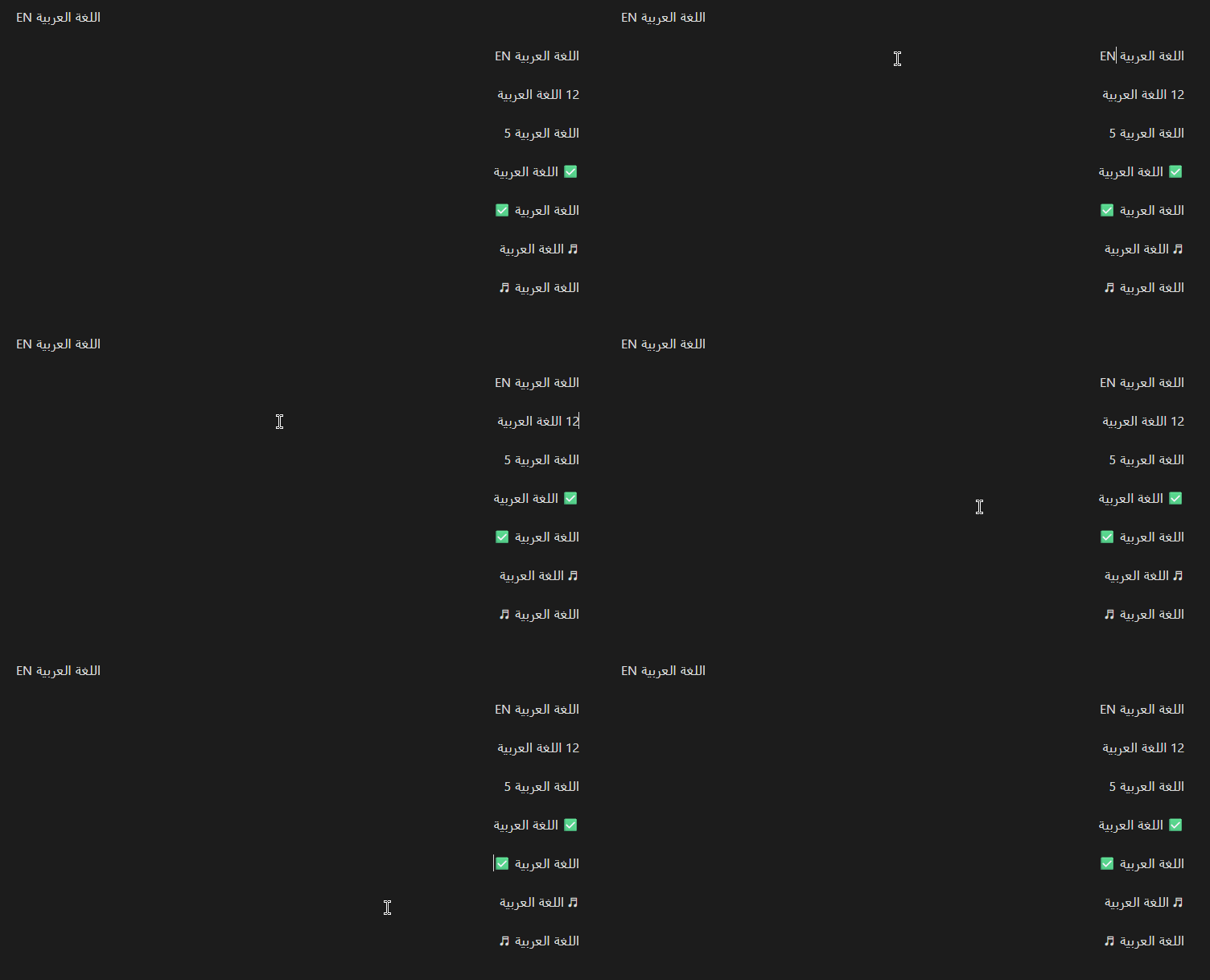
Notepad++ (Correct Behavior):
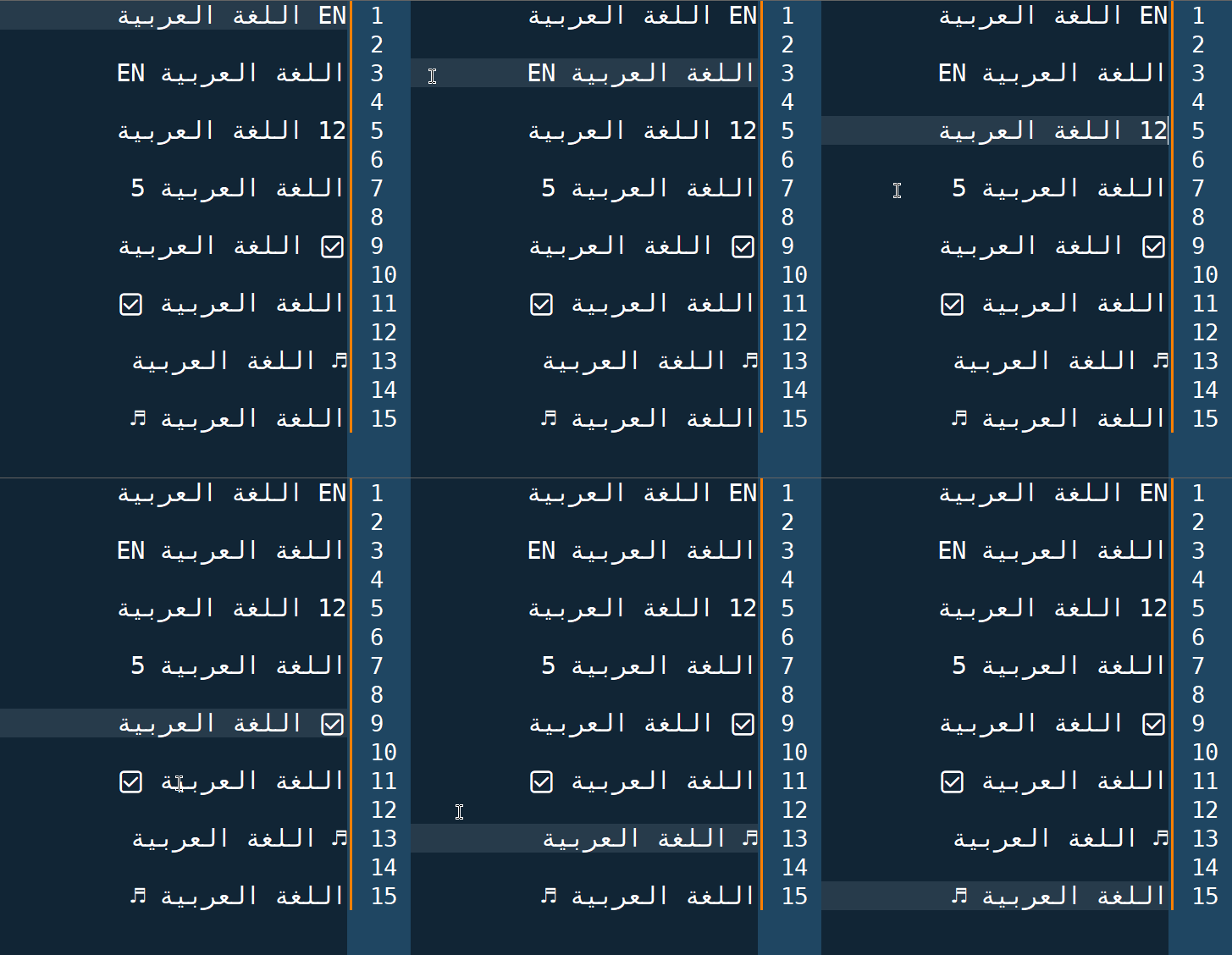
1.14.2 changelog:
- Editor: Fixed Home and End keys going to the wrong destination on lines with bidirectional (left-to-right and right-to-left) text.
The issue is still present on my end.
Previously, pressing Home or End for the first time would not move to the beginning or end of the line if there was text at either end of the line with a direction different from the line’s base direction. However, pressing the key a second time would perform the intended action.
Now, pressing the key again does not trigger any action. As a result, it is not possible to move to the beginning or end of a line at all.
If this is an upstream bug that cannot currently be resolved or worked around, the previous behavior would be manageable.
Current behavior:

SYSTEM INFO:
	Obsidian version: 1.14.2
	Installer version: 1.13.7
	Operating system: Windows 11 Pro 10.0.26200
	Login status: logged in
	Language: en
	Catalyst license: insider
	Insider build toggle: on
	Live preview: on
	Base theme: adapt to system
	Community theme: none
	Snippets enabled: 0
	Restricted mode: on

RECOMMENDATIONS:
	none
Infact, I haven’t marked this BR as fixed.
We did make some changes in the this regard. While the cursor appears in the wrong position, if you start typing it will insert characters in the right spot (at the beginning/end).
So the problem now isn’t that home/end don’t go to the beginning/end of line but that the cursor doesn’t appear where it should.
I’ve tested that, but on my end, it doesn’t insert the text in the correct position (at the beginning or end of the line).
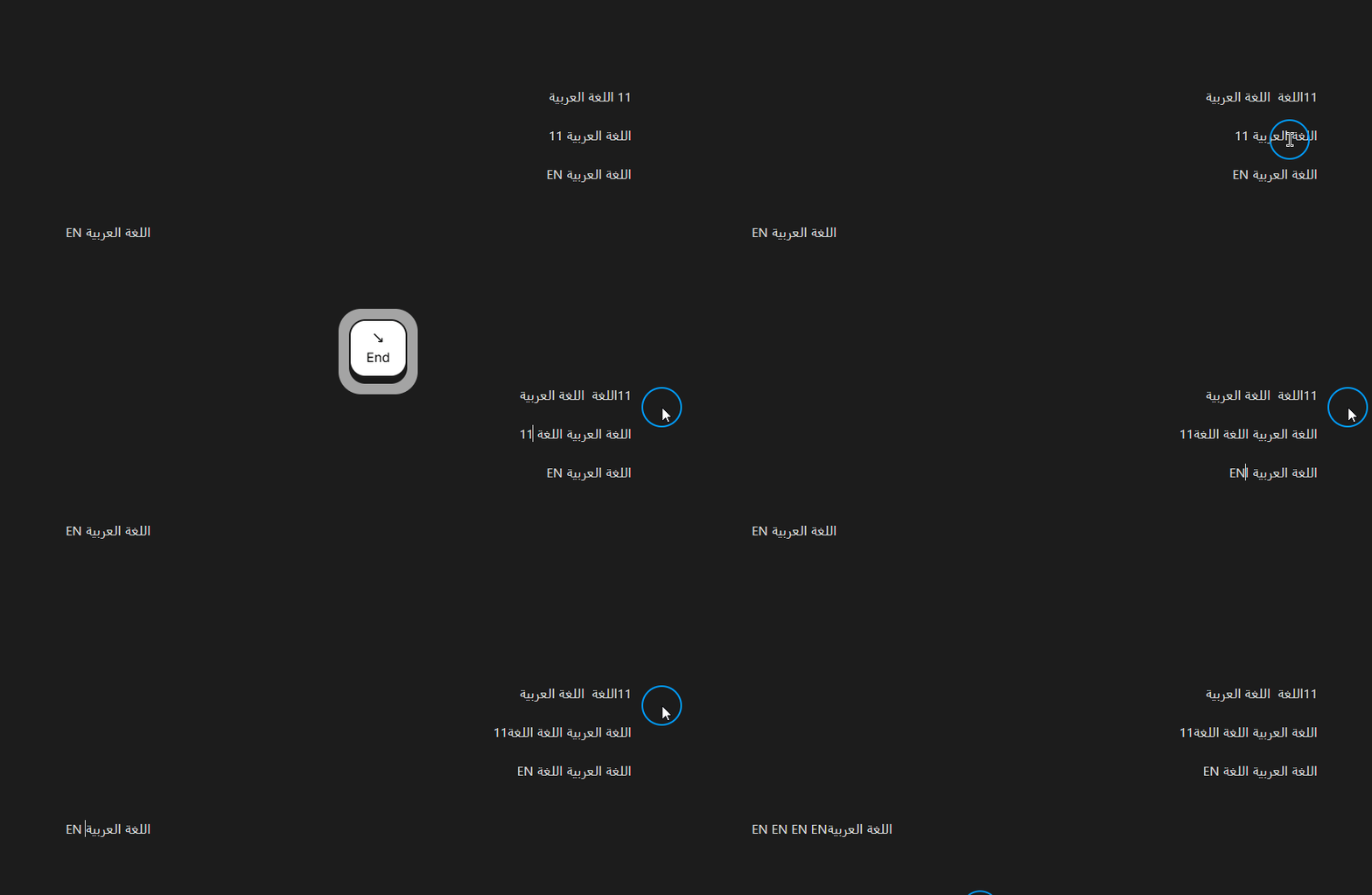
it’s correct if you add another LTR char.
I am going to keep this BR open as this is still open problem.
If the paragraph’s base direction is RTL and the paragraph ends with LTR text, pressing End and typing additional LTR text should continue the existing LTR directional run rather than creating a new LTR directional run to its left.
Thank you.
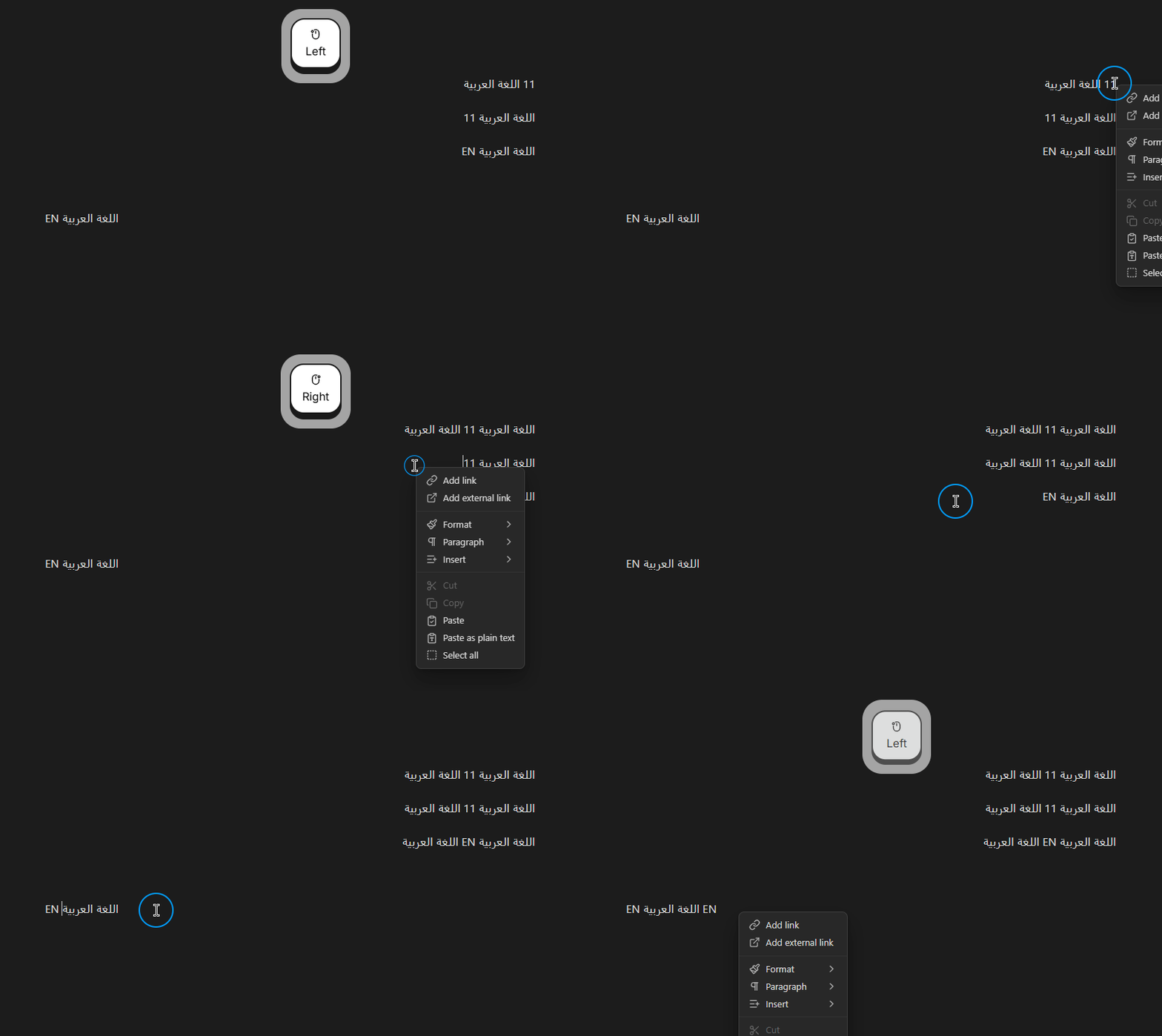
I’ve noticed another detail regarding the text cursor placement issue I mentioned in reply #5, which is also relevant to the main issue discussed in this topic.
Right-clicking places the cursor in the correct position, both visually and logically.
The following GIF shows the difference between left and right clicking.
Hello,
The issue is fixed in @codemirror/state 6.7.6 (2026-09-22) and @codemirror/view 6.43.13 (2026-09-22)
I’ve tested it in CodeMirror Right-to-Left Text Example
Should be fixed in v1.14.3. ETA unknown.