it doesnt work for me, I think there is a problem with new version of obsidian
This feature is really important to me as well. I’ve used the drag and drop blocks plugin before, and it was great, but it no longer works for me.
This would be an amazing feature for the Outliner plugin, or it could be built in, which would also be wonderful.
This feature not being available makes me shy away from using Obsidian for quick-list-tasks, such as grocery shopping, because sorting lists is such a hassle.
+1. We need this!
+1, we need this!
It’s not Allow moving items in list 
If its any help, the “Advanced Tables” plugin has assignable shortcuts for “move row up/down”. What I’m using for now.
This is the only feature I am missing form Logseq right now
Would like to put in my +1 for this feature as well. I switched to Obsidian as an alternative to Google Keep, and really missing the ability to easily move around checklist items such as a grocery or shopping list. Especially on a mobile device where editing is a little more difficult.
I’d like this as well. But maybe with keyboard support as well. Like in notepad++ of VSC.
Just moved from Logseq to Obsidian, and the lack of drag&drop for lists and outlining is the only letdown I’ve found so far!
Is there any workaround for this in 2024? All I want is to be able to drag and drop list items, and checklist items, in desktop and mobile. I tried all the plugins I could find but none of them work. I’m surprised this doesn’t exist already!
Drag-Drop (or rather, reorder by drag-drop) is quite an important mobile usability feature.
Not many apps have it, but those that have it, are pretty awesome to use on mobile.
Of note, Craft and Notion
I agree, this is crucial feature. I am considering moving to another platform if I can’t manage my lists here.
Surprised no one has mentioned this already, but drag and drop for selected text is a core feature of Obsidian already (at least on macOS). While awkward when rearranging list items, it works.
Big +1 for a better sorting method though, which should also work on mobile.
how does it work?
I use it in Mac and I don’t have it I think
It’s a bit finicky. Sometimes when I attempt to drag, it moves the selection to the part of text under cursor instead. The trick is that you need to hold down left click (or three fingers if using trackpad) for a second before you attempt to drag. Holding down Alt copies selection instead of moving it.
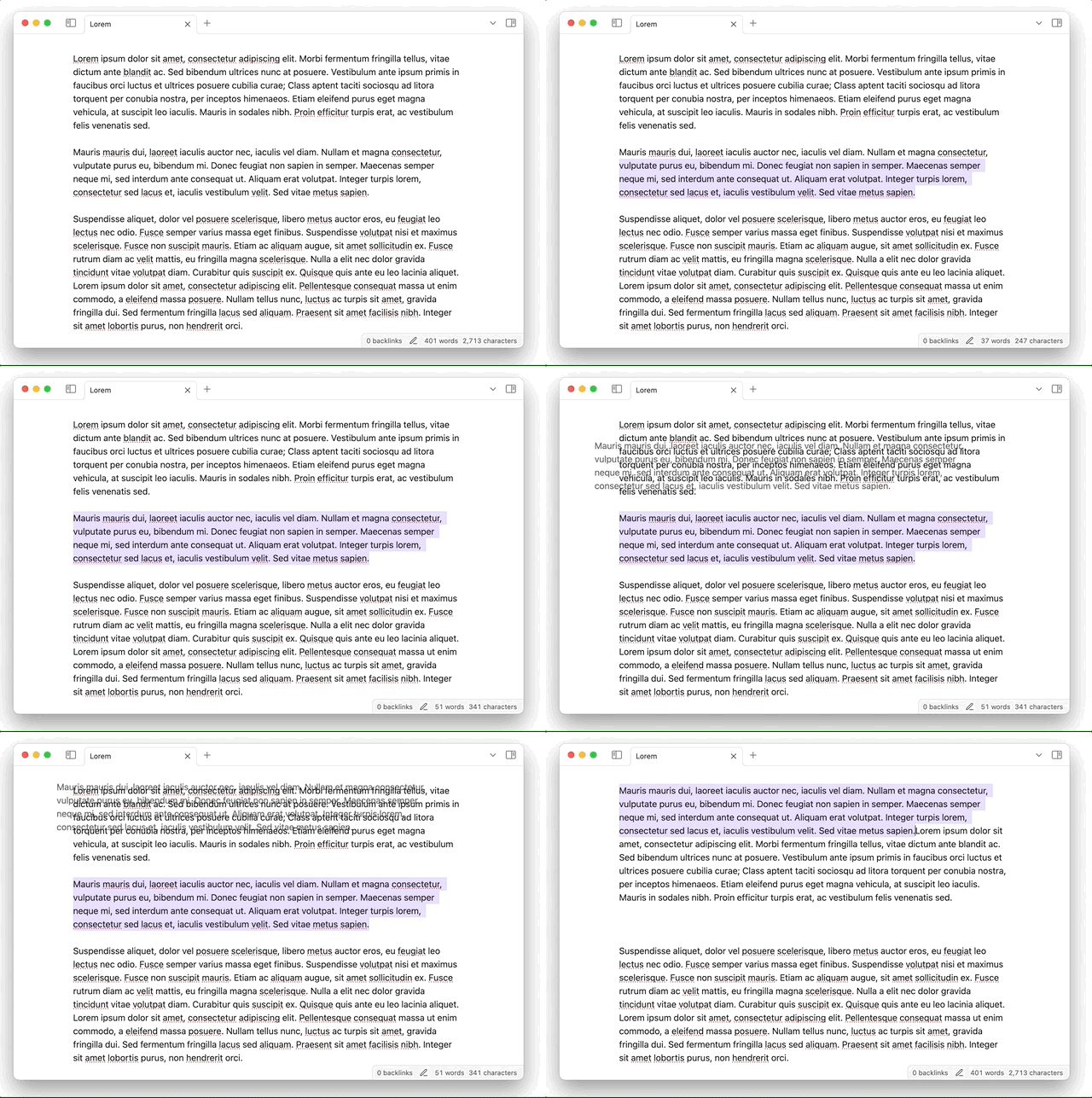
Also, see this answer:
+1 for a togglable drag and drop handle on bulleted / boxed lists on desktop and mobile!
Dragging and dropping selected text does not work well imo.
This is only a partial solution, but there are Move line up and Move line down commands that can be assigned to shortcut keys on the desktop version, and are available to add to the formatting menu on mobile.
Some down sides:
- Since paragraphs have a blank line between them, moving a line up once just moves it above that blank line and butts it up against the preceding paragraph. Moving it up again moves it above that paragraph, but still butted against it. Moving it up again will just butt it up against the paragraph above that. And some people might create paragraphs in standard Markdown with insignificant line breaks, which would mean they’d only be moving one of the lines within the paragraph.
- When you move bullet points, that won’t move any nested bullet points along with the parent.
- It’s not as easy to use as drag handles would be.
So really, we need Move paragraph up/down commands, and Move bullet point up/down, or a more generic Move block up/down. And drag handles.
It’s been more than five years since this was posted, yet I’m still forced to use other apps for features that are standard in most alternatives. This missing functionality has been a daily inconvenience since I first installed the app on both desktop and specially on mobile.