I’m trying to figure out how images are being rendered.
First of all, just to set the premise of my questions, Obsidian seems to be using a non-standard syntax. Instead of the usual  it is using ![[image.jpg]].
Why the nonstandard synatx in the first place?
Where does the alt text go?
Why do these tags not include a path to the image? No matter where in the vault an image is located, it is always referenced without its path.
Why these questions?
I’m writing a web application that takes content from markdown files, and I thought it’d be cool to be able to use Obsidian to write. That’s kind of where Obsidian really shines: writing. And there’s a reason it uses markdown: portability.
Now as for question number 1 - sure enough there are a number of markdown dialects. I’m not trying to disarm the whole choice of dialect. The fact that it deviates from the defacto standard is disappointing, but it is what it is, and I can deal with the syntax as it is.
But, question 2, I must have an alt text somehow. Now I can’t figure out how to do that in Obsidian, but I’m probably looking with my bottom. I didn’t look very closely, and there’s almost definitely an alt text somewhere that writers can set. Or a title/tooltip or however Obsidian decides to render it. Some kind of text that belongs to an image that cannot be decoupled from it, so to speak.
As for 3 - this baffles me the most. How is Obsidian deciding where to “pull” the image from, if no path to it is ever specified. It’s almost like all images in the vault are broomed onto a giant vertical list, their paths being completely ignored, and then always referenced without path, drawing from this monolothic list. I wonder how that works when there are two files with the same filename - because that’s completely possible, at least on the filesystem.
Can someone please shed some light on this, and explain (or link to) some details on how this works exactly?
Wikilink: [[Three laws of motion]] or [[Three laws of motion.md]]
Markdown: [Three laws of motion](Three%20laws%20of%20motion) or [Three laws of motion](Three%20laws%20of%20motion.md)
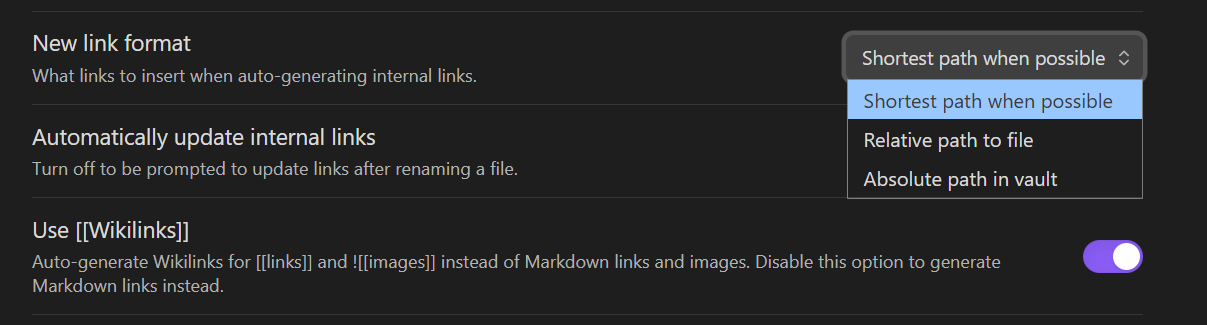
By default, due to its more compact format, Obsidian generates links using the Wikilink format. If interoperability is important to you, you can disable Wikilinks and use Markdown links instead.
To use the Markdown format:
Open Settings.
Under Files and Links, disable Use [[Wikilinks]].
For your use case, Markdown links are probably the way to go.
So am I right in my brooming analogy? Is that how Obsidian “finds” the image to render, regardless of which folder in the vault it happens to be?
About that setting - is that setting stored in the vault, or in the OS user profile? That’s kind of important when another vault doesn’t need that setting, or when I use another device on the same vault.
I wonder how that works when there are two files with the same filename
Any file in the vault can be linked using only its name (plus extension if it’s not md) as long as there isn’t another file of the same name + extension.
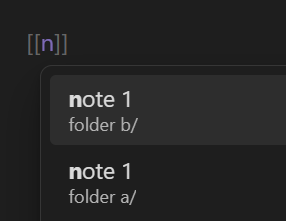
When there are more than one, the link suggester shows you which one you’re selecting as you type:
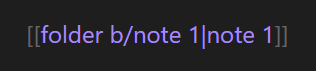
If you bypass the suggester—such as by pasting the link, pressing Esc, typing through to the close brackets, using a different text editor, importing/dropping a file into your vault—then you may or may not get the file you intended. …unless you include enough path to disambiguate.
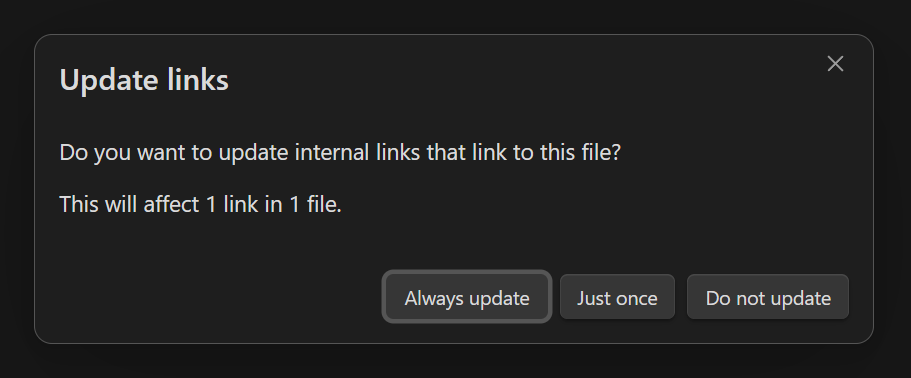
When your notes already contain a no-path link to a file and then you create another file with the same name, Obsidian prompts you to choose an option: