Renaming a column in Bases doesn't rename the property

Steps to reproduce

Open bases.
Open all properties in the right side panel.
Create a new property and make it visible for that base.
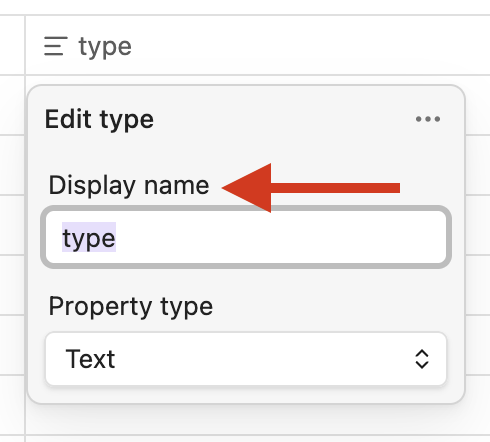
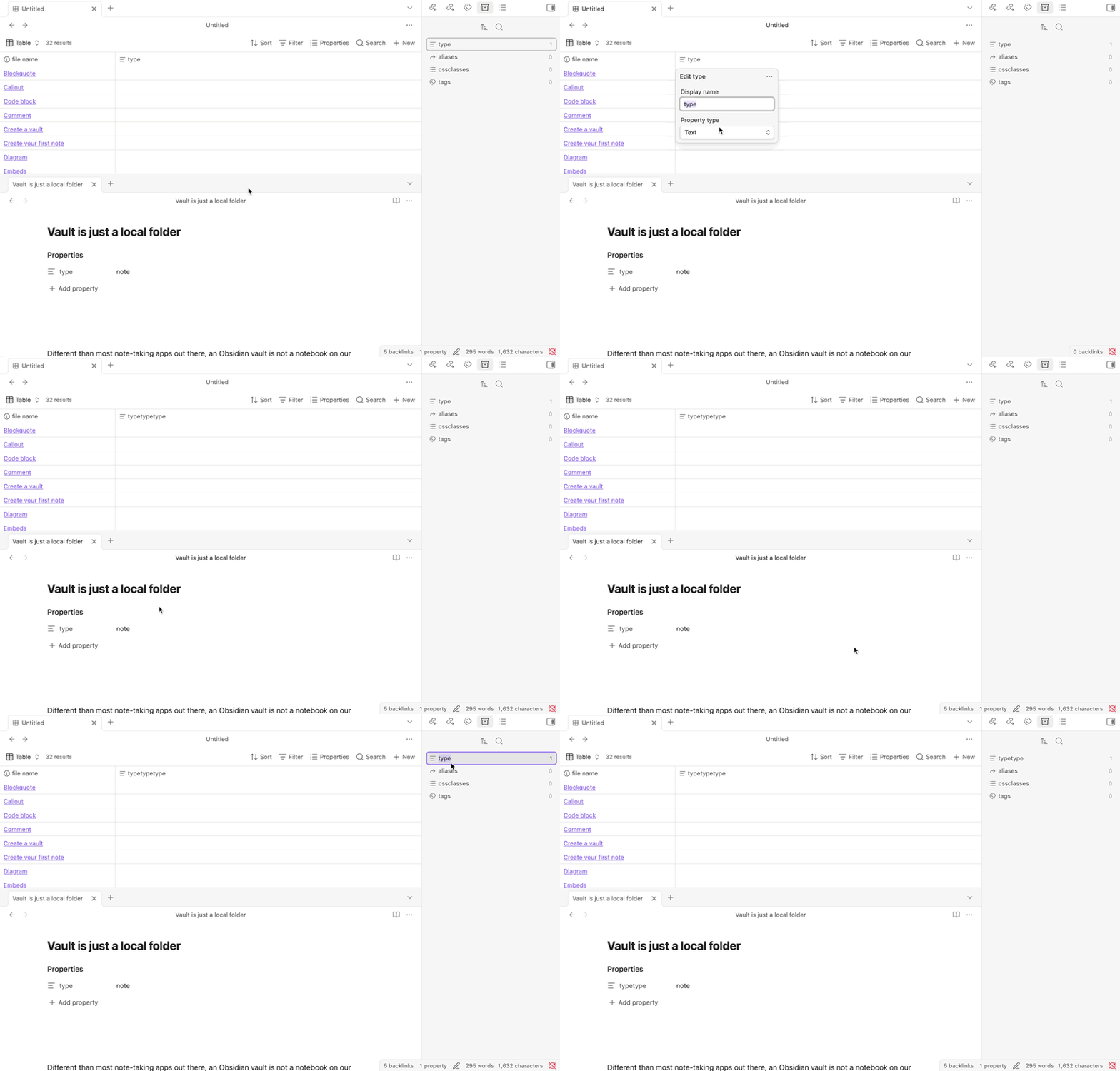
If you rename that column, you can see that its name doesn’t change in all properties right side panel.

Did you follow the troubleshooting guide? [Y/N]

Please, follow the Troubleshooting Guide before answering Yes.

Expected result

I expected that the property itself would be renamed.

Actual result

Only a superficial change happened. The column was renamed but not the property.

Environment


Additional information

To me, “Display name” indicates a custom label or alias.

Changing the display name won’t change the Property name in notes either. If you want to change the Property name itself, use the All Properties tab:

CleanShot 2026-03-11 at 19.54.30

3 Likes

Yeah it’s the same as well when I go to a base and click the properties button, edit an existing property, and change its display name. Shouldn’t the property being renamed as well be the proper behavior?

You’re definitely not the first to feel that way. Others have mentioned it before.

Looking at the base code can reveal what’s really happening. This is a base that displays a property named example:

views:
  - type: table
    name: Table
    order:
      - example

When you change example’s display name to something else, the code becomes this:

properties:
  note.example:
    displayName: something else
views:
  - type: table
    name: Table
    order:
      - example        

(The first three lines are new. Everything else is the same.)

It specifically does not change the name of the property in all of your notes. It merely adds a display name.

Display names give you freedom to display custom names in your base. And it gives you the freedom to display different names in different bases. All without overwriting your front matter.

The feature you’re talking about—changing the property name in every note—can be done the way ariehen showed.

1 Like

I realized another issue with this. If I do change a property name in the All Properties tab, the columns don’t change. The existing column becomes a separate thing from the renamed property (losing all the values within them) and I’d have to manually make the new property visible as a column in all the bases files and the views in all of those files.
Agree with you on that one. Here’s the feature request you can support for that, which was marked “valuable” by the Obsidian team: Bases: Renaming (or deleting) a property in properties view should update all affected bases