Disclaimer
Is this plugin open source? No — source-available on GitHub under a non-commercial license
Is this plugin completely free? Yes — including all Pro features
Is this plugin vibe-coded beyond the author’s ability to comprehend how it works? No — with a note, below
Community Directory: Radial timeline
I write longform fiction, and I quickly found I needed a way to track my scenes in context of subplots and key event markers. Tables scroll forever. The graph view shows links, not structure. What I wanted was one picture of the whole manuscript.
Radial Timeline draws your scenes as concentric rings — subplots as rings, acts as sectors, color carrying status. One screen, whole novel.
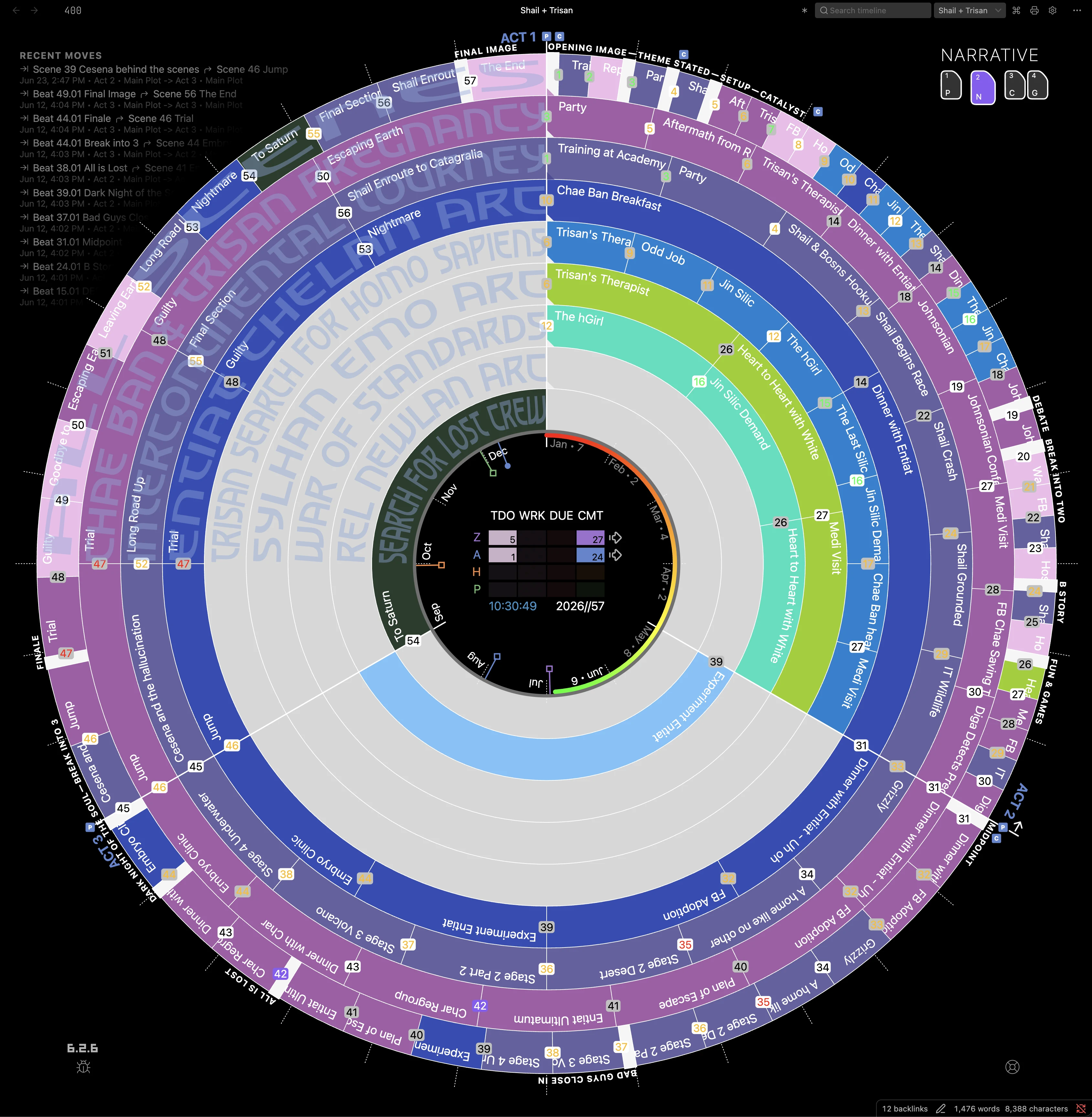
Scene data lives in ordinary YAML frontmatter on ordinary notes. Nothing is stored in a database, and nothing about the plugin owns your files — remove it and you still have a folder of Markdown.
A few things it does:
- Narrative and chronological views — read the book in the order it’s told, then flip to the order it happened. Useful for anything with a nonlinear timeline.
- Subplot rings — see which threads have gone quiet.
- Status at a glance — drafting, revising, complete, color-coded across the whole manuscript.
- Acts and structure — three by default, more if your book needs them.
- Multi-book & Saga — switch between novels or view a saga on one radial timeline.
- Optional AI editorial assistance and tools — onboarding an existing manuscript into scene notes can run on a local LLM (nothing leaves your machine) or on a cloud model with your own API key and a live cost forecast. Entirely optional; the plugin works without AI.
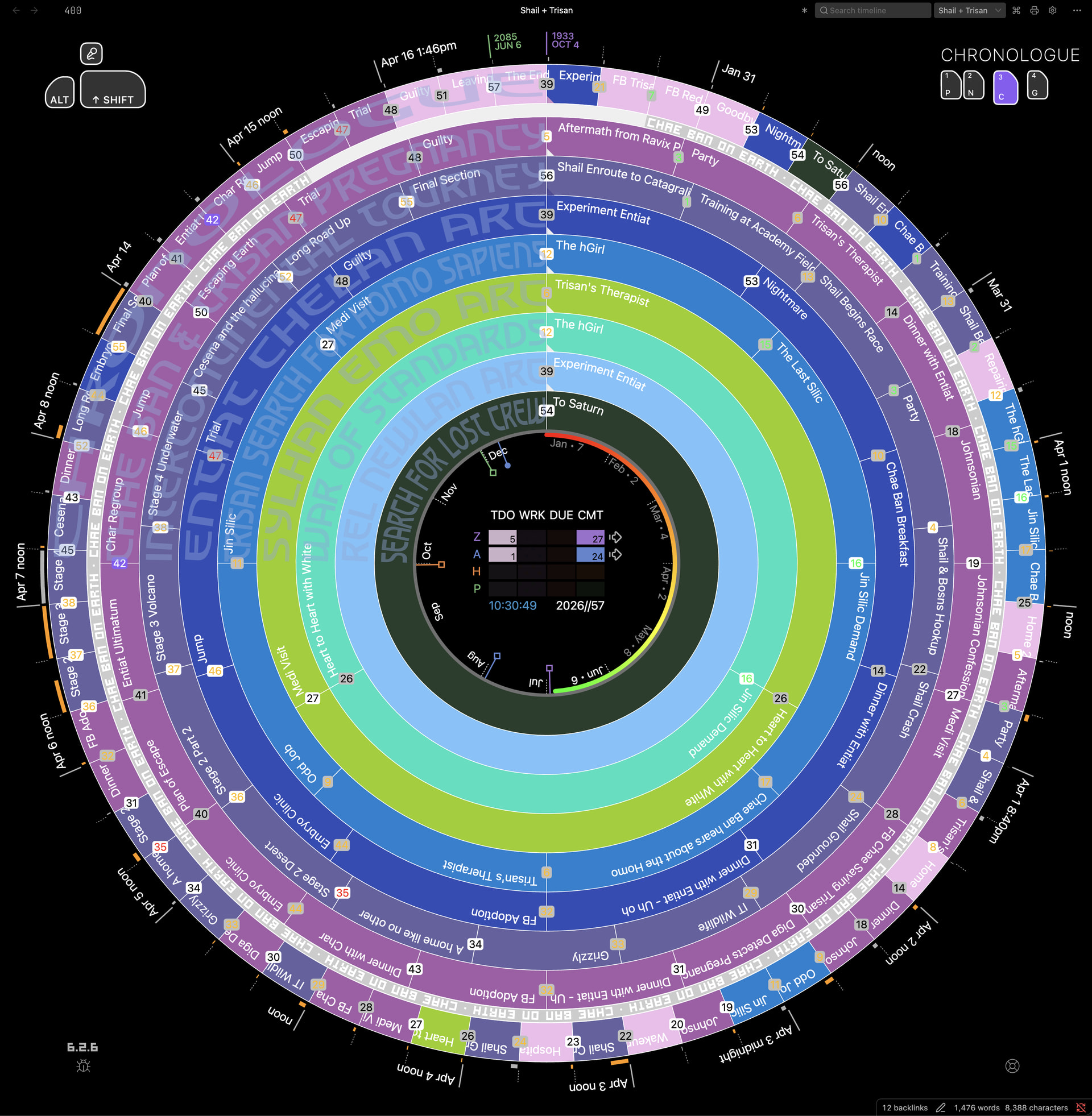
Requirements: desktop only, Obsidian 1.13.0+.
On that vibe-coded answer
No—I understand the code. I have a BS in Electrical Engineering and a developer background. My approach is to direct the build and judge it by results rather than read every line: I write fiction now, so my attention goes to behavior, design, and bugs, while AI agents under my direction handle the syntax and architecture. I make sure the plugin serves my needs as a serious writer—I focus on UX and UI, and use the AI to run quality checks, periodic audits, and refactors.
You don’t have to take that on faith. The repo is source-available on GitHub—read it. Every push runs eighteen automated gates: production build, type-checking, code-quality and CSS checks, the Obsidian lint ruleset, a compliance pass, spec coverage, and the unit suite. Obsidian reviewed the plugin before it entered the directory. And the plugin keeps its data as ordinary YAML in your own notes, stores nothing outside your vault, and reaches the network only for features you switch on yourself—the AI provider you choose and pay, or the Community if you connect it. Uninstall it and you still have a folder of Markdown.
If something breaks, file it on GitHub, Discord, or email, and I’ll get it fixed.
An invitation
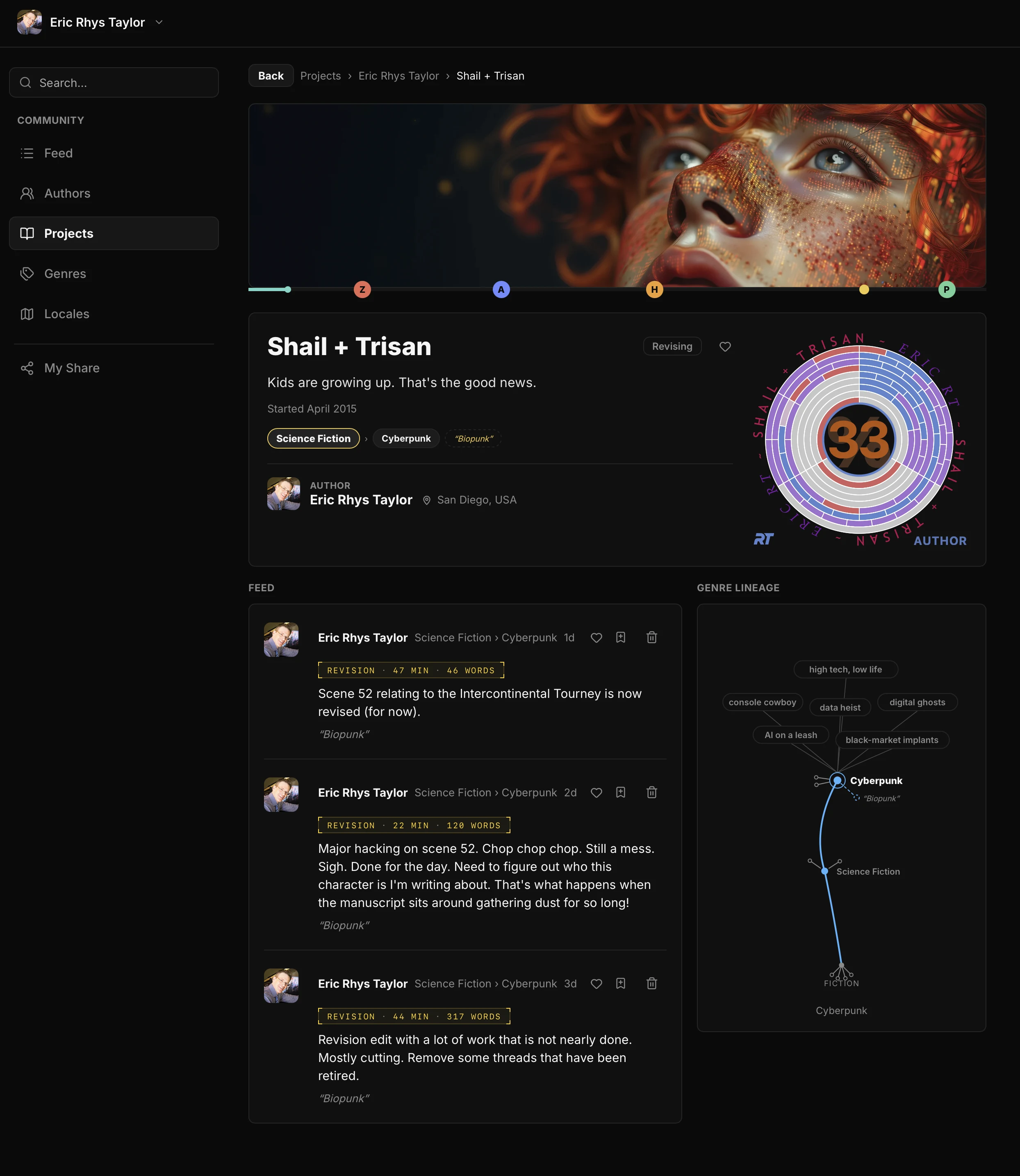
There’s a companion site where writers using the plugin can share progress—community.radialtimeline.com. It is a small room right now: me, posting daily from an Author-stage revision round on a longform novel, and an archive shelf with Jane Austen and Pride & Prejudice. Communities this size are shaped by whoever shows up first. Consider sharing your writing journey with others.
It is entirely optional and separate from the plugin. Nothing syncs unless you connect it yourself. If you do connect it, your manuscript stays on your machine; what travels is the shared data you publish deliberately in Radial Timeline—>Settings—>Community, with Pause, Disconnect, and Backup in Settings.
Bugs & Feedback
In terms of the Plugin, what is most useful to me right now is friction: where you got stuck, what you expected instead, what looked broken. Use the bug reporting button on the plugin, or report it here, on GitHub or email me.
Thanks and happy writing,
Eric Rhys Taylor