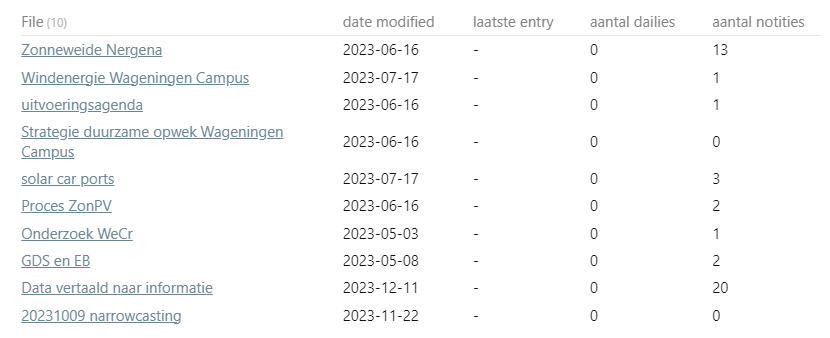
I finally got around to building some test folder structures, and ran a debug query to try to eliminate some of the kinks.
My test folder setup
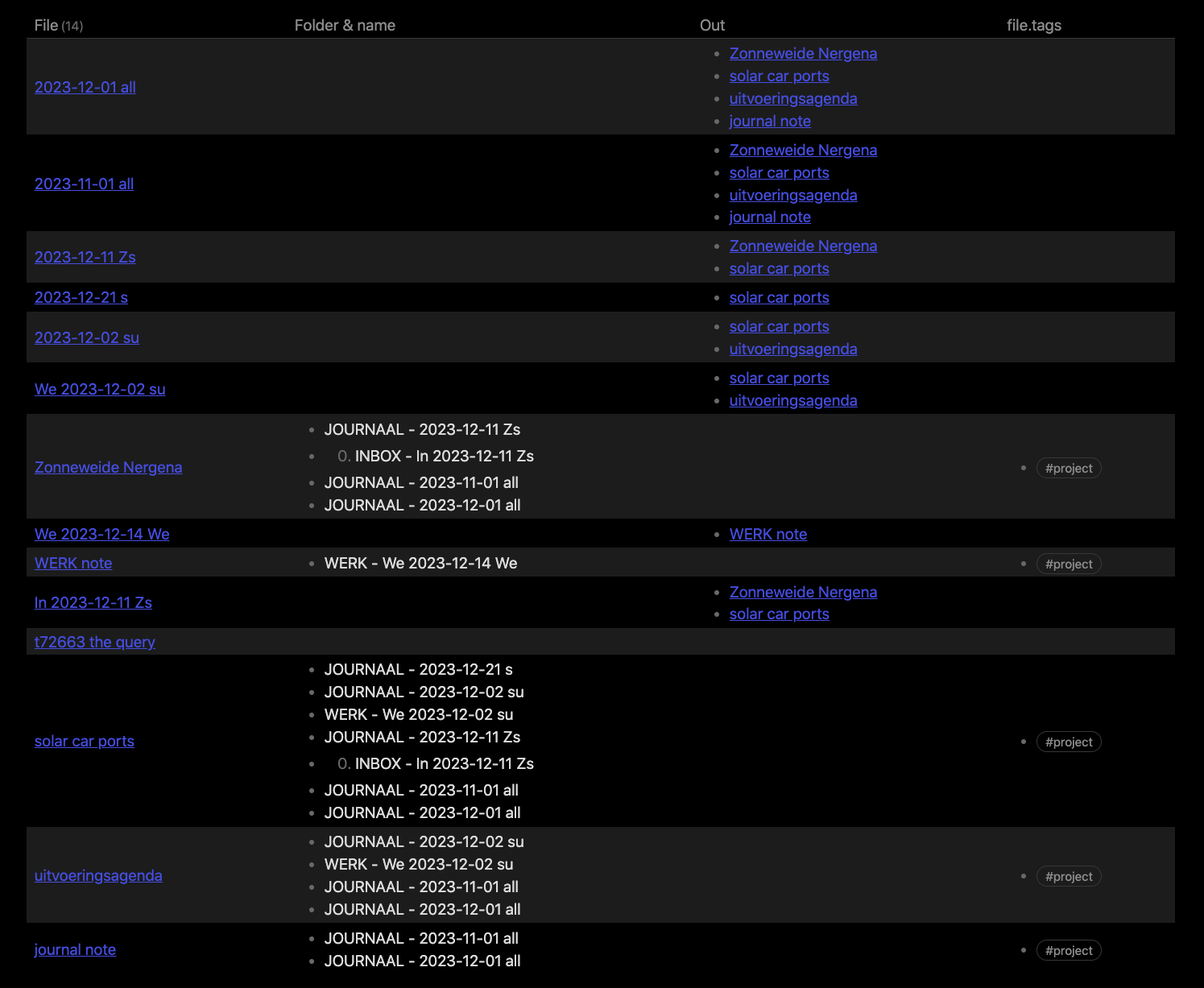
I tried to replicate how I think your file setup is, so I made a WERK and 0. INBOX folder with some #project files linking a little here and there, and a JOURNAAL folder with some entries linking to the project files. I’ve also made sure that I’ve got a project file only linked from a journal, and one only linked from a notice folder as these present rand cases when filtering the links.
Regarding naming of the files, I’ve made all the inlink files contain a date, and the file name ends with a letter combination indicating where it links, so Zs means it links to the “Zonneweide Nergena” and “solar car parts” project. Some of the project files have a prefix indicating in which folder it originated, like We 2023... from within the “WERK” folder. These clues are not used in the filtering, only as visual clues when viewing the output table.
Here is a view of my test file setup:
The “Folder & name” column are only the inlinks to that file, showing the folder and the file name of the inlink.
The query I ran:
```dataview
TABLE
  journalLinks[0] AS "laatste entry dailies",
  length(journalLinks) as "aantal dailies",
  length(noticeLinks) AS "aantal notities"
  , yearInlinks
  , map(yearInlinks, (y) => contains(y.file.folder, "JOURNAAL") ) as isJournalLink
  , map(list("ARCHIEF", "WERK", "0. INBOX"),
                       (m) => contains(yearInlinks.file.folder, m)
                       ) as isNoticeLinks
  , journalLinks
  , noticeLinks
FROM ("WERK" or "0. INBOX" or "1. PROJECTS" or "ARCHIEF") and #project

FLATTEN list(filter(file.inlinks, (in) =>
  in.file.day.month = 12 )) as yearInlinks

FLATTEN list(filter( yearInlinks, (y) =>
  contains(y.file.folder, "JOURNAAL") )) as journalLinks
FLATTEN list(filter( yearInlinks, (y) =>
  any(map( list("WERK", "0. INBOX", "1. PROJECTS", "4. AANTEKNINGEN"), (m) =>
    contains(y.file.folder, m) )) )) as noticeLinks

WHERE yearInlinks

Limit 15
```
This query should resemble yours a lot, with the exception of all the additional columns I’ve added for debug purposes. NB! I do however use in.file.day.month = 12 instead of in.file.mday.year = 2023, so that I could build a better test for myself. You do need to change that part.
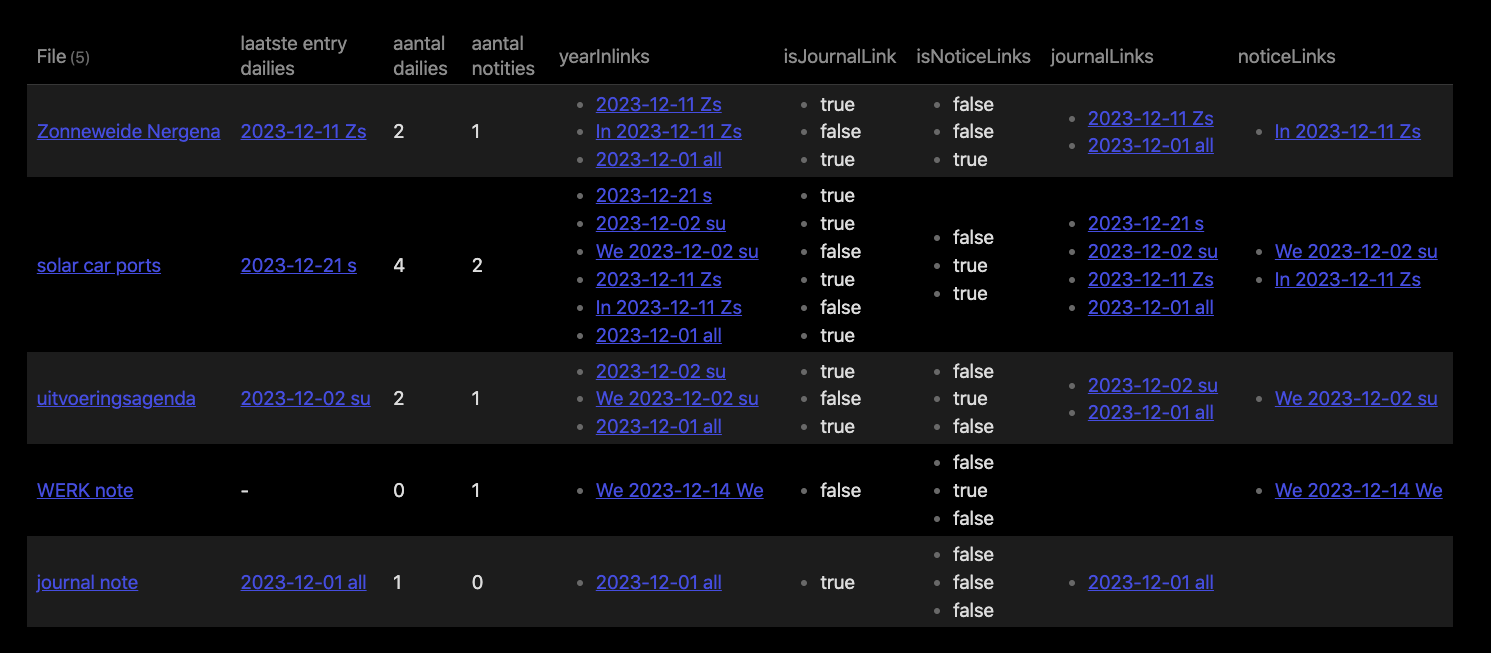
Which gave this output:
In the rather condensed table we can see that the journalLinks and the noticeLinks are populated with the correct inlink entries (and that the entry from last month is ignored). We also see in the is??? columns how each of the yearInlinks matches against that criteria. My test cases also includes elements where either the journalLinks or noticeLinks are empty (which could cause some issue with them ditching the entire row).
A few notes on my work towards this query. I found that I had a type doing yearInLinks at one place. Annoying, but it happens. I also at a point typed journallLinks which also is a typo, but still being a valid query. I also had to play around with the count of parentheses to get it right (too lazy to properly count them… ), but this one does cause the query to break so it’s easier to spot and handle.
To summarise, the query above should work in your setting and showing proper counts for the various link categories (when you change the in.file.* filter when doing the yearInlinks. There was a typo in one of my earlier queries, and possibly some parentheses count errors.
So try this query, and see how it performs, and if it misbehaves please be sure to showcase which files are misbehaving, and why some given files should be included or excluded from the search.