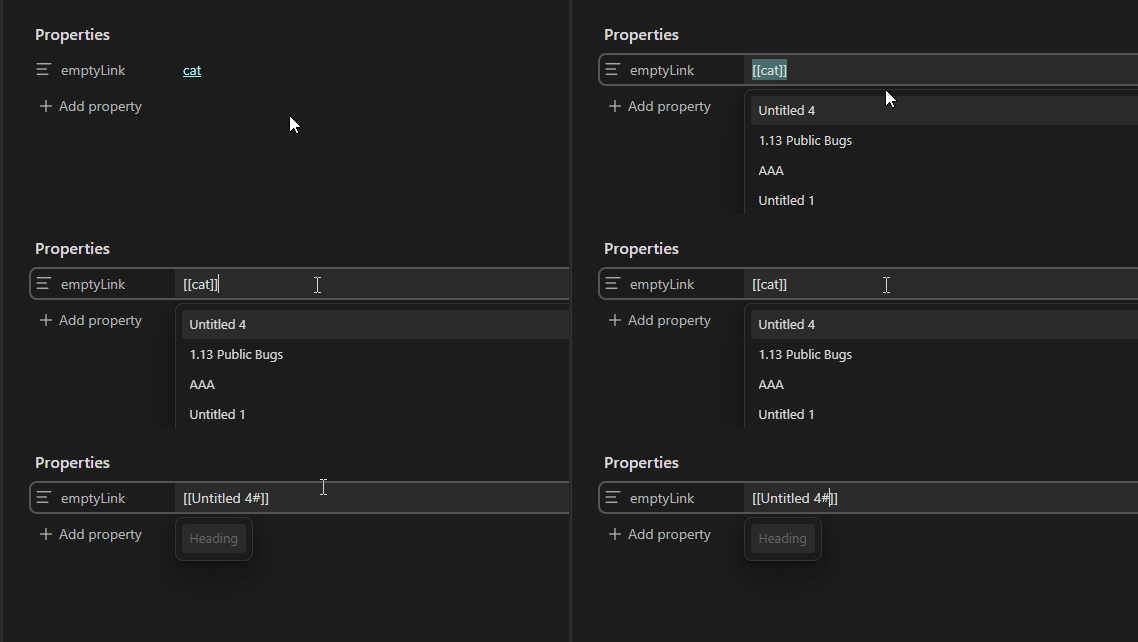
Steps to reproduce
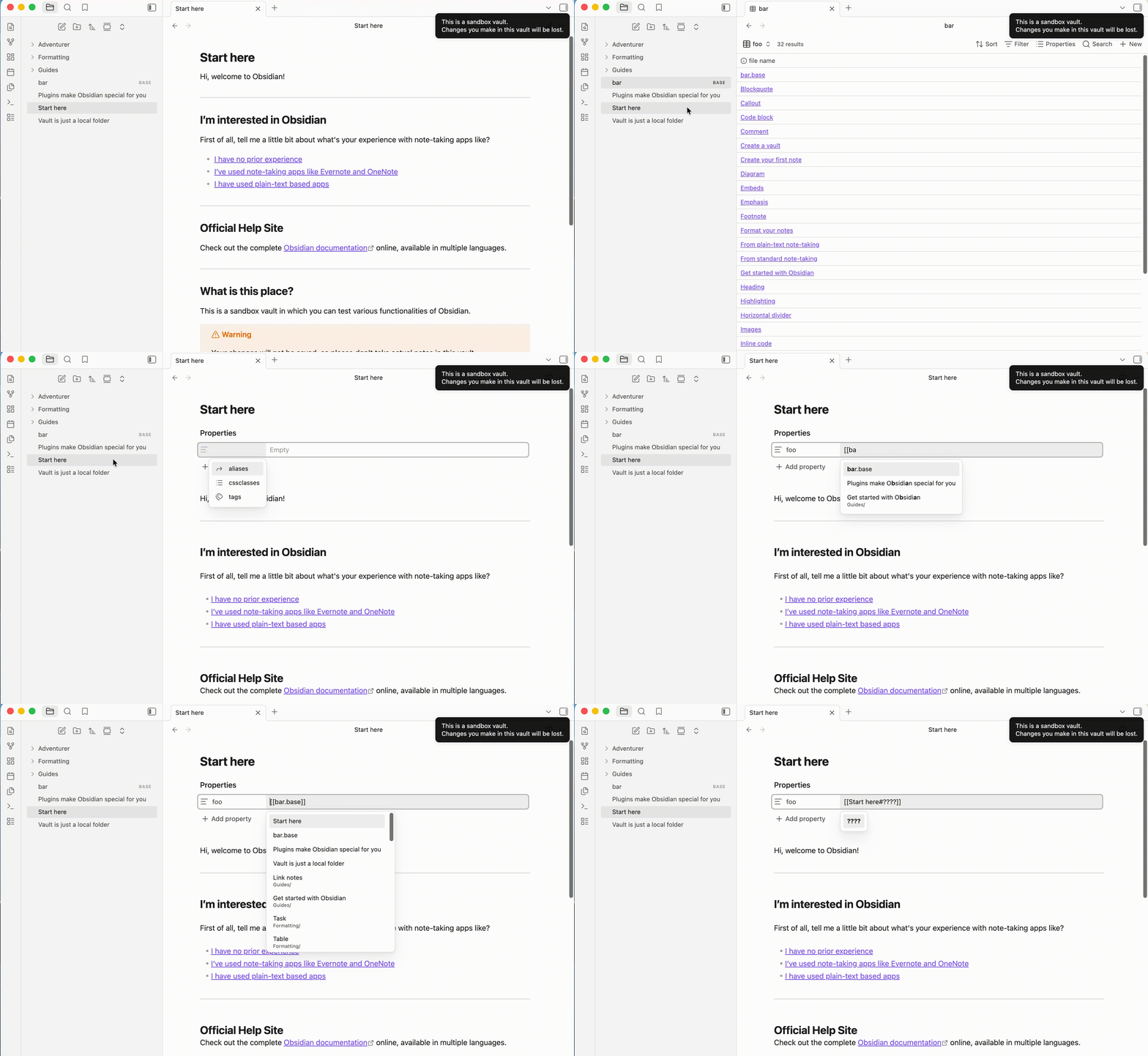
- Create a base, such as
bar.base. - Create a view in the base, such as
some-view. - Create a note, such as
foo.md. - Change to Editing view with Live Preview mode.
- Add a property, such as
refer_view. - Put cursor in the value input of the property.
- Input
bar, select thebar.basein suggestion menu and hitEnterkey. - Click the the value input of the property
refer_viewto edit the internal link. - Put cursor after the
[[bar.baseand type#.
Did you follow the troubleshooting guide? [Y/N]
Yes.
Expected result
Suggestion menu shows block links of the note.
Actual result
The note name changes to current note.
Environment
SYSTEM INFO:
Obsidian version: 1.13.4
Installer version: 1.13.4
Operating system: Darwin Kernel Version 25.5.0: Tue Jun  9 22:28:34 PDT 2026; root:xnu-12377.121.10~1/RELEASE_ARM64_T6041 25.5.0
Login status: not logged in
Language: zh
Insider build toggle: off
Live preview: on
Base theme: adapt to system
Community theme: none
Snippets enabled: 0
Restricted mode: on
RECOMMENDATIONS:
none