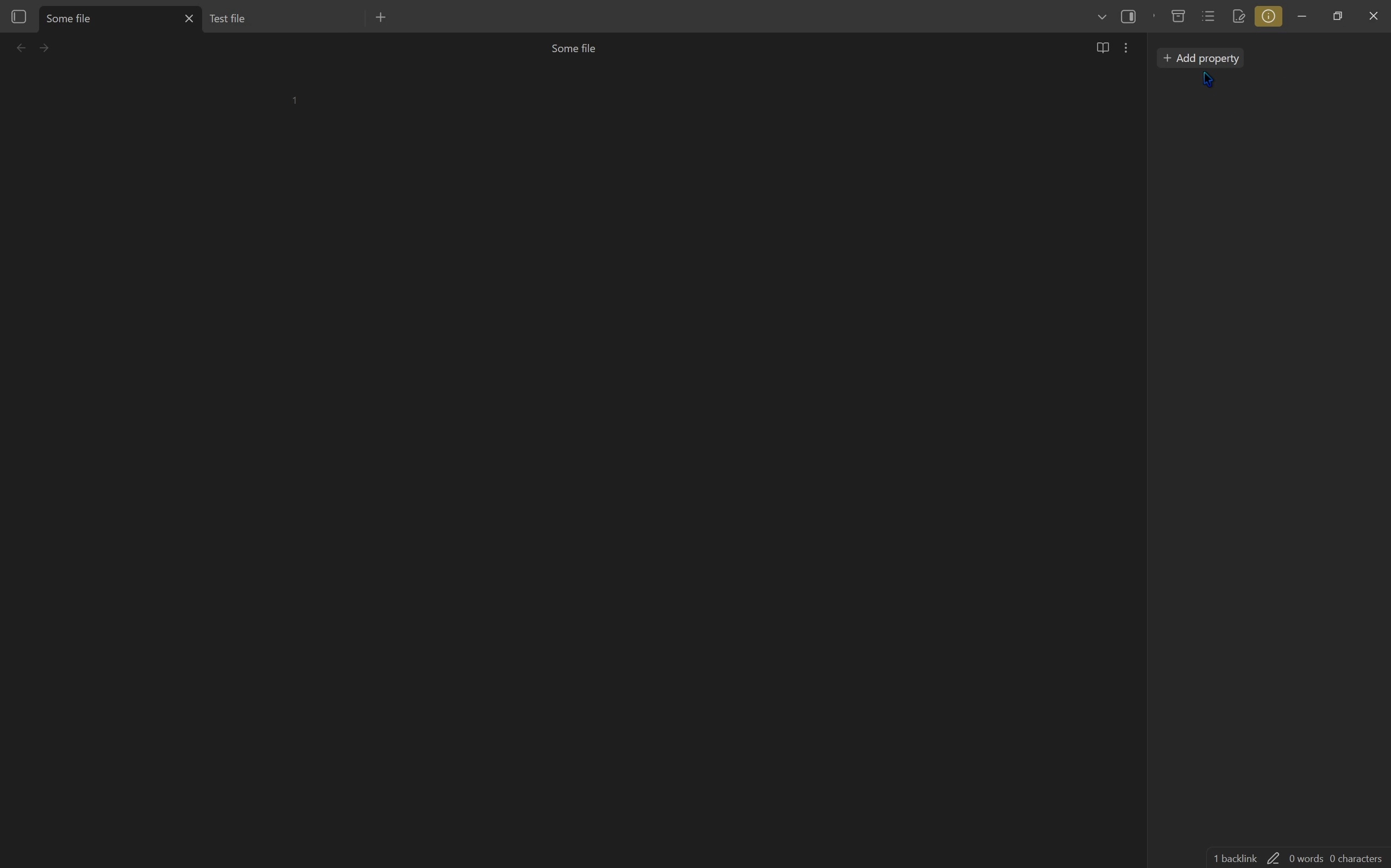
Steps to reproduce
- Turn off
Editor -> Always focus new tabsand make sure the “Properties view” Core plugin is on - Add a link to a file in another file’s properties
- Go to the file that was linked
- Open that file’s backlinks
- Ctrl click or middle click the file that links to it
- Notice that the file opens in the background, but the current files switches to the Properties view
- Now try it by right clicking and then selecting “Open in new tab”
- Notice that the file opens in the background and you are not navigated away from the backlink pane
Did you follow the troubleshooting guide? [Y/N]
Y
Expected result
It should work like it does when right clicking and selecting “Open in new tab.”
Actual result
Properties view opens for no reason.
Environment
SYSTEM INFO:
Obsidian version: v1.11.7
Installer version: v1.11.7
Operating system: Windows 11 Pro 10.0.26200
Login status: not logged in
Language: en
Insider build toggle: off
Live preview: on
Base theme: adapt to system
Community theme: none
Snippets enabled: 0
Restricted mode: on
RECOMMENDATIONS:
none
Additional information