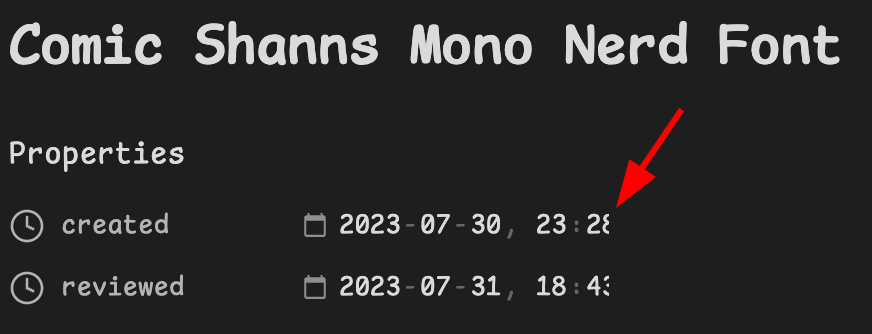
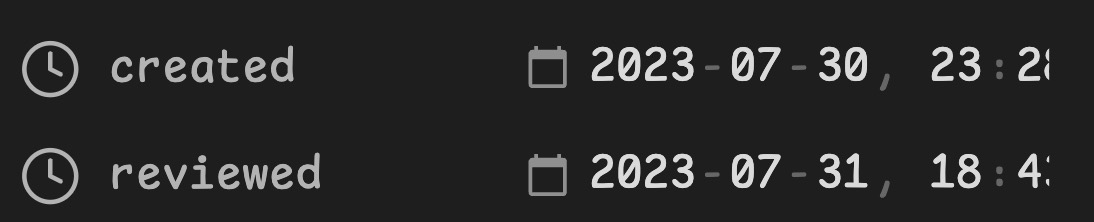
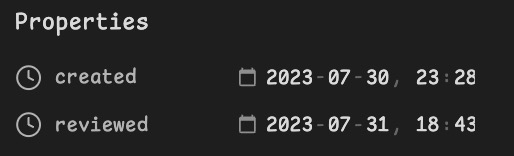
This is really just a very small UI bug I’ve stumbled upon with the latest Catalyst release of Obsidian v1.4.14 (as I didn’t run into this Obsidian v1.4.13).
TL;DR: The link icon to a daily note appearing next to the date stored within a date key in Properties (when one uses the Daily Notes core plugin) now slightly overlaps said date if one uses a custom fonts for the Interface.
But the link, in itself, still works as intended  .
.
Steps to reproduce
-
Open the Sandbox Vault and add a
datetype of key toStart Here.md -
Add any date you wish as a value for the
dateproperty previously created -
Go in
Settings→Appearenceand under theFontsection, set a font Obsidian should use for theInterface- I’ve used
JetBrains Monobecause that’s the font I’ve always used since we were able to set “custom fonts” for Obsidian.
- I’ve used
For a more detailed description of the results, see down below .
Did you follow the troubleshooting guide? [Y/N]
Yes: this has been tested and reproduced in the Sandbox Vault (default dark theme, no snippet, no plugin)
I looked for another bug report but I couldn’t find any (Although I might have missed one  )
)
Expected result
Regardless of the font used, I was expecting the link icon to be sitting next to the date.
Actual result
Here’s how the date property looks like with no “custom fonts” set.
→ The link icon is sitting where it should, next to the date.

Appearance settings:

And here’s how the date property looks like with JetBrains Mono set for the Interface.
→ The link icon overlaps a little bit the 5 in 2023-09-25

Appearance settings:

Environment
MacOS Big Sur 11.7.10
SYSTEM INFO:
	Obsidian version: v1.4.14
	Installer version: v1.4.13
	Operating system: Darwin Kernel Version 20.6.0: Thu Jul  6 22:12:47 PDT 2023; root:xnu-7195.141.49.702.12~1/RELEASE_X86_64 20.6.0
	Login status: logged in
	Catalyst license: supporter
	Insider build toggle: on
	Live preview: on
	Legacy editor: off
	Base theme: dark
	Community theme: none
	Snippets enabled: 0
	Restricted mode: off
	Plugins installed: 0
	Plugins enabled: 0

RECOMMENDATIONS:
	none
Additional information
None at the moment.