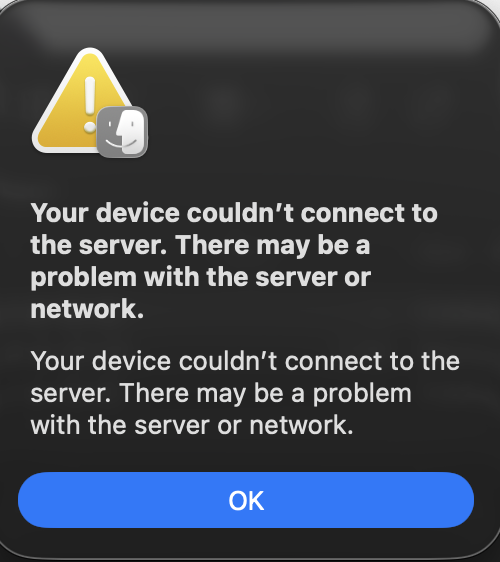
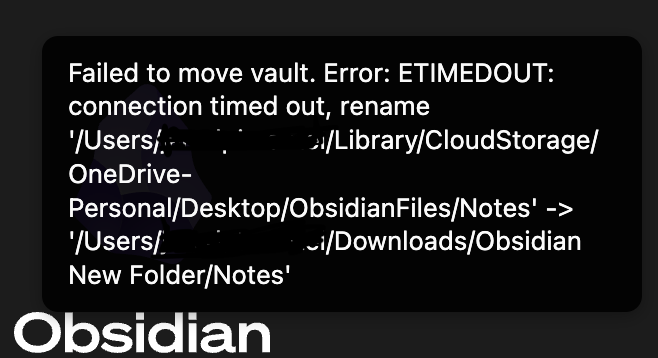
A few days ago, I was unable to open some of my notes and realized that some of my plugins have also been deleted, being unable to reinstall most of them, as well as some css snippets. The notes have not been deleted as i can still see them in my finder, however I am unable to open them on obsidian, and there is a popup saying Failed to Open " ".
Things I have tried
I realized that all notes that cannot be opened have been synced to the ICloud, however I don’t know how to proceed or how to unsync. Please help.
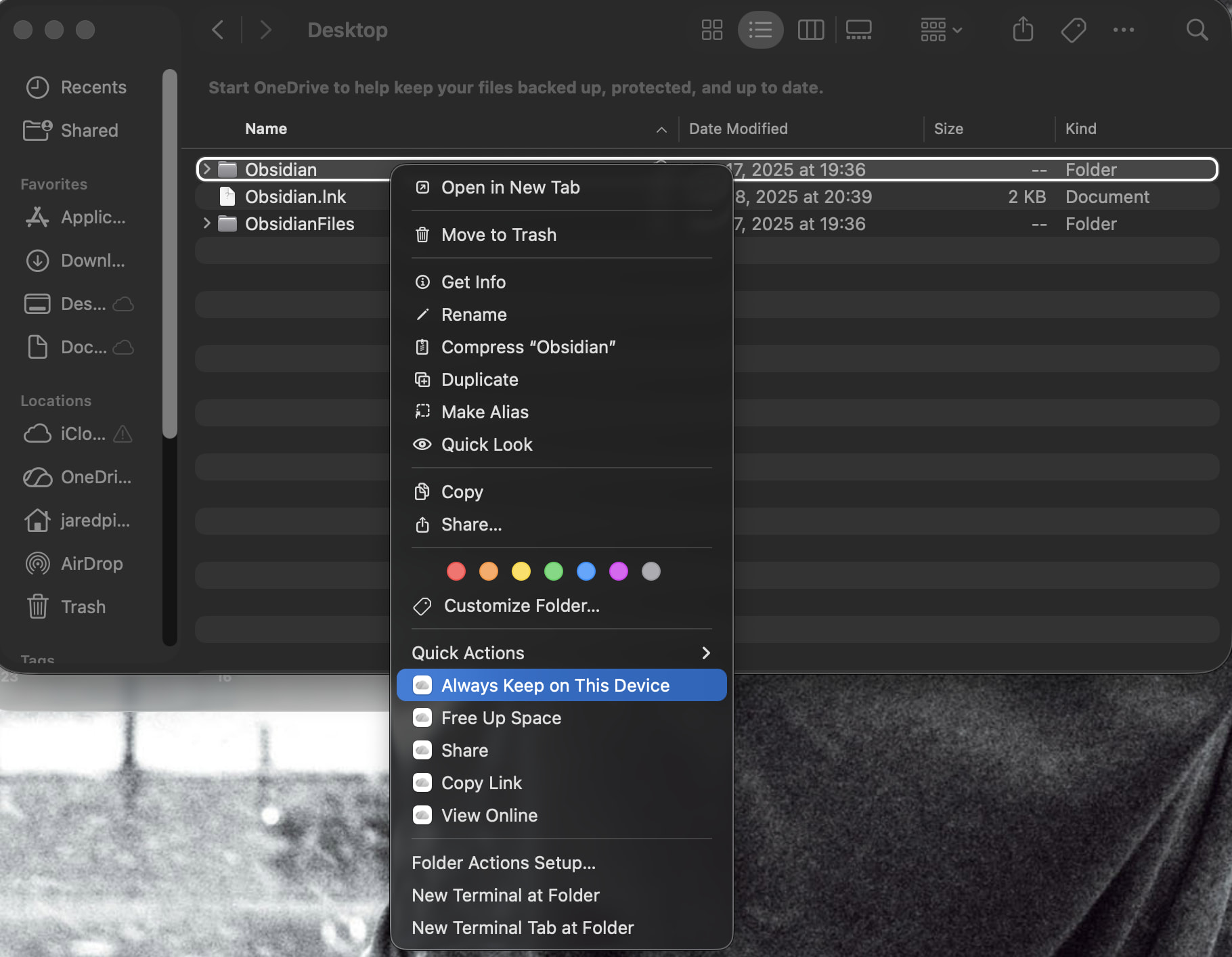
Assuming you’re not on Windows, here’s info about how to “Keep the vault folder downloaded” on your device so that Obsidian always has access to the files:
Ohh. Having it double-synced can be a problem. It looks like your OneDrive is currently turned off.
Instead of turning it on—which will just continue to put the two services in conflict—are you able to log in to your OneDrive account in an internet browser (https://onedrive.live.com/login)? If you can, then use that website to navigate to your vault folder and download the entire folder to a completely non-synced location on your computer. This will be your OneDrive portion of your back-up, for the moment.
If you can see that all of your files are present and correct, you could jump straight to making another back-up of that (your actual back-up) and then using what you downloaded as a new vault. (Done! Unless…)
If the files aren’t up to date enough for your liking, or if you’re uncertain, then do the same for the version that’s on iCloud online (https://www.icloud.com/). So now you have an iCloud portion of your back-up.
If between the two, you can find all of your most-up-to-date files, then get your good files together to make a fresh vault. (Done. Unless…)
If you still don’t have all of your vault files in proper form, then both iCloud and OneDrive have version histories. You could look back to see whether there’s a time when the entire vault folder is in a condition you’re happy with or, more likely, cobble together histories of different files. (Now your choose-your-own-restore-adventure is fully done, I hope.)
Do let the forum know if those don’t work.
And emphasizing for moving forward, even though I think you already get it now:
Make sure you have a solid back-up system!
If you decide to keep your vault in a synced location, make sure only one sync service is running on it.
Although, since the OneDrive isnt active the majority of my files wont be on there, and only a portion of my files are synced by ICloud, is there another way I can approach this without scraping files from both? Maybe by just desyncing ICloud (as that is the main problem)? If there is not I will attempt cobbling together files lol.
OneDrive could have all of your notes and settings up to the moment it turned off. That might have been only a few days ago, when the problem began.
If you didn’t turn it off on purpose, it might have happened during a computer restart or something like that, if it wasn’t set to automatically start up again.
Unless you’re sure OneDrive has been off for a long time, check there first—the second and third paragraphs of my, in retrospect, very long comment.
Otherwise, you could check these if you have them:
manual backups that you’ve made
Time Machine
Obsidian’s Settings > File recovery > Snapshots, though I think this is one file at a time
recycle bins of your device, Obsidian, OneDrive, iCloud
Maybe you’ll get lucky and find a one-shot recovery hidden somewhere there.
Hello again . Im trying to recreate my vault by scraping the iCloud synced ones and piecing them together with the ones that aren’t synced (as you mentioned in your second comment). However, on the iCloud website, I am unable to see the synced files which are in the OneDrive folder despite some files being synced to iCloud. I am only able to see some images and screenshots as well as the files in the iCloud drive. Is there anyway I can access the iCloud synced files within the unsynced OneDrive?
The OneDrive plus iCloud setup seems like the first thing to untangle. If the vault is physically inside OneDrive, I’d avoid trying to move or unsync individual notes from Finder for now. Make a local copy of the entire vault, outside both sync folders, before changing anything. Then open the copied vault in Obsidian and see whether the notes and plugins load normally. If the local copy works, you’ve narrowed the problem down to the sync layer rather than Obsidian itself.
This might help explain where to find what and why you’re seeing what you’re seeing (and not seeing) in each location. I hope it helps answer your question.
This is what I think happened.
Both OneDrive and iCloud were synching your vault folder. While both services were constantly enabled and all files were on your device, it went okay.
At some point (maybe just before you noticed or maybe long before), OneDrive offloaded files from your device to OneDrive’s cloud. When OneDrive did that, iCloud saw that the files were gone so treated them as deleted, which meant syncing the deletion to its cloud. [1]
OneDrive got turned off. (Maybe a computer restart?)
Starting at this point, the branches diverged.
From here on, any changes you made on your device synced to iCloud but did not sync to OneDrive. This put OneDrive behind on new changes. And it still left iCloud with missing files.
OneDrive (hopefully) kept a preserved copy of its content up to the point it got turned off, assuming it was never turned on again.
(Had OneDrive been turned on again, it might have seen all the newly missing files on your computer and synced the deletions to its cloud. That would have put OneDrive and iCloud and your local device in sync but with even more missing files. I hope this branch didn’t happen, and so far it sounds like it didn’t.) But back to the timeline I think you’re on…
That’s why (if the above or thereabouts really is what happened) you’re going to need to pull from both sources to make your vault whole.
Possibly iCloud did the same at various times, offloading some files, which made OneDrive think they were gone thus delete them from OneDrive’s cloud and your computer. Then iCloud saw these seemingly newly missing files and was like, oh I’ll delete them on my cloud too. And back and forth.
This is why I brought up OneDrive and iCloud histories online, in case of this scenario in which you’ll have to look for the files back when they existed in at least one location, before they got deleted by both services and from your device. ↩︎
Thank you so much for your reply! I have already tried this, however only the files that are not synced by ICloud can be copied and thus opened by Obsidian. I am still trying to recover the files synced by ICloud by following dawni’s advice, however I have not yet opened OneDrive (I forgot my password lol).
I really appreciate the detailed breakdown . I cannot find the ICloud synced files within the OneDrive folder and have yet to open my OneDrive account (i forgot my password ), however, hopefully I will be able to access those files once I log on
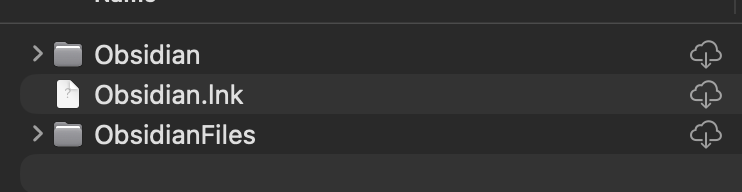
Whichever of ObsidianFiles and Obsidian has your full set of notes, copy that one. If they appear to be the same, it wouldn’t hurt to hold on to a backup of both until you’re sure.
And get yourself a good backup system for all data that’s valuable to you.


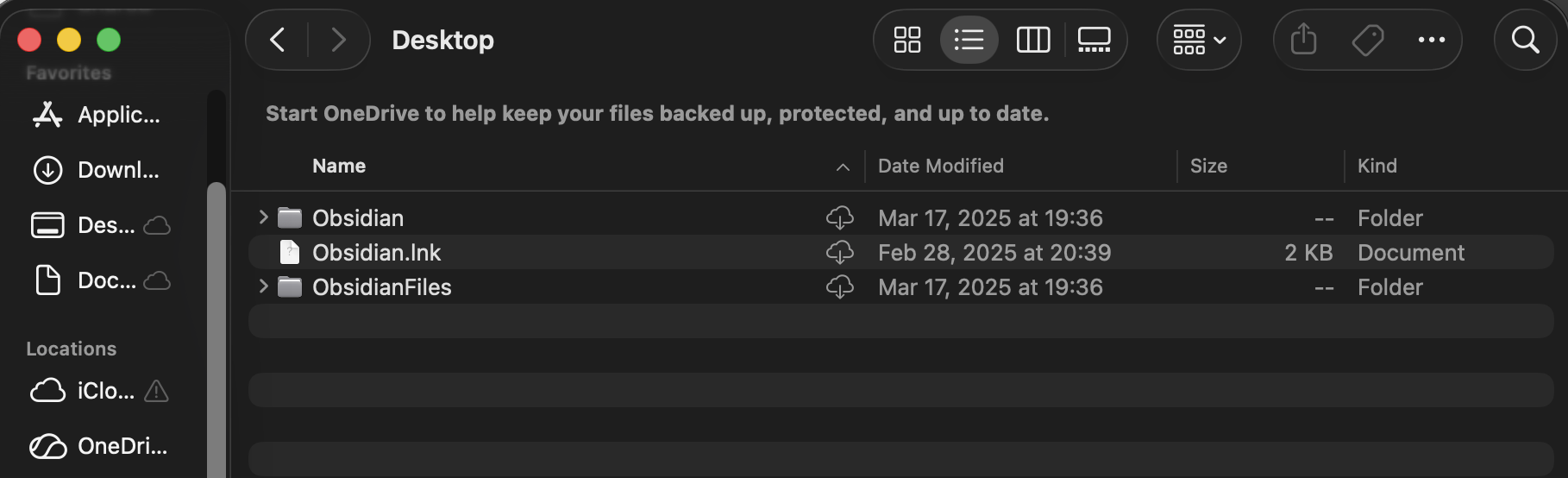
 ), however, hopefully I will be able to access those files once I log on

