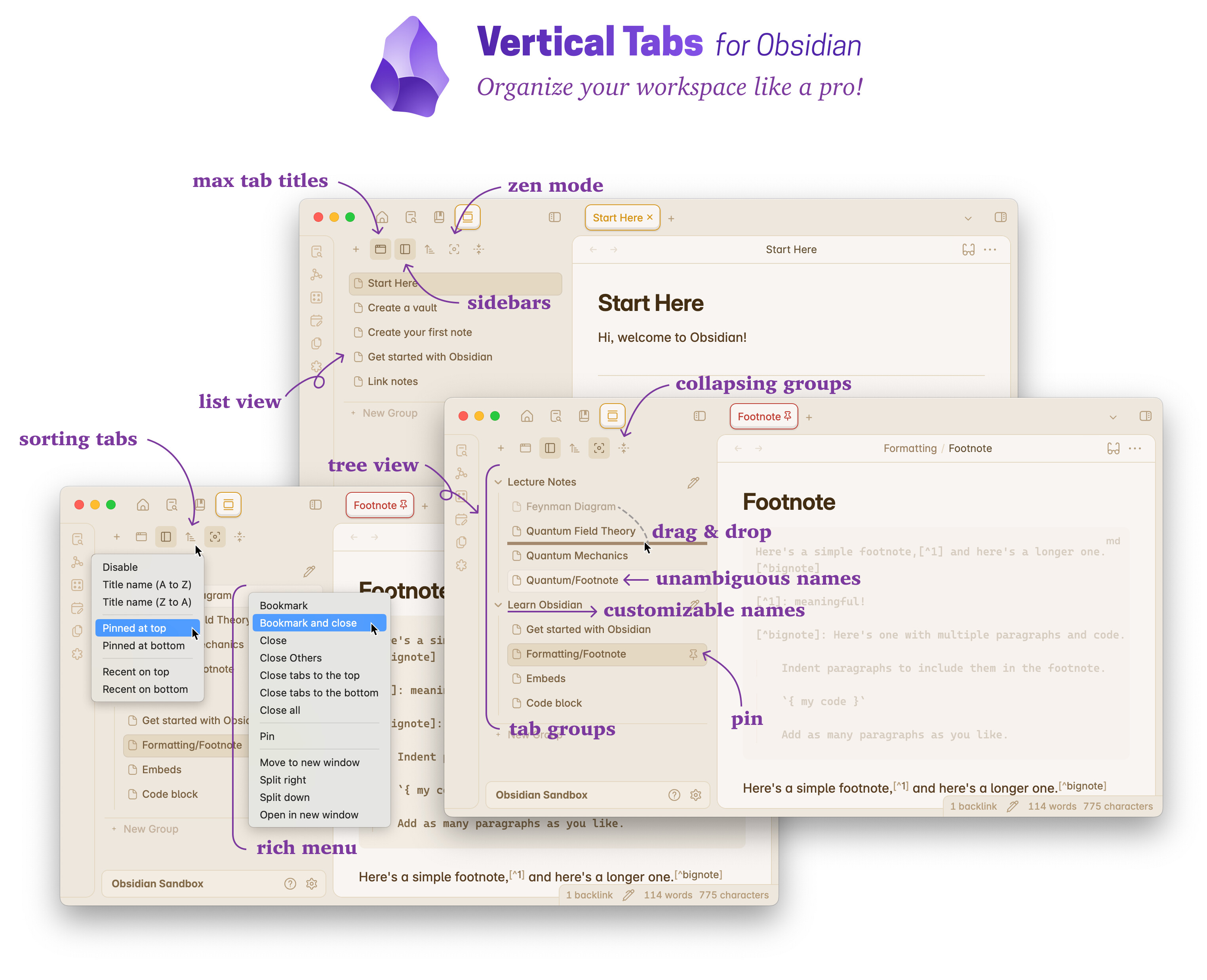
Vertical Tabs v0.7.0
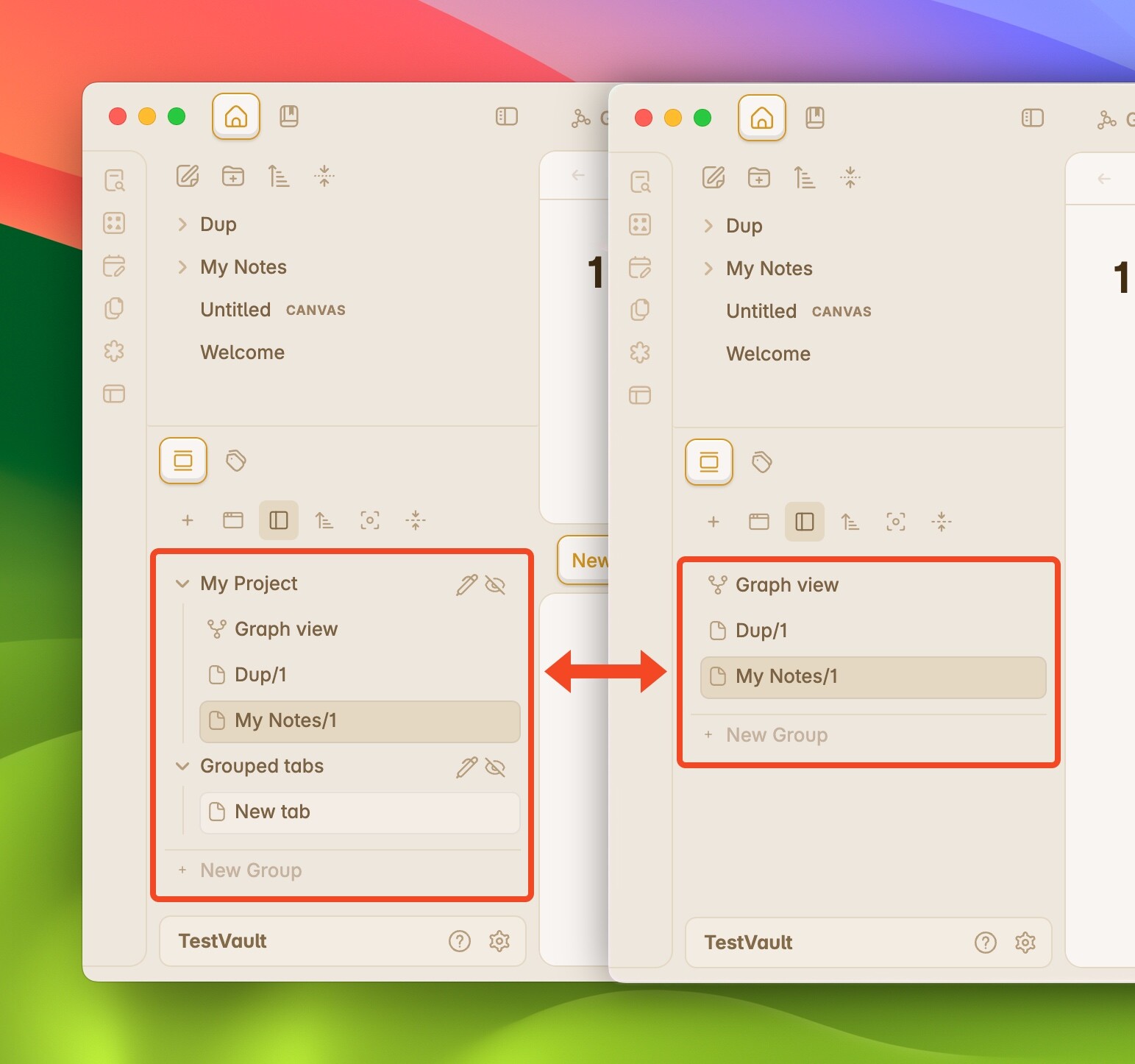
 Bookmark Your Tabs!
 Support The Development of Vertical Tabs
Great plugin, thank you for your work. You should also write one for the Chrome browser 
In regards to the Obsidian, I wanted to draw your attention to one aspect and to ask you if it’s possible to do anything about it:
When I use your plugin’s Sort function (by Title name, or Recent, for instance), this ‘sorting’ also applies to the Sidebar’s tabs (e.g., Files, Bookmarks, Search, or of other plugins). Thus, they also get Sorted alphabetically and - of course - I cannot manually re-arrange them (they will revert to the alphabetical order).
Thank you! I’ll fix this issue soon!
Vertical Tabs v0.8.0 Improvements:
Vertical Tabs v0.9.0 Support The Development of Vertical Tabs
Bookmarks Enhanced:
Vertical Tabs v0.9.1 Support The Development of Vertical Tabs
Vertical Tabs v0.10.0 Support The Development of Vertical Tabs
With exciting new features, numerous bug fixes, and various improvements to enhance your experience!* Known limitation: tab history is now managed by Obsidian and will be erased after restart.
Vertical Tabs v0.11.0 Support The Development of Vertical Tabs
 Apply zoom level to an individual tab without affecting other tabs or other parts of the UI.
Work for images! Yes! Not just texts.
Work for linked tabs! Mimic VSCode minimap!
More importantly: Vertical Tabs remembers your zoom settings! Zoom level history is preserved and saved!
See the demo video below
The similar feature is provided by the Tabzoom! plugin.
If you prefer rich functionality and like to try out more advanced workspace management, Vertical Tabs is for you. If you work primarily with text notes and only want to zoom out tabs, then Tabzoom! works great!
Lol that comparison chart is totally unnecessary. As if my crappy amateur extension is something that has to be competed with…
Do you have beef with me or what?
I mean I could go and make it work with everything you marked an x on in a matter of hours if I wanted to…
Cringy move, tbh.
Thought you were cool before and loved your extension but this is just embarrassing (for you). Not a great show of character. Stealing my idea, throwing me under the bus then asking for donations.
I’m sorry. Maybe I’d better remove it if you think it does not make sense.
I haven’t and would never say anything like that. As a matter of fact, your plugin works better in some scenarios.
Maybe I can help you to make TabZoom! better. I can say definitely there will be some users who prefer not to have vertical tabs but the zooming feature only.
In fact, Vertical Tabs uses a completely different approach to get this work (to be specific, CSS zoom instead of font resizing as yours, which works better in some cases but worse in others). I already have this idea years back, but only recently have time to get this actually work. If you don’t like it, never mind. No one has the copyright for the idea. It is just users’ needs. Simple as that. And I really hope you won’t abandon your plugin. Vertical Tabs has a larger but different mindset, which is not suitable for every user.
I don’t think there would be embarrassment by making things on my own. I did’t copy any code from you.
In case you don’t see my comment: I apologize if I did anything making you angry or something. BTW, I deleted your issue on GitHub only because I think it is irrelevant. I did not mean anything else. I hope you won’t take it as a sign of unfriendliness. Sorry again for your trouble. I didn’t want to complete or do something like that. I just came across your work and remembered how I thought I could have done years ago, and got to make it happen. That’s all.
you might want to update your chart my guy. this is in development. you’re gonna have a lot of editing to do
all I’m saying is go ahead and put zoom into whatever you want. your plugin is awesome. and i don’t care that you copied my idea. what i care about is that you copied my idea and then threw me under the bus with some discount chart that doesn’t even reflect the fact that tabzom is in super early development, like it’s not even really released yet and you’re comparing them like that. it’s just weird man.
Sorry. This is really my fault. I didn’t realized that. I only downloaded and tried it out. I have removed these improper charts. I apology for this.
I never mean to do this. Why on earth would I target you like that! Sorry again if I made you angry. In fact, I am really happy to contribute to make TabZoom better. Your implementation seems work better with CodeMirror.
I think we should limit the discussion to DM to avoid cluttering up the space.
Hi! Everyone here.
@Lotus49b found some unexpected behavior when working with pinned tabs. I think this might be useful for some users who may have also encountered this problem.
Here I quote his words for reference:
I open a new daily note (Friday) while I’m in the current folder/group (1). The daily note for Thursday is still open at this time (as seen in the top tab bar and in Vertical Tabs).
The new daily note (Friday, created by Templater) then opens as expected, but instead of appearing in folder 1 (the active folder), it goes into folder 2 (inactive) instead.Now I drag the new note to the correct folder (1)
This is caused by the design of Obsidian, not a bug of Vertical Tabs:
The exact behavior (of Obsidian) is as follows:
- When your active tab is not pinned, the new note will appear in your current tab.
- When your active tab is pinned, the new note will appear in your latest unpinned tab. If this unpinned tab is in another group, it will cause your problem.
- When you open the new note while holding the command (control) key, a new tab will be created right after your active tab in the same group, which is what you expected.
The original issue #49.
Support The Development of Vertical Tabs
What’s New:  Enjoy performance improvements and bug fixes for a smoother, more reliable experience. Recommend all users update to the latest version!
Hi! For anyone who encountered performance issues and wants to help me fix, all you need to do is a few clicks and 1 min of your time! Please read the instructions:
Note: There is need to disable or change other plugins and CSS snippets.
Cmd + Option + I on MacOS or Ctrl + Shift + I on Windows;Thank you for your help!
The official guide on recording can be found in the section “Record runtime performance” here.
Support The Development of Vertical Tabs
 Important performance update
 Vertical Tabs will no longer update its states when files are dragged and dropped using the native file browser.
Fixed a CSS issue that could cause significant performance drops.
Vertical Tabs has reached an exciting milestone: over 10,000 downloads and 100 GitHub stars! Thank you for your incredible support—this wouldn’t have been possible without our amazing community! 
In the coming months, I’ll be focusing on enhancing the performance and user experience of Vertical Tabs. If you’ve experienced performance lags, please make sure to stay updated with the latest version. Your feedback is always welcome and greatly appreciated!
Support The Development of Vertical Tabs
I’m thrilled to announce the biggest update yet for Vertical Tabs! This update introduces a groundbreaking feature: Advanced Tab Navigation.
For years, users have called for a better tab navigation experience in Obsidian. Preferences vary — some users like opening notes in new tabs, others prefer IDE-style workflows, while some aim to avoid duplicate tabs entirely. Managing multiple tab groups has often led to confusion, and while a few plugins provide partial solutions, they tend to fall short — working only in specific scenarios or with certain plugins.
That’s why I’ve developed Advanced Tab Navigation, a universal, seamless, and consistent solution designed to work across the entire Obsidian ecosystem. With this update, tab navigation has never been easier or smarter!
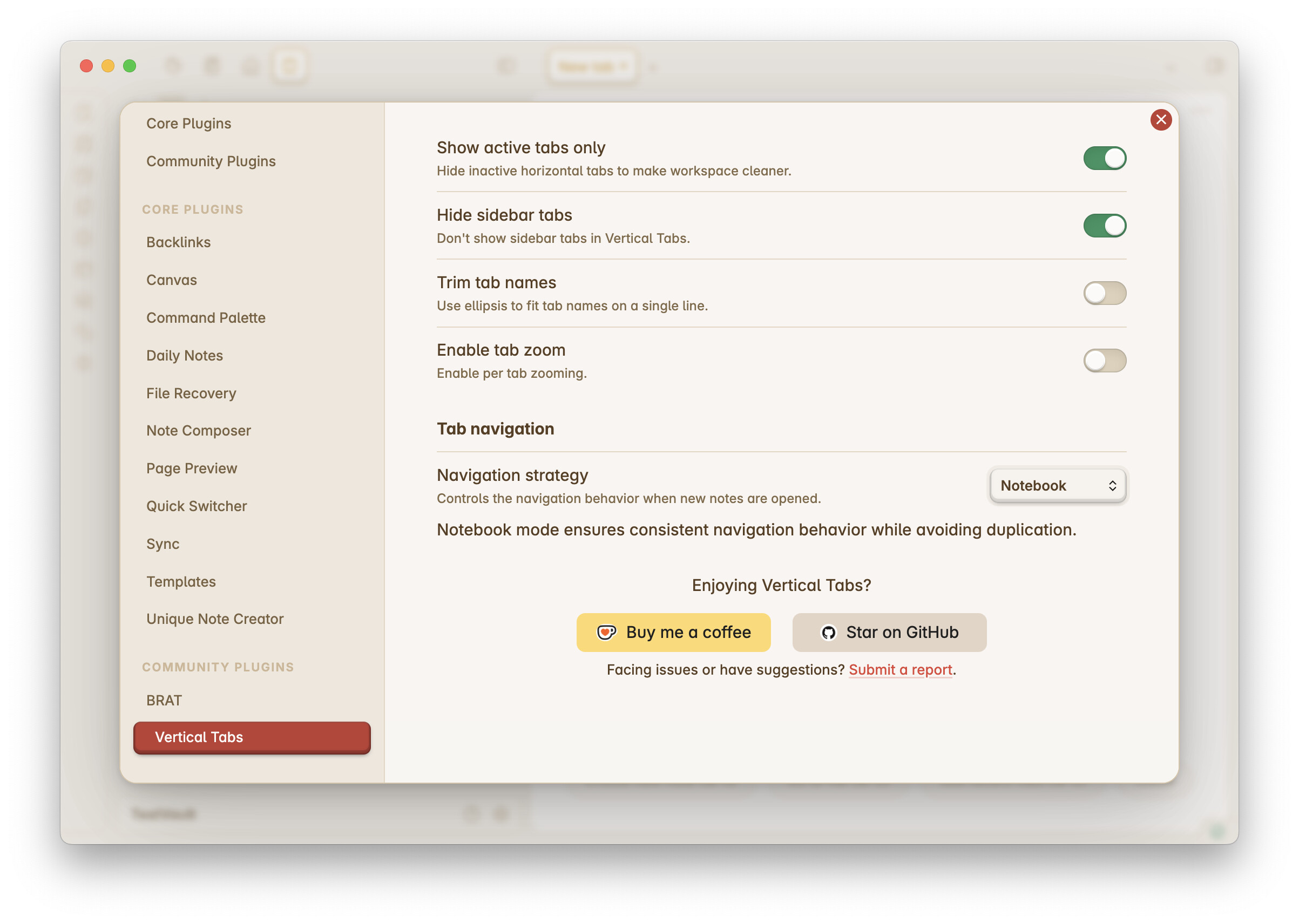
Vertical Tabs offers five powerful preset strategies to match different workflows. You can also create custom strategies tailored to your preferences.
Whether you’re a developer, a researcher, or an explorer of ideas, Vertical Tabs adapts to your needs. Push the boundaries of what smart navigation can achieve in Obsidian!
Really enjoying this plug-in and the direction it’s taking. It’s a game-changer for my workflow.
Can you tell us a bit more about “ephemeral tabs” and “intelligent navigation”? I feel I may be missing something useful there?
Hi @groberts56 ! For tab navigation, I recommend you to start from something familiar rather than trying out something looks fancy. For example, if you used VSCode a lot, and you want the same navigation behavior, you should try the IDE mode. If Obsidian is your primary tool, then the default Obsidian+ is the best.
The smart navigation algorithm (included in Obsidian+) fixes the problem that sometimes a newly opened note will appear in another group, instead of the one you are working on. This is what you previously reported and has been fixed by this smarter algorithm.
The ephemeral tab gives you a way to peek into tons of different notes without opening too many tabs. This feature is usually available in IDEs. Currently, the ephemeral tab does not work as expected, I’m working on the improvement. Will be released very soon.