TODOseq (“to-do-seek”) is a lightweight, keyword-based task tracker that uses an Org Mode / Logseq style of task capture.
I’ve been working on this plugin for several months with a number incremental releases. It started as a “scratch-my-own-itch” tool that enabled me to start using Obsidian as a regular daily journaling and task capture app in a way similar to how I had been using Logseq.
I like to quickly capture tasks while note taking, with a task keywords that provides clear meaning TODO, FIXME, URGENT, etc., that stands out in context, and without needing to deal with typing special checkbox characters, specific tags, or opening a separate add task dialog.
With v0.10.0 just released, I feel really proud of what this plugin has become, much more than what I initially envisaged for simple task capture and review tool. The initial community feedback has helped shape some powerful features with the advanced search, embedding tasks list queries in pages, and other usability and consistency tweaks.
I hope that others enjoy it too. Not aiming to go head to head with the other popular task management plugins, but rather a tool that fits with a niche of users that find it fits their needs.
Some key features and highlights:
- Captures tasks from across your vault based on keyword matching (checkboxes optional).
- Honours the Obsidian settings to excludes files and folders.
- Styles tasks in the Obsidian editor with appropriate handling for the Live Preview, Reader, and Source views
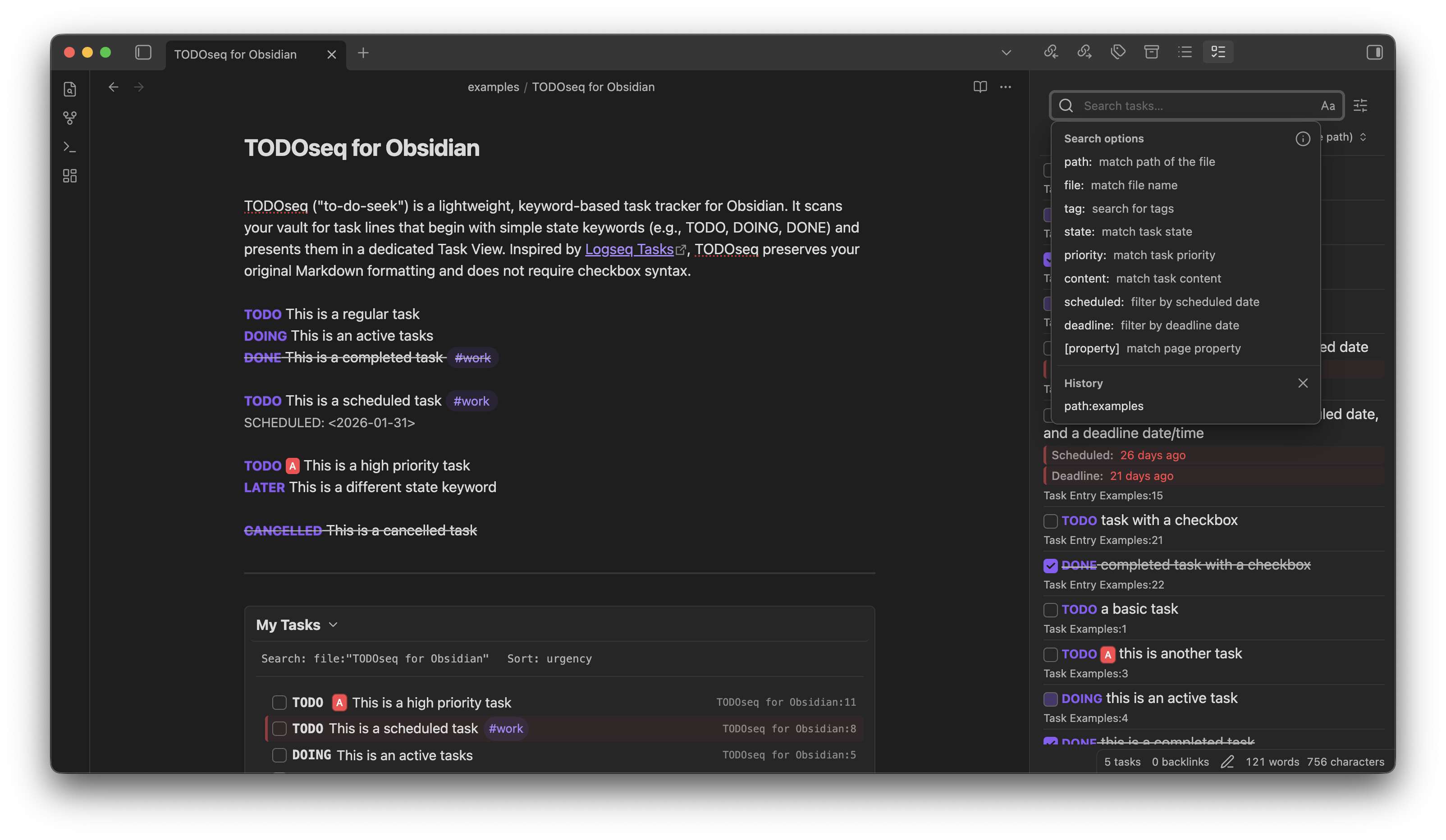
- A master tasks list view with a powerful advanced search that follows a similar search syntax as the regular Obsidian search.
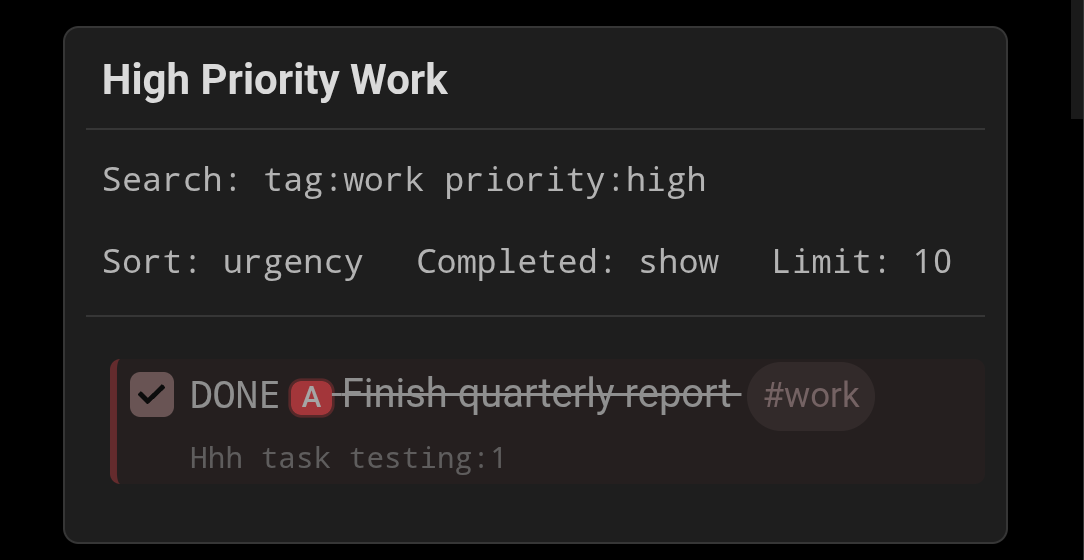
- Embed task lists in an page with options for specific search filter, sort, and visual styles and responsive layout.
- A powerful “Urgency” sort based on the Taskwarrior urgency algorithm that weights task priority based on multiple factors.
- For developers, the ability to detect task keywords in code blocks, with language specific handling to only collect keyword matches in code comments.
- Task syntax compatible with Logseq, making it easy to import Logseq markdown into Obsidian.