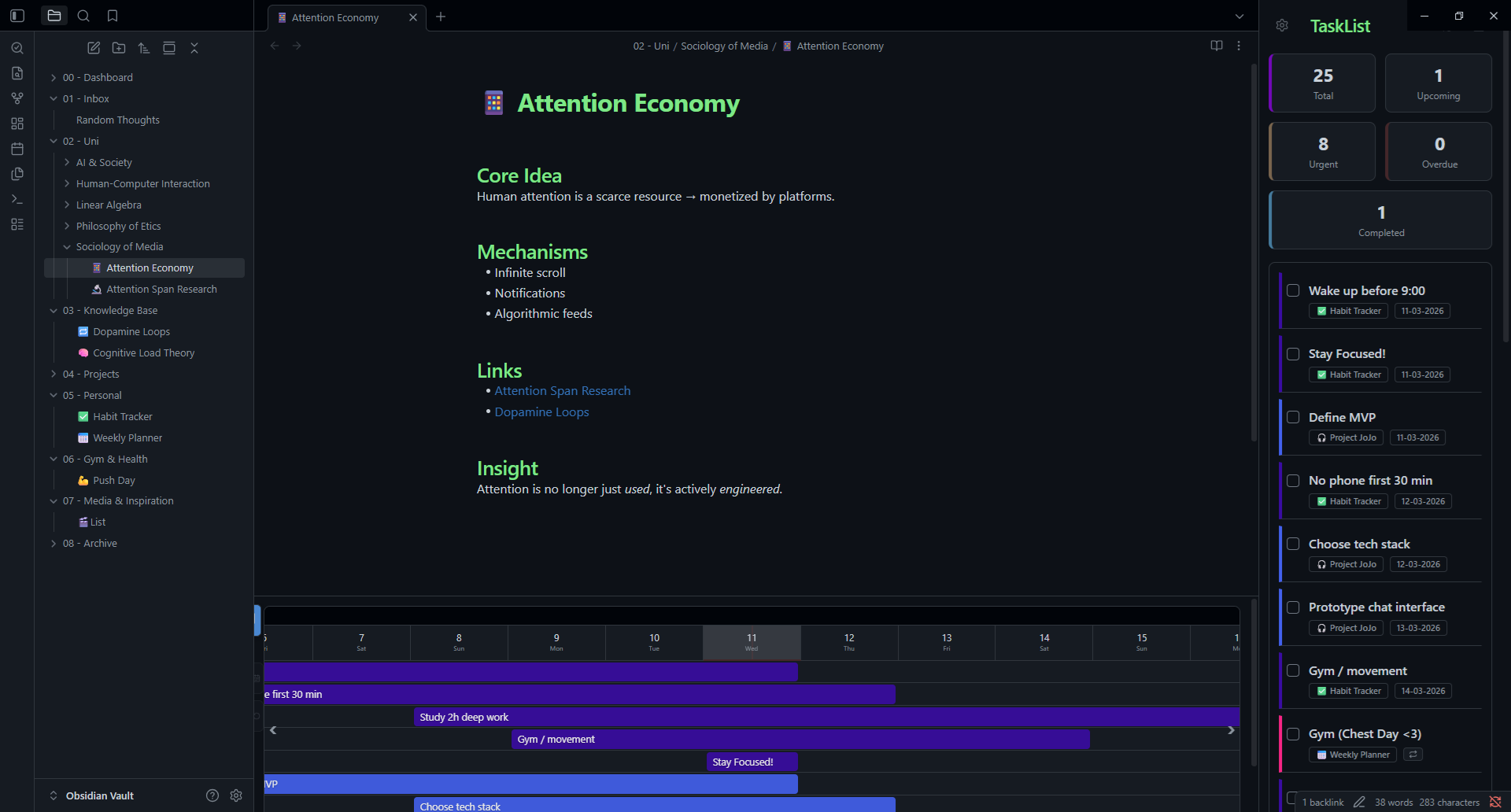
I wanted a way to manage my tasks that was deeply integrated into my notes, but visual enough that I didn’t have to write complex Dataview queries just to see what was due this week. I wanted a timeline, adaptive statistics, and a unified list all in one place; without sacrificing the simplicity of Markdown. While this idea started as Dataview queries, it now became its own standalone plugin!
TaskLens transforms your scattered markdown tasks into a centralized, interactive dashboard.
Visual Timeline: See your tasks mapped out over time. Bars span from your start date to your due date, color-coded by urgency or custom topic palettes
Smart Statistics: A real-time breakdown of your productivity, including Active, Urgent, Overdue, and Completed Today metrics
“Clone & Bump” Recurring Tasks: Native support for recurring habits. Check it off, and TaskLens logs the completion time and spawns the next interval automatically. It tracks how many times you’ve completed a cycle with a neat ×N badge
Universal Compatibility: Parses standard [due:: dd-mm-yyyy] inline fields, but also seamlessly recognizes the popular Tasks plugin 🔁 emojis so you don’t have to rewrite your existing tasks!
Focus Mode & Chromeless UI: Instantly hide all sidebars and tabs to focus on your work. TaskLens remembers your layout and restores it flawlessly when you’re done
Quick Start (Install via BRAT)
TaskLens is currently in beta as I gather feedback and fix for edge cases and wait for the pull request to be reviewed. You can install it right now using BRAT in 3 simple steps:
Install BRAT: Settings → Community Plugins → Browse → search for “BRAT” → Install and Enable
Add TaskLens: Open BRAT settings → Add Beta Plugin → paste the repository link: https://github.com/nightaqua/TaskLens. Click Add Plugin
Enable: Go to Settings → Community Plugins → scroll to “TaskLens” → toggle on
I built this for my own workflow, but it’s open-source and I’m releasing it in hopes it helps others organize their projects. I’m working and fixing daily as I use it, so while the releases are stable, bugs might exist. I’d love to hear your feedback or suggestions here or on GitHub.
Amazing addition, thanks for sharing with all of us
After activating your plug-in, I realized how default to-do list would need a serious upgrade. Todos have potential and shouldn’t be used for “little needs” like for simple grocery lists only.
My checkmarks are spread like mushrooms all over my vault and it’s just a mess. With your plugin I see a chance to rethink how to use todos in general to be more focused, so nice! So thanks!
Thanks, I’m glad to hear you found it useful! That was how this thing initially started, having scattered tasks around the vault for each thing I study, so I had to work with the .canvas and dataview to sketch something that was alright for viewing but lacked any interaction. So turning the vault’s scattered checkmarks into something you can actually think and interact with dynamically rather than just track, became the goal.
P.S. More things are in the works: a few features including an interactive Kanban widget, and a better way for stats tracking too are coming soon. If you run into anything or have ideas, feel free to post here or open an issue on GitHub.
The biggest addition is a Kanban board view. The timeline is great for seeing how tasks are distributed over time, but sometimes you just want to see everything grouped by where it stands: Active, Upcoming, Urgent, Overdue, Completed. You can now drag cards between columns and it writes the date change straight back to your Markdown file. Enable/Add it from the settings modal.
A few other things I quietly fixed: stats cards now actually respond to the topic filter (they weren’t before), the date off-by-one bug in non-UTC timezones is gone, and custom start::/due:: key names are now respected everywhere instead of just some places.
I also did a full accessibility pass — every icon-only button now has a tooltip, and keyboard navigation works properly across the board.
Update via BRAT, or grab the files from the GitHub Release.
As always, bug reports and suggestions are welcome here or on GitHub. Hope it’s useful!

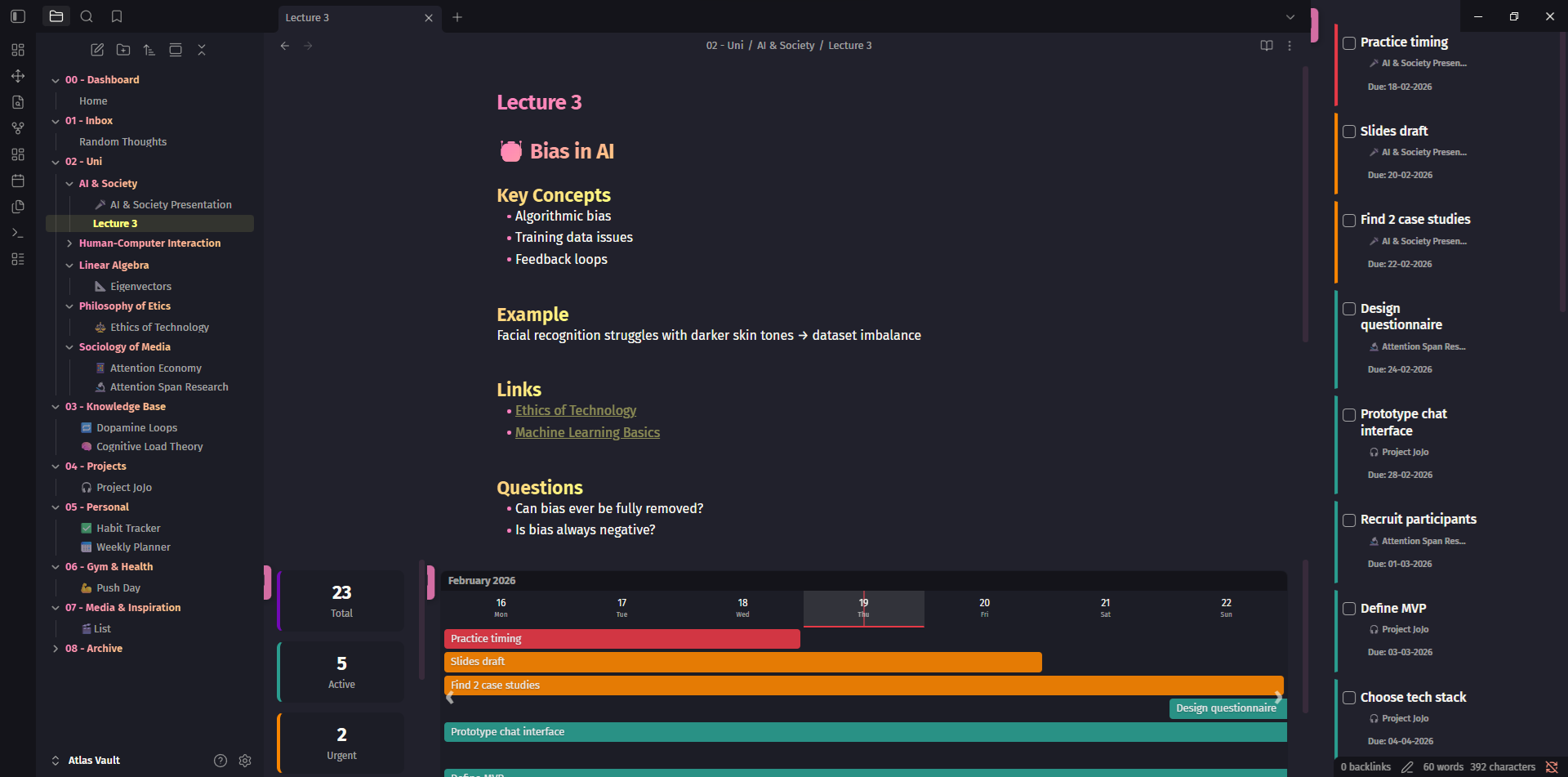
 Key Features
 Quick Start (Install via BRAT)