Disclaimer
Is this plugin open source? Yes
Is this plugin completely free? Yes
Is this plugin vibe-coded beyond the author’s ability to comprehend how it works? No
Community Directory: Sudoku
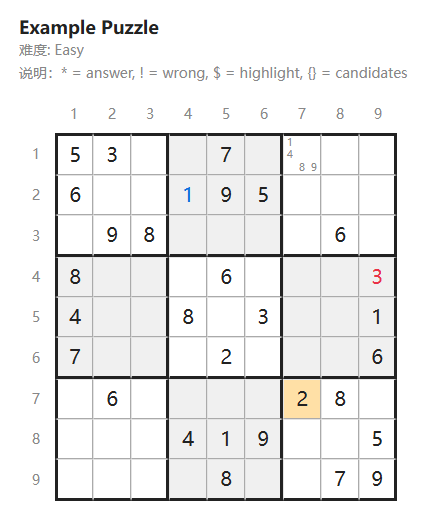
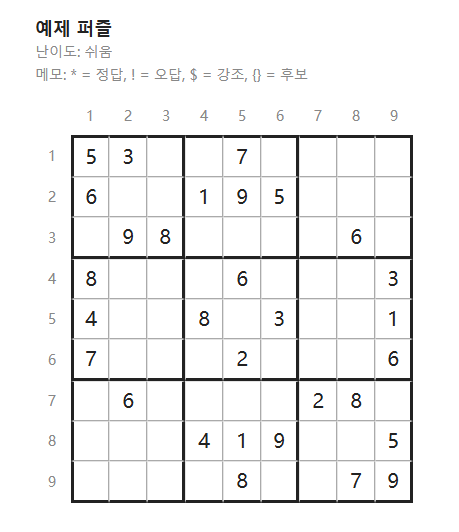
Render Sudoku puzzles directly inside Obsidian notes. Write a board as a fenced sudoku code block — the plugin renders a styled 9×9 grid with thick palace borders, optional row/column labels, and per-cell typography for givens, answers, wrong attempts, and pencil candidates.
Features
- Code-block renderer — identical mechanism to Obsidian’s built-in mermaid processor. Just use ```sudoku fences.
- Board metadata — title, difficulty, note, size, and background toggle via #key: value lines at the top of the block.
- Three board sizes —
small(26px cells),medium(38px, default),large(52px), each with proportional fonts and border weights. - Cell typing — givens (black), correct answers (blue), wrong attempts (red), empty cells (no number).
- Highlight cells — mark important cells with an orange background.
- Pencil candidates — render
{123}as a 3×3 mini-grid with each digit in its natural position (1 top-left, 9 bottom-right). - Even-palace background — optional alternating palace shading for easier scanning.
- Row/column labels — 1–9 headers on the top and left, with empty padding on the other sides.
- Light & dark theme — border and background colors adapt automatically.
- Insert template command — one command in the palette drops a ready-to-edit sudoku block.
Example
```sudoku
#title: Example Puzzle
#difficulty: Easy
#size: medium
#show-background: true
#note: * = answer, ! = wrong, $ = highlight, {} = candidates

5 3 .  | . 7 .  | {1489} . .
6 . .  | *1 9 5 | . . .
. 9 8  | . . .  | . 6 .
------+-------+------
8 . .  | . 6 .  | . . !3
4 . .  | 8 . 3  | . . 1
7 . .  | . 2 .  | . . 6
------+-------+------
. 6 .  | . . .  | $2 8 .
. . .  | 4 1 9  | . . 5
. . .  | . 8 .  | . 7 9
```