Disclaimer
Is this plugin open source? Yes
Is this plugin completely free? Yes
Is this plugin vibe-coded beyond the author’s ability to comprehend how it works? Yes-ish
Community Directory:https://community.obsidian.md/plugins/section-meter
Hi!
This is my first Obsidian plugin!
I often need to know for specific sections of my notes either the wordcount or the time it will take to read aloud, which is what made me create Section Writing Stats.
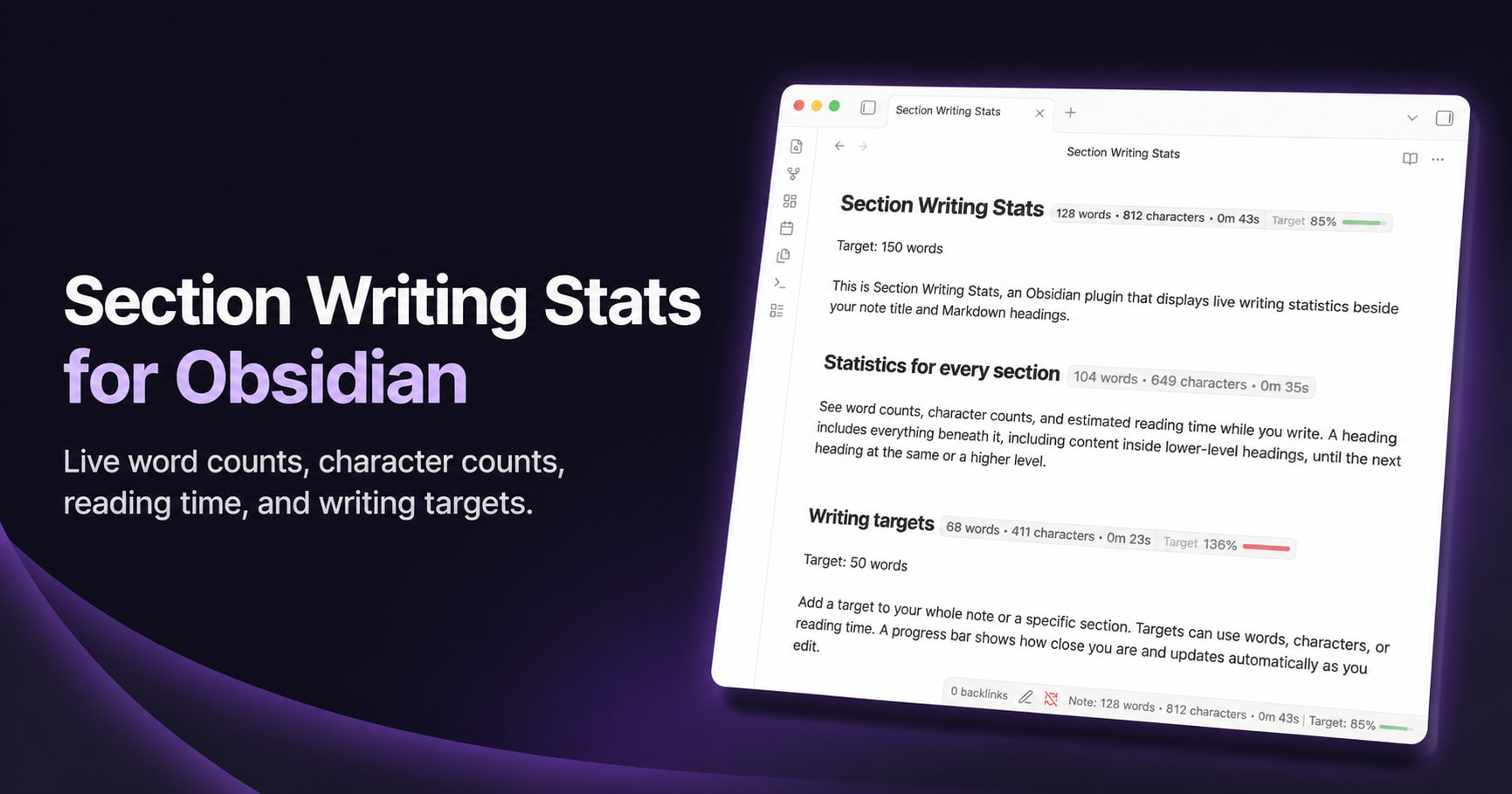
This plugin allows you to display various stats for a note or for each heading:
- wordcount
- character count
- reading time
They can be displayed in multiple places:
- on the inline title of the note
- beside each heading (it counts all nested headings so H1 will count also H2 characters below)
- in the status bar
- in the status bar it will also count characters that are being selected
All of these are configurable in many ways, you can toggle different stats and where to display them fully independently.
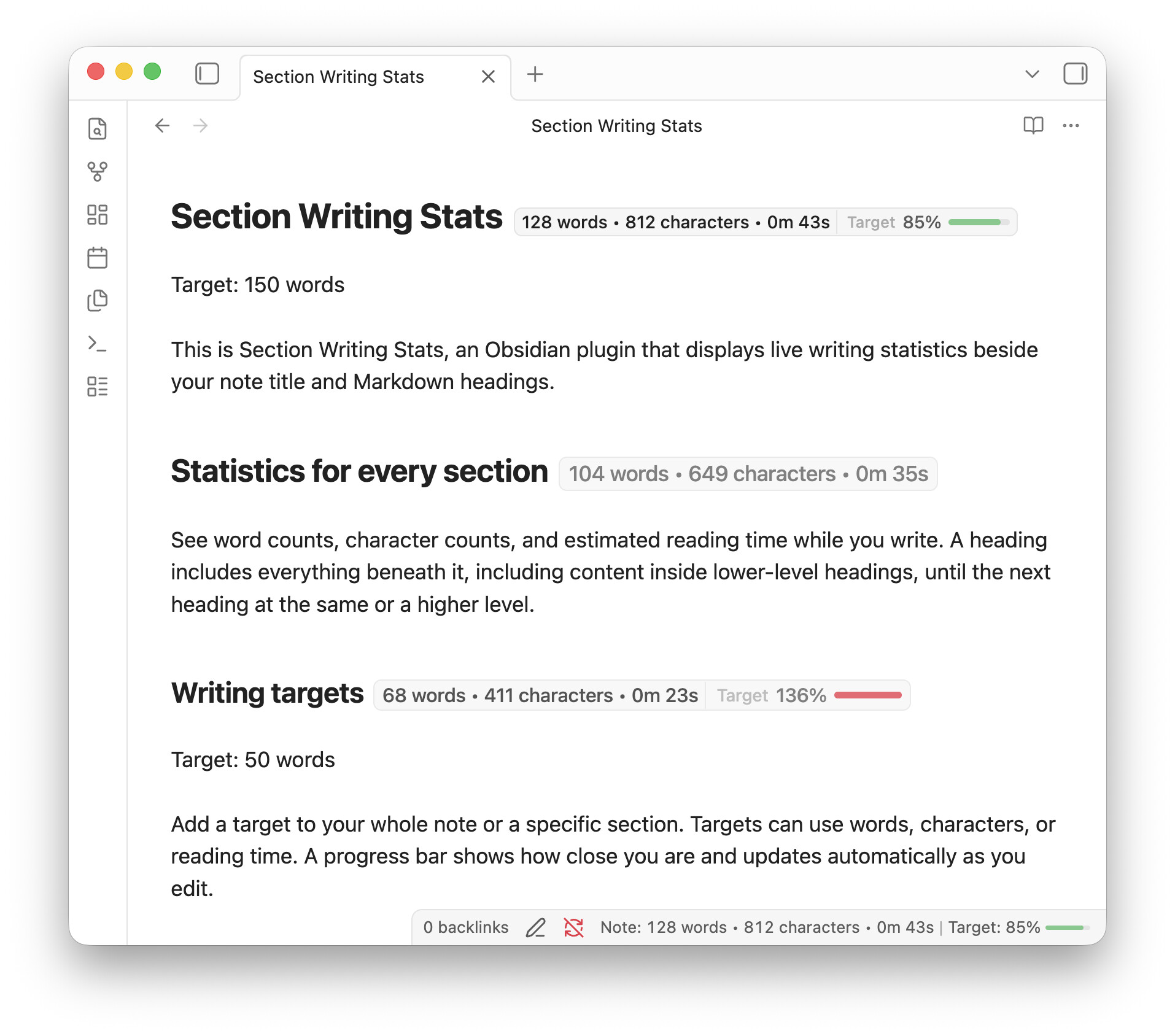
Another main feature is the Writing Targets: when you need to reach a certain target you can add “target” under the heading followed by either
- character count target
- word count target
- reading time target
For example, if I need to write 500 words, i’ll simply type
target 500 words
and a bar will appear to show my progress. The bar shows up beside the heading and/or in the status bar.

On mobile you can enable a bar that shows the stats and the target (I’m marking it as beta though cause I have tested it less)
The plugin has rich settings to configure the different parts (let me know if you want me to add other options).
This is my website showcasing it: https://martinowong.github.io/section-writing-stats-site
This is the listing in Obsidian plugins: https://community.obsidian.md/plugins/section-meter
This is the GitHub repo: https://github.com/martinowong/obsidian-section-meter
I’d love to know your impressions and thoughts!