Disclaimer
Is this plugin open source? Yes
Is this plugin completely free? Yes
Is this plugin vibe-coded beyond the author’s ability to comprehend how it works? No
Community Directory:https://community.obsidian.md/plugins/scribe-of-lagash-visualization
Hi everybody, I’m Alejandro, a software engineer and writer. I needed a plugin for my writing process, so I created one for myself and for anyone who needs it.
Scribe of Lagash - Visualization is the first module in a set of tools for any writing process. My idea is to create multiple independent modules that, when used together, will be even more powerful.
I’ve got a stable version that I’m using, and your feedback will help me improve it. Thanks
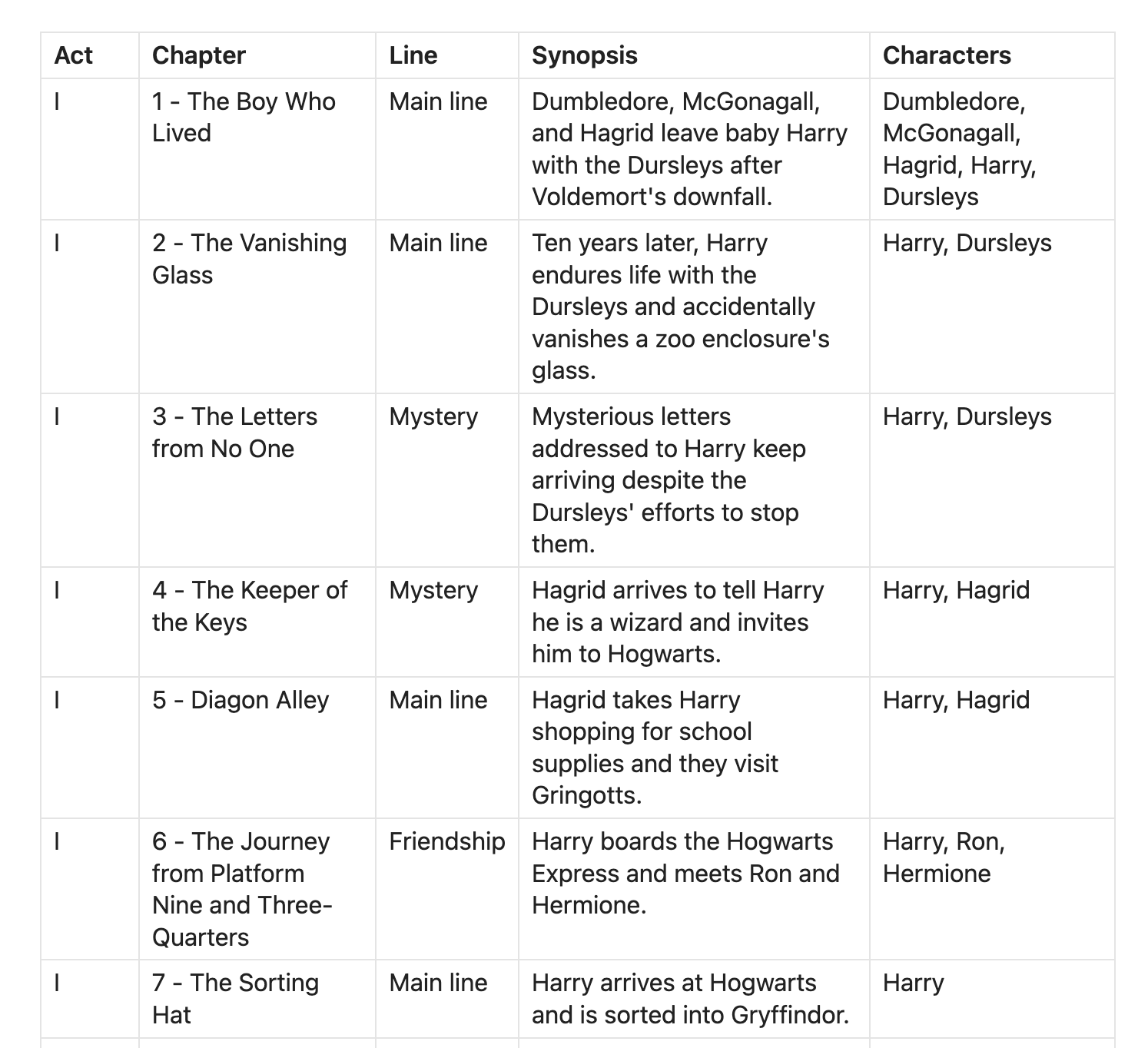
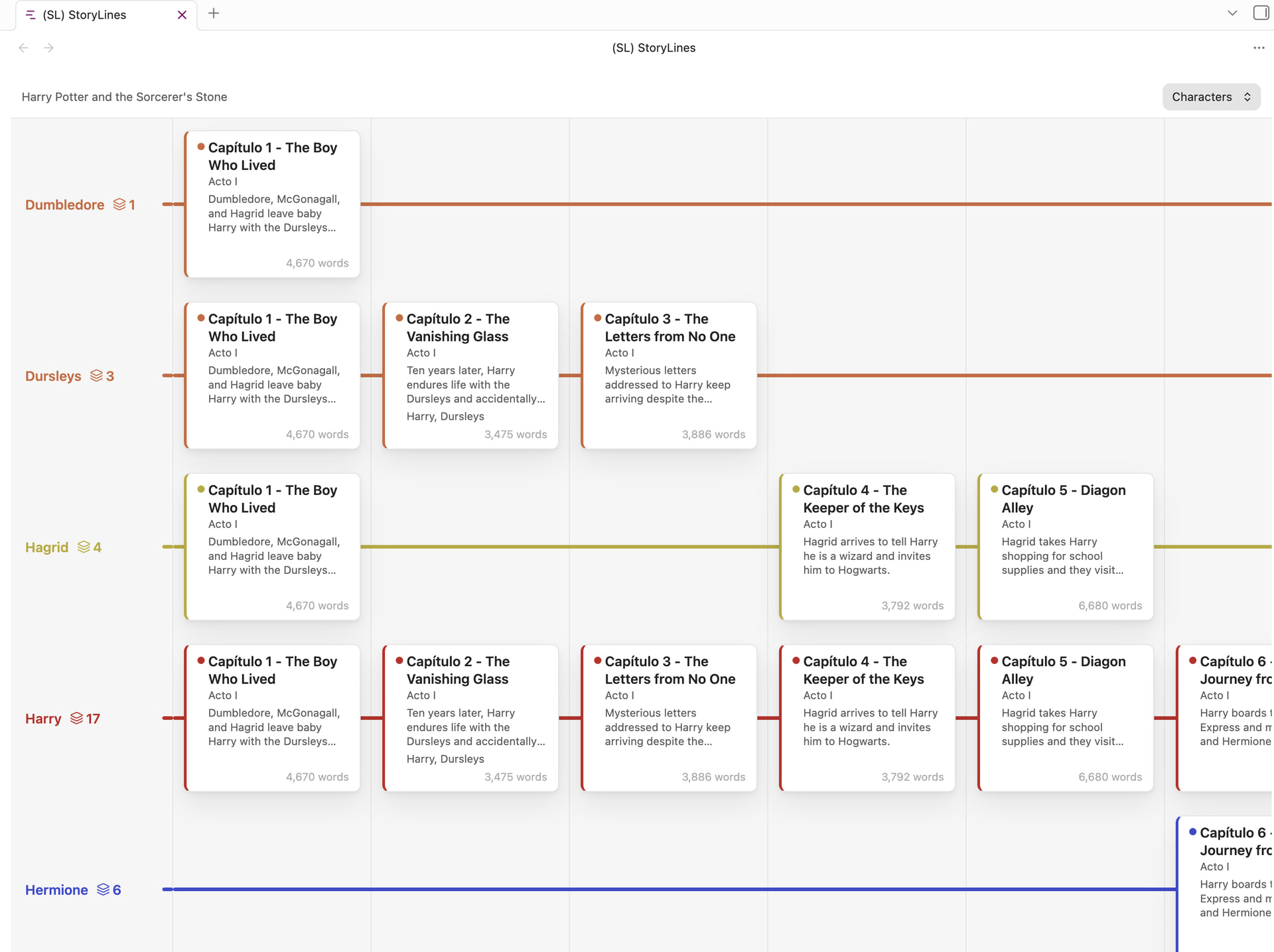
Scribe of Lagash - Visualization helps novelists see the shape of a book. Your chapters and scenes stay ordinary notes; point it at a book folder, and it recognises them from their titles (Chapter 1, Scene II, Prologue, Capítulo 3…). Reading order comes from your folders and title numbers, not frontmatter, and it never edits your prose. StoryLines view is the book’s canvas: coloured lines for the main plot, subplots and flashbacks, with every chapter and scene as a card. Drag cards between lines and along a shared column grid that keeps them in reading order. Rename, recolour and reorder lines; undo with Mod+Z; changes autosave beside your notes. Story Outline (optional) lets you plan before writing: a Markdown table whose unwritten rows show as placeholder cards you click to create the real note, pre-filled with its synopsis. Your files always win over the table. Planned next: a chronological view by in-story date, and a matrix view grouping scenes by character, place, or situation.
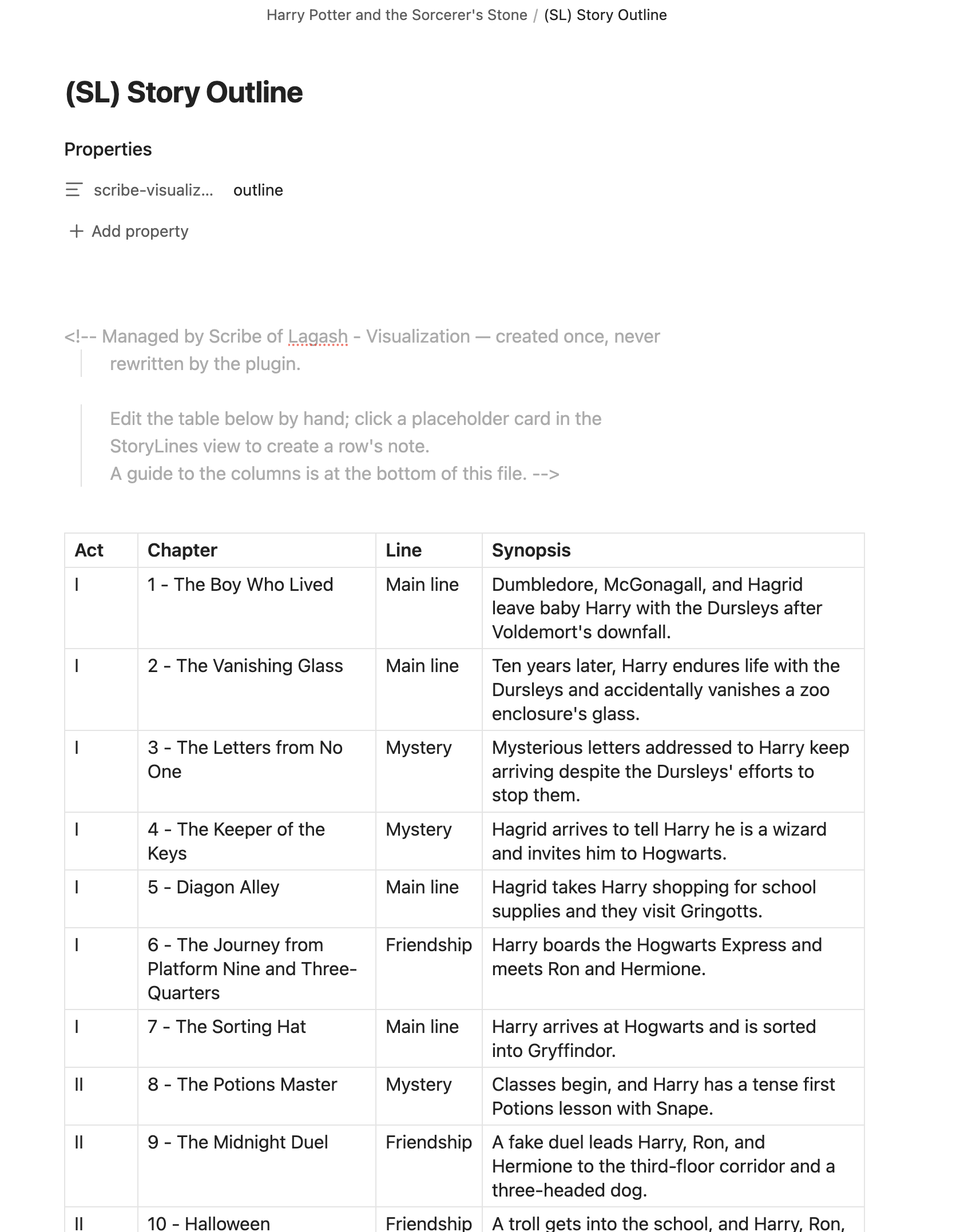


 flags notes and rows that disagree). Nothing is saved in this mode, and each tab remembers its mode.