Hi everyone!
I built an Obsidian plugin that connects to an Acaia Pearl S coffee scale over Bluetooth and turns your vault into a brewing assistant. If you’re into specialty coffee and already live in Obsidian, this might be for you.
Why I built this: I tried several brewing apps and logging tools before — none of them stuck. Too many required fields, workflows that didn’t match mine, and the friction of switching between apps mid-brew. Since I was already keeping bean notes in Obsidian, I figured — why not record the brewing data directly here, automatically, while I pour?
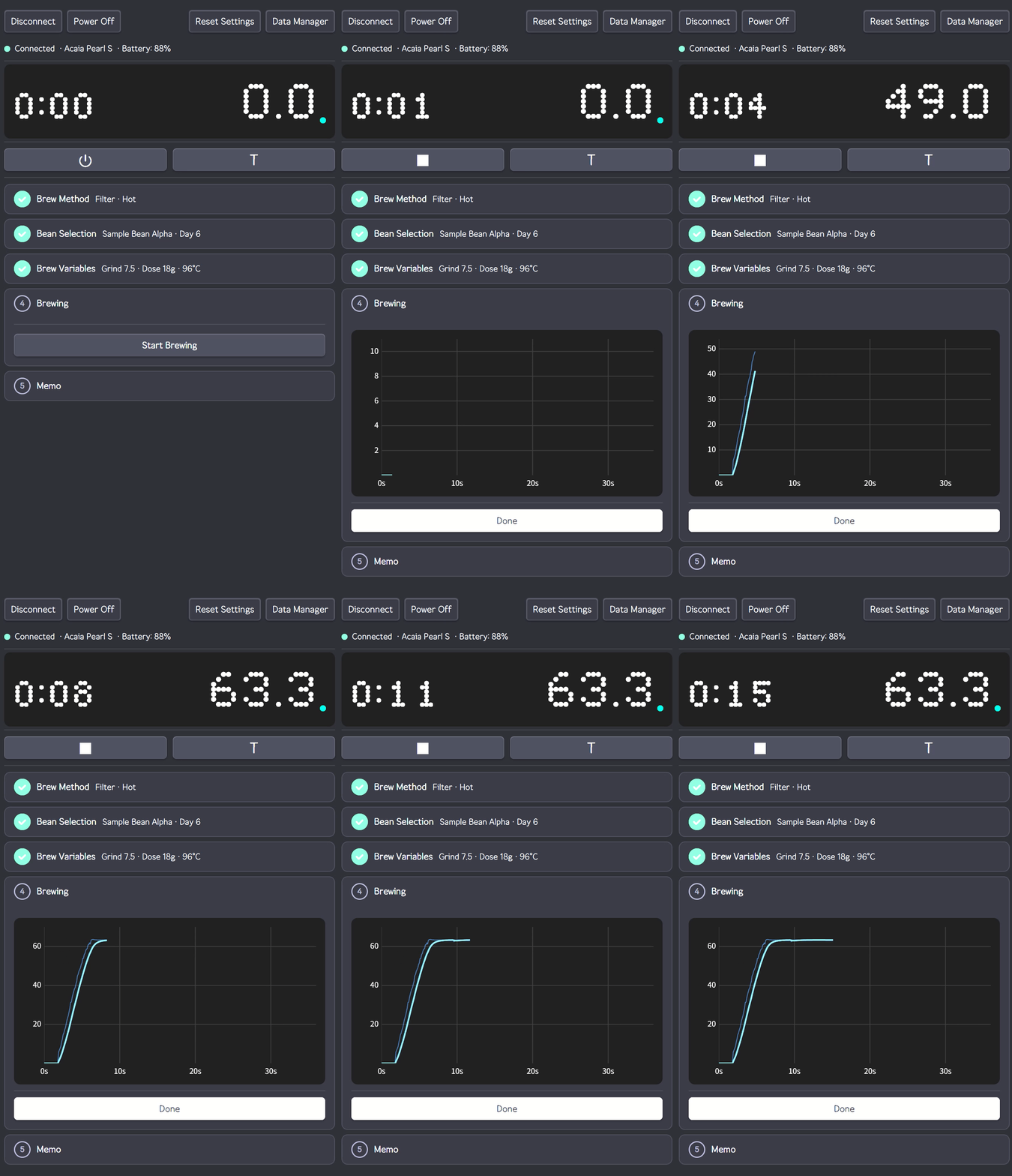
Connecting to an Acaia Pearl S and brewing in real time — weight curve drawn as you pour
What it does
- Real-time scale connection — pairs with Acaia Pearl S via BLE, no companion app needed
- Dot-matrix display — live weight and timer in the sidebar, styled after the scale’s own screen
- Guided brew flow — 6-step accordion (method → bean → variables → brew → profile → save)
- Live profile chart — weight-over-time curve drawn in real time as you pour
- Auto-fill from last brew — select a bean and your previous grind size, dose, and equipment are pre-loaded
- Bean inventory — track roast days, remaining weight, status per bean via code blocks
- Brew history — per-bean records with profile charts, extraction parameters, and equipment used
- Equipment registry — grinders, drippers, filters, baskets, accessories
- Vault-native storage — all data as plain JSON files in your vault, Obsidian Sync compatible
- Global hotkeys — tare, connect, start/stop brew even when Obsidian is not focused
- Multi-language — English and Korean
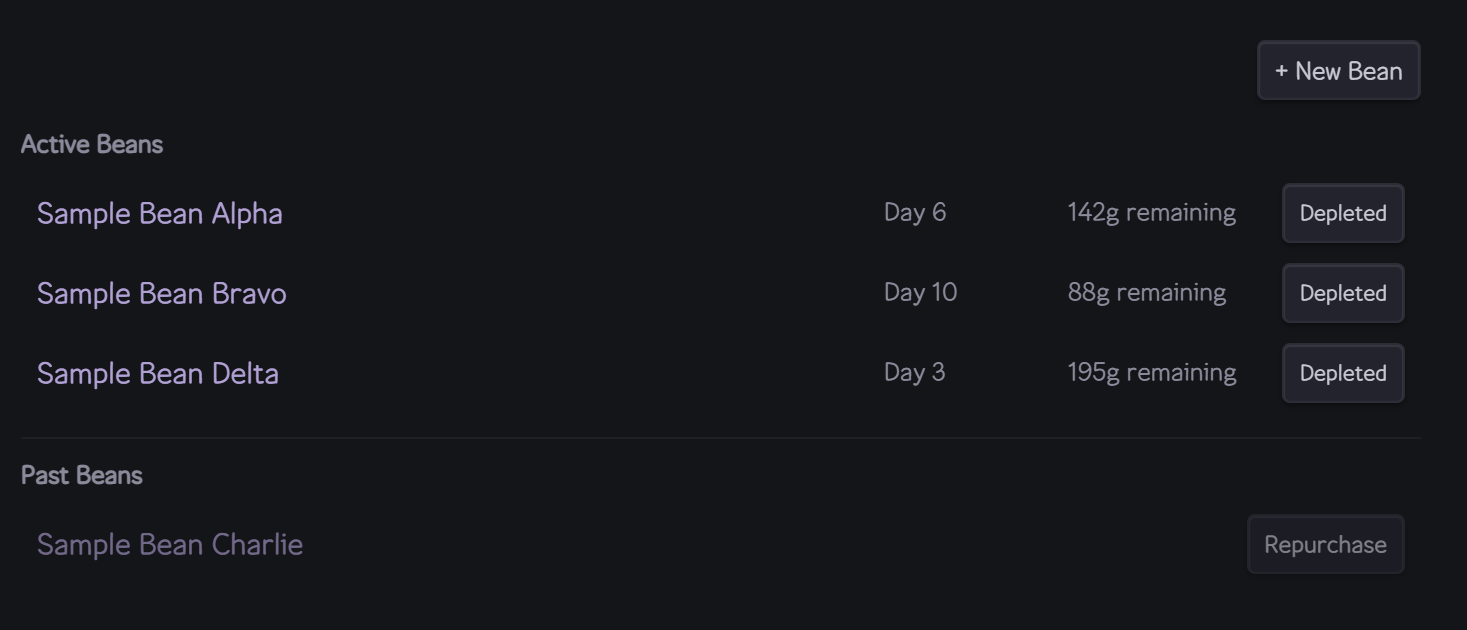
Bean inventory — roast days auto-calculated, remaining weight, active/finished status
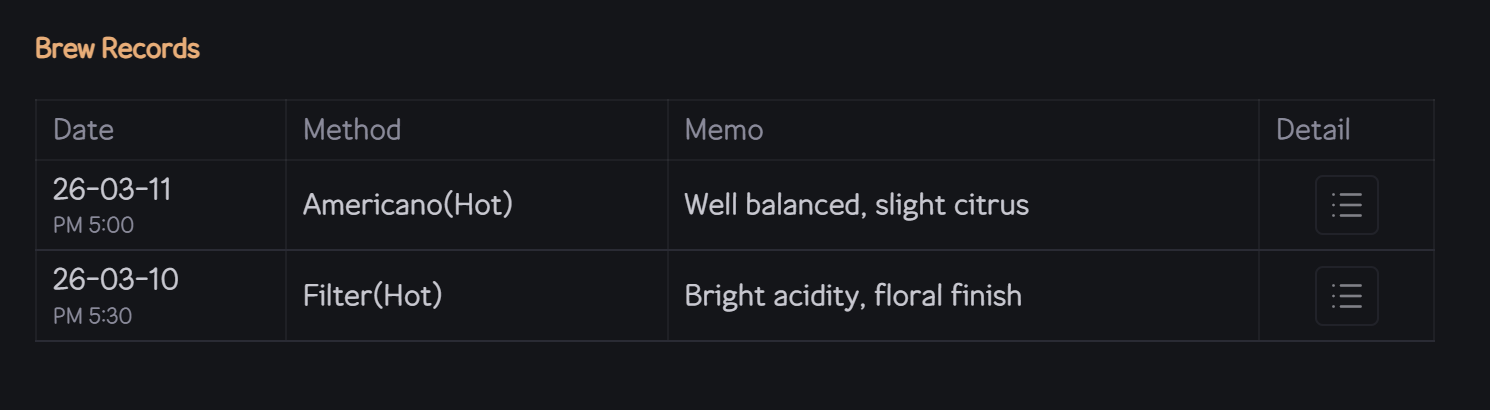
Per-bean brew history with date, method, grind size, and memo
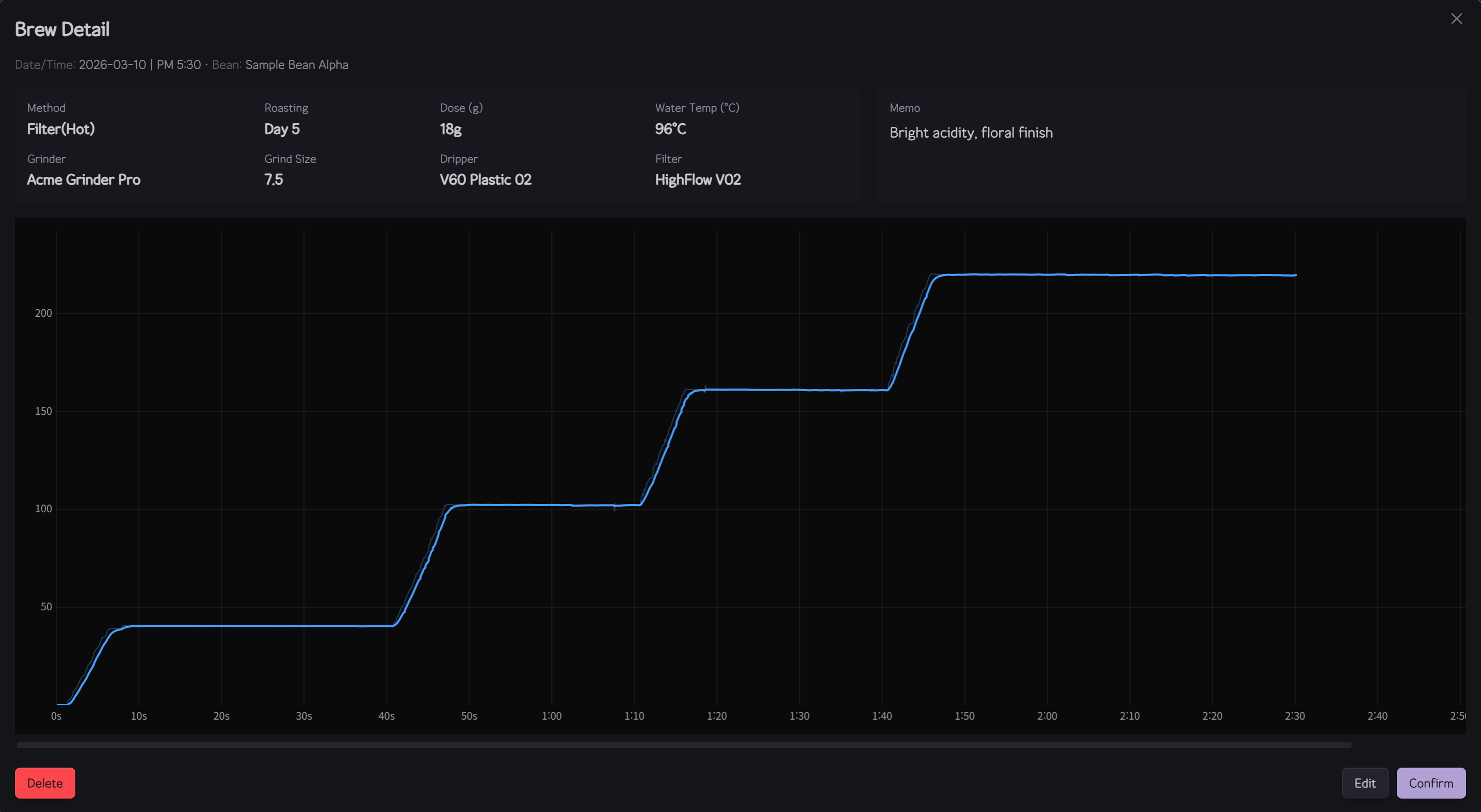
Brew detail modal — extraction parameters and weight-over-time profile chart
Under the hood
The BLE communication is built on a reverse-engineered binary protocol (the Acaia SDK is closed-source). The plugin uses a native Node.js addon (@stoprocent/noble) running directly in Obsidian’s Electron process — no external server, no bridge app. Weight data streams at ~10Hz with spike filtering and Savitzky-Golay smoothing for a clean curve.
This is also why it can’t be listed in the community plugin directory: the native .node binary doesn’t fit Obsidian’s 3-file distribution format (main.js + manifest.json + styles.css). Installation is via GitHub release zip.
Current limitations (being transparent)
- Windows only — other platforms depend on noble’s support, not tested yet
- Acaia Pearl S only — other Acaia models likely work (same protocol family) but unverified
- Desktop only — BLE native addon requires Electron, no mobile support
- Manual install — GitHub zip, not community plugins
Installation
- Download
cubicj-brewing.zipfrom the latest release - Extract into
<your-vault>/.obsidian/plugins/cubicj-brewing/ - Restart Obsidian → Settings → Community plugins → Enable “CubicJ Brewing”
The zip includes a noble/ folder with the native BLE addon — don’t omit it.
What’s next
- Support for other Bluetooth scales
- Espresso workflow improvements
- More chart analytics (flow rate, extraction yield)
I’d love any feedback — especially from Acaia owners willing to test. Issues and ideas welcome on GitHub.