Plugin/Theme Disclaimer
Is this project open source? Yes
Is this project completely free? Yes
Is this project vibe-coded beyond the author’s ability to comprehend how it works? No
Community Directory:https://community.obsidian.md/blackglass
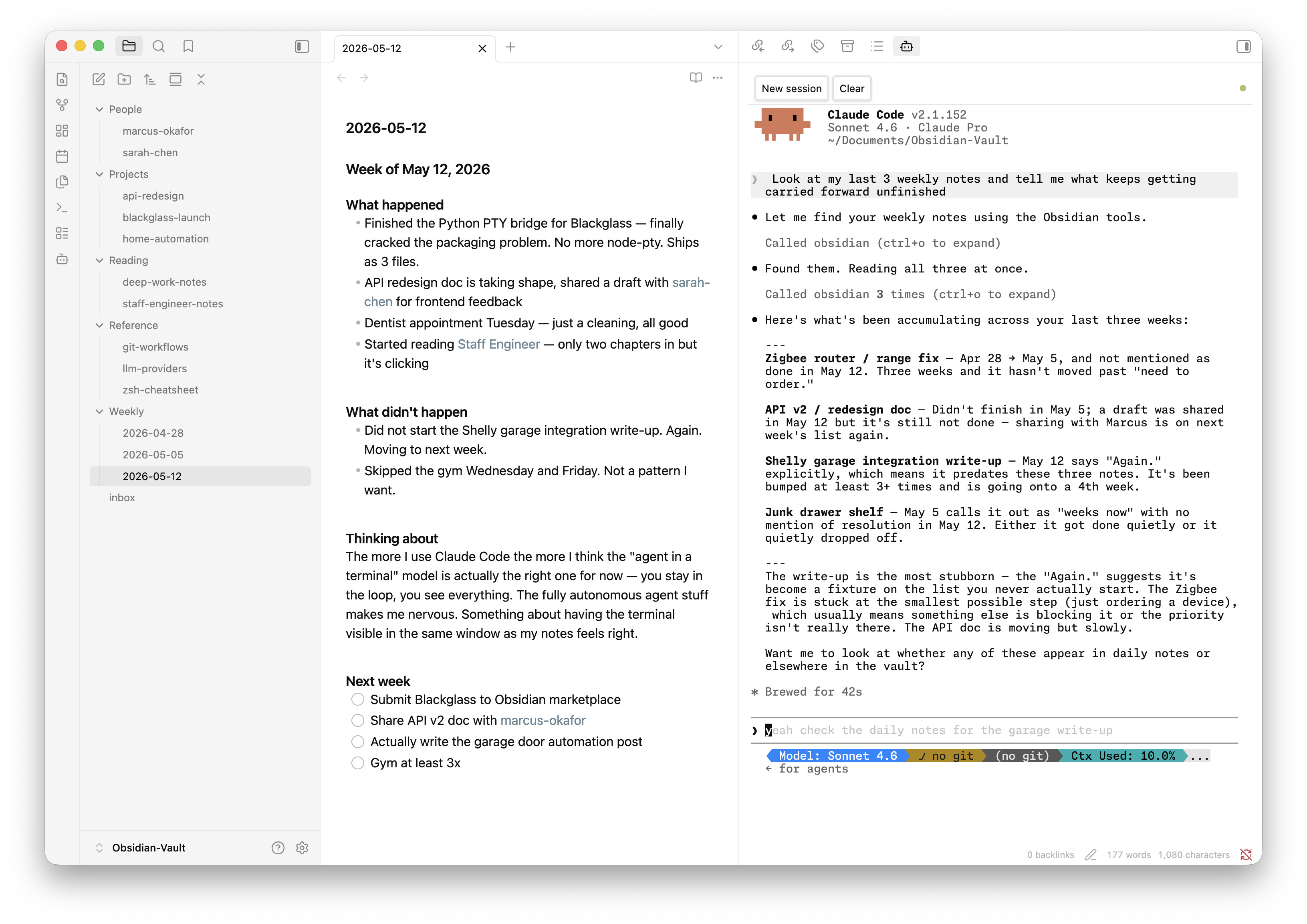
Blackglass: Claude Code running inside Obsidian, with a built-in vault MCP server
For a few weeks I’ve been working on a bunch of large documents in Obsidian while also using Claude Code as a light editor/writing assistant. I was cmd-tabbing between Obsidian and my terminal enough that I figured there had to be a lightweight, easy way to get Claude into Obsidian directly. Not finding exactly what I wanted, the next obvious step was to build it myself. And, thusly, Blackglass was born
What it is
Blackglass isn’t a chat UI or a wrapper around the API. It runs the Claude Code CLI in a full xterm.js terminal in your sidebar: every slash command, every MCP tool, full session continuity, exactly as you’d have it in a standalone terminal. If you already use Claude Code, there’s nothing new to learn.
The vault MCP server
The part I’m most pleased with: Blackglass ships with a built-in MCP server that gives Claude structured, authenticated access to your vault the moment the plugin loads. No configuration. Claude can read notes, search content, list folders, get the currently open note, and create or update notes. It auto-generates a Bearer token on every launch so no other process can piggyback on it.
Other bits
- Quick ask modal for one-shot queries without opening a terminal (works on Windows too)
- Right-click any
.mdfile → “Ask Claude about this” - Terminal colors adapt live to your Obsidian theme, including third-party themes
- Font family and weight picker pulls from your actual installed system fonts
- Session resume on open (
--continue) - Status dot, clear button, configurable scrollback
Requirements
- Claude Code CLI installed and on your PATH
- macOS or Linux for the interactive terminal (Quick Ask works on all platforms)
- Python 3
Install
Search Blackglass in Settings → Community Plugins → Browse.
All of the code is freely available at https://github.com/humantorch/blackglass and stars/PRs are always welcome. I hope you like it!