Disclaimer
Is this project open source? Yes
Is this project completely free? Yes
Is this project vibe-coded beyond the author’s ability to comprehend how it works? No
Community Directory: Canvas Positioning Toolkit
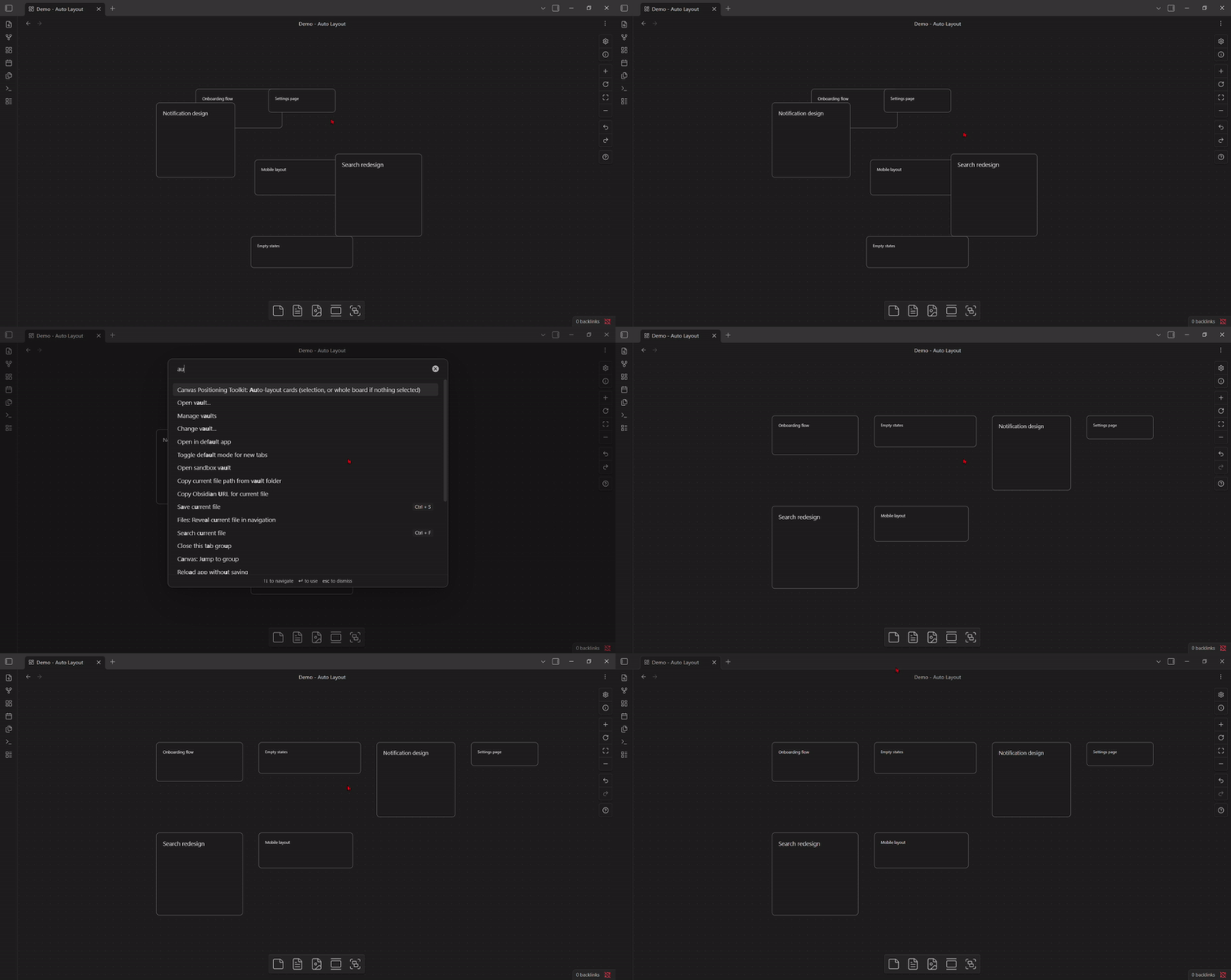
Auto-layout ^^^
What it does: arranges cards into a tidy grid. Run it with nothing selected and it lays out the whole board; select two or more cards first and only those move, everything else stays put.
Why: I kept ending up with boards where cards landed wherever I’d dropped them, and there was no “just tidy this up” button. Advanced Canvas doesn’t have one, and the two mindmap-focused plugins I found only auto-layout tree/connection structures, not an arbitrary set of cards.
How I built it: each row uses the tallest card in that row to offset the next row, so a mix of short and tall cards never overlaps.
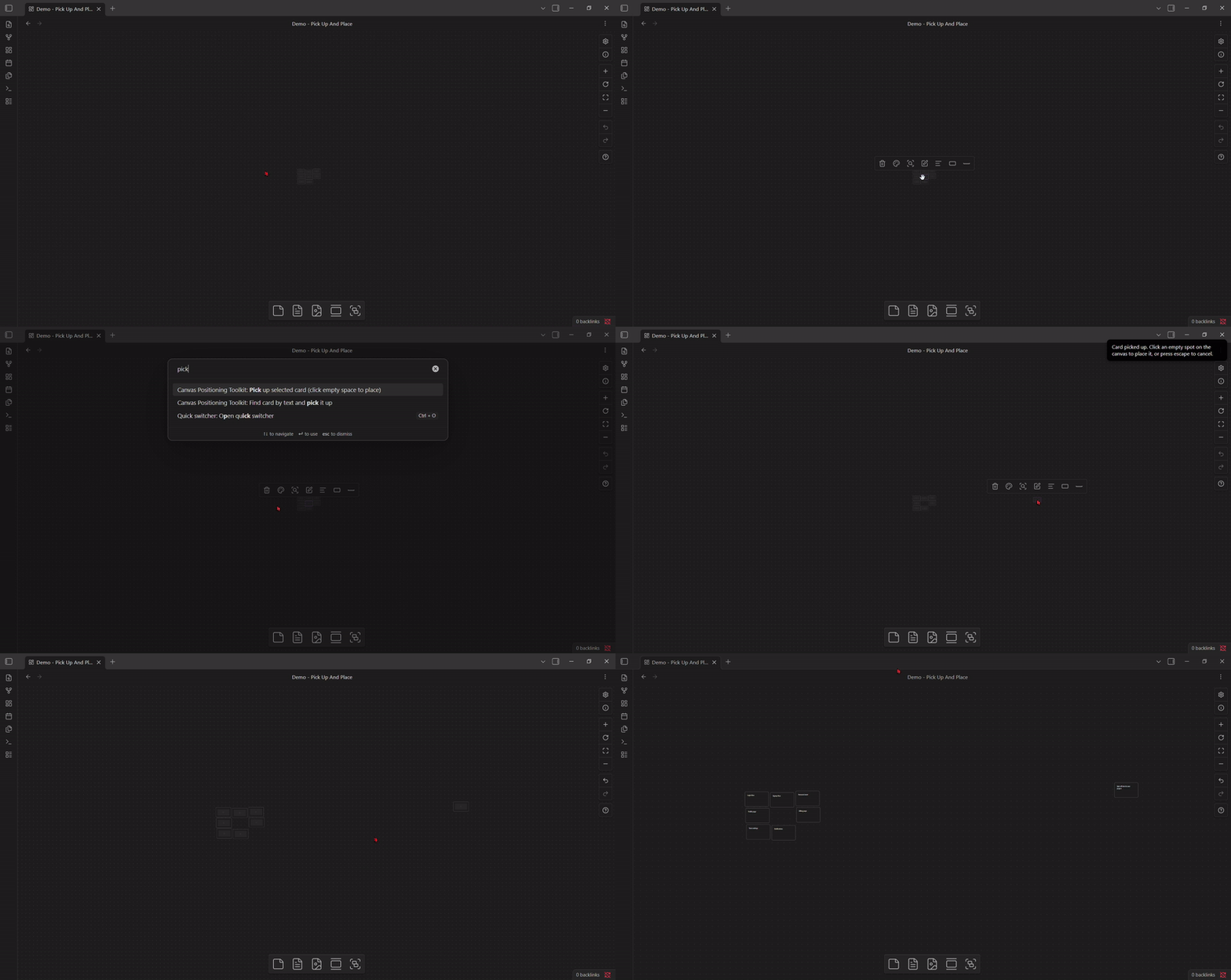
Pick up and place ^^^
What it does:** select a card, run the command, move your mouse with no button held down, click an empty spot to place it. Press Escape instead and it snaps back to where it started.
Why: this one came from a forum post someone sent me (forum.obsidian.md/t/moving-dragging-cards-more-efficiently-across-the-canvas/116135). At low zoom, a card’s drag hit-target gets small enough that pulling one card out of a cluster means repeatedly hovering to find the hand cursor. Their proposed fix, a hotkey that picks the card up so it follows your pointer without holding a button, was exactly right, and nobody had built it.
Under the hood: canvas.posFromEvt(event) converts a mouse event straight to canvas coordinates regardless of zoom.
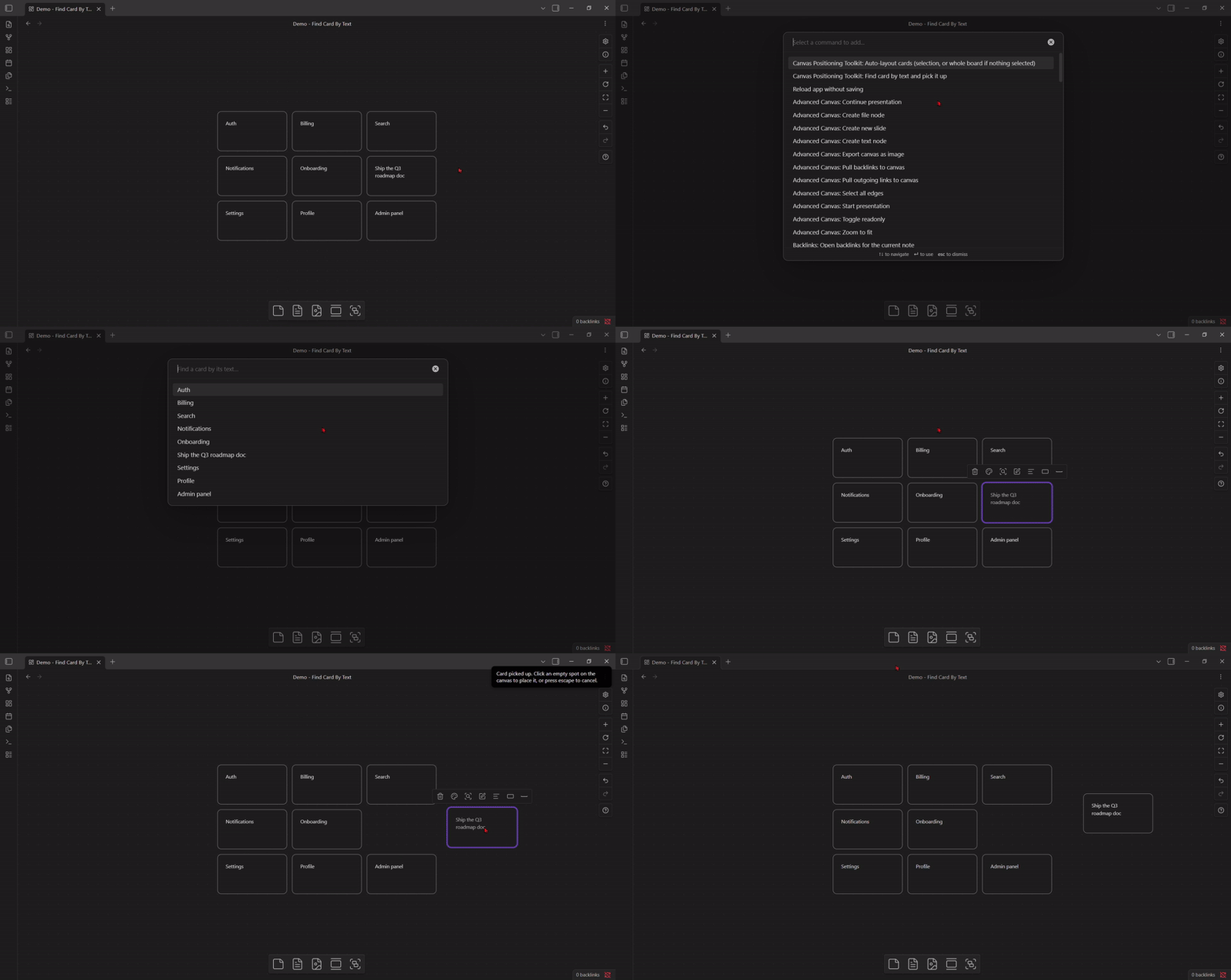
**Find card by text ^^^
What it does:** opens a fuzzy search over every card’s text on the current board. Type part of the card’s content, pick it from the list, and it’s selected and picked up in one step, ready to place.
Why: pick-up-and-place solves moving a card once you’ve selected it, but selecting the right card in a tight cluster in the first place has the exact same aiming problem. Searching by text sidesteps aiming entirely instead of trying to make it easier.
How it works: Obsidian’s own FuzzySuggestModal does the fuzzy matching.