Steps to reproduce
Select the Command Palette option in Settings under the Core plugins section.
Did you follow the troubleshooting guide? [Y/N]
Please, follow the Troubleshooting Guide before answering Yes.
Expected result
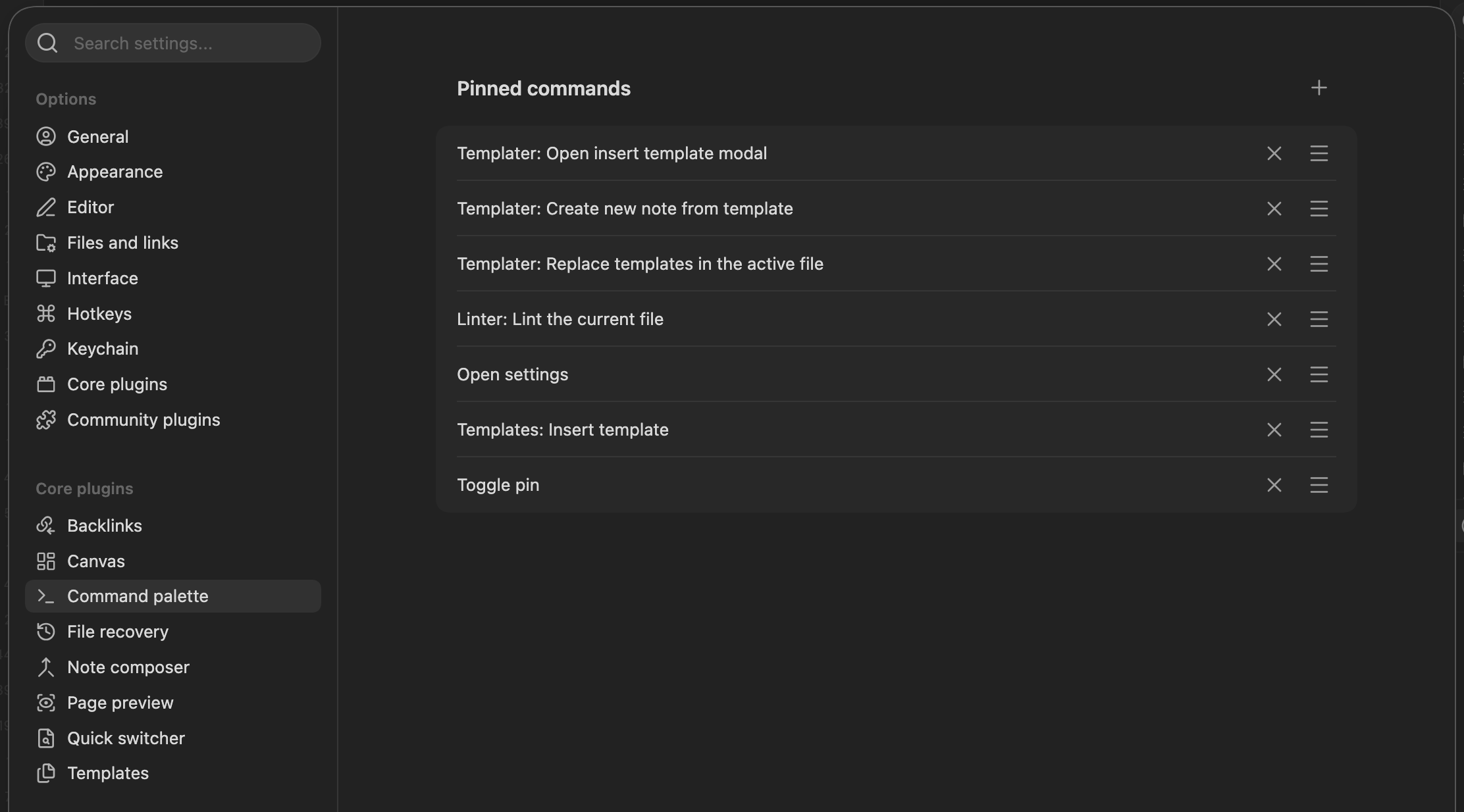
Should be able to see all of my pinned commands.
Actual result
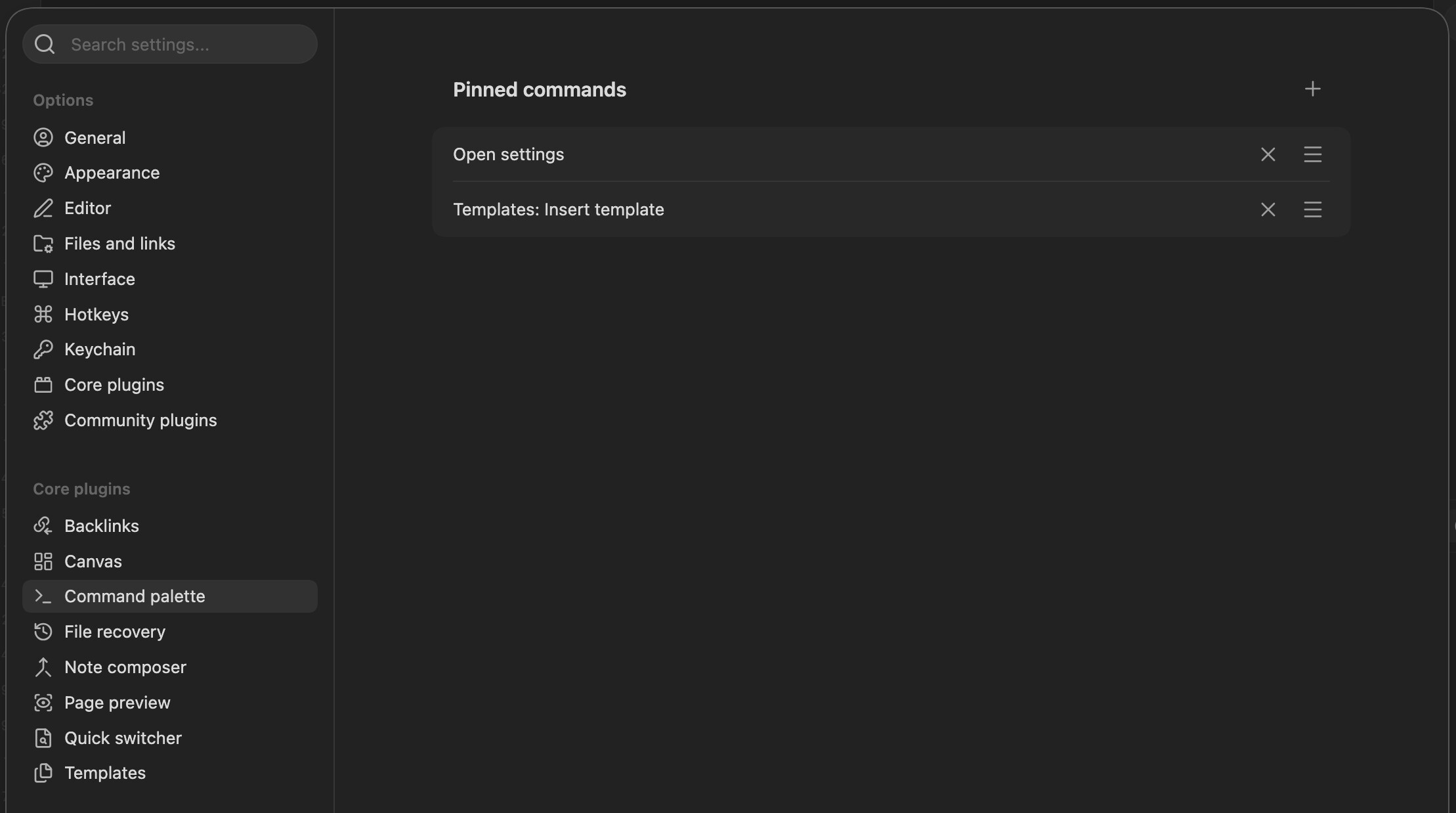
Only some of my pinned commands show. Some are missing and not showing up.
Environment
SYSTEM INFO:
Obsidian version: 1.13.1
Installer version: 1.12.4
Operating system: Darwin Kernel Version 25.5.0: Mon Apr 27 20:31:18 PDT 2026; root:xnu-12377.121.6~2/RELEASE_X86_64 25.5.0
Login status: logged in
Language: en
Catalyst license: insider
Insider build toggle: on
Live preview: on
Base theme: adapt to system
Community theme: none
Snippets enabled: 2
Restricted mode: off
Plugins installed: 20
Plugins enabled: 14
Additional information
The first screenshot shows I only have 2 pinned commands when I know I actually have more (I can see them all when I access them via CMD+P). In the command palette settings, if I click the + button to add another one (in this case I added “Toggle pin”) the rest of my pinned commands end up showing up along with the new one, as shown in the second screenshot. Either adding or removing a pinned command sort of forces the rest of my missing ones to show up. If I close and reopen the app it goes back to having missing commands.