I have been working on a personal finance plugin. It uses the beancount as backend.
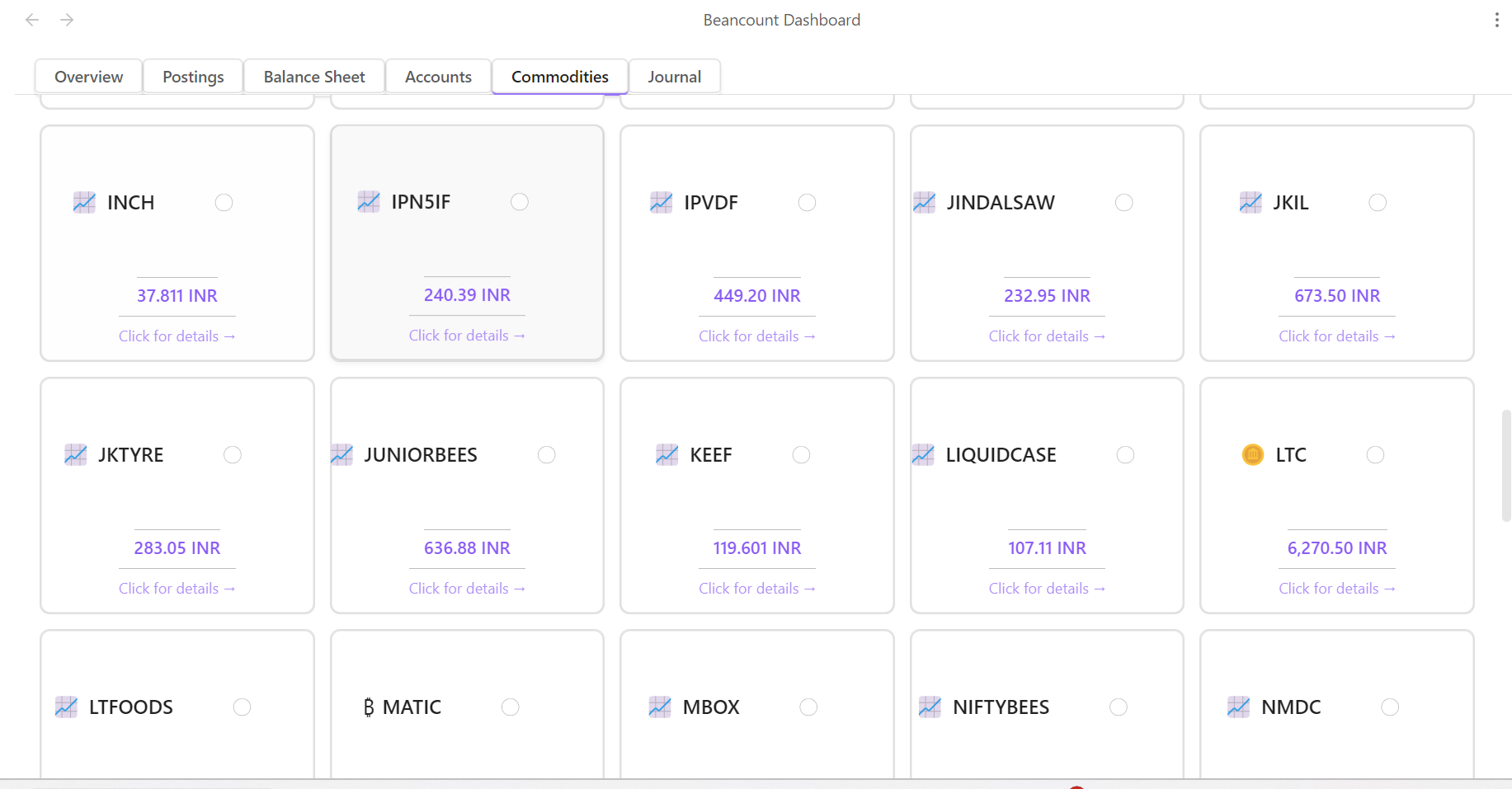
Currently figuring out the automatic price fetching mechanisms. But so far I have implemented most of the basic functionality. Here are some screenshots.
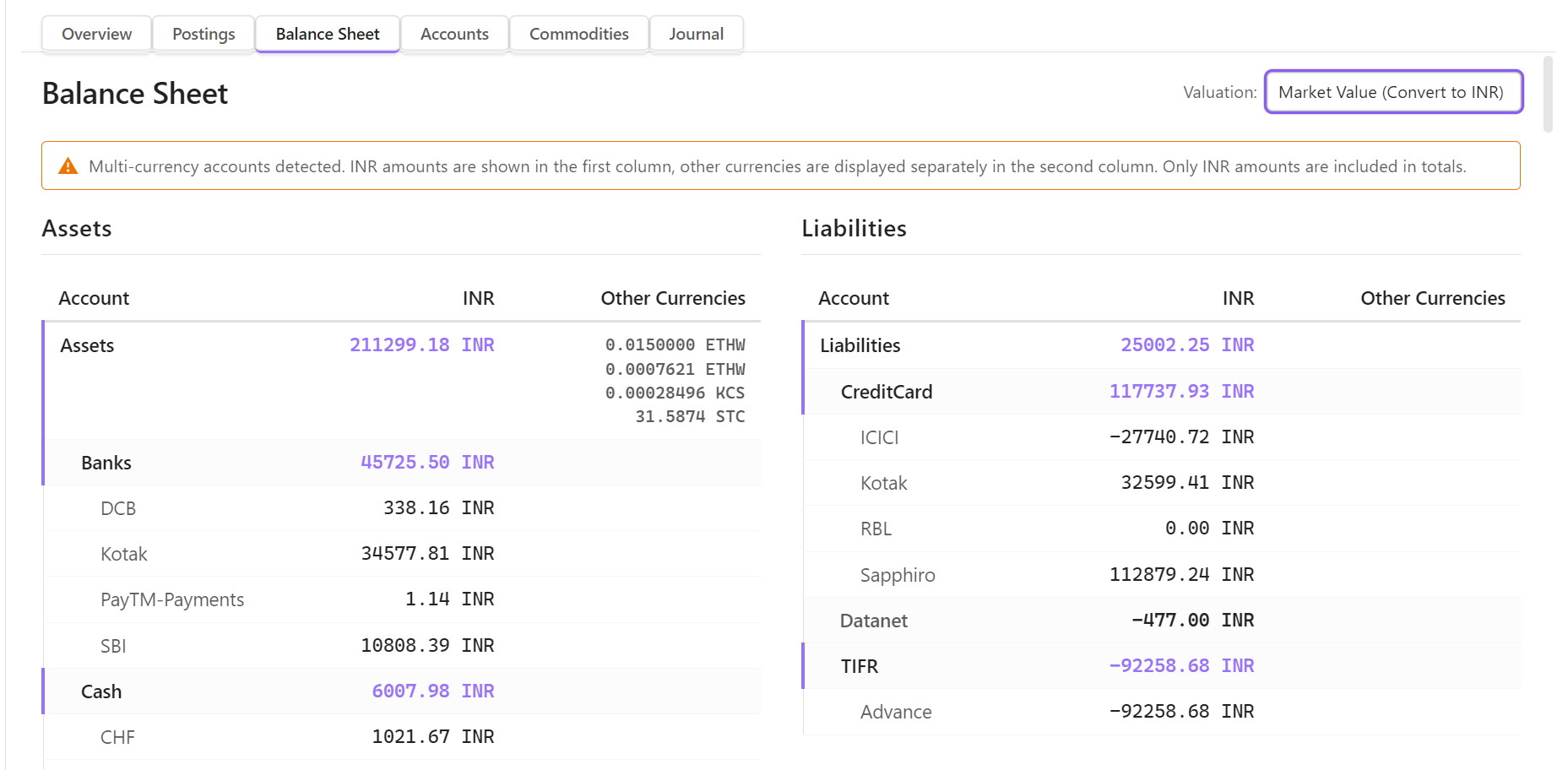
Balance sheet
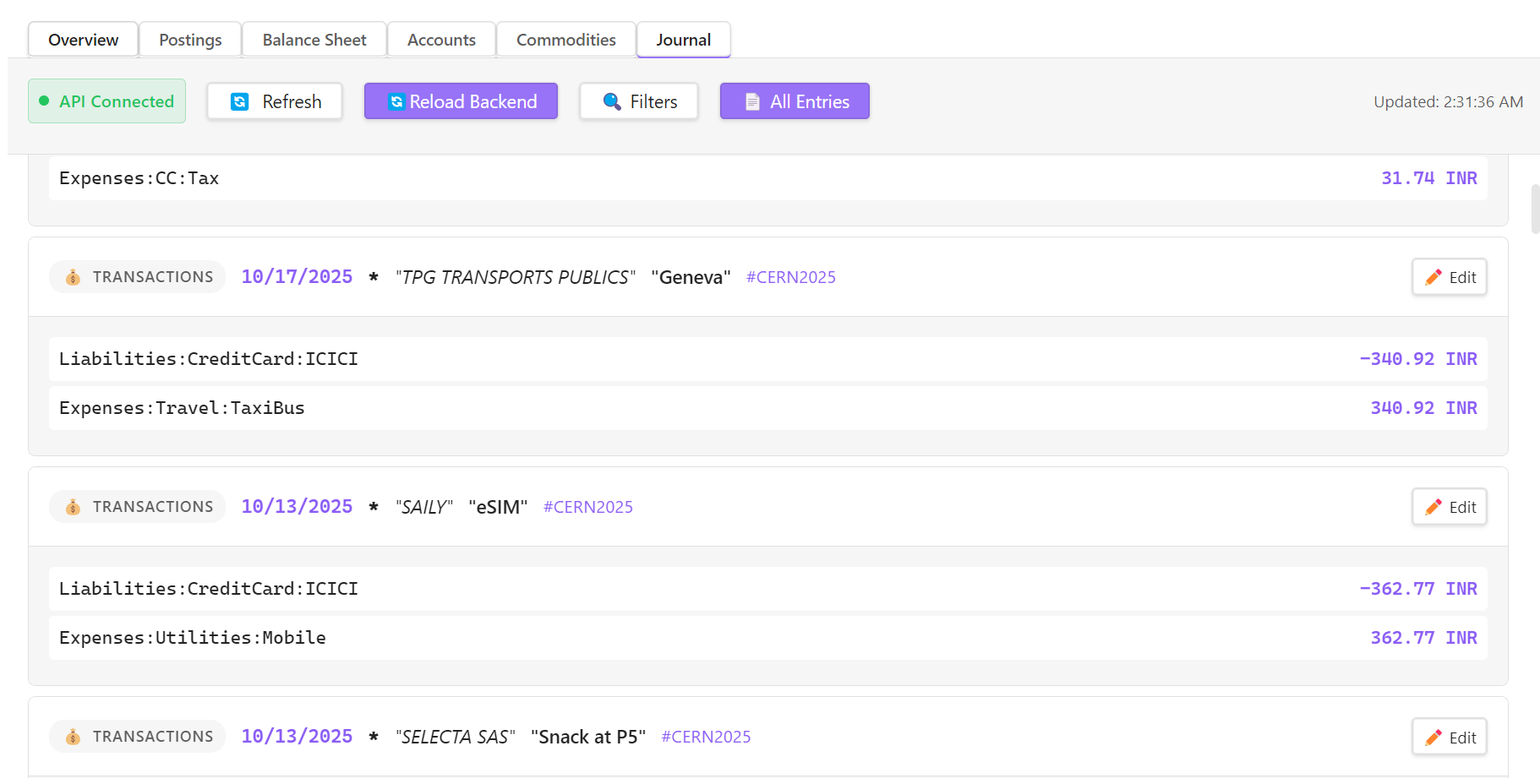
Transactions journal
Financial Overview
Quick Snapshot of your net worth, assets and liabilities
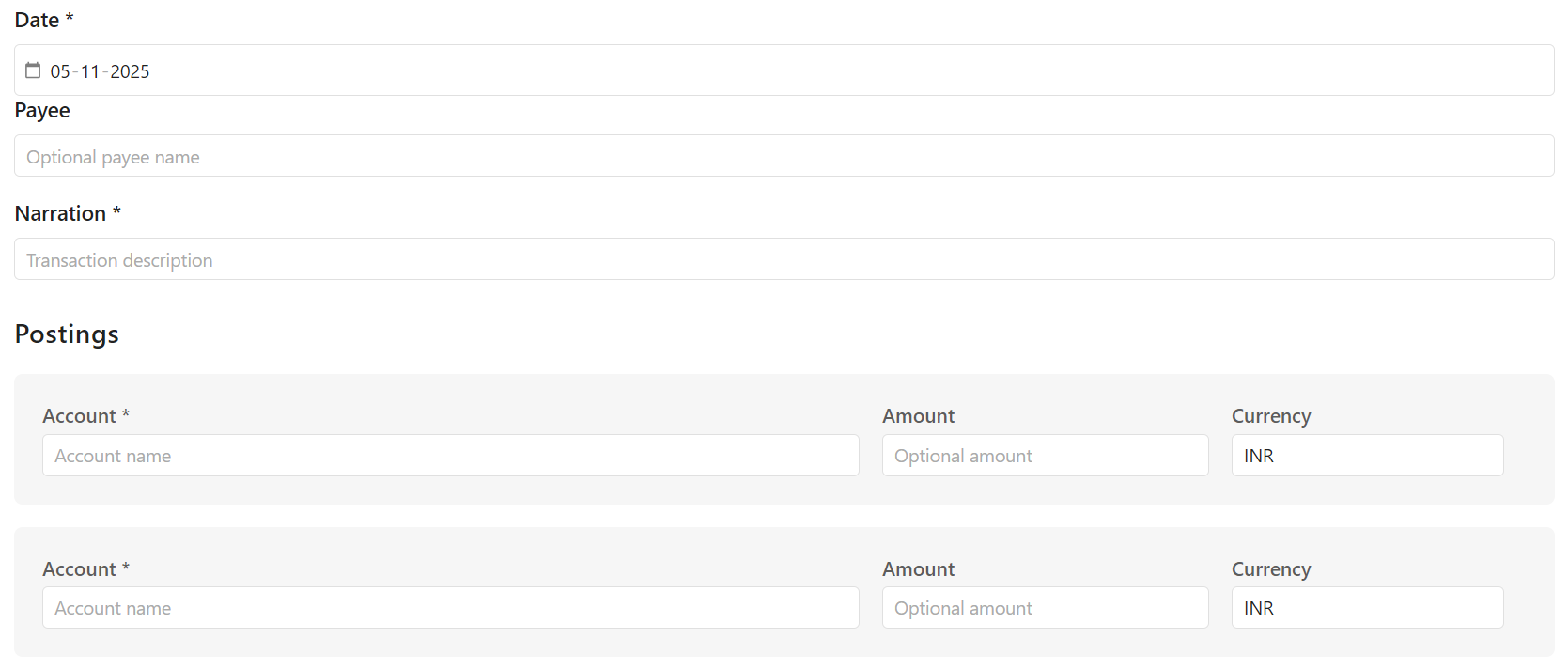
Adding accounts, commodities and transactions
For the folks aware of beancount, so far I have implemented all fava features. Currently working on implementing bean-price.
Requirements:
You’ll need Python, Beancount, and Flask installed for the plugin to function properly.
Wow, the images look very interesting. What does the data look like in markdown that it’s based on? Does it gather data from multiple notes, or just one note?
It is based on the plain-text accounting principles of ledger and beancount. It uses a set of text directives to keep track of transactions and complete portfolio.
It’s usually a single source file, but we can “import” other files into it for better organization.
This is the head of my ledger.beancount file
option "operating_currency" "INR"
2024-05-28 custom "fava-option" "auto-reload" "true"


include "dependencies/accounts.beancount"
include "dependencies/pads.beancount"
include "dependencies/balances.beancount"
include "dependencies/commodities.beancount"
include "dependencies/prices.beancount"
include "dependencies/budget.beancount"
include "dependencies/events.beancount"


2024-09-26 * "Opening Balance"
  Assets:Wallets:Zomato                             1000.00 INR
  Liabilities:CreditCard:Kotak

2024-09-26 * "Airbnb Payments India PVT" "Goa Trip" #GoaTrip
  id: "20240926_092828"
  Liabilities:CreditCard:Kotak                    -11317.80 INR
  Expenses:Travel:Accomodation
OK, it doesn’t work with markdown files, it expands Obsidian so it can read beancount files? Just trying to understand what the workflow is in Obsidian. Are you modifying a beancount file from within Obsidian, and then are able to use different visualizations within Obsidian of the beancount file?
Right, it doesn’t store data in markdown.
The plugin actually reads and writes to your .beancount file directly.
You can open your ledger inside Obsidian, view dashboards, or add transactions all synced back to your Beancount file on disk.
You can think of it as interacting with your ledger which is stored on the disc.
Normal workflow will be:
Any financial transaction you do: you add it to the ledger via “Add transaction command of the plugin”. This opens up a modal to fill in the transaction details. There are multiple directives apart from transactions that beancount and hence plugin supports:
Adding accounts for Income, expenses, equities, assets, liabilities
Hey everyone! Quick update:
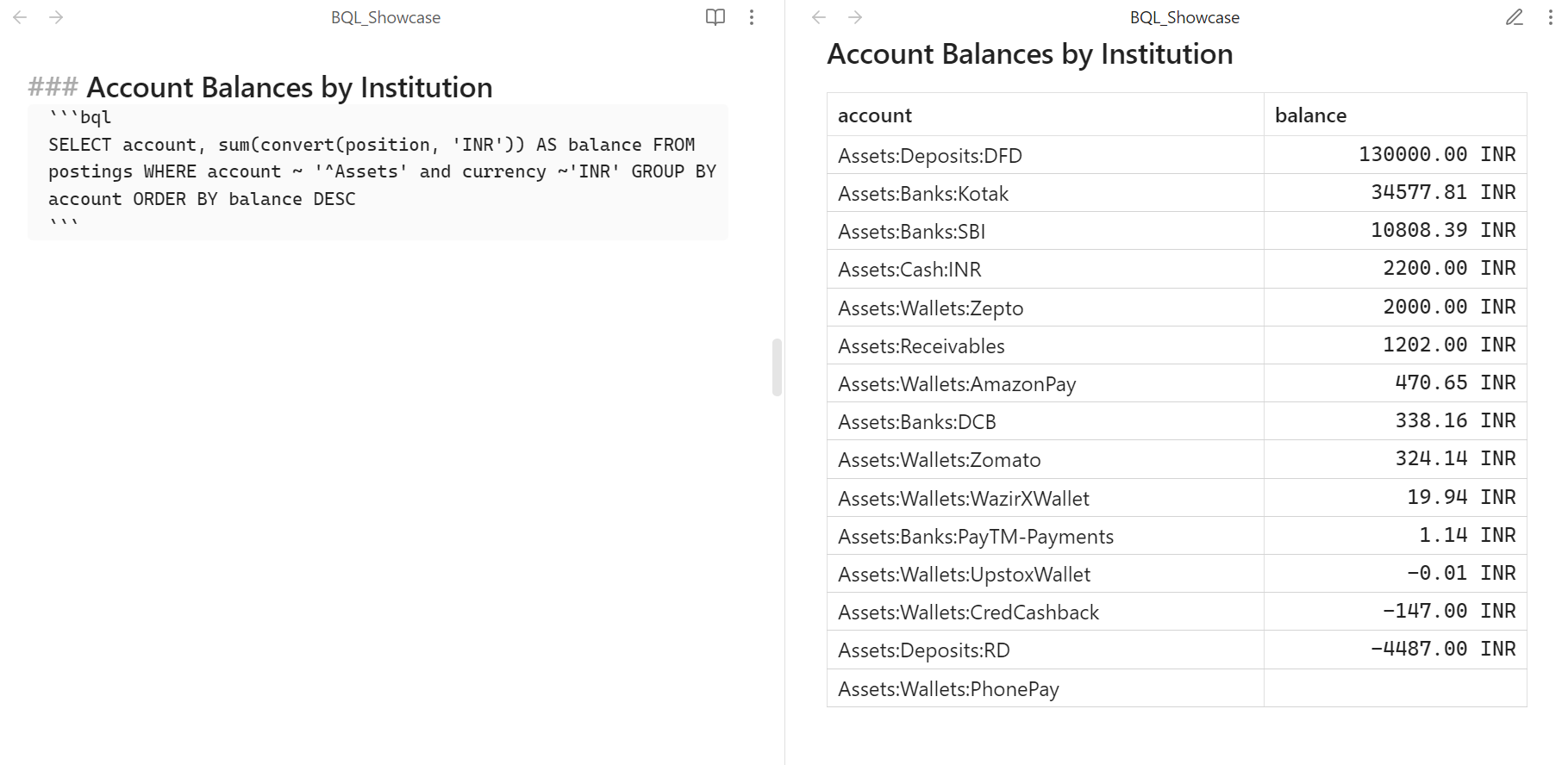
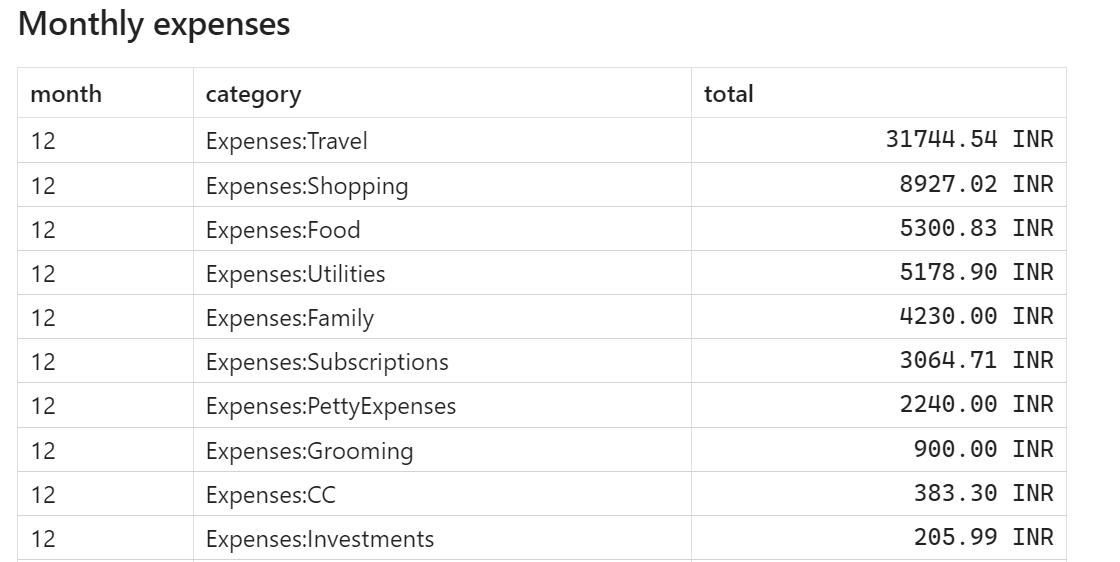
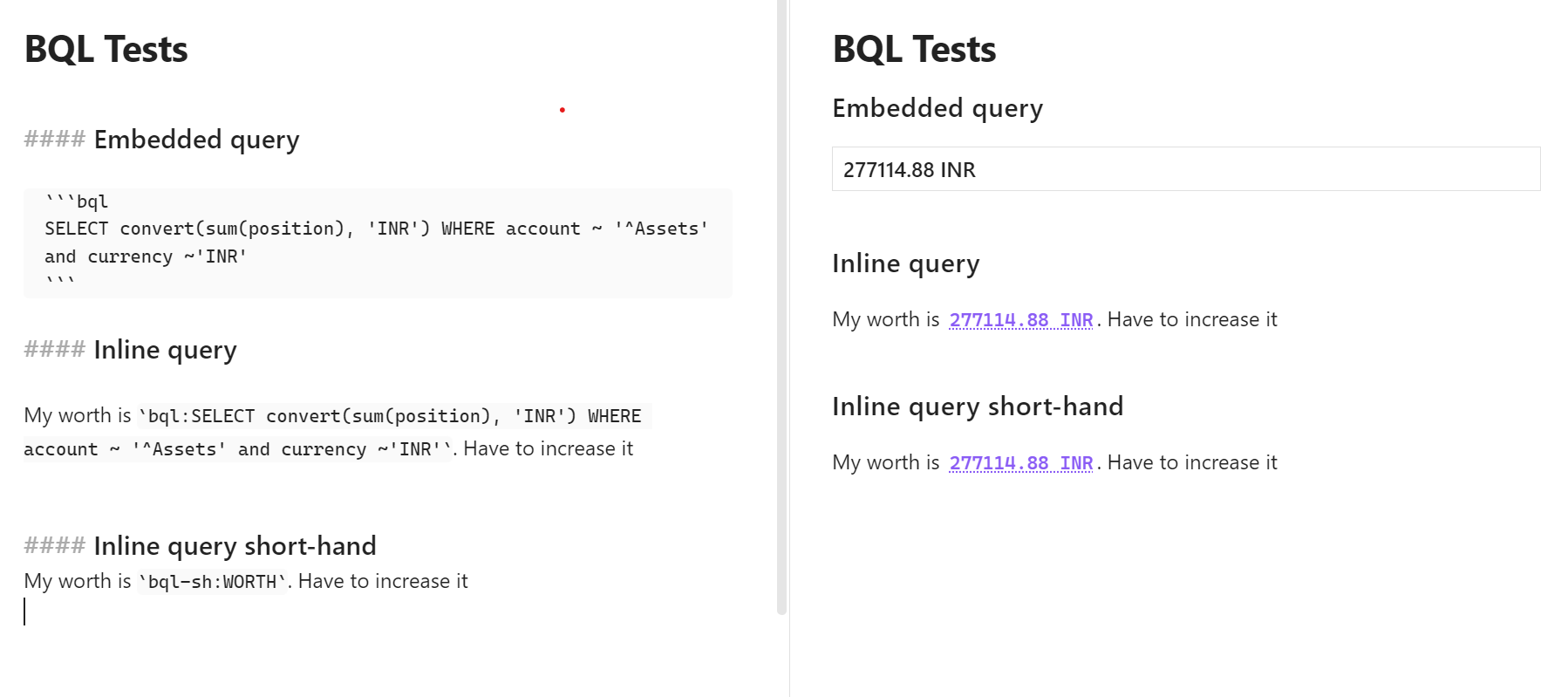
the plugin now supports inline queries and a short-hand syntax, making it easier to include live Beancount values directly inside your notes.
You can now do things like:
My worth is `bql:SELECT convert(sum(position), 'INR') WHERE account ~ '^Assets' and currency ~'INR'`.
It’s been a while since my last update here. Thanks to everyone who tried the beta via BRAT and later on from the community store. Wanted to share where things stand.
Biggest news: it’s now available directly in Community Plugins with new name “Beancount Ledger”
Just go to Settings → Community Plugins → Browse, and search for “Beancount Ledger”. Getting through review meant a full security pass: all direct filesystem access (fs) was removed in favor of the Obsidian Vault API, and every shell-out to bean-query/bean-price now runs through parameterized spawn calls instead of a shell, so there’s no injection surface from ledger data or settings. Full breakdown is in the README’s permissions section.
What’s new since the last post
Scheduled & recurring transactions: Set up rent, subscriptions, etc. as a schedule (one-time or repeating), hit Refresh to see what’s due, and Insert/Skip/Hold each occurrence. Handles schedules that have fallen behind by surfacing every missed occurrence, not just the next one.
Reconciliation tracking: Tag any account with a reconciliation interval and get an overdue/up-to-date summary in the sidebar, plus Edit / Balance / Force-reconcile actions right from that list.
Budgets & Targets: Supports financial indicators Budges/Targets. Users can define periodic (Weekly|Monthly|Quarterly|Yearly) budgets or targets. Allows carry-forward and tag based inclusion/exclusion.
Cross-tab navigation: Click an account, payee, tag, or chart segment almost anywhere on the dashboard (Overview, Income Statement, Balance Sheet, Sunburst charts) and jump straight to a filtered Transactions or Journal view. Ctrl/Cmd-click routes to the other one.
Editor upgrades: Full CodeMirror 6 editor for .beancount files: syntax highlighting, inline lint diagnostics, smart indentation, a Format Document command, and context-aware autocomplete (accounts, payees, tags, currencies) plus user-defined snippets.
Plus a steady stream of UI polish: A redesigned onboarding wizard, consistent pill-style dropdowns and tab bars, currency-aware decimal precision (so crypto/JPY render correctly), and fixes for large-ledger performance.
 Requirements:





 The documentation confirms:
 Biggest news: it’s now available directly in Community Plugins with new name “Beancount Ledger”