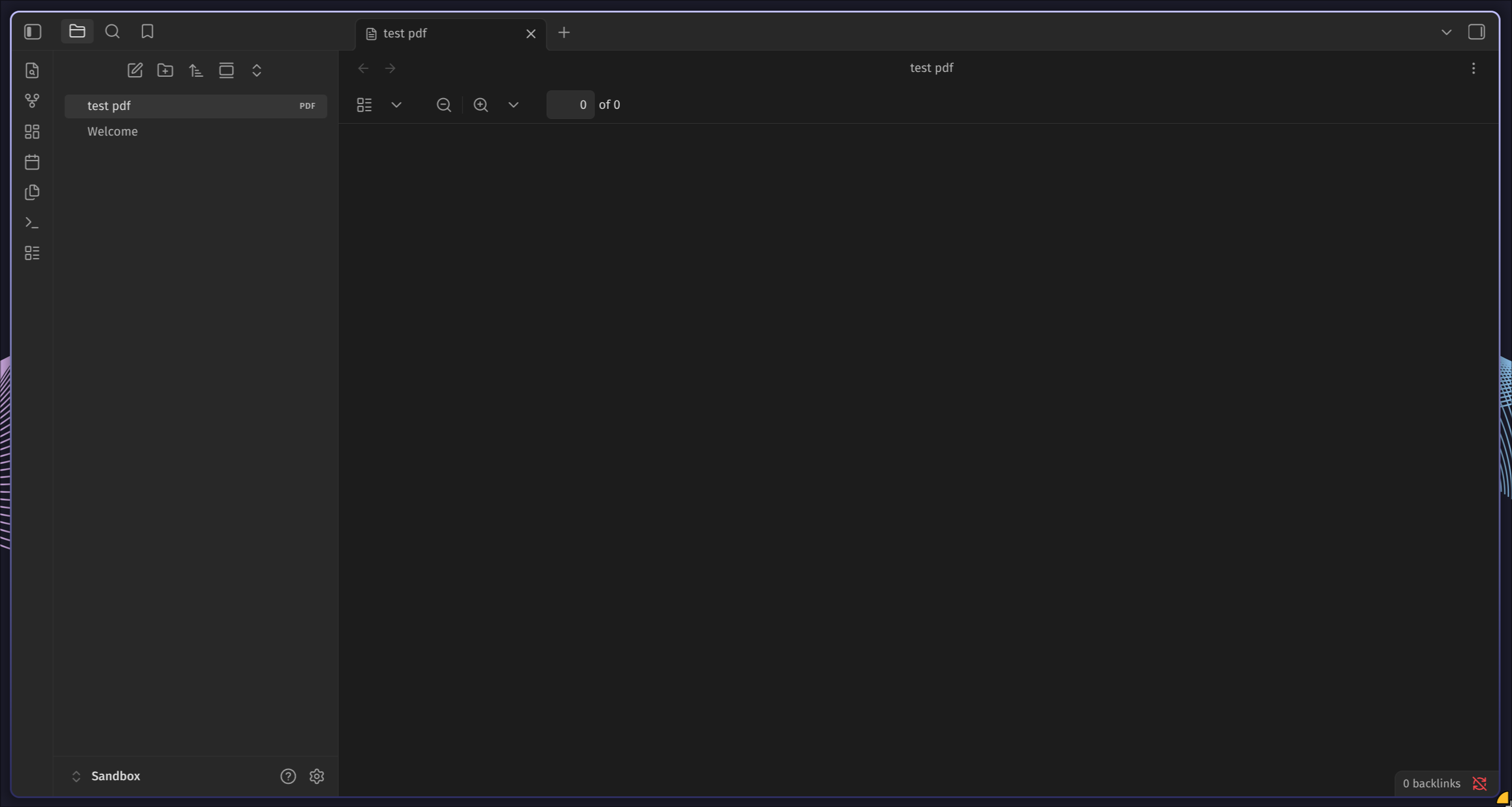
Recently the pdf viewer has broken for me in obsidian, whenever I try to open a pdf file I am met with an empty page. This happens in a brand new vault with restricted mode enabled and after a fresh obsidian install. I see some errors in the developer console related to pdf.js.
Steps to reproduce
- Create a new obsidian vault.
- Add a pdf file to the vault.
- Click to open the pdf file in obsidian.
Did you follow the troubleshooting guide? [Y]
Please, follow the Troubleshooting Guide before answering Yes.
Expected result
The pdf file opens in the obsidian viewer.
Actual result
The pdf viewer opens but displays zero pages in the file and is blank. This happens with all pdfs.
Environment
SYSTEM INFO:
Obsidian version: 1.13.1
Installer version: 1.12.7
Operating system: #1 SMP PREEMPT_DYNAMIC Wed, 10 Jun 2026 08:58:02 +0000 7.0.12-arch1-1
Login status: logged in
Language: en-GB
Catalyst license: insider
Insider build toggle: on
Live preview: on
Base theme: adapt to system
Community theme: none
Snippets enabled: 0
Restricted mode: on
RECOMMENDATIONS:
none
Additional information
A screenshot of the error messages in obsidian dev console:
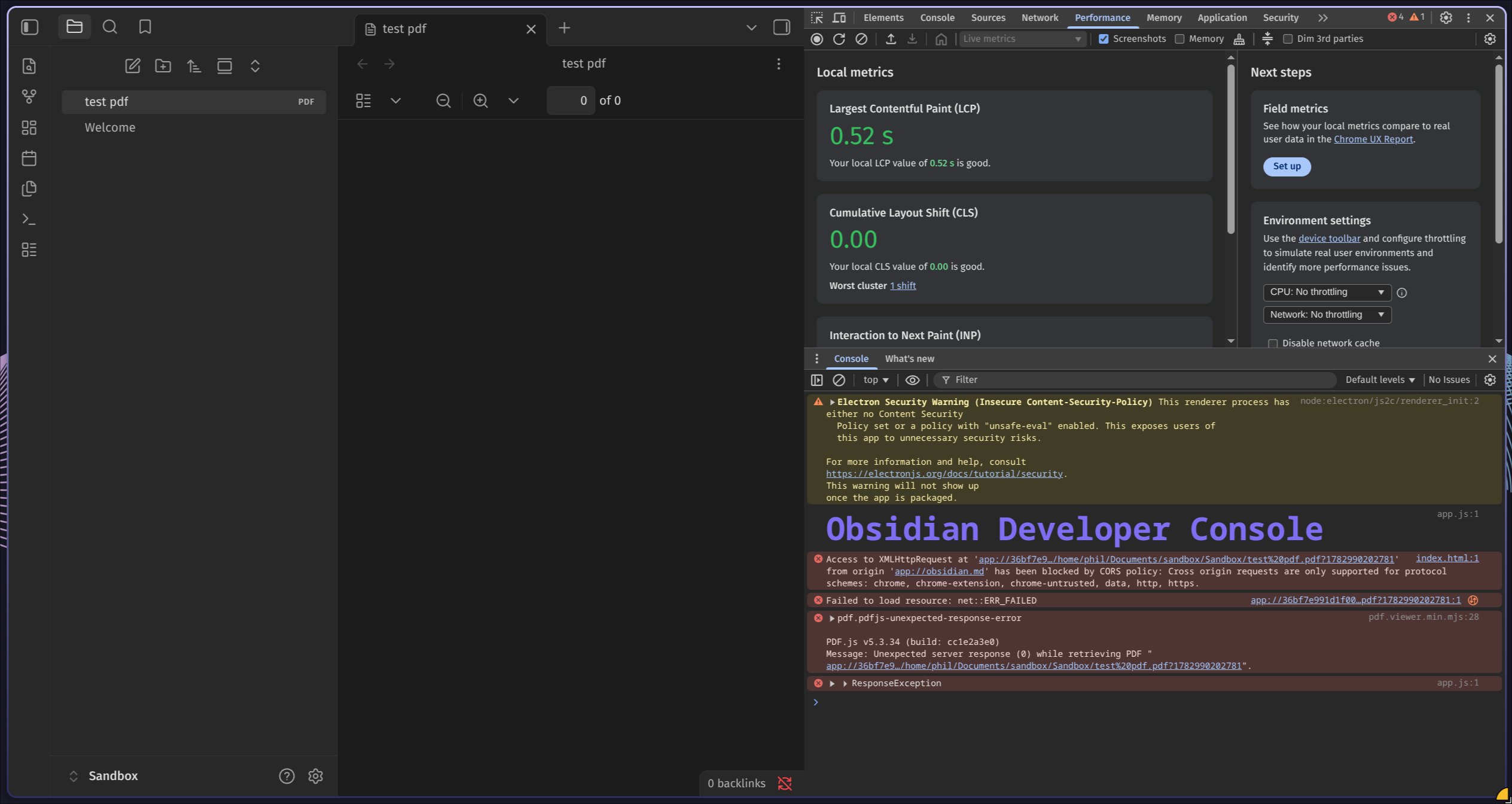
pdf.viewer.min.mjs:28 pdf.pdfjs-unexpected-response-error

PDF.js v5.3.34 (build: cc1e2a3e0)
Message: Unexpected server response (0) while retrieving PDF "app://36bf7e9…/home/phil/Documents/sandbox/Sandbox/test%20pdf.pdf?1782990202781".
_otherError	@	pdf.viewer.min.mjs:28