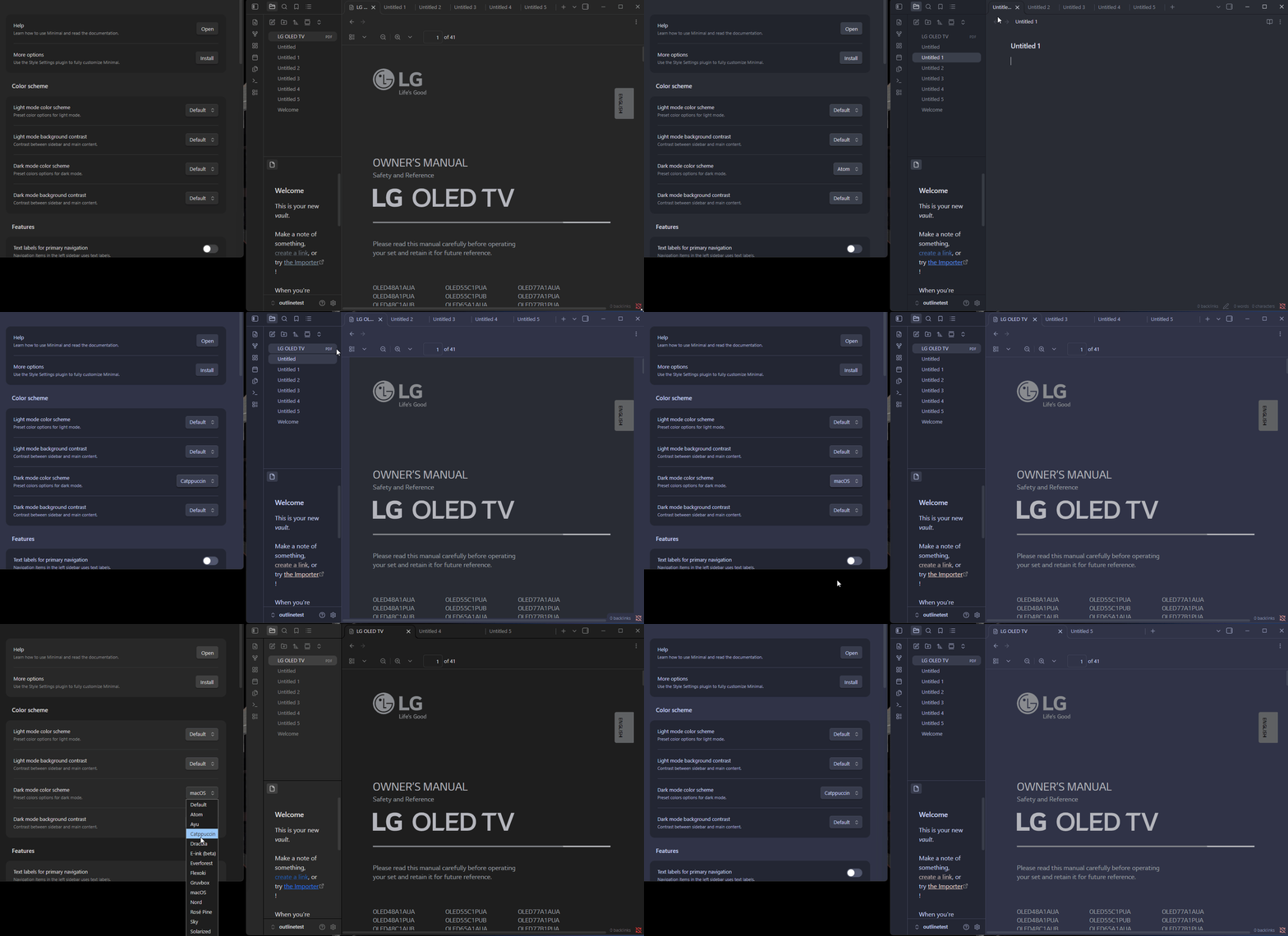
Steps to reproduce
- Create new Vault
- Install Theme (minimal or AnuPpuccin with catppuccin Frappé for dark mode)
- Systemwide is the theme enabled
- Add .pdf file to the vault
- Open .pdf file in native pdf.viewer
- Enable “Adapt to theme”
- It applies Dark Mode (black background white text) instead of enabled theme catppuccin frappé.
Did you read and follow the Troubleshooting Guide ? [Yes/No]
Expected result
If a theme is applied to the whole vault, pdf-viewer should apply this as well instead of registering light/dark mode instead of the actual theme, if the button indicates Adapt to theme.
Actual result
If Adapt to theme gets enabled it should apply the actual theme settings instead of light/dark mode.
Environment
SYSTEM INFO:
Obsidian version: 1.14.4
Installer version: 1.14.4
Operating system: Darwin Kernel Version 27.0.0: Tue Aug 11 21:02:59 PDT 2026; root:xnu-13432.1.9~1/RELEASE_ARM64_T8142 27.0.0
Login status: not logged in
Language: en
Insider build toggle: off
Live preview: on
Base theme: dark
Community theme: AnuPpuccin 1.5.0
Snippets enabled: 1
Restricted mode: off
Plugins installed: 1
Plugins enabled: 1
1: Style Settings v1.0.9
RECOMMENDATIONS:
Custom theme and snippets: for cosmetic issues, please first try updating your theme and disabling your snippets. If still not fixed, please try to make the issue happen in the Sandbox Vault or disable community theme and snippets.
Community plugins: for bugs, please first try updating all your plugins to latest. If still not fixed, please try to make the issue happen in the Sandbox Vault or disable community plugins.
Additional information
To fix this issue, I am currently adding a custom css script:
.theme-dark.pdf-invert-dark .pdf-viewer-container {
background-color: var(–background-primary);
}