Steps to reproduce
Take any Obsidian note and export it to PDF using the default export function.
Did you follow the troubleshooting guide? [Y/N]
Yes, the issue exists in sandbox vault as well. I also tried using the Better PDF Export plugin, various CSS snippets on the Forum. I also tried toggling the Strict Line Break option in the settings and it does not affect the issue.
Expected result
I would hope to see an exported PDF that looks like the note in viewing mode. Exports before November 7th looked just fine, now the formatting is not working correctly anymore.
Actual result
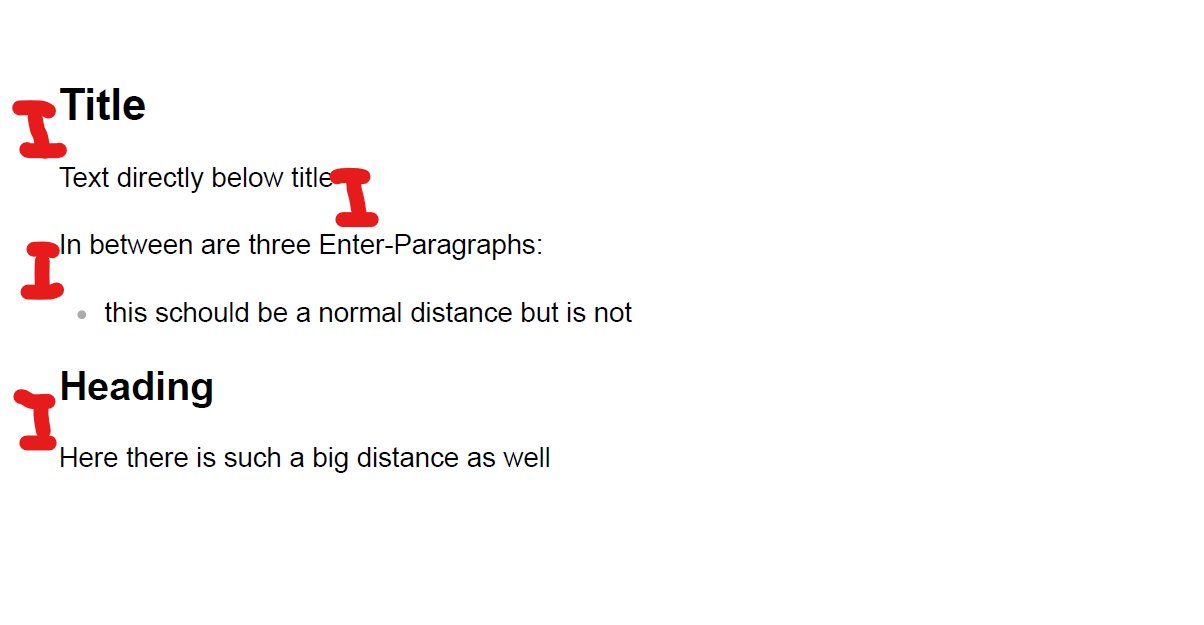
With a CSS snippet I could fix the large space below headings although not as nicely as it is shown in Obsidian itself. I could not fully remove the large spacing before lists. I also can not get paragraphs created with a simple Enter to show proper spacing in the PDF.

Environment
SYSTEM INFO:
Obsidian version: v1.10.3
Installer version: v1.8.4
Operating system: Windows 11 Pro 10.0.26100
Login status: not logged in
Language: de
Insider build toggle: off
Live preview: on
Base theme: adapt to system
Community theme: none
Snippets enabled: 0
Restricted mode: on
RECOMMENDATIONS:
none
Additional information
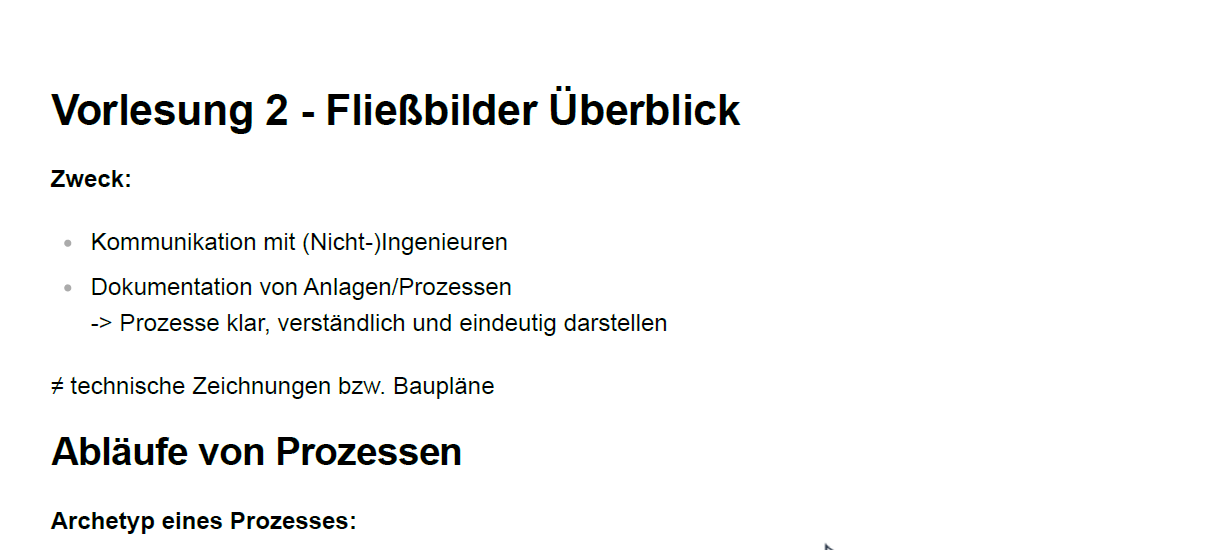
The issue appeared on November 7th for the first time. The first document I exported there still all had normal spacings, later documents not anymore. I do not remember if an update took place in between. I did not change any CSS snippets in the meantime.
Export in the morning that day:

Export later:
I know that multiple people have asked related questions and that markdown formatting is not always straightforward. But as it worked seamlessly before and now doesn’t anymore, it seems like a bug to me.
Already a big thank you in advance!