I’d like to change my inline DQL queries to be multi-line for readability, but I can’t find any examples or documentation of how the “Code block inline queries” option works. After enabling and testing it I just get “parsing failed” messages.
Things I have tried
Start with the most trivial inline DQL expression:
`=1`
Now convert this to a Dataview code block:
```dataview
=1
```
This results in an error. How does this feature actually work?
I know it’s not valid syntax. The question is what would be valid syntax for “Code block inline queries”.
This is a separate option from “Enable inline queries”, so there must be some difference between them. And a Markdown code block has always meant code between two “```" lines.
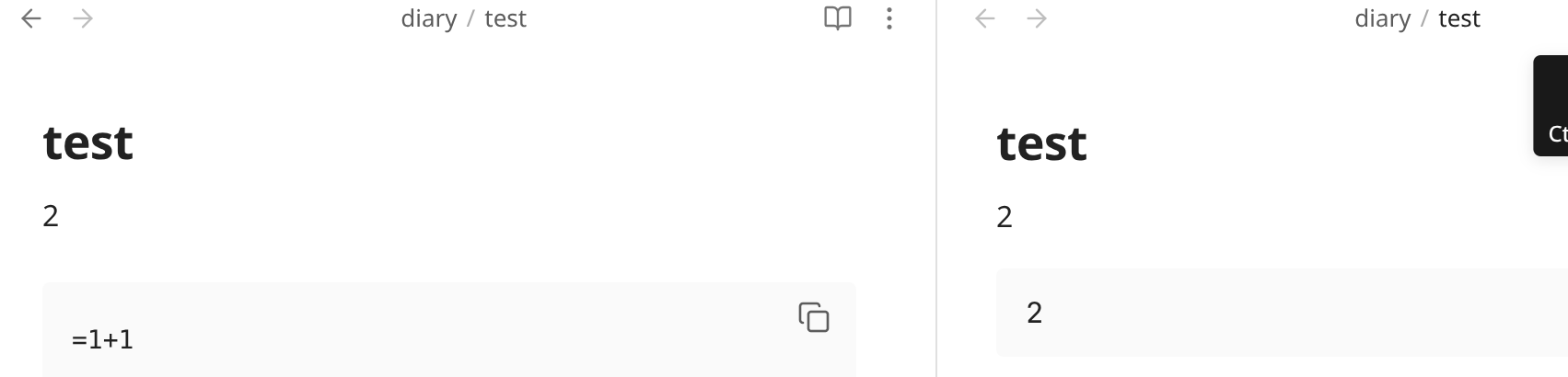
Found the root of the issue by accident. Regular inline query results show up while editing. Since I never use the view mode (I only ever consider it for presentations), I never considered that code block inline query results only show up in view mode. Hopefully this isn’t too difficult to fix.
Update: Huh, looks like rendering of inline query results in edit mode went away in recent versions. It still works on another machine with NixOS 25.05, but not on my machine with NixOS unstable.
Workaround: Ctrl-click the view mode icon to open in view mode next to the edit mode tab.
Correction: rendering of inline query results in edit mode still works, not sure how I managed to break that. But code block query results definitely don’t render in edit mode: