First, search the help docs and this forum. Maybe your question has been answered! The debugging steps can help, too. Still stuck? Delete this line and proceed.
What I’m trying to do
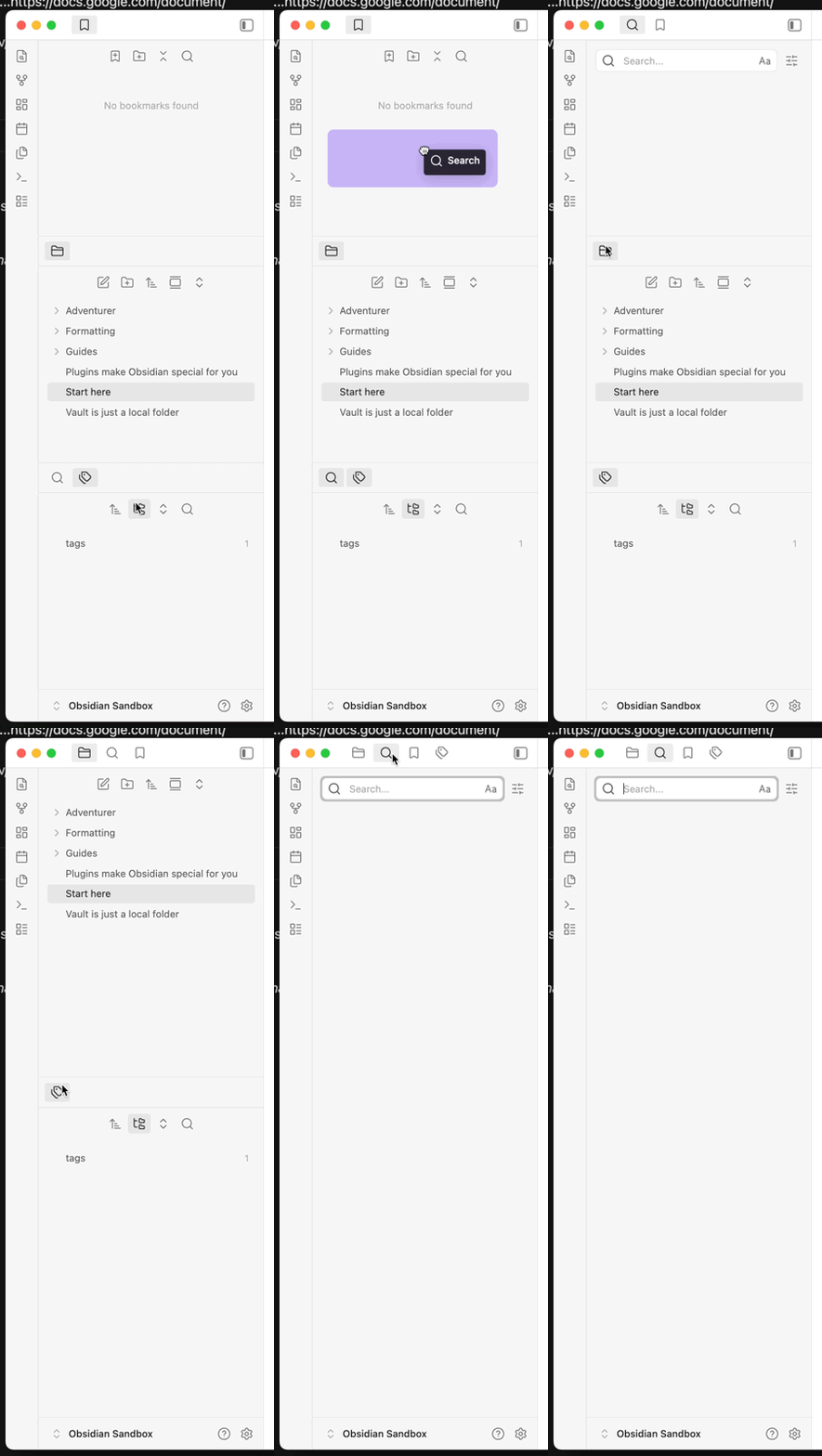
I've just searched for a tag within a document and the results are showing in the left-hand pane, but in a tiny section at the bottom. See screenshot in this link: (https://docs.google.com/document/d/e/2PACX-1vRiTgitS4eBm4oaRaFL74tBVNOIBCTZjj4-rJAFGyihZUUBqnFpxdiuNJ46WoqhBBAhWsCMTQ4Zp41v/pub). I can see no way to expand this. I have to scroll to see a long list of results. Meanwhile the long folder list is not what I want to see.
Things I have tried
Have looked for a movable handle..restarted the program...https://docs.google.com/document/d/e/2PACX-1vRiTgitS4eBm4oaRaFL74tBVNOIBCTZjj4-rJAFGyihZUUBqnFpxdiuNJ46WoqhBBAhWsCMTQ4Zp41v/pub
It looks like you’ve split your sidebar into three horizontal sections. Bookmarks at the top, Files in the middle, etc.
Long-press on Files tab icon and drag it up next to Bookmarks. Do the same with Search, etc, and you should be up and running.
1 Like
Thanks, this spontaneously resolved itself.