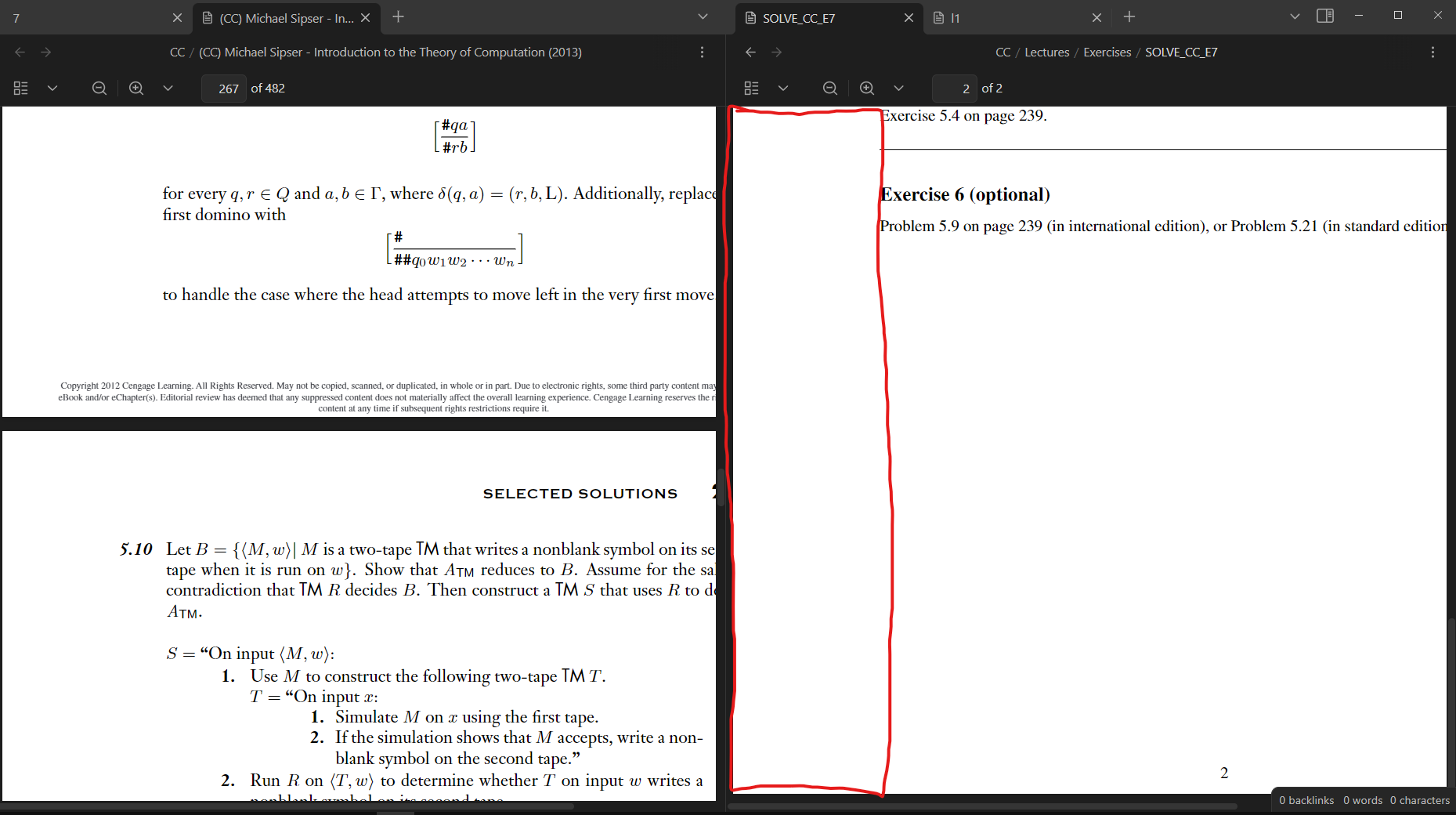
The mouse button 3 click would engage a all directional scrolling on the right PDF window
Actual result
All directional scrolling is activated for the left PDF window
Environment
SYSTEM INFO:
Obsidian version: v1.3.4
Installer version: v1.3.4
Operating system: Windows 10 Home 10.0.19045
Login status: not logged in
Insider build toggle: off
Live preview: on
Legacy editor: off
Base theme: dark
Community theme: none
Snippets enabled: 0
Restricted mode: off
Plugins installed: 6
Plugins enabled: 0
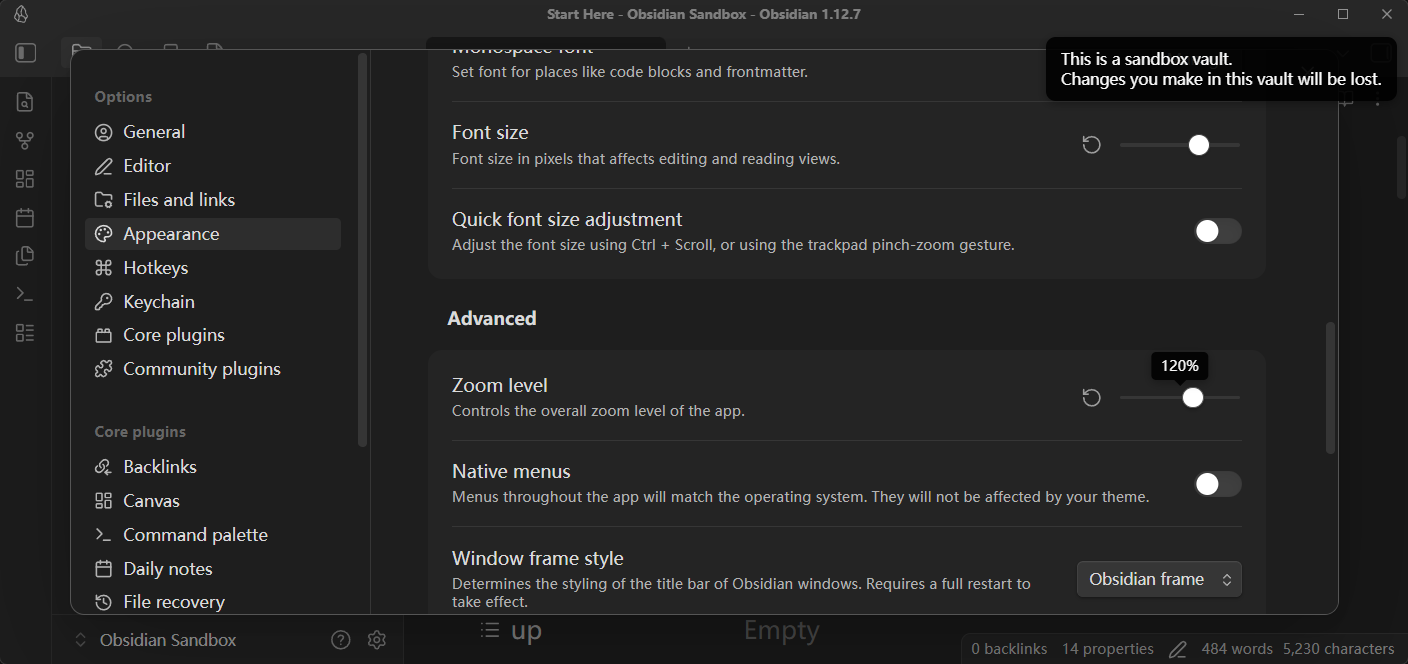
I figured out what setting makes the bug appear. My Zoom Level in Options->Appearance is at 120%.
This also makes the bug appear in the sandbox vault.
It appears for zoom levels > 100% it happens
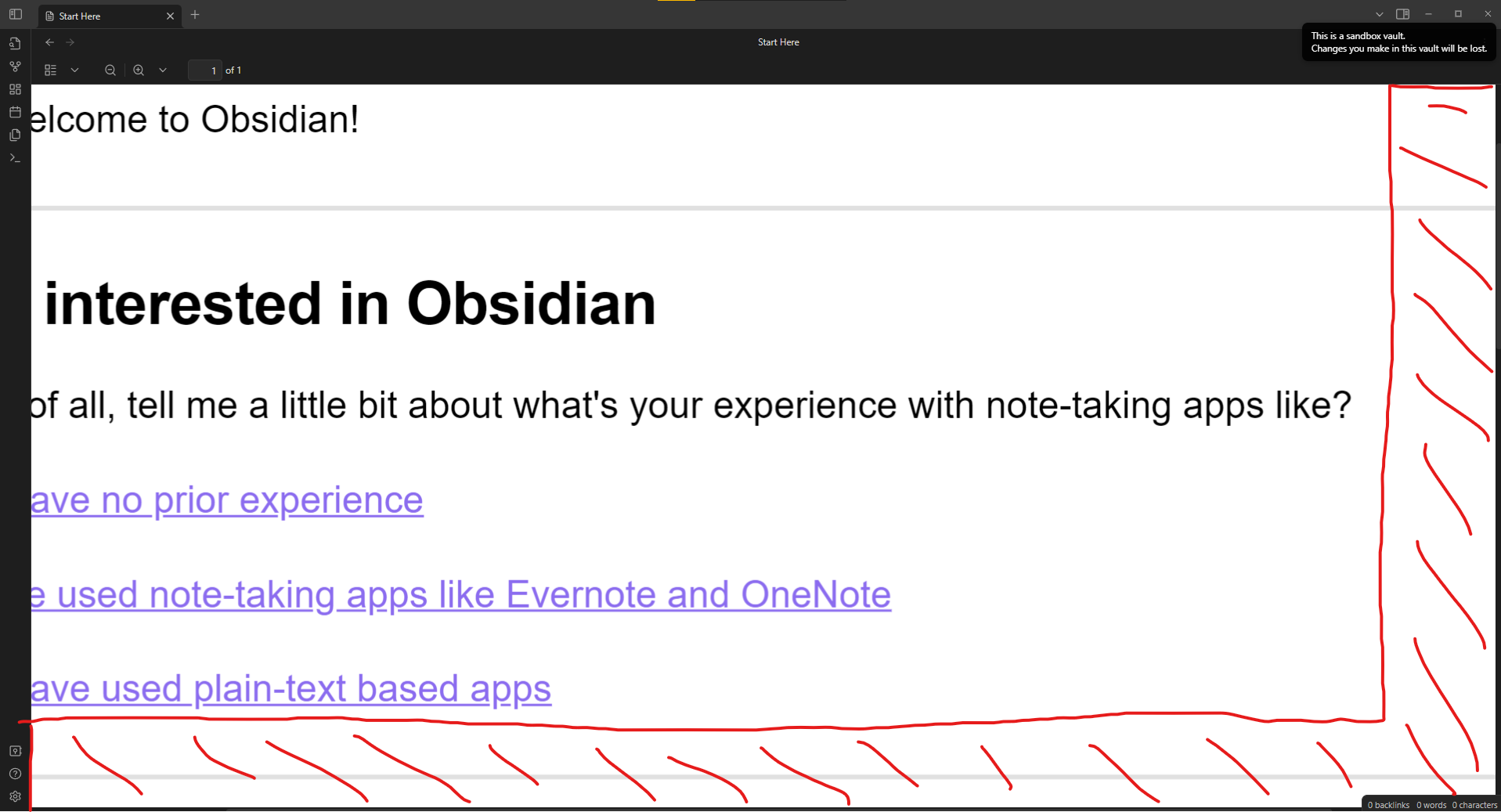
and for zoom levels < 100% it reduces where you can mouse button 3 click inside the a window.
For example with Zoom Level set to 91% and a single pdf open and zoomed far enough in to where I can scroll in both vertically and horizontal, then the marked area becomes unable to be clicked with mouse button 3
Open the sandbox vault (safe mode), set the Apperience > Zoom Level to 120%
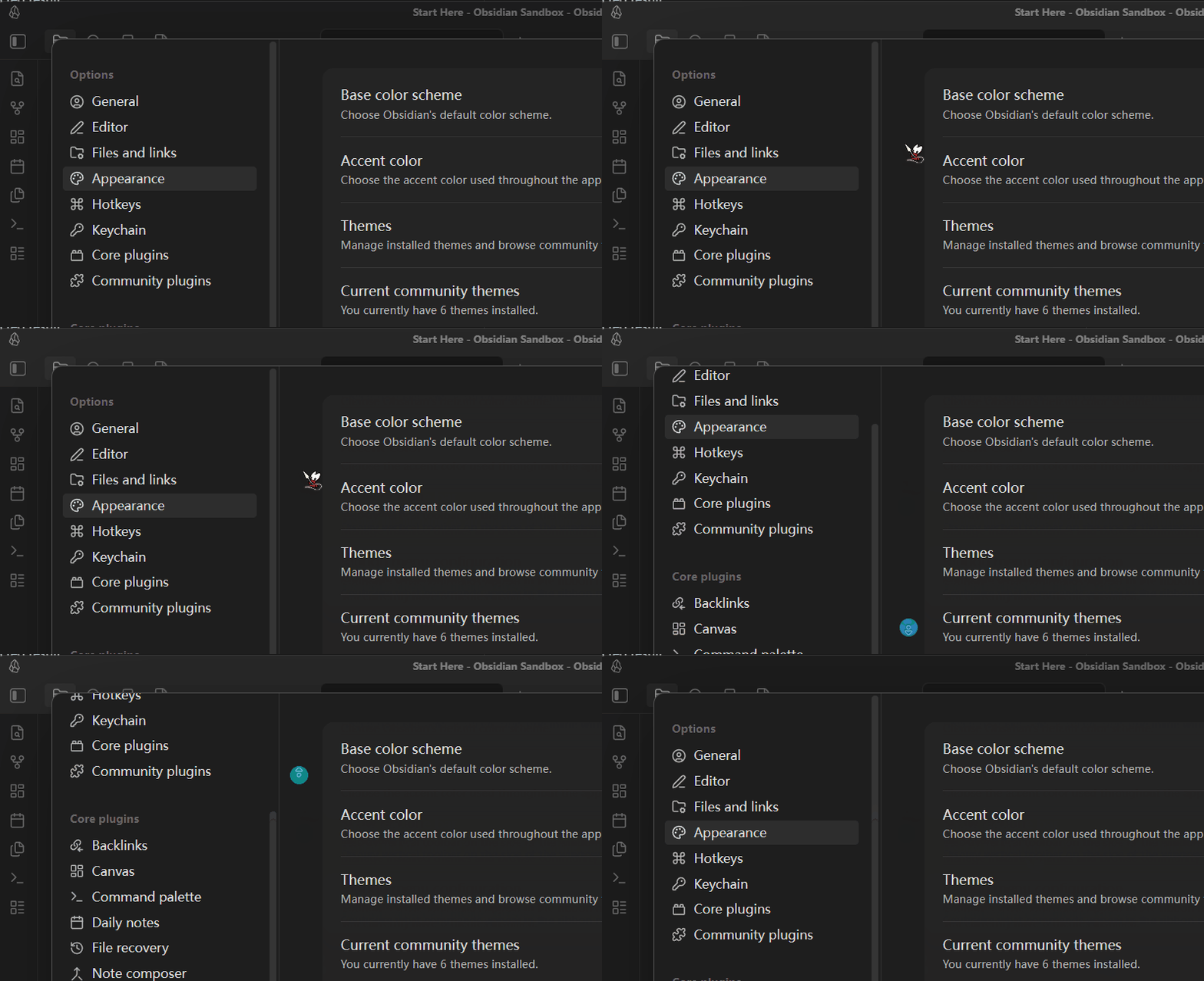
Place the mouse cursor slightly to the left side of a certain view.
Scroll the mouse wheel — it scrolls the view under the cursor normally.
Hold and drag the mouse wheel — it causes the view on the left to scroll instead.
Did you follow the troubleshooting guide? [Y/N]
Y
Expected result
Scrolling the mouse wheel and dragging with the mouse wheel should operate on the same view. Otherwise, it will confuse users.
Actual result
When dragging, the hit detection area seems to be shifted to the left, so instead of scrolling the view under the cursor, it ends up scrolling the view to the left.
Environment
SYSTEM INFO:
	Obsidian version: 1.12.7
	Installer version: 1.12.7
	Operating system: Windows 11 Pro 10.0.22631
	Login status: not logged in
	Language: en
	Insider build toggle: off
	Live preview: on
	Base theme: dark
	Community theme: none
	Snippets enabled: 0
	Restricted mode: on

RECOMMENDATIONS:
	none