Use case or problem
In an outline w/ 100(‘s) of headings, I don’t remember sub-sub-sub-headings, but know generally where it is under a higher, h1/h2/etc. heading.
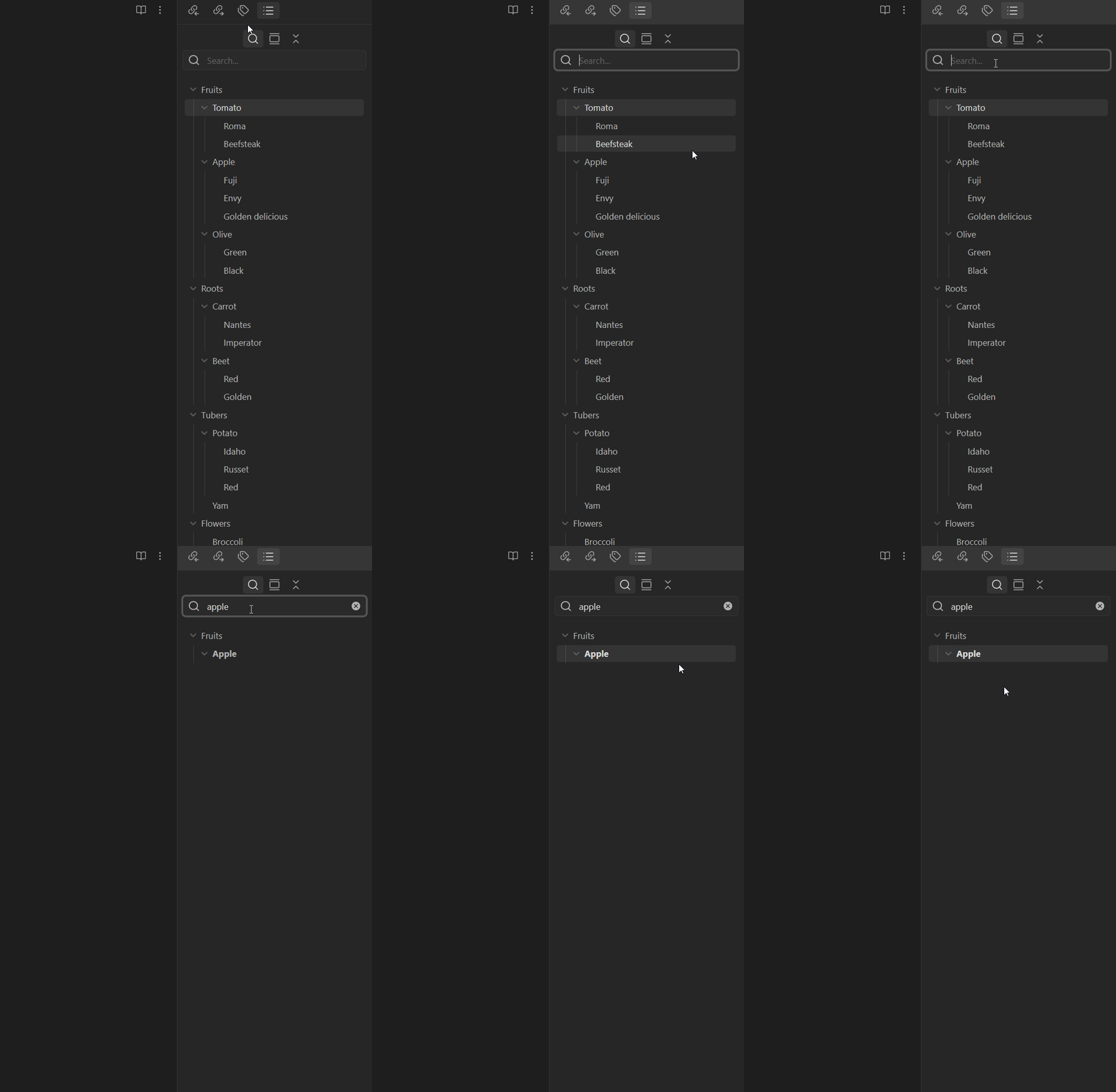
I’d like to search for a “ancestor” heading (e.g. an h1 or h2… any higher heading) and see all its “descendent” headings (h3, h4’s…) under it.
Currently, I can’t do that.
Proposed solution
Enable an option to reveal subheadings. With this option selected, it’ll do precisely what Quiet Outline does but as a part of the official plugin, with higher performance (Quiet Outline lags with bigger files where the core outline feature does not), and with reorganizing ability in tact (cannot drag and drop to reorder headings in Quiet Outline).

Current workaround (optional)
After trying several, the most used (but tedious) workaround I’ve had to do are:
- Search for something “Apple”
- Click that
- Clear the search
- Scan through the outline again, looking for the highlighted “Apple”
- Then view the subheadings

In the example doc, it’s straightforward, but in actual scenarios not shown for privacy of others, the outline is long and requires extensive scrolling, and I often miss the highlighted section as I scroll through the ~100+ headings.
Related feature requests (optional)
(I think the hotkey for outline searching is an excellent idea.)
Outline: Add command to quickly search headings in active file
