Use case or problem
I use Obsidian on macOS. In Finder, Quick Look can preview Markdown files by Obsidian, which is very useful.
In Obsidian, I turn off “Show inline title”. So I add an H1 heading at the top of each note myself, usually with the same text as the file name.
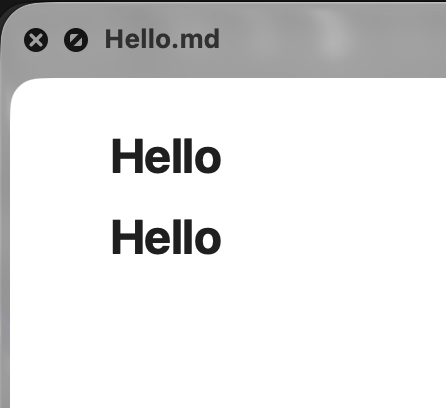
But Quick Look still shows the file name as an inline title. So if a Markdown file already has an H1 heading, especially one with the same name as the file, the Quick Look preview shows two H1 headings together. Visually, this looks really bad.
Proposed solution
It would be great if Obsidian had an option to disable the inline title in Quick Look. Or maybe Quick Look could follow the “Show inline title” setting in Obsidian.