Disclaimer
Is this theme/snippet open source? Yes — MIT
Is this theme/snippet completely free? Yes
Is this theme/snippet vibe-coded beyond the author’s ability to comprehend how it works? No
Theme Link In Community Directory: Octavo
Octavo is an editorial, paper-like theme for Obsidian, made for comfortable long-form reading and CJK typography. It pairs a serif body face and a warm paper palette with a single vermilion accent, and keeps the interface quiet around your notes.
No plugins, snippets, or build step required. Free and MIT-licensed.
Paper mode
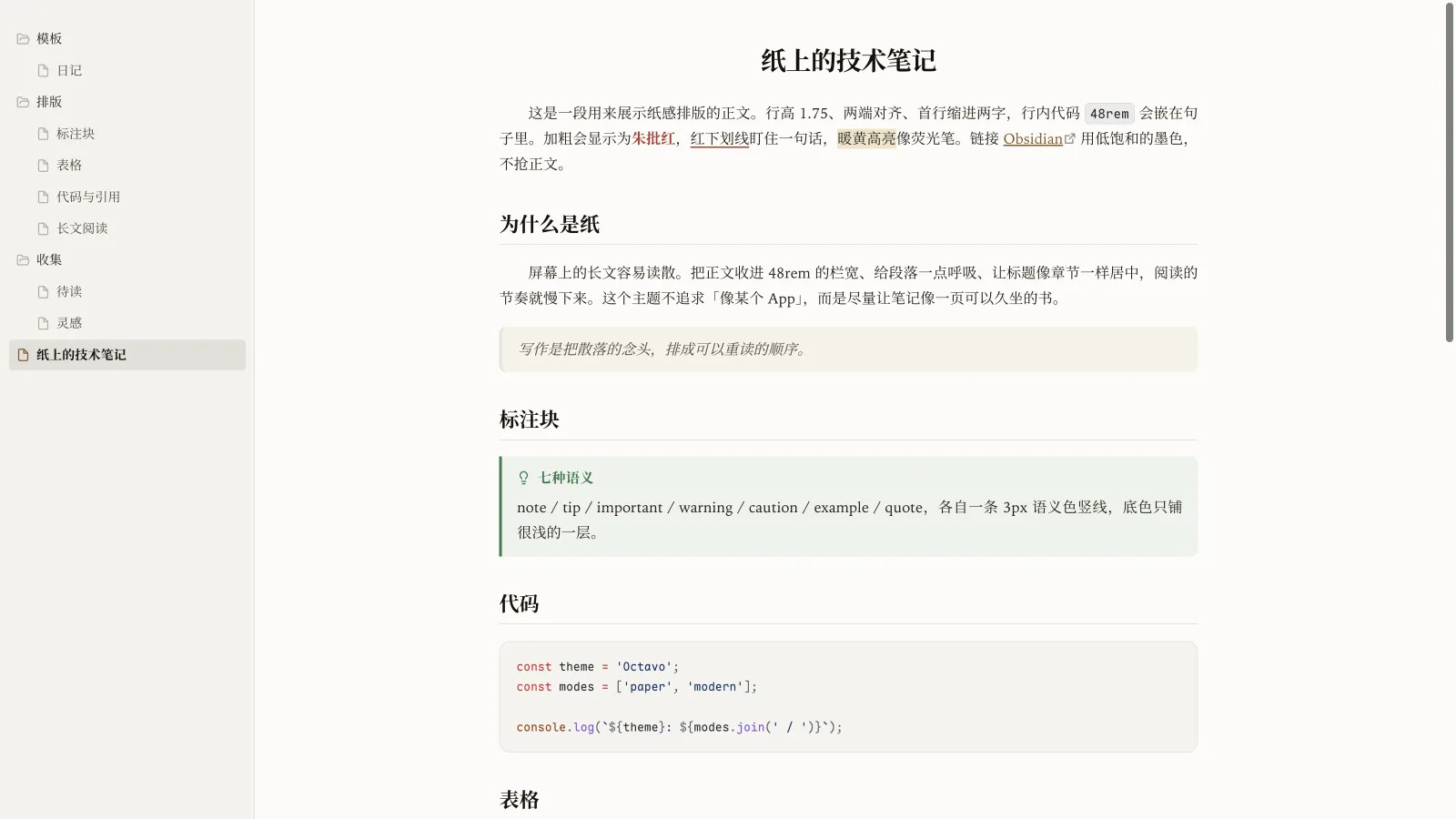
The default look: warm white paper, ink text, one vermilion accent. The measure is 48rem — roughly 35–50 Chinese characters per line — at 1.75 line height.
The book layout in the screenshot is optional and off by default. When enabled in Style Settings, it adds justified text, a two-character first-line indent, a centered title, and H1–H3 rules.
Dark mode
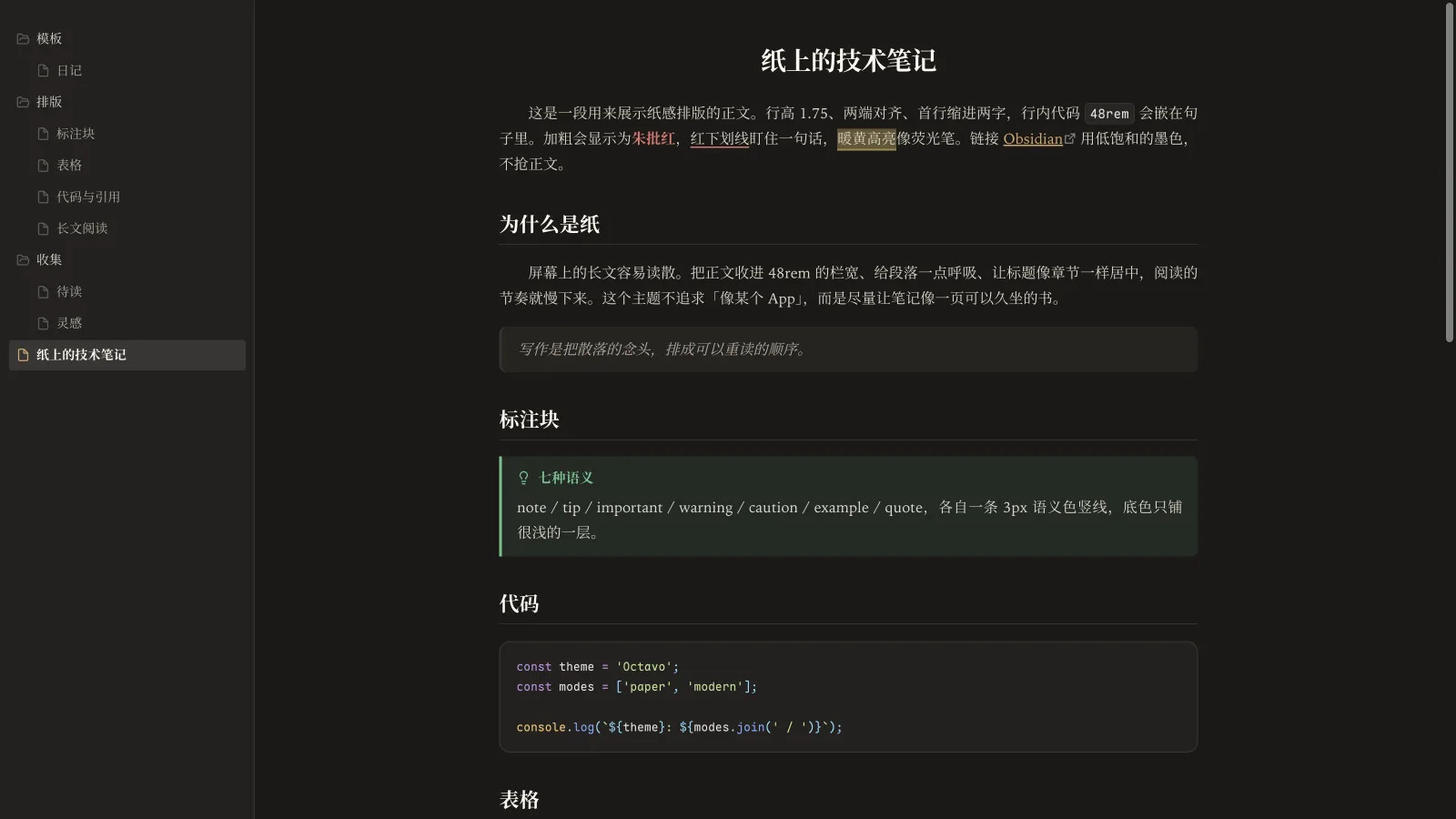
The dark palette is designed separately, not inverted from the light one. Both palettes were contrast-checked on their own.
Modern mode
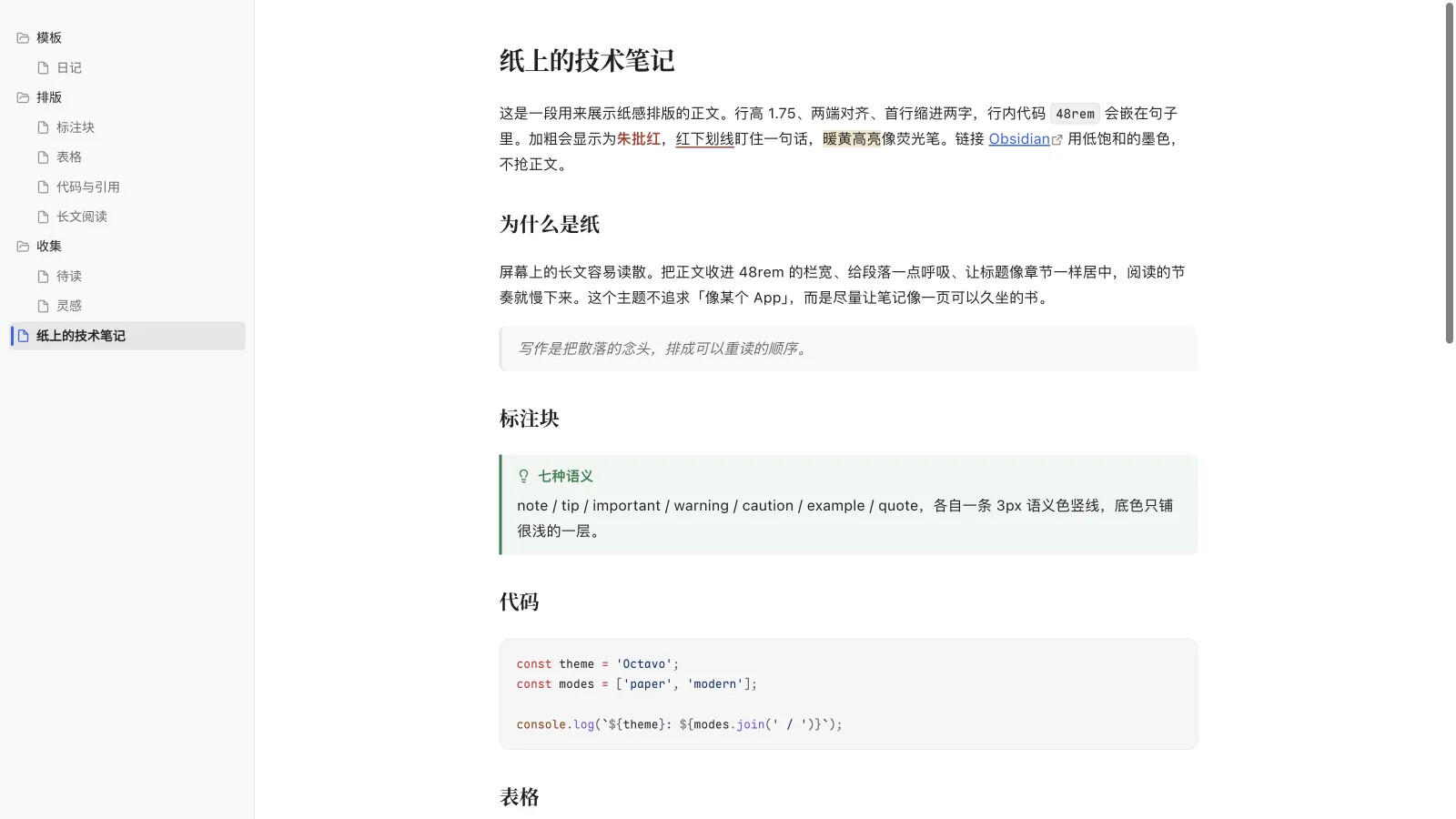
A neutral gray paper with a blue accent, same type scale. One switch in Style Settings; without the plugin the theme stays Paper.
Callouts
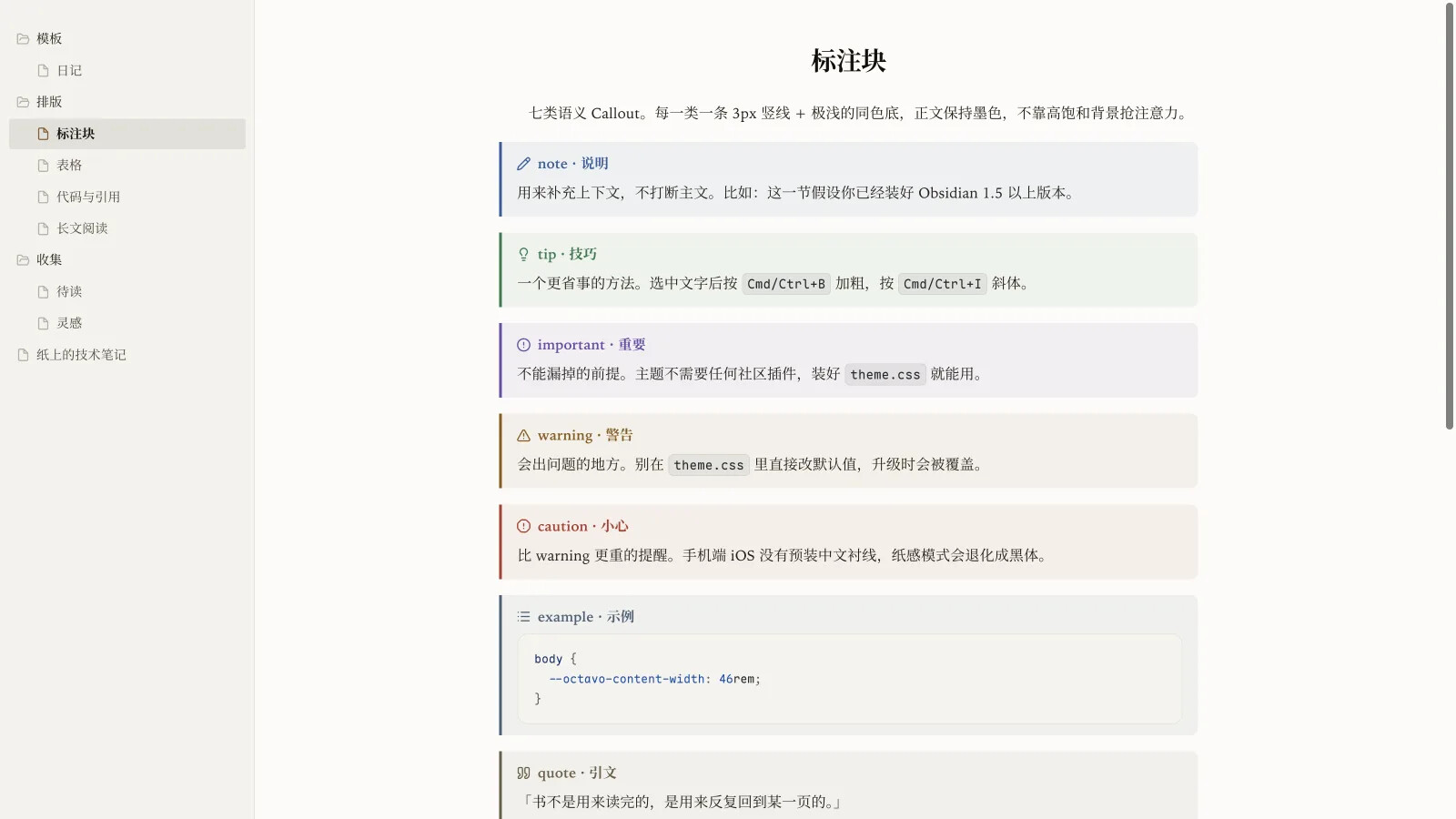
Seven semantic types — note, tip, important, warning, caution, example, quote — each with a 3px semantic rule and a very light tint. Styled out of the box, no plugin needed.
Tables
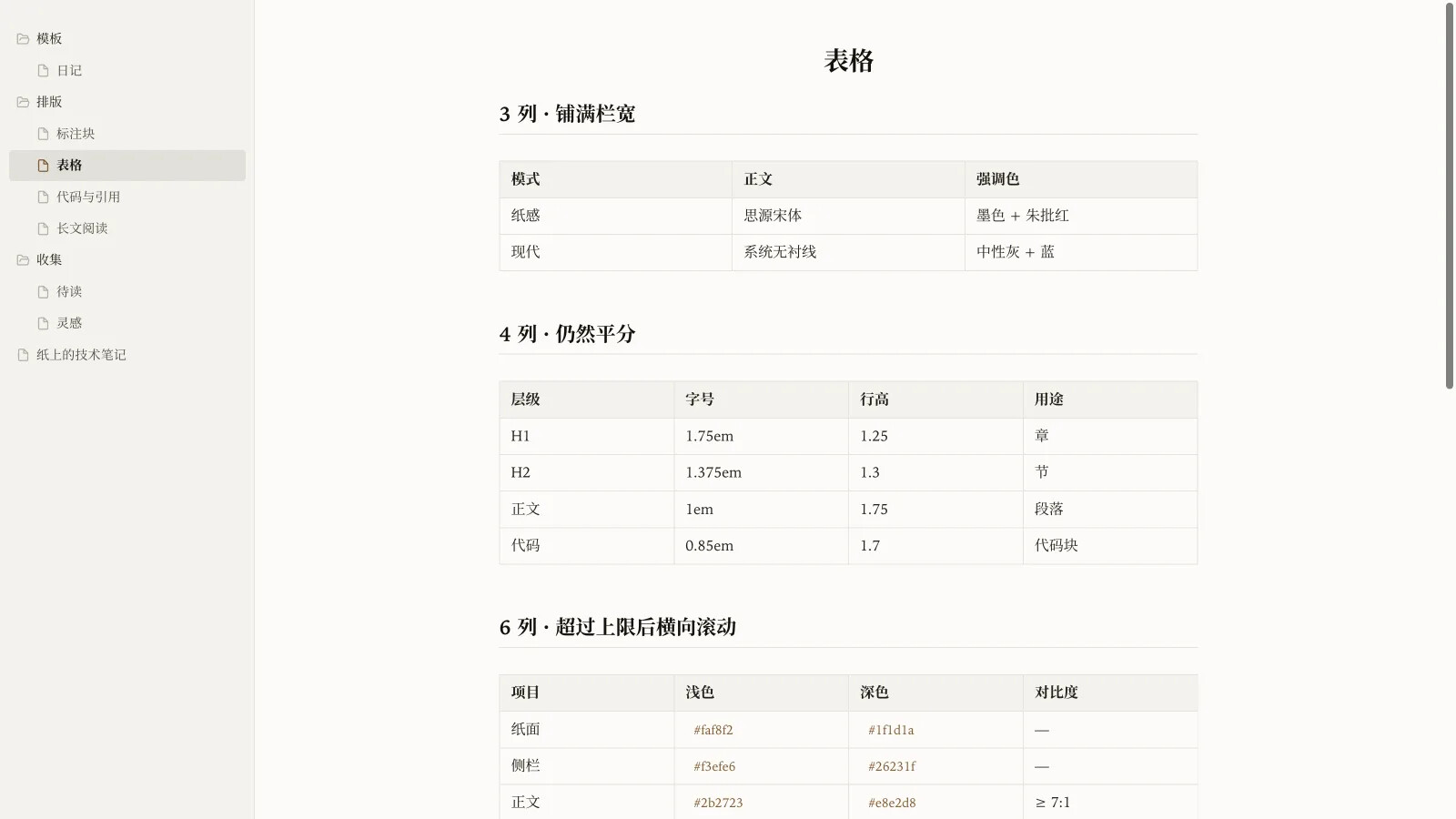
Tables use the full width, split columns evenly, and wrap long cells. They scroll horizontally only past the configured column limit, and in reading view the right edge fades to paper. Tables inside callouts wrap to the callout width and follow its semantic color. Three columns on mobile by default.
Editor
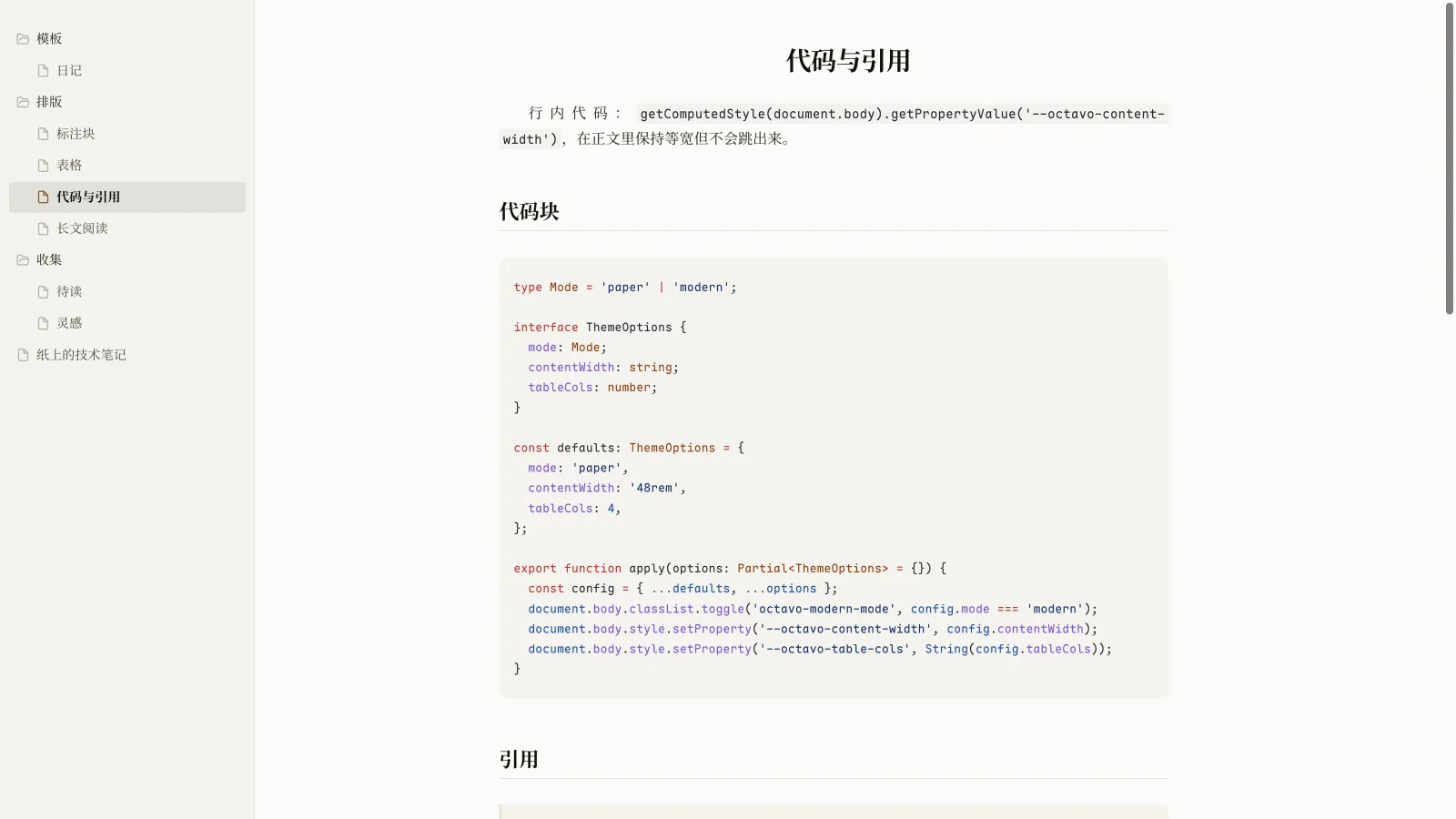
Vermilion underline for <u>text</u>, a warm yellow ==highlight==, hidden Markdown syntax, and an optional current-line highlight (off by default).
Mobile
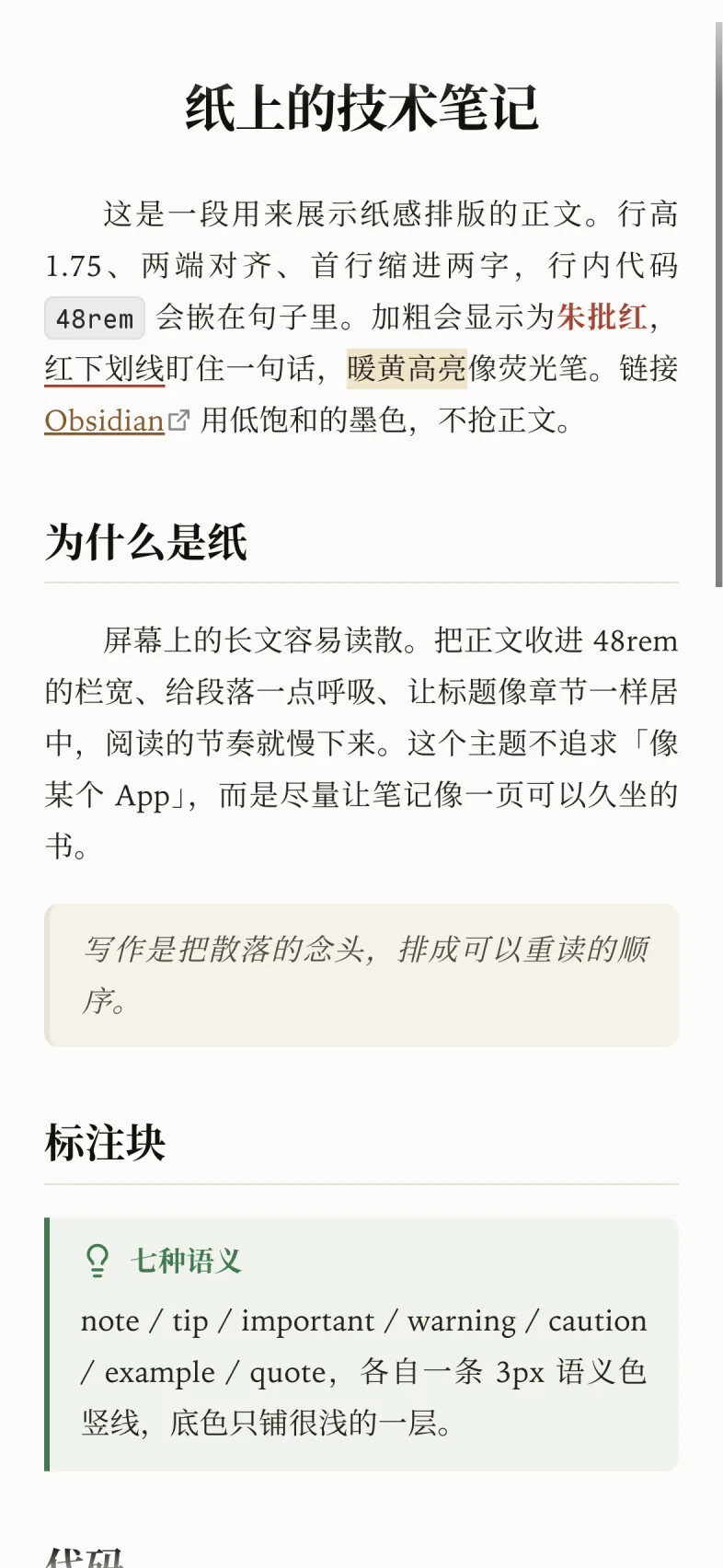
Opaque top bar, body aligned with the reading measure, table width and scrolling fixes, and a fix for date inputs. The theme works on both desktop and mobile.
Install
From the community theme browser: Settings → Appearance → Themes → Manage → search Octavo → Install and enable.
Manual: download the latest release, unzip it, and put the Octavo folder (with manifest.json and theme.css at the same level) into <your vault>/.obsidian/themes/Octavo/.
GitHub and releases: GitHub - jiuxianzai/obsidian-theme-octavo: Octavo · 纸感书卷 Obsidian 主题:宋体正文、两端对齐、首行缩进、朱批红;零插件依赖,含现代模式。 · GitHub
Optional tuning
Style Settings is supported but not required. If installed, it adds a panel for fonts, line height, paragraph spacing, body measure, heading sizes, table columns, book layout, focus mode, and file explorer density.
Everything can also be tuned with plain CSS variables, e.g. --octavo-content-width: 52rem.
Fonts
The theme uses system fonts by default and works without installing anything. For the intended look: Noto Serif CJK SC / 思源宋体 for Chinese body text, LXGW WenKai as an alternative, and Maple Mono for code. All are optional and not bundled.
A note on the screenshots
They are in Chinese on purpose: the theme is designed around CJK long-form reading, and the 48rem measure is roughly 35–50 Chinese characters per line. It works with Latin text too, but that is the design target.
Feedback is welcome — especially on Windows, mobile, and mixed-script notes.