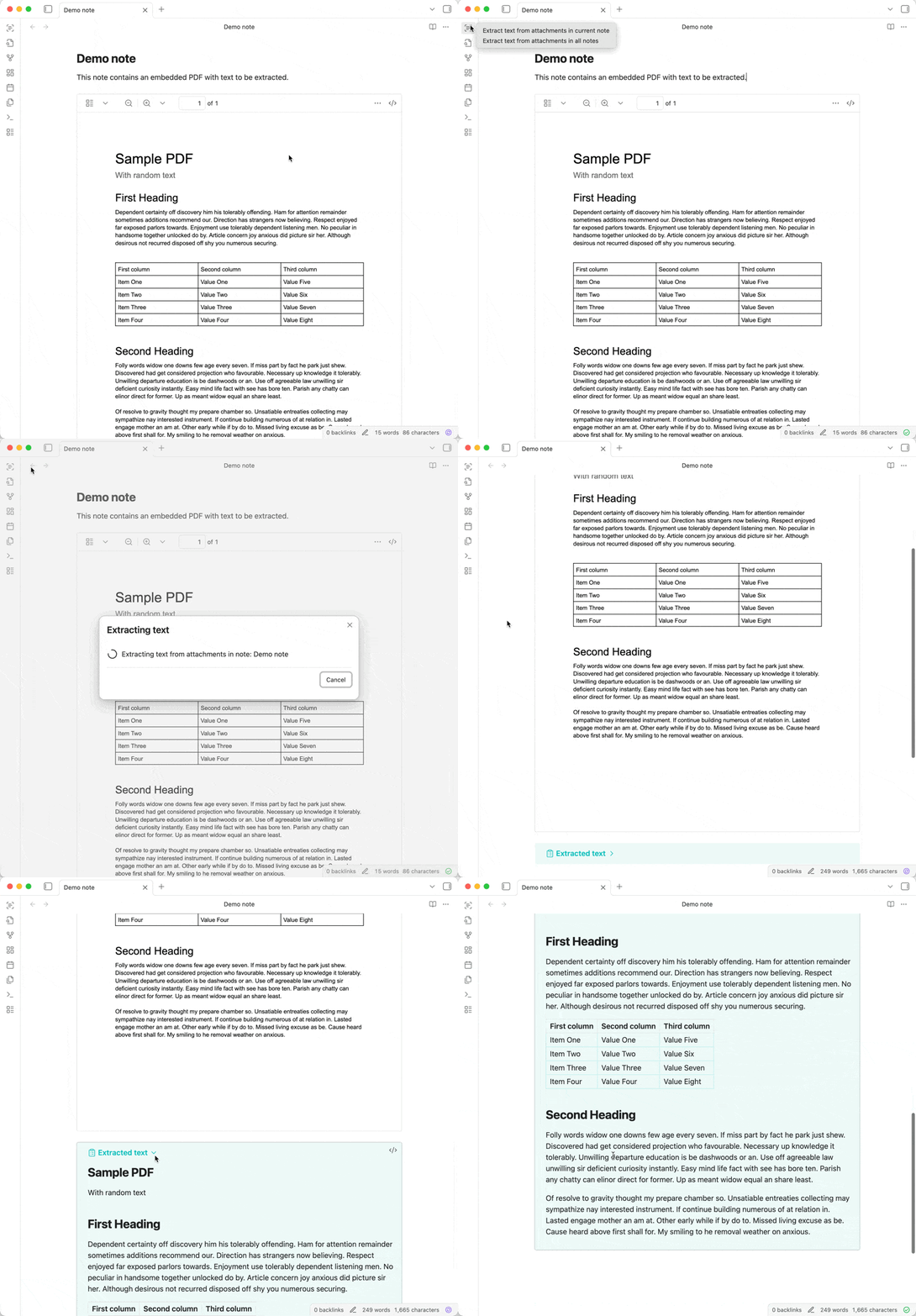
When I migrated from Evernote to Obsidian, the one feature I missed was built-in OCR to allow for easy searching within PDFs in notes. There are a few plugins currently available, but none of them were a great fit for how I use Obsidian.
So I’m happy to announce a new plugin: OCR Extractor. It uses Mistral AI’s OCR (which just released a major upgrade) to extract text from documents, images, etc. in your notes. This does require a paid Mistral account, but it’s very reasonable at a current cost of $2 per 1,000 pages processed.
Following Obsidian’s philosophy of storing data in an open, future-proof file format, the extracted text is added below the embedded attachment as an expandable callout. This means that the text will be searchable via Obsidian’s built-in search, other search plugins, and even your operating system’s native file search.
I just released version 1.2.0, which introduces support for Tesseract, a free and local OCR engine for those who prefer not to use a paid option involving a third-party service. It’s not as accurate, but it’s a great, basic option. The next step will be looking at the possibility of supporting more advanced local models.
If anyone has suggestions for models to support or features they’re interested in, let me know!
How much friction would there be if I ultimately wanted to keep ONLY the transcribed text? i.e. handwrite a note, save as PDF, extract the text, and then DELETE the original handwritten PDF and keep only the text-based note?
Good idea, that makes sense for cases where you just want to deal with text and don’t even care about the original file. The only tricky bit is deleting the original file (since it could also be embedded in other notes, and we’d wind up orphaning those embeds, although we could potentially check/warn). Is that the workflow you’re imagining?
Drag a PDF to a note to add the attachment to Obsidian and embed it in the note
Extract text into the note
The plugin would delete both the embed (the ![[file.pdf]] in the note) plus the actual attached file itself
Thanks! This is working fantastically. And I just delete the extraneous image and formatting afterward if I don’t need to keep it. (I use a plugin to manage orphan images, because I end up with them other ways, too.)
It would be handy if there were a simple way to delete all that extra formatting, though. (If that’s a pain to program, though, don’t even worry about it. This is already saving me a TON of hassle, and I really, really appreciate it. Also appreciate having been introduced to Mistral, which I wouldn’t have known to look for otherwise.)
Glad it’s working well! By extra formatting, you’re talking about the callout (“Extracted text” and the “>” at the beginning of every line)? If you want, feel free to drop an idea at GitHub Discussions with your ideal workflow and what you’d want in terms of deleting attachments, controlling formatting, etc. I can’t promise I’ll add them all as features, but it’s helpful to hear how people are using the plugin to think about what future options would make sense to add.
Yes, that’s what I mean. Because once the source image has been deleted, I don’t need the extracted text to be set apart as a nested note, if that makes sense. I’ll give it a little more thought so I can add a (hopefully) coherent-rather-than-rambly post over at GitHub.
I just released a new version that includes options to extract only in a specific folder (or only in selected files). Feel free to give it a try and let me know if you run into any issues.
OCR Extractor 2.3.0 - Now with support for local models
OCR Extractor can now extract text with a vision-capable LLM, either locally with something like Ollama or LM Studio or via a cloud provider like OpenRouter. This allows you to get great results without having to send your files to a third-party service for processing.
The current OCR options are:
Mistral OCR - Excellent quality with complex documents and handwriting and fast processing, but cloud-based and paid (currently $2 per 1000 pages)
OpenAI-compatible API - Great quality with various documents and handwriting (depending on the model), free, and fully local, but slower and many models need good hardware. Can use cloud providers as well if desired.
Tesseract - Free and no setup needed, but often poor quality working with anything other than simple documents
Custom command - Uses a user-supplied script, for advanced use cases
Here are some examples (Obsidian Publish notes), showing how different OCR options handle different types of files: