I’m using Obsidian Sync to keep my vault in sync across multiple devices. However, I’ve repeatedly noticed that changes made to a .base file are synced at first, but then get reverted when I open my vault on another device.
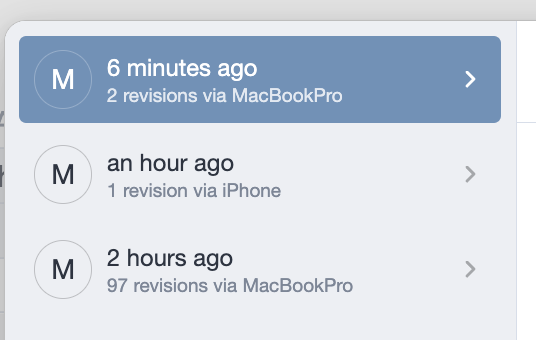
For example, today I edited a .base file on my laptop, and the 97 changes were successfully synced (see image). Later, when I opened Obsidian on my phone (about an hour later), I noticed that the changes were missing. When I checked again on my laptop, the changes there had also been reverted.
Looking at the Sync file history, I saw that my phone had uploaded the old version of the .base file as a new change (see image) — even though I hadn’t modified it on that device at all.
I was able to restore my changes from the Obsidian Sync history. However, I can’t check every time I edit a .base file to see if another device has overwritten it.
Is there any way to prevent this from happening?
Changes in regular .md files that I made at the same time synced correctly and remained intact — this issue only affects the .base file
Are all of your devices running the same version of Obsidian?
I’m thinking that if the iPhone is on a version where Bases has different functions or syntax—such as “group by”—than the MacBook, then Obsidian might see the change as malformed code and “correct” it by removing it.
My devices are all running the same, most recent public version of Obsidian, so I assume this shouldn’t be an issue.
As far as I can tell, iCloud has no access to Obsidian, because I wanted to exclude any sync issues from the beginning. I checked your link, but I did follow all the steps when I set it up and have never had any issues with Obsidian Sync—except now with bases.
I added new properties to my notes and new formulas for those properties in my base. The new properties synced perfectly, but all the new formulas just vanished.
Yes, the Bases plugin is enabled on all my devices.
I have exactly the same problem (also obsidian sync) but with canvas, no matter if I use windows, linux or android, it has happened on all of them. I suspect it’s when the Canvas was still open from the last time I opened the app or when I just put my laptop to sleep but the canvas is still open, but not sure. But it’s really annoying to collect the missing things from the different versions after noticing it didn’t sync properly.