Steps to reproduce
- Set conflict resolution to create conflict file on an Android and a laptop.
- Write a note on the laptop.
- Sync the note to the Android.
- Rename the note and edit it on the laptop.
- Sync the note to the Android.
Did you follow the troubleshooting guide? [Y/N]
Yes.
Expected result
The note is synced with the new name and the latest content.
Actual result
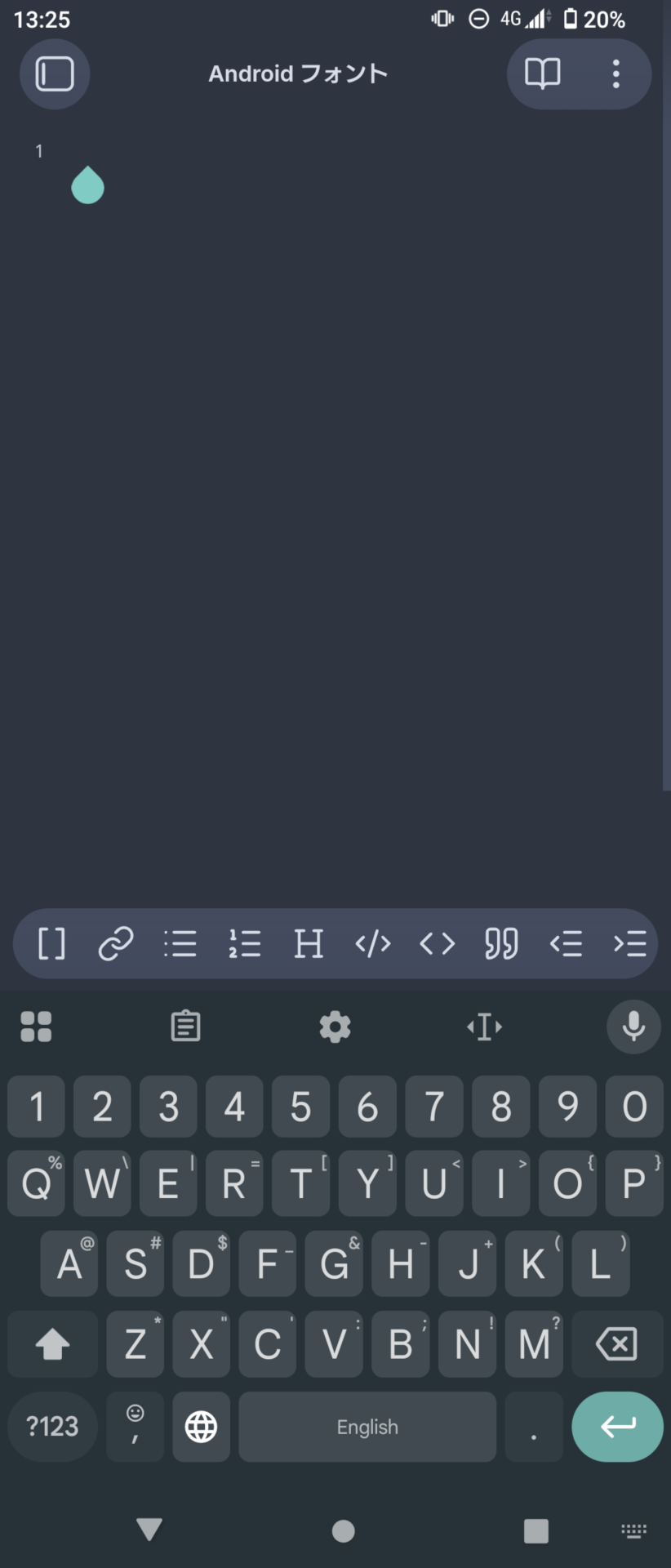
- There was an empty note with the new name.
- No conflict file is created.
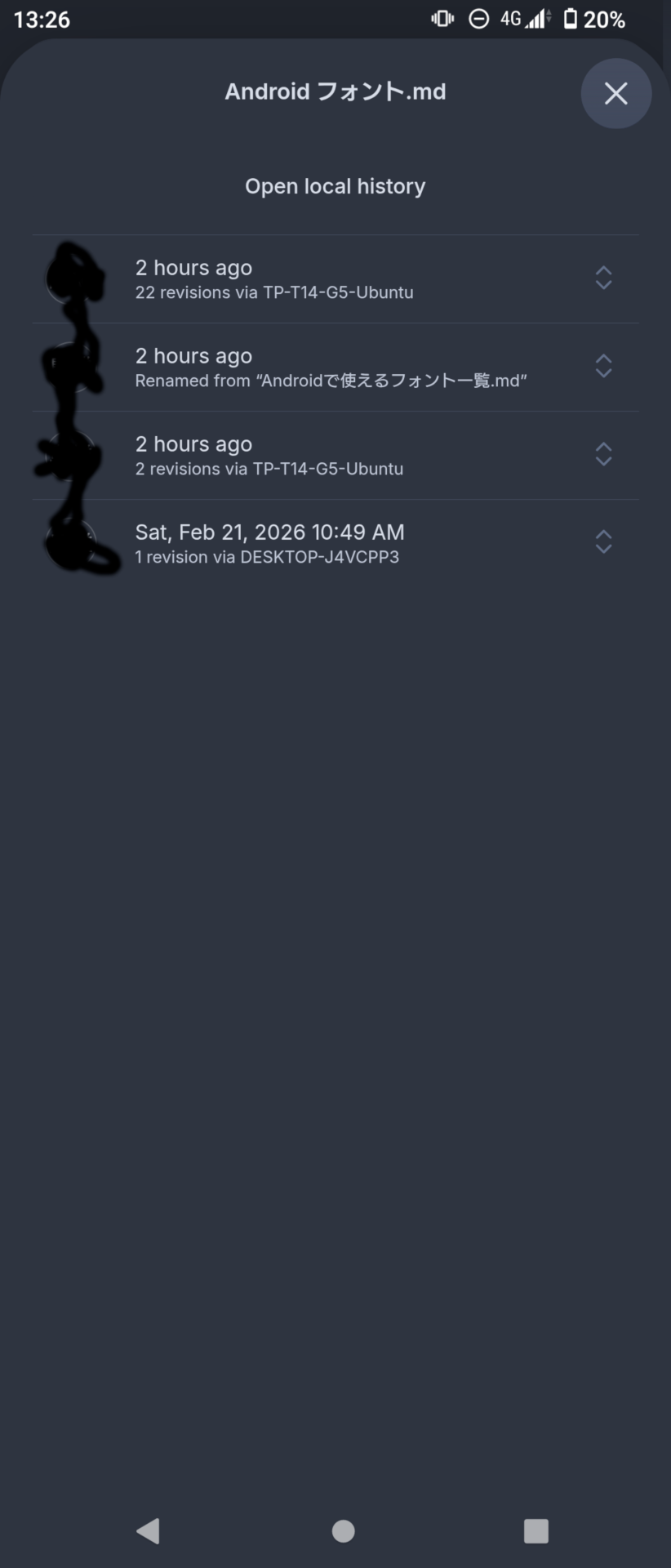
- The latest sync version history is the modification on the laptop.
- The local history is just a empty note creation.
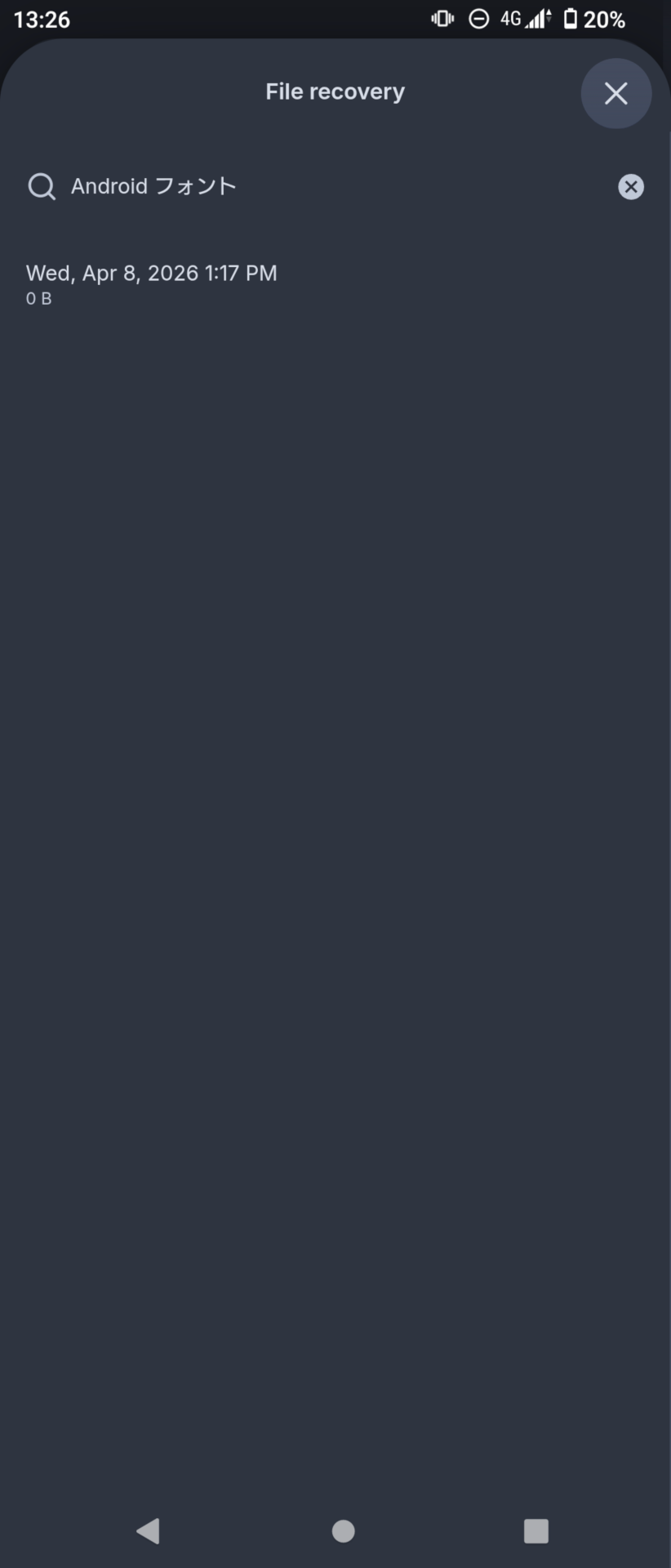
Since Obsidian does not recognize the diff, I could not restore the latest version. Instead, I restored the second latest version, then restored the latest version (which has become the non-latest in the history).
Environment
Android:
SYSTEM INFO:
    Obsidian version: 1.12.7 (303)
    API version: 1.12.7
    Operating system: Android 13 (Sony XQ-BC42)
    Webview version: 146.0.7680.177
    Login status: logged in
    Language: en
    Catalyst license: none
    Live preview: off
    Base theme: dark
    Community theme: Minimal 8.1.7
    Snippets enabled: 4
    Restricted mode: off
    Plugins installed: 9
    Plugins enabled: 1
        1: Calendar v1.5.10

RECOMMENDATIONS:
    Custom theme and snippets: for cosmetic issues, please first try updating your theme and disabling your snippets. If still not fixed, please try to make the issue happen in the Sandbox Vault or disable community theme and snippets.
    Community plugins: for bugs, please first try updating all your plugins to latest. If still not fixed, please try to make the issue happen in the Sandbox Vault or disable community plugins.
Laptop:
SYSTEM INFO:
	Obsidian version: 1.12.7
	Installer version: 1.12.7
	Operating system: #20~24.04.1-Ubuntu SMP PREEMPT_DYNAMIC Thu Mar 19 01:28:37 UTC 2 6.17.0-20-generic
	Login status: logged in
	Language: en
	Catalyst license: none
	Insider build toggle: off
	Live preview: off
	Base theme: dark
	Community theme: Minimal 8.1.7
	Snippets enabled: 3
	Restricted mode: off
	Plugins installed: 8
	Plugins enabled: 8
		1: Calendar v1.5.10
		2: Definition List v0.2.5
		3: Linter v1.31.2
		4: Minimal Theme Settings v8.2.1
		5: Smart Typography v1.0.18
		6: Templater v2.18.1
		7: Typewriter Mode v1.3.1
		8: Unicode Search v0.7.3

RECOMMENDATIONS:
	Custom theme and snippets: for cosmetic issues, please first try updating your theme and disabling your snippets. If still not fixed, please try to make the issue happen in the Sandbox Vault or disable community theme and snippets.
	Community plugins: for bugs, please first try updating all your plugins to latest. If still not fixed, please try to make the issue happen in the Sandbox Vault or disable community plugins.
Yes, this time it was a Debian package and I am aware of that it is not supported here; I encountered this issue many times with Windows PCs too.
Additional information
- It happens couple of times a month for two years.
- No community plugins are enabled on the Android.
- In the past, it happened with the Templater plugin and its folder templates enabled. The plugin inserted the template into the empty note, so Obsidian recognize the diff.
- Always too late to notice it, I’m afraid I could not catch the Sync activity log at the time.
Screenshots: