I’ve been facing this for well over twelve months. Before I found this thread, I had attributed them to a possible race condition with however the tasks plugin does its indexing, since I’ve only ever caught the issue when it screwed up my tasks.
For me, it typically injects a duplicate section of text that spans 1-2 lines within that same line. It looks very much like a git-diff gone wrong. If you imagine a diff of two lines with the highlight of the characters that are actually different between the two lines: it would inject the “old” line content (sometimes the whole line, but sometimes just part of it) from the point where the line started to be different, but it would usually still keep the new content. They’re definitely not edits I made, because they corrupt the task information.
There were no notifications of merge conflicts: like others in this thread, it seems that the sync process has treated a stale version of a file as if it was an update. But it seems to only happen on devices that open Obsidian less frequently.
I use Obsidian on my windows laptop (always open, the laptop sometimes sleeps) and my iPad (it has obsidian open 90% of the time, and I always make sure it has synced before I switch). If I stick to just those two where I use them both every day, I’ve had no issue. But if I open the vault from my iPhone or iPad mini, I get the corrupted lines, even though those devices have never modified those files.
I always made sure Obsidian has fully synced before I switch or close the app, that didn’t help. It did help if I remembered to open Obsidian every day on every single device. TBH I found I forgot too often so about twelve months ago I just stopped opening it on the iPhone or mini.
Possibly related: I have learned to wait for obsidian to sync after I create a file, particularly if it uses a template (eg a daily note). If I start typing in the file before sync has finished, Obsidian will add a duplicate of the entire original file (minus frontmatter, usually) at the bottom of the file.
Perhaps something is awry with the logic Sync uses to determine if a difference in file content is a legitimate update. It seems to be generating false positives.
Just chiming in to emphasize this, because I haven’t seen it acknowledged (I also reported it months or years ago!) As a rule, I DO NOT TOUCH any file from my phone except my one “Phone notes” file, specifically because I’m now terrified of data loss. And yet all of these sync problems — I see it a few times a month — are attributed to a sync from my iPhone.
I just learned about the conflict file setting and turned that on, so hopefully that will easy my mind a bit.
I’m furious right now. Sync just corrupted eight of my notes, including deleting a MASSIVE section of a note that I’ve been working on for the last week. I cannot believe the inaction of the devs on this. This is data loss, data corruption, a failure of the most basic thing I expect of this app, which is to STORE MY DATA. I’ve lost all trust in sync, and this has gone a long way to lose my trust in the app as a whole. I work in software, and, at least in my company, data integrity is an absolute top priority. If someone reported something like this, it would be all hands on deck to make it right for the paying customers.
I have the “Create conflict file” setting on, but that didn’t help. There were no conflict files.
I spent my last 20 minutes scanning through the sync log and reverting all the files the most recent sync corrupted. God only knows how many more there are that I don’t know about…there is only so much I can investigate by hand. I’m at a lost. I love Obsidian, it’s integral to my daily work, but that just means that when it fails it’s a HUGE problem for me.
Now what? I’m definitely deleting obsidian on my iPhone, since that seems to be the source of the offending changes. Cancelling sync, because I can’t risk this continuing to happen. And then I hope Obsidian goes back to something I can depend on, just with degraded usefulness since I can only use one PC.
To anyone who, after enabling the new “create conflict file” option, experiences conflict files being created even when no editing has been done on multiple devices, please go here and provide the requested info.
@SMikula I am sorry to hear about your problems. I do think your have a different issue that the other people, because you are note even generating conflict files. I understand that you blame sync, but sometimes the problem is elsewhere, like in a plugin or in Obsidian itself that performs the deletion and then Sync propagates that action. So kindly open a separate bug report for you problem.
on ios with a medium size vault eg 200 notes across different folders, enabled obsidian sync and a note that is a bit longer eg. a few thousand lines, where user appends to bottom of note:
randomly append to note and use other apps in foregraound, where after writing the app is quickly put into background
every week or so obsidian mangles the appended text while persisting or syncing in that a section in the area where appends happen is duplicated usually nearly a full paragraph or a page of text. it is also possible this overrides text in the position this happens and data is lost, but could not confirm this
Did you follow the troubleshooting guide? [Y/N]
yes
Expected result
sync and persistence is absolutely reliable and flawless and no data is lost or duplicated
Sync only runs when Obsidian is in the foreground. Closing the app quickly after adding text may prevent it from syncing all the changes, which can lead to sync conflicts if you then edit the file on another device. The Sync status icon lets you know when Sync is working or has finished. It is hidden in the right sidebar but can be made always visible with a CSS snippet as in [Mobile] Make Sync icon always visible.
The duplication already has a bug report, so I’ll merge yours into that thread.
thanks. this is NOT a conflict situation. the file was not modified somewhere else. its is not possible to wait for sync events while on the go, batteries die, you need to note something and get on the train, so nothing that depends on foreground sync can work. in any case failing sync should not lead to duplicates in any logic.
As a workaround to avoid bad merges while the duplication bug exists, you might consider setting Sync to use conflict files instead of automatic merging.
If foreground sync is completely unworkable for you, you may want to consider another sync solution (iCloud would be a natural choice). Sync syncs very often, tho. If it hasn’t started syncing when you want to close the app, it’s probably about to. I understand that those little waits add friction and frustration. A workaround is to put the phone away without closing it. It will lock automatically after a short time, and unless there is a large amount to sync, Sync is likely to finish before then.
In the meantime there is a feature request for background sync which you can support: Make Obsidian Sync work in background (on Mobile).
The discussion there explains the difficulty in implementing it.
Something I haven’t seen discussed and haven’t been able to find anyone talk about is: Once you have lots of Conflicted Copy files, what are the best ways to merge the differences? I’m not super familiar with text diff tools though I know they exist.
Does anyone have any preferred workflows for merging lots of those files?
I’ve been using the File Diff community plugin. I never remember which color in it means which file, but it does the job. But also, most of my conflicts have turned out to be false, so often I’m just checking the most recently changed part of the note (many are log files so that means the bottom) and then deleting the conflict file.
Prior to Obsidian I’ve used Meld on Linux and liked it well enough. On Mac I have CompareMerge2 and have found it awkward.
I don’t usually have lots of conflict files; usually only 1–5 appear at a time, and thankfully it doesn’t happen all the time.
If I’m understanding your post correctly, I don’t believe this thread or the topics covered (related to your second post differing in outcome from what was suggested) will help with your issue. This thread is for Obsidian Sync (the official Obsidian service) and you’re using Google Drive, a third party service.
That may explain why you don’t have access to the file history mentioned.
And if you’re using Obsidian Sync and Google Drive for the same vault, that by itself can cause problems. (If Drive is only being used with the vault on 1 device, that’s OK; you jus need to make sure it’s set to keep the vault folder downloaded.)
When typing on mac, some sections of text just get repeated (usually the same sentence-length text inserted twice in a paragraph)
When I am typing on my iPhone, it starts to get a bit weird and I see repeated characters or text and it ends up corrupting the previous bit of text. So I start to lose text and the version history is not helpful in this case.
I have a copy of Obsidian open on my desktop at all times and it is a rather large vault (local copy, no iCloud, no Dropbox). I have around 20 million words, 10362 files in this one vault.
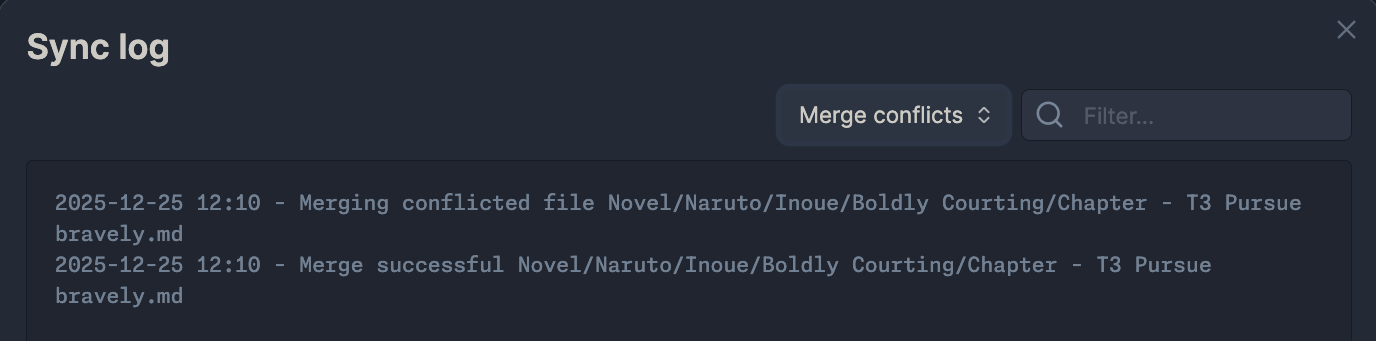
The sync log does show merge conflicts. I would attribute this problem to sync because if I quit the mobile app and I open it again, it will still have the same problems. but if I go to airplane mode it will stop having those problems.
Hello! I’ve been using Obsidian and Obsidian Sync since summer 2023, and have experienced this issue as long as I can remember. I created this account today specifically to chime in on this issue, since this is the first time I’ve managed to find people talking about this.
Similar to several others here, I use Obsidian on desktop (MacBook and also NixOS, both managed via Nix) as well as iPhone and iPad. The only community plugin I use is Archiver by Ivan Lednev, since I have a big note called todo.md which I use to manage tasks, so that each day I can automatically move completed tasks to my daily note for that day.
I don’t know how to reproduce this issue on demand, but I experience it frequently. It seems to be more likely to happen (and the damage done is much more severe) when I open my todo.md note on a device I don’t use as often, like my iPad, but it also happens sometimes even when just switching between my frequent devices like my MacBook and my iPhone.
I wasn’t aware of the “Create conflict file” setting before, so I’ve just switched to using it, and will see if that helps! It causes me a lot of anxiety when I see that my todo.md has been mangled, since the whole point of it is to make sure I don’t forget things; every time I repair it, I always worry that some important task got lost in the process.
But to be quite honest, I’m baffled about how this issue happens at all even with the “Automatically merge” setting. I’ve only dabbled in concurrent editing algorithms for software I’ve built and I’m aware it’s a hard problem, but it’s unclear to me how this would occur under either an OT setup or a CRDT setup. I really wish there were some way I could look under the hood of Obsidian Sync to see what’s going on, but I know that’s not possible since it’s a closed-source paid product.
Chiming in here with the same issue. It just happened again: made some edits on macOS, opened Obsidian on my iPhone, and suddenly two things happened:
My edits in multiple files were restored to before the macOS edits. I’m pretty sure there were no conflicts, but if there had been, this would be a good time to duplicate lines instead of simply restoring the old version and removing all my new edits
Lines were duplicated where there was no conflict
I’m happy there’s version history, but like other users, this situation makes me very alert whether I’m not losing any data, which is not a pleasant user experience.
Is there any update from the team?
Details:
Using only obsidian sync with local folders, no other sync services
I read some reports above from users having Obsidian open on macOS all the time. This was the case for me too when this happened
 It causes me a lot of anxiety when I see that my