Obsidian Snap doesn't start / open with Ubuntu 26.04

Once you’ve done the above, delete everything above this line.

Ubuntu 26.04 beta, fresh install.

Obsidian Snap 1.12.7 is installed and starts the first time. After this first time, Obsidian doesn’t want to start again anymore.

On the same system, I tested with a new user : the same ; it starts once and no more after.

I tried to delete the ~/snap/obsidian folder and often, Obsidian starts again once, but only once.

Steps to reproduce

Install obsidian snap on Ubuntu Resolute
Start obsidian once
Try to start again : nothing happens !

Did you follow the troubleshooting guide? [Y/N]

Y

Expected result

Able to run obsidian

Actual result

Nothing

Environment

Not available


Additional information

I must add that I downloaded obsidian AppImage and try to run this AppImage : same issue ; nothing happens !

Since you are running a beta of Ubuntu, send the BR to them.

I download the beta iso. Obsidian Snap ran with the system as setup by the beta iso.
After doing a system upgrade to the latest packages, Obsidian stopped working.

The syslogs were not useful to pinpoint the problem.

The appimage runs fine for me (need to install libfuse2 and run with --no-sandbox)

I have similar problem: if I type obsidian in a terminal it just won’t launch.

image

I downloaded Obsidian from the Discovery app in KDE (uses snap). My OS specifics are:

Any ideas?

1 Like

Steps to reproduce

Click to open the app or lauch from the terminal

Expected result

Open the app

Actual result

Nothing happens, not even logs in the system

Environment

Can’t get debug info because the application is not opening


Additional information

Video showing the issue: https://drive.google.com/file/d/14x4YiCs7gn4Nj33Jbe9Fl74a9j66XgPm/view?usp=sharing

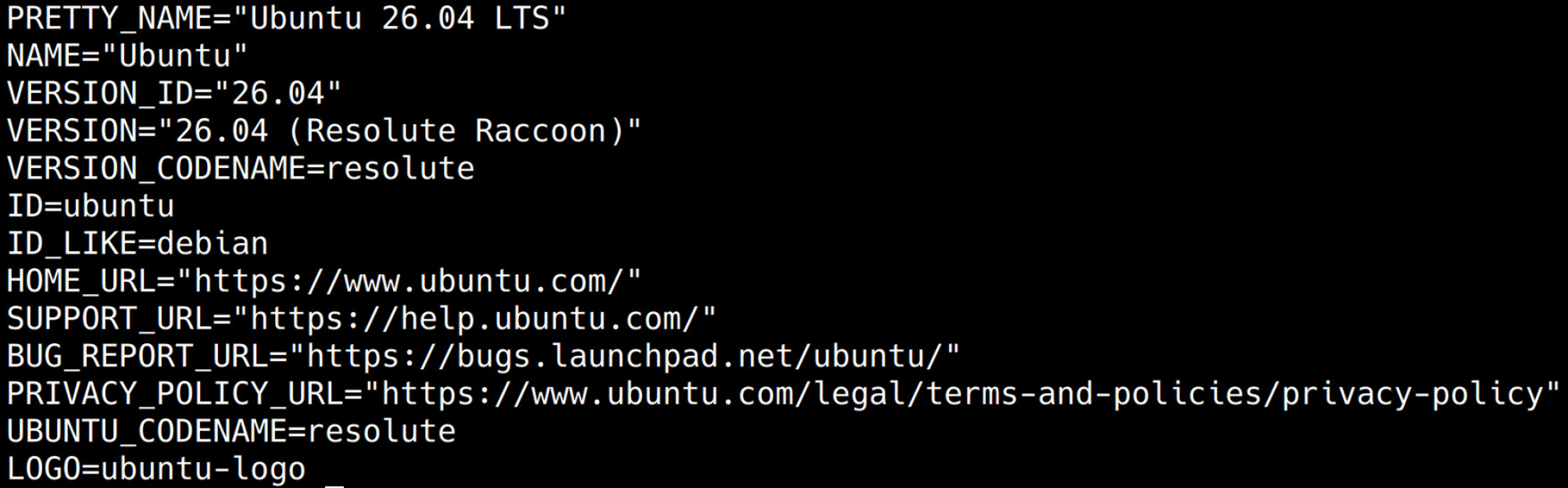
OS: Ubuntu 26.04 LTS
Obsidian snap info:
name: obsidian
summary: Obsidian
publisher: Obsidian (obsidianmd)
store-url: https://snapcraft.io/obsidian
license: unset
description: |
Obsidian
commands:

  • obsidian
    snap-id: XSpRD8poWONFIT1z9TleS4XrS1u0MlfG
    tracking: latest/stable
    refresh-date: ontem às 20:51 -03
    channels:
    latest/stable: 1.12.7 2026-03-23 (62) 134MB classic
    latest/candidate: ↑
    latest/beta: ↑
    latest/edge: ↑
    installed: 1.12.7 (62) 134MB classic

On my box this works

/snap/obsidian/current/obsidian --no-sandbox

Seems to be a bug in snap?

1 Like

I stumbled on the same issue on the released 26.04 (not beta).

What fixed the issue for my was uninstalling Obsidian and installing the .deb variant.

2 Likes

Again, there was some change between the beta1 iso and the final version that broke our snap. We haven’t changed our snap in while because we didn’t make a new release.

At this moment, we are not sure what is casing this.
deb, appimage, flatpak still work fine.

2 Likes

This is what I get with my Ubuntu 26.04:

➜  ~ /snap/obsidian/current/obsidian --no-sandbox

Ignored: Error: ENOENT: no such file or directory, open '/home/manrique/.config/obsidian/obsidian.json'
2026-04-27 10:11:52 Loaded main app package /snap/obsidian/62/resources/obsidian.asar
[40303:0427/121152.798526:ERROR:media/gpu/vaapi/vaapi_wrapper.cc:1631] vaInitialize failed: unknown libva error
2026-04-27 10:11:52 Checking for update using Github
2026-04-27 10:11:53 Success.
2026-04-27 10:11:53 Latest version is 1.12.7
2026-04-27 10:11:53 App is up to date.

And instead of getting my vault, it started fresh…

/snap/obsidian/current/obsidian --no-sandbox

when you run the executable that way, you are not really running the “snap”.

Please, report this bug to Ubuntu. I don’t know what they changed between 26.04 beta1 and 26.04 final. This is not how snap is supposed to work.

I ended moving to .deb package

3 Likes

for me, neither snap, deb nor appimage workss.

maho@ustat /home/maho
⚡ /snap/obsidian/current/obsidian --no-sandbox
Ignored: Error: ENOENT: no such file or directory, open '/home/maho/.config/obsidian/obsidian.json'
2026-04-28 11:43:43 Loaded main app package /snap/obsidian/62/resources/obsidian.asar
[1]    41592 segmentation fault (core dumped)  /snap/obsidian/current/obsidian --no-sandbox

maho@ustat /home/maho
⚡ ~/Downloads/Obsidian-1.12.7.AppImage
[41659:0428/134355.481792:FATAL:sandbox/linux/suid/client/setuid_sandbox_host.cc:166] The SUID sandbox helper binary was found, but is not configured correctly. Rather than run without sandboxing I'm aborting now. You need to make sure that /tmp/.mount_ObsididylTgT/chrome-sandbox is owned by root and has mode 4755.
[1]    41659 trace trap (core dumped)  ~/Downloads/Obsidian-1.12.7.AppImage

maho@ustat /home/maho
⚡

when trying to run from deb, it just hangs forever (and need to kill it with kill -9, doesn’t react to Ctrl-C)

1 Like

I also experience this bug. I had installed Obsidian using snap, like this:

sudo snap install obsidian --classic

When upgrading to Ubuntu 26.04 LTS (no longer in beta), I can no longer launch Obsidian.

When I run obsidian on the command-line, it exits immediately with a 1 exit code, and with no visible output.

This is the version that I have installed:

$ snap info obsidian | grep installed
installed: 1.12.7 (62) 134MB classic

To fix it, I decided to switch to the .deb installation instead. First, I migrated the configuration out of the Snap directories into the locations that the .deb directory would expect:

cp -ivT ~/snap/obsidian/current/.config/obsidian ~/.config/obsidian

(If you have already uninstalled the Snap version of obsidian, you can recover the files by reinstalling the Snap version of Obsidian, running snap saved to get a list of snapshots, and then snap restore <ID> to restore a specific snapshot.)

Next, I uninstalled the Snap version of Obsidian:

sudo snap remove obsidian

Then I downloaded the .deb version of Obsidian from the website, and I installed it by running:

sudo dpkg -i ~/Downloads/obsidian_1.12.7_amd64.deb

UPDATE: obsidian from .deb works properly today

Unfortunately, it does not work for me. I use a fresh install of Ubuntu 24 LTS.

I uninstalled all other instances of obsidian (snap, flatpack), then:
sudo dpkg -i /home/xxx/Downloads/obsidian_1.12.7_amd64.deb
Then in user space:
``
nn@LX1:~$ obsidian &
[1] 10097
nn@LX1:~$ 2026-04-29 07:56:25 Loaded main app package /opt/Obsidian/resources/obsidian.asar
[10167:0429/095626.113648:ERROR:media/gpu/vaapi/vaapi_wrapper.cc:1631] vaInitialize failed: unknown libva error
nn@LX1:~$ ps -e | grep obs
10097 pts/0 00:00:00 obsidian
10101 pts/0 00:00:00 obsidian
10102 pts/0 00:00:00 obsidian
10104 pts/0 00:00:00 obsidian
10167 pts/0 00:00:00 obsidian
10171 pts/0 00:00:00 obsidian

Lots of processes running, but no visible obsidian window.
Same result if I click on the Obsidian icon in the system tray.

One typo, unfortunately. I use a fresh install of Ubuntu 26 LTS. I have another machine with 24 LTS, things work there.

This is the solution, Thank!

1 Like

I also encountered a problem when trying to install Obsidian on Ubuntu 26. My first installation using Snap failed: Obsidian wouldn’t open and didn’t produce any logs. After tracing system calls in the console (strace obsidian), I concluded that Snap’s Obsidian wasn’t compatible with the Wayland environment (the primary user interface protocol in the new Ubuntu 26). Obsidian from the installation package launched without any issues.

Obsidian is compatible with Wayland, infact Wayland has been the default for several months already.

1 Like