What I’m trying to do
I’m trying to edit a note. Specifically I am trying to delete newlines without having it also delete other characters.
However on my Linux installation when I delete a new line it also deletes all the #'s in the next line and removes and renames any links.
I do not have the same problem on Windows, or iPhone.
Example:
### Big News

-  oranges are more expensive than [[chicken eggs|eggs]]
If I delete line 1 this would be the result
Big News

-  oranges are more expensive than [[chicken eggs|eggs]]
If I delete line 3 this would be the result
### Big News
-  oranges are more expensive than eggs
Oddly, the linked article disappears, which can be tricky if I don’t notice it.
Things I have tried
- Searched the internet, this forum, and Reddit
- Asked AI a few times
- Waited to see if it would go away
It’s been about 6 months and I’ve updated Obsidian, reduced the number of plugins I use, added some plugins, and added custom css. I tried to keep track of my settings, and I use Sync which is fully empowered to sync everything (settings and all file types). I also use git to track my valults, and I looked at those settings when they change. I don’t see a difference between the Windows machines and the Linux Machine.
Maybe some pictures will help
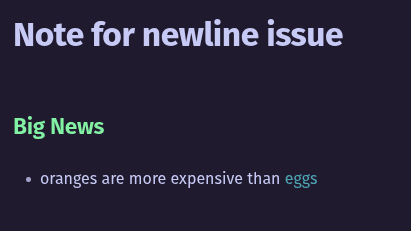
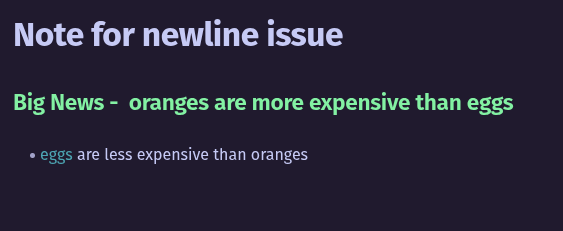
Example - Line 1 (BEFORE)
This is my example from above. If I delete the first line…
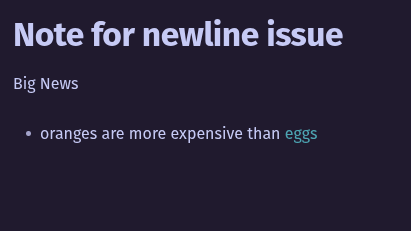
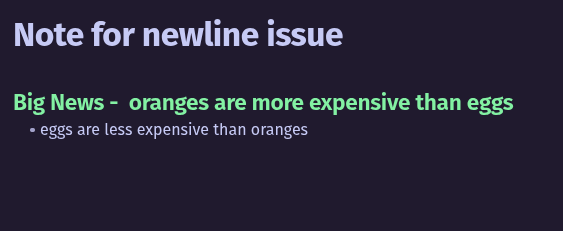
Example - Line 1 (AFTER)
Obsidian also deletes the heading # characters.
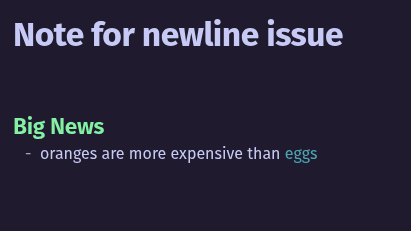
Example - Line 3 (AFTER)
Now if I delete the third line, it becomes this (this time it didn’t do it???)
It kind of did it if I deleted another line…
I swear I was able to reproduce it but then when I was taking the screen shots it stopped.
Example - Line (ADDING AN EXAMPLE)
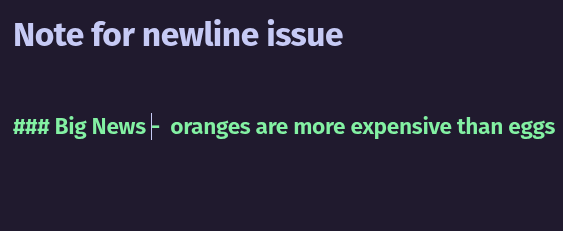
I was able to reproduce it with a new example that leads with a link:
became this when I deleted the line before:
Again, the “eggs” was really “chicken eggs|eggs” in the actual text, so I don’t know how it’s getting deleted.
I think it is similar, thanks for the link.
I went though the troubleshooting and
- The error does happen in the Sandbox
- I updated the plugins and themes anyway
- I downloaded and installed the .deb, and verified I’m on
1.9.14
OS Info:
No LSB modules are available.
Distributor ID:	Pop
Description:	Pop!_OS 22.04 LTS
Release:	22.04
Codename:	jammy
Anything else to provide? This can and does cause data loss so it is important.
Thanks
I overlooked the part where this is only happening in Linux. An annoying thing you could try is reinstalling using a different kind of package (snap, flatpak, etc. — it might be good to search the forum / Discord server to see which might be best). I hear sometimes they behave differently from each other.
I do not know how I installed this previously, but if I go to Download - Obsidian now it gives me a file called “Obsidian-1.9.14.AppImage”, which I don’t recognize or know how to open.
Below that I guess I do see
Linux
Yesterday I reinstalled the .deb version, which I think is correct for my distribution.
I know this doesn’t fit the Linux stereotype, but I just want to use the supported version. This version should be supported.
Ok, after not doing anything differently the problem just went away. I didn’t do more updates or anything.
I use Obsidian Sync, I don’t use OneDrive or Dropbox or any third party sync tool. But I also use Git and I really can’t figure out why there are so many changes and so many differences between computers.