After updating my desktop and iPhone to the latest version of obsidian, I am not able to use Obsidian on my iPhone anymore.
I deleted the app and reinstalled it multiple time. I use Obsidian Sync. After my remote vault loads, it starts indexing and gets into a never ending loop.
I tried disabling the new bases plugin, and the problem persists.
I am no longer able to use Obsidian on my iPhone since the last update.
I can confirm it is the default theme.
I can confirm it is in restricted mode.
I tried tapping the indexing dialog box. It goes away, but after a few seconds the blank screen that says “Loading workspace” come son, and then it refreshes back to the note then the indexing dialog box comes back, and the cycle continues indefinitely.
My current working hypothesis is that you have some long/malformed markdown files that are causing one of the obsidian parsers to malfunction and go out of memory.
First, make a backup.
Second, in your desktop, you can try Settings>File an links>Rebuild vault cache and see if it gets stuck on some note. If it says, this files takes longer to index…
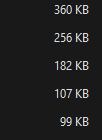
Third, in your desktop search for .md larger than 50KB and move them out of your vault.
At this point, reinstall obsidian in your phone and try to reestablish sync.
You never wrote which iPhone phone you have nor iOS version. That would be good to know.
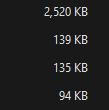
The large files over 50 KB were problematic.
All my files are now less than 50 KB.
And for the very large files (3000 KB), instead of making them smaller I changed them to txt files. They still sync, but because they’re no longer in markdown, Obsidian doesn’t index them anymore. To make the txt files sync, I turned on syncing for all file types.
Another workaround would have been to leave the large files in markdown format but put them into a separate folder. Then when syncing my iPhone SE I could choose to exclude that folder. That would have worked as well.
One thing I’m wondering: why did my iPhone SE work fine until this latest update?
It was handling those huge 3000 KB files fine before the update!
Are > 50KB .md files something we should keep any eye out for and avoid, or was this for purely testing purposes? Not small, but 50KB .md files don’t seem that big to me.
There is nothing magical about 50KB or 100KB. A problematic note can have any size, however they are usually larger files that are not “real markdown notes” but the output of some other programs. For example, a webpage that is clipped and converted into a note.
To be clear, all my problematic notes were purely text-based markdown files. Real markdown files. They didn’t even contain tables or databases. I don’t use any of that. And I don’t clip webpages or use images in my notes either.
In my case the problem was caused by the size of the files, as eliminating files greater than 50 KB solved it.
I’m experiencing the same issue on Android 15, app version 1.9.10. I noticed that the app crashed while indexing. When I reopened the app again, and it crashed again, I saw a message that there seemed to be an issue with the version of WebView installed on my device. I was prompted to revert to an earlier version.
I haven’t tried the troubleshooting steps yet. Just wanted to share some more info about my device.
Ok, I switched my Android devices over to restricted mode (I was prompted to do this when the app opened). I then watched the sync and saw a couple of Sync: Unable to download file with illegal name messages. I captured the names of the files (just did screenshots as they appeared).
The sync and indexing completed successfully in Restricted mode, and the Android app didn’t crash.
Then, on my laptop (macOS 15.6.1 running app version 1.9.10), I located the files and edited the file names to try remove what seemed to be the characters the app objected to (they seem to be #, &, and em dashes). Obsidian on my laptop was in regular mode and the indexing completed successfully.
I then switched the Android app over to normal mode and sync completed successfully. Then, again in the Android app, I triggered the option to rebuild/index the vault. The app immediately closed. I reopened the app (in regular mode) and it started indexing my vault. Indexing completed successfully on my Android app.
So, in my case, it looks like the issue was illegal characters.