Hello community,
I am new to Obsidian, coming from years of using OneNote. A co-worker introduced me to Obsidian and I was hooked. OneNote is extremely difficult to customize and lacks some basic functionality I want.
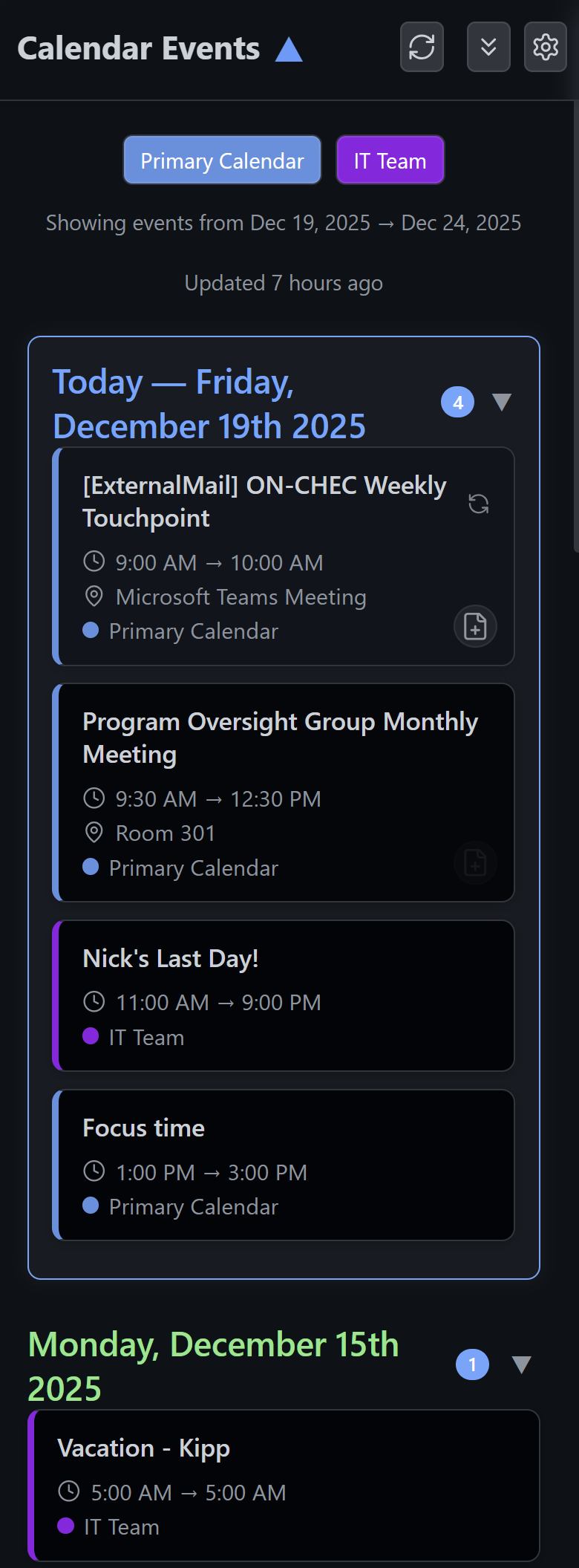
To improve my current workflow, I built an Obsidian plugin called “Obsidian Calendar Events” which mimics the appearance of an Outlook calendar panel.
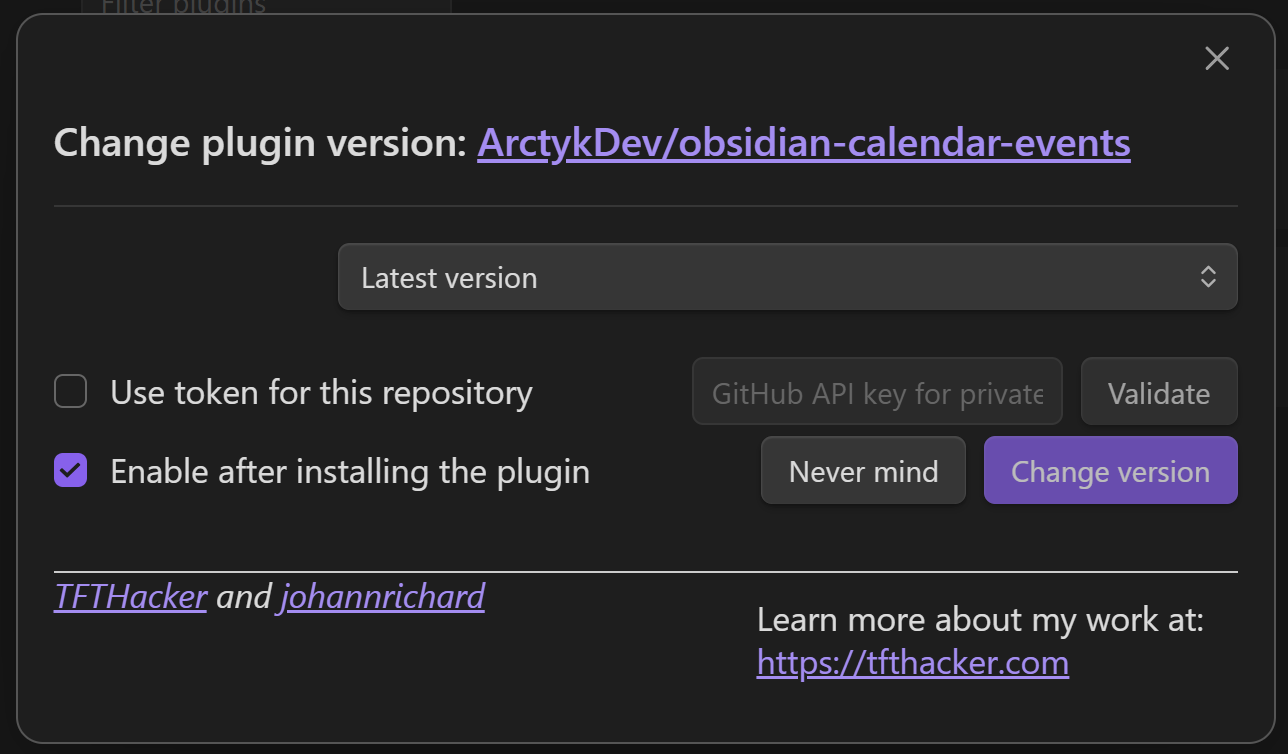
Installation: Manual or BRAT
Repo: ArctykDev/obsidian-calendar-events: Obsidian Calendar Events plugin. View and manage multiple iCal (ICS) calendars.
Features v0.7.0
- View upcoming events from multiple iCal (.ics) feed inside Obsidian
- Events automatically grouped and sorted by day
- Pin today’s events to the top of the event list
- Click on event to add it to daily note
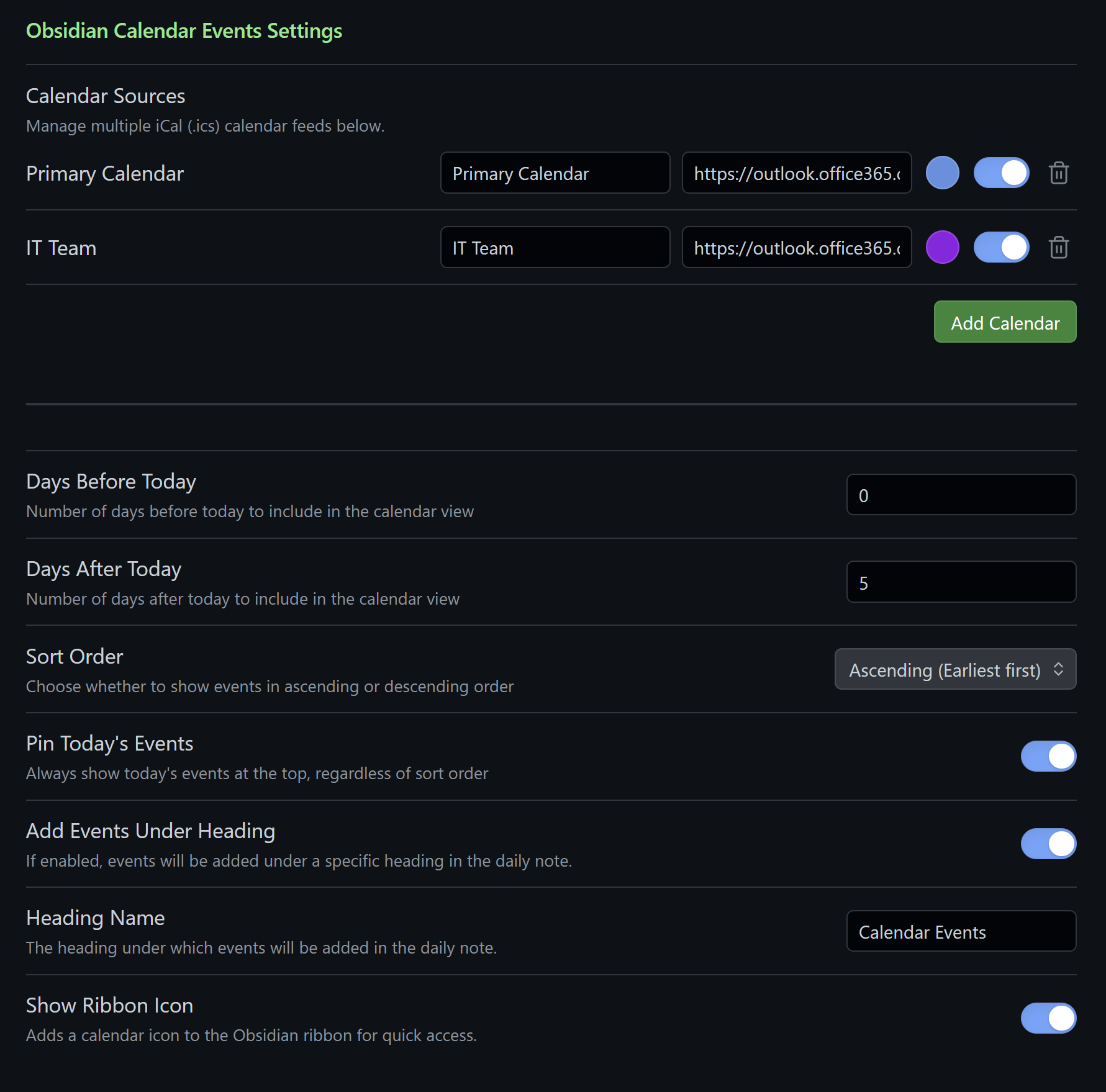
- Configurable date range to control how far ahead events are displayed
- Simple settings panel for configuration
- Works entirely offline once data is fetched — no external dependencies beyond the Obsidian API
- Plenty of improvements planned for v1.0.0: GitHub Issues
Future plan
- Integration with SharePoint lists and M365 calendars (MS Graph)
- Better integration with existing Obsidian plugins (Tasks, Reminders, Kanban, etc.)
Hopefully some of you will find this plugin useful.
I’m hoping to continue to build out my current workflow so I can fully migrate from Microsoft Planner (Premium), To-do, OneNote, Calendar, Power Apps/Power Automate, etc. Perhaps even looking into basic Zendesk integration. Big ideas, we’ll see if I actually follow through. lol
1 Like
Obsidian Calendar Events - v0.8.1
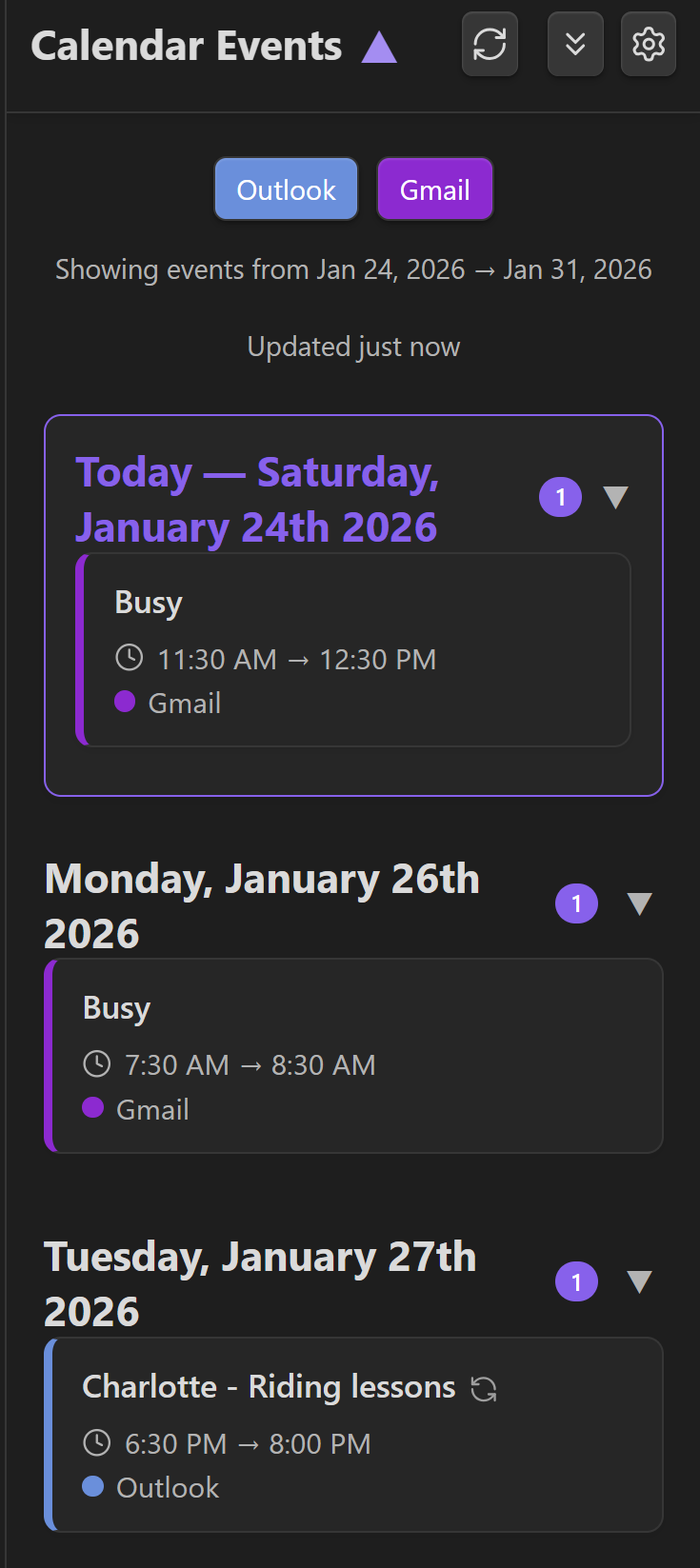
New patch release fixes an issue that prevent Google ICS feeds from displaying properly.
Fixes
- Google Calendar ICS parsing fix - Handles UTC timestamps properly
- Cache-busting for refresh - Ensures fresh data every time
- Better error handling - Individual calendar failures don’t crash the plugin
Installation
- (Recommended) Install with the BRAT plugin:
- Manual installation: Download v0.8.1
Screenshots
Basic Example with Google Calendar working:
Community
If you would like to suggest features or if you are having issues with the plugin, please checkout the Discussion board.
Interested in a project management plugin? Check out my other plugin: Project Planner
Calendar Events v0.8.5 (+ v0.8.4)
Two bug-fix releases landed today, addressing a batch of correctness, performance, and quality issues identified in a recent code review.
v0.8.5
- All-day events now display correctly.
Events with no time component (Google/Outlook all-day events) were showing “12:00 AM → 12:00 AM”. They now display “All Day” in the event card and omit the time range when inserted into a daily note.
- Sort order toggle no longer refetches from the network.
Toggling sort order re-renders the already-loaded events locally instead of hitting your calendar URLs again.
- Settings text fields debounce saves.
Calendar name, URL, days before/after, and heading name fields now wait 500ms after you stop typing before writing to disk, instead of saving on every keystroke.
- Other fixes: untracked scroll timer that could fire on a detached DOM element; redundant inner sort in the parser; chatty debug console.log calls left in production.
v0.8.4
- “Days after today” could not be set to 0 — the field silently reverted to 7
- “Insert Today’s Events” command filtered by UTC date instead of your local date, causing late-evening events to be missed or wrong-day events to appear
- Events from the previous day appeared in the feed when “Days before today” was set to 0, due to a stale 12-hour parse buffer being applied to the event filter
- Race condition: saveSettings() was not awaited before render() in the calendar visibility toggle path
If you’re on v0.8.3, updating to v0.8.5 directly picks up all of these fixes. You can skip straight to v0.8.5.
Updating
BRAT users: reload or use Check for updates.
Download: Get v0.8.5 from the GitHub.
Calendar Events v0.8.6
A focused quality-of-life update addressing feedback and a display bug spotted in the wild.
Test your calendar URLs before saving. Each calendar in settings now has a Test URL button (wifi icon). Click it to instantly verify your iCal link is reachable and returning a valid feed — it tells you how many events were found, or exactly why it failed. No more guessing whether a Google Calendar secret address is working.
Fetch errors are now visible. Previously, if a calendar URL failed to load or returned an HTML page instead of an .ics feed, the plugin silently showed nothing. Errors now appear as Obsidian notices with a clear message, including guidance to check you’re using the iCal export link rather than a shareable web link.
Location escape characters fixed. Events from Google Calendar and other providers were showing literal , in location fields (e.g. Location ON P0M 1N0, Canada). The parser now correctly unescapes all RFC 5545 TEXT sequences (, ; \n \) in both event titles and locations.
Updating from v0.8.5 is recommended for anyone using Google Calendar or who has seen empty calendars with no error feedback.
Updating
BRAT users: reload or use Check for updates.
Download: Get v0.8.6from the GitHub.