Noob question about tags in front matter

What I’m trying to do

Trying to add tags in the front matter

Things I have tried

Started out with
tags: #mytag
Didn’t work; can’t use hashes in YAML

Then tried
tags: [mytag]
Didn’t work; not showing in tags collection

Then tried

tags:

– mytag

Didn’t work; not showing in tags collection

I’m about ready to give up and put them in the body of the note, so they will at least show up in the tags collection.

Thoughts?

This syntax should work:

tags:
  - yourTag

If I understand your question right, in source mode you can either do this for a list…

tags:
  - test

Or this as a single…

tags: test

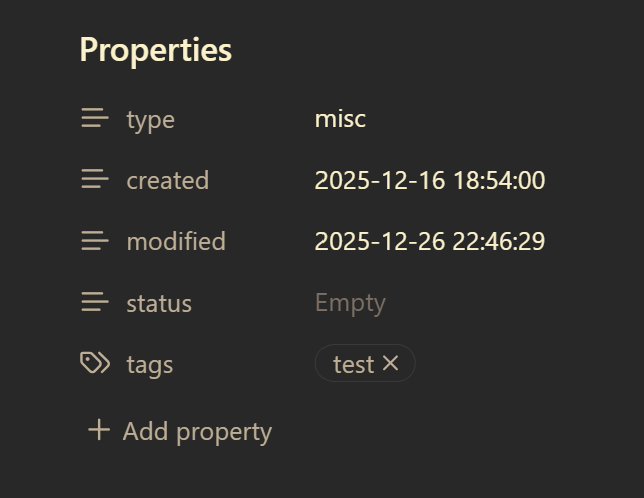
In preview mode it looks like this…

It doesn’t appear a tag can be an external link […] or internal link [[…]]. Also, it seems to be easier to me to add tags and other properties in preview mode so I don’t have to think about how they are formatted.

Well, I’ve tried both of those, and so far they haven’t worked.

Here’s a picture of the front matter from one note:

Any suggestions?

You could try to add the frontmatter via the Properties view ( Properties view: Show file properties) to check if this works.

I used an example Templater template to build from, and it had the <% — %> in it, so I left it. (Still learning my way around the Templater syntax.)

But, when it changed it to just three hyphens, the tags entries began working.

Not sure why Templater wanted to put the three hyphens in a code execution block. But, I’ll change them all in my vault and see if that takes care of the problem. Thanks all!