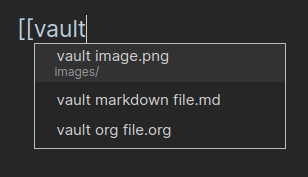
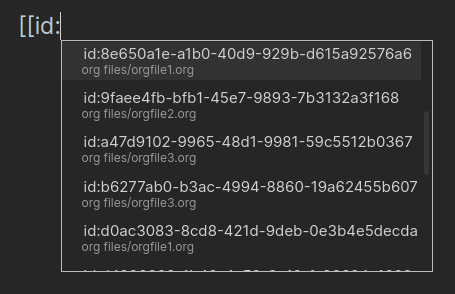
Link autocompletion
Look up the files and org id when starting to type a link with [[ or [[id:
You can now sort tasks with the orgzly syntax
o.scheduled)o.deadline)o.closed)o.priority)o.state)Priority is taken into account by default.
If s or d are used in the query, they are also sorted by scheduled or deadline time.
An agenda view for orgmode tasks with ad.DAYS.
```orgmode-tasks
filepath: somefolder/somefile.org
query: ad.7
```
The query can also includes other filters and sorting like the regular orgzly search.
Orgzly revived syncs orgmode SCHEDULED and DEADLINE as calendar events ( Feat/calendar provider by anaxonda · Pull Request #834 · orgzly-revived/orgzly-android-revived · GitHub ).
Really useful if you use obsidian-orgmode-cm6 on mobile or synchronize your desktop files to mobile.
Example of displaying the date with a dynamic block in an orgmode file:
#+BEGIN: getDate
#+END:
Rendered:
The function needs to be defined in the javascript definition file:
function getDate() {
  return new Date().toISOString()
}