I use Cursor and Claude Code daily. Both read from a /docs folder in my repo for context. Problem is, I also keep specs and plans in Obsidian. So I end up with two copies of every doc, and they drift apart fast.
The AI reads an outdated spec from /docs, hallucinates based on old info, and I waste 20 minutes figuring out why. Or I update something in Obsidian and forget to copy it back. Classic.
What this plugin does
EVC Local Sync connects your AI project folders to Obsidian. You set up a mapping between a local path (like /Users/me/project/docs) and a vault folder. The plugin watches both sides and syncs changes bidirectionally.
It works offline, everything stays local, nothing leaves your machine.
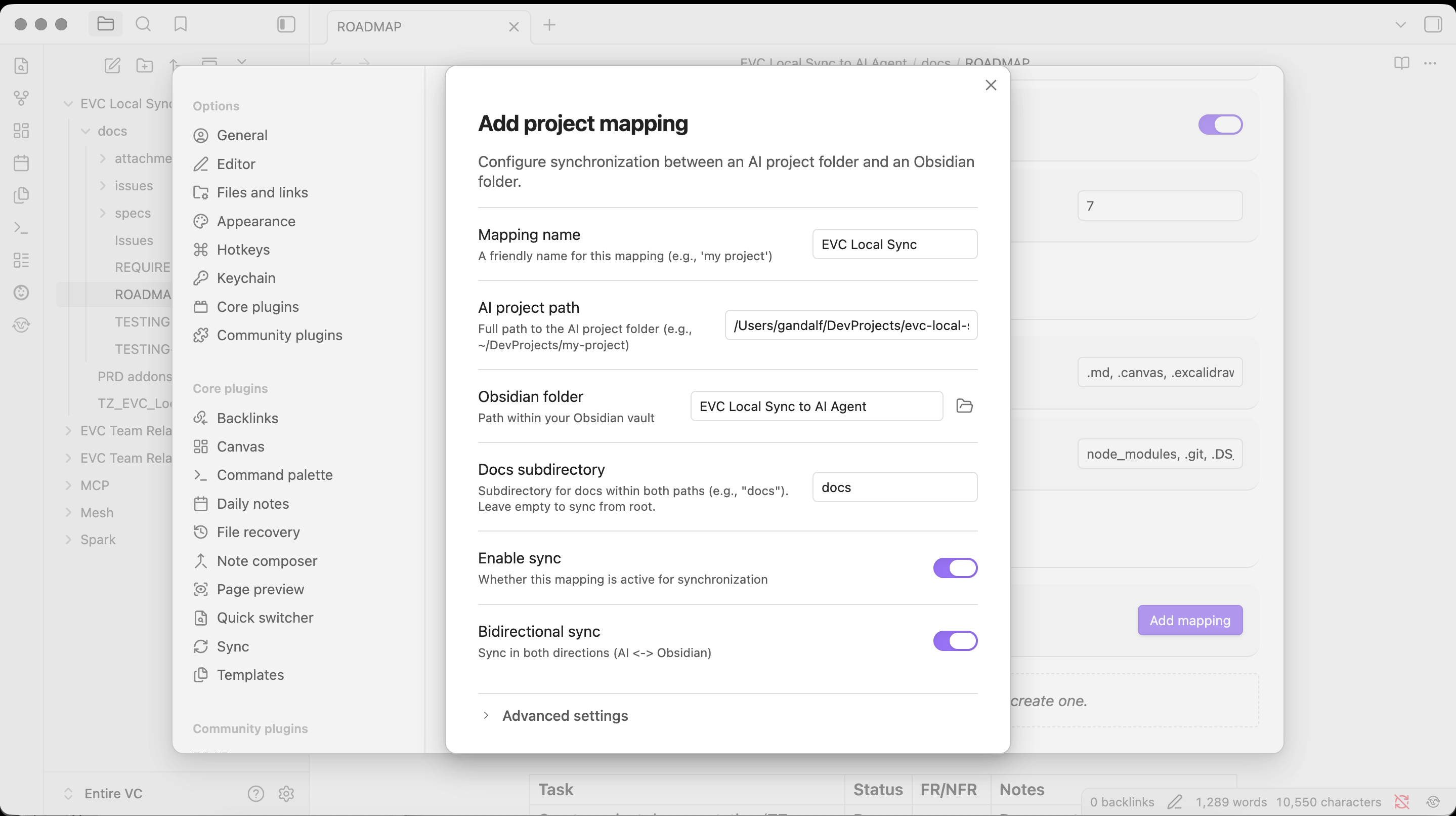
Setting up a mapping takes about 30 seconds. Point it at your project, pick a vault folder, done.
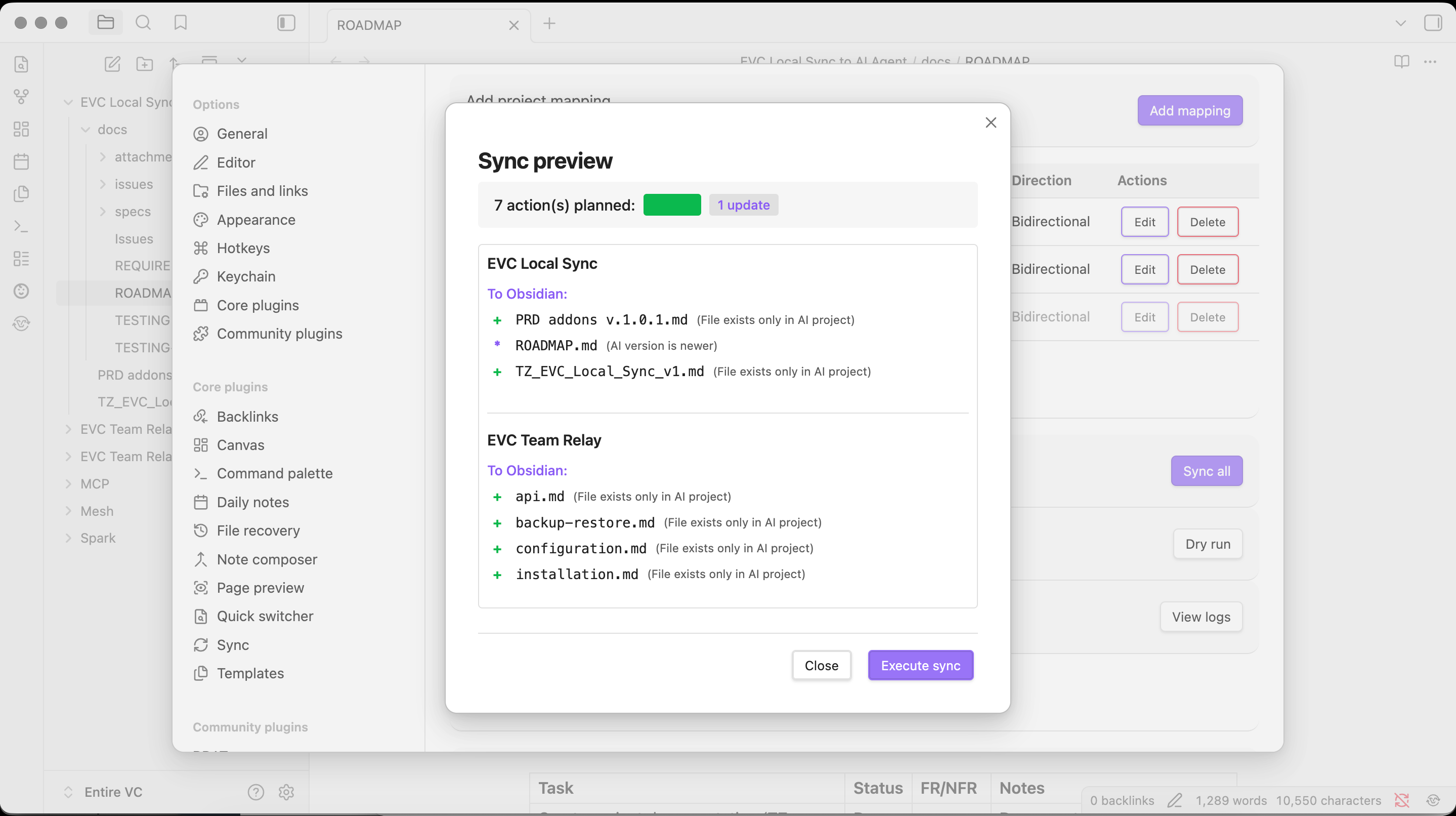
Before anything syncs, you get a preview. Each file shows which direction it will sync and why (newer timestamp wins by default).
Multiple projects work fine. Here I have two projects mapped and can sync them all at once or one at a time. Dry run lets you check without committing.
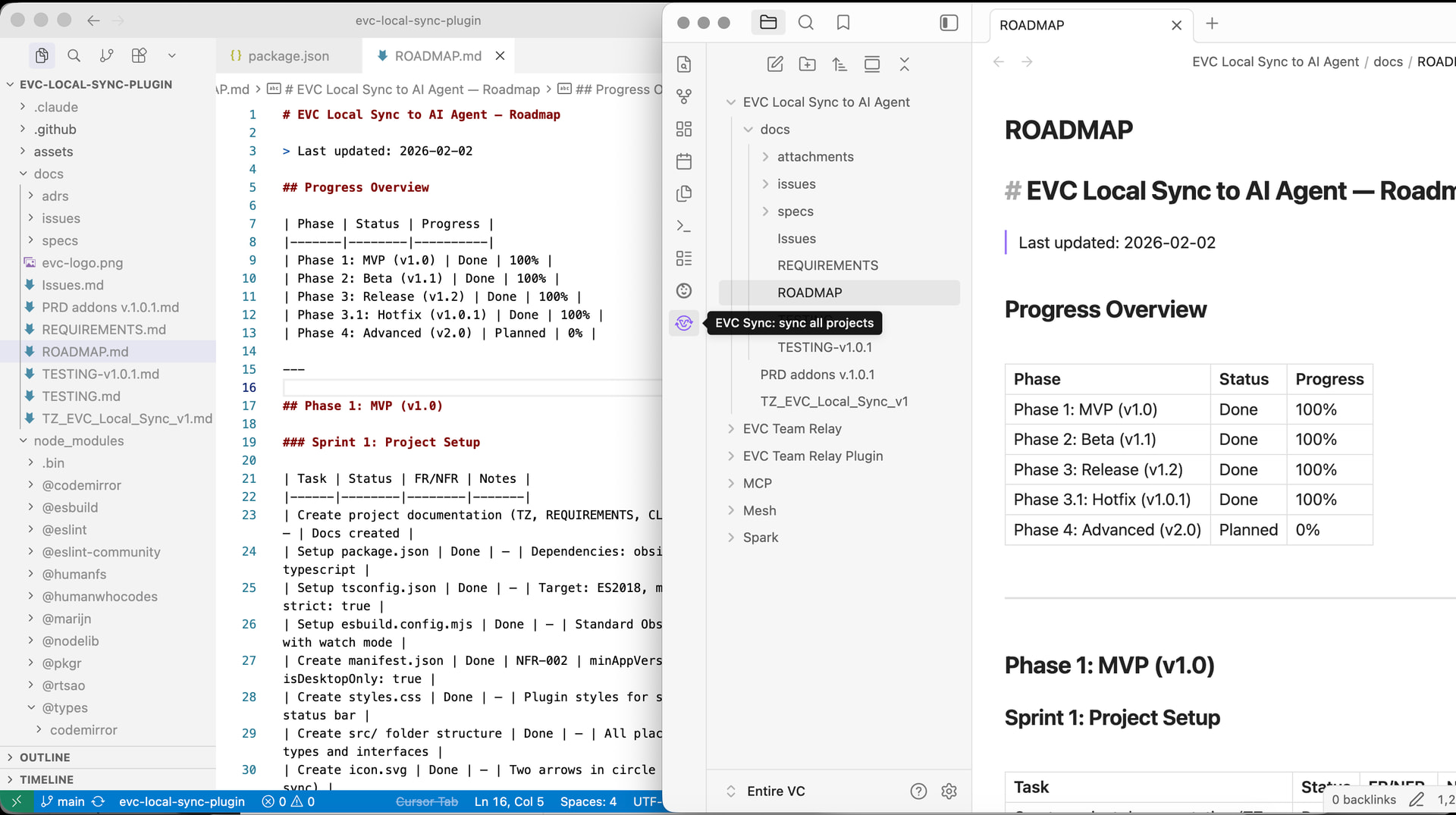
Same ROADMAP.md, both sides. Obsidian renders it nicely, Cursor has the raw markdown. Edit in either place.
How to install
The community plugin PR is still in review (track it here), so for now use BRAT:
- Install BRAT from Community plugins if you do not have it
- Settings → BRAT → Add beta plugin
- Paste:
https://github.com/entire-vc/evc-local-sync-plugin
- Enable EVC Local Sync in Community plugins
Links
If you try it, let me know how it goes. Happy to hear feedback or feature requests on GitHub 
Quick update - I put together a Starter Pack for this plugin after getting a bunch of the same questions.
If you use Cursor, Claude Code, or Windsurf, it includes pre-configured rules and a quickstart guide so your AI tool reads from the synced /docs properly. Basically the full setup in one bundle.
It’s free and takes about 5 minutes: EVC Local Sync — Keep AI /docs and Obsidian specs in sync | Entire VC
I’ve also been fixing edge cases and improving conflict handling since the original post. The latest version is on GitHub if you want to update via BRAT.
I’d love to hear from anyone who’s tried it - feedback and feature requests welcome on GitHub or right here.
Quick update — v1.2.0 and v1.2.2 are out
Hi all — a few months since the original post, wanted to share what changed.
What’s new:
- Compatibility fix for Obsidian 1.6.6+ (v1.2.0 — required if you updated Obsidian recently)
- Path expansion now handles
~/ and relative paths correctly across macOS/Linux/Windows
- Plugin is now installable directly from Community plugins — no BRAT needed (Settings → Community plugins → search “EVC Local Sync”)
What the plugin does (for anyone landing here fresh):
It keeps a folder inside your vault in sync with an external folder on your filesystem — in both directions. The main use case: if you use AI coding tools (Cursor, Claude Code, Windsurf) that read and write project docs, this plugin keeps those docs visible in your vault without any manual copying.
Setup is a single folder mapping. The rest is automatic.
Common questions from DMs:
“Does it work with Obsidian Sync?” — Yes. The synced files live in your vault like any other file, so Sync picks them up normally.
“What about conflicts?” — Four strategies: newer-wins, AI-wins, Obsidian-wins, or always-ask. Configurable per sync pair.
“Can I sync multiple folders?” — Yes, unlimited pairs.
Happy to answer questions here. If something is broken, GitHub issues are the fastest path: GitHub - entire-vc/evc-local-sync-plugin: Obsidian plugin for bidirectional sync between Obsidian vault and AI development projects (Claude Code, Cursor AI, VS Code) · GitHub