Disclaimer
Is this project open source? Yes
Is this project completely free? Yes
Is this project vibe-coded beyond the author’s ability to comprehend how it works? No
Community Directory: Immich Journal
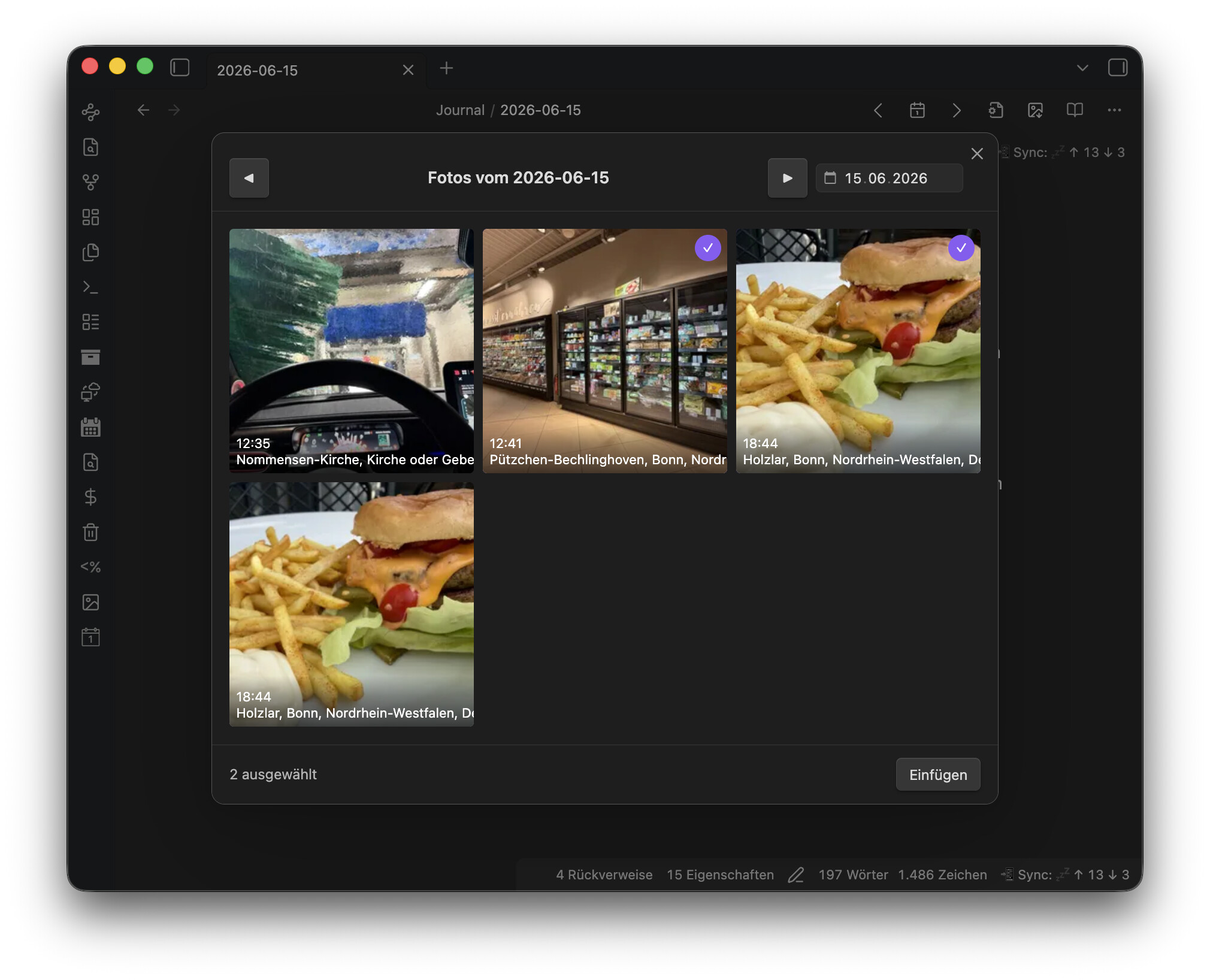
I recently switched from Apple Photos to a self-hosted Immich server, and I wanted a simple way to enrich my daily-note journal entries with the photos I took that day, without manually exporting, resizing and linking anything. That turned into Immich Journal, now available in the Community Plugins directory.
-
From a daily note, one command opens a picker showing every photo taken on that note’s date. You multi-select, insert, and the photos land at the cursor as resized local copies (default max edge 800 px, vault-friendly), each with an optional template-based caption from the Immich metadata and a link back to the original in Immich.
-
Desktop and mobile support (works fine when the server is only reachable via Tailscale/VPN), timezone-safe day matching for travel photos, duplicate-free re-inserts, fully templatable markdown output.
Repo (MIT), with full setup guide and troubleshooting: GitHub - fcandi/obsidian-immich-journal: Insert photos from your self-hosted Immich server into Obsidian daily notes - resized, captioned, linked back to Immich. · GitHub
Feedback, bug reports and translation fixes are very welcome. I’d love to hear how it behaves on other people’s setups.Yeah.