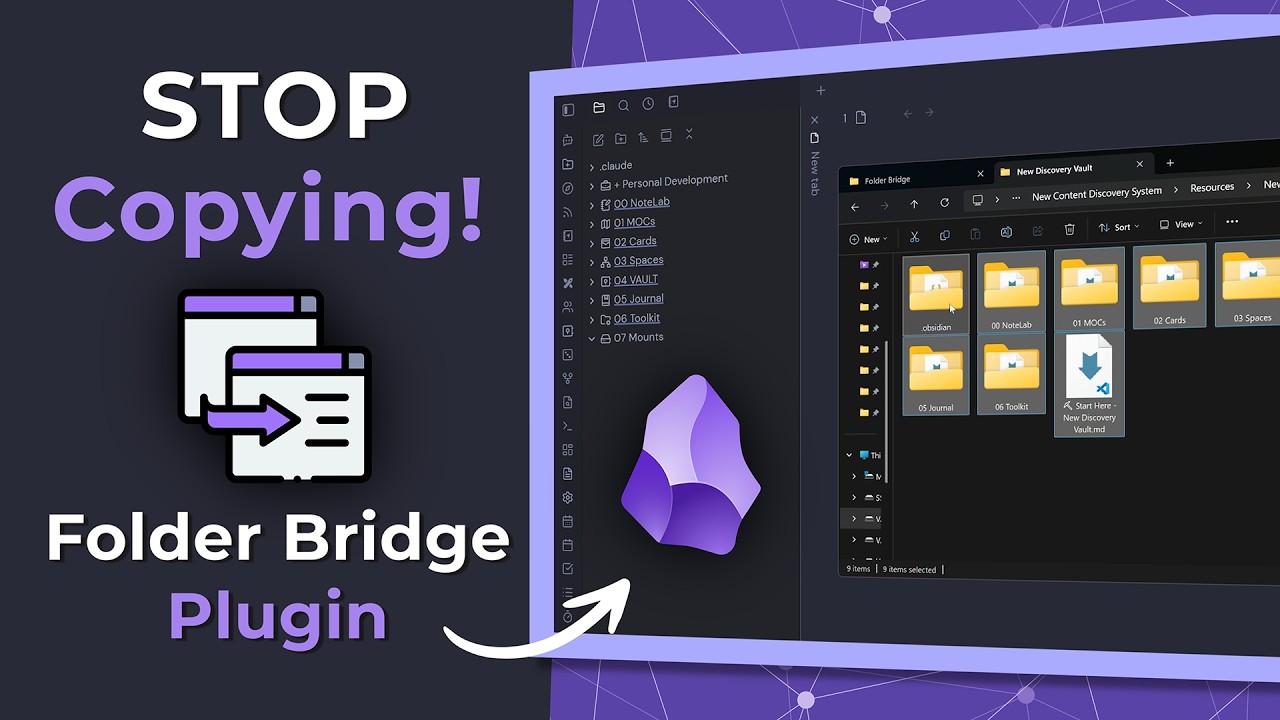
Folder Bridge - Mount Your System Folders in Obsidian!!!
Hey everyone!
I’m excited to share a new plugin I’ve been working on called Folder Bridge.
If you’ve ever wanted to access files from outside your vault—like a shared network drive, a massive Downloads folder, or a separate project directory—without actually copying those files into your vault or messing around with fragile OS-level symlinks, this plugin is for you.
Folder Bridge extends Obsidian’s single-root vault by letting you “mount” external folders as seamless, native-feeling directories inside your vault.
How it works
You simply provide a Real Path (e.g., C:\Users\Name\Documents\Work) and a Virtual Path (e.g., Projects/Work).
Folder Bridge maps that external folder directly into Obsidian’s file explorer. The files stay in their original locations—no copying, no duplicating. Obsidian treats them exactly like native vault files, meaning they work perfectly with the Quick Switcher, search, and all your other plugins.
Key Features
Zero Duplication: Files are read and written directly from their real locations.
Multi-Root Workspaces: Work with files from multiple locations simultaneously.
Sync Compatibility: Safely sync your vault across devices (Obsidian Sync, Syncthing). Mounts are device-specific, so you can map a “Work” folder to C:\Work on your PC and /Users/Name/Work on your Mac.
Per-Mount Ignore Lists: Hide specific files or folders (like node_modules or .git) from Obsidian to keep your vault fast and clutter-free.
Read-Only Mounts: Protect external folders from accidental edits.
Windows Hardened: Full support for long paths (>260 chars), UNC network paths, and WSL folders.
How to get it
Folder Bridge is currently pending review for the official Community Plugins directory, but you can install it right now using BRAT.
Install the Obsidian42 - BRAT plugin.
Open the command palette and run BRAT: Add a beta plugin for testing.
Enter the repository URL: https://github.com/tescolopio/Obsidian_FolderBridge
I’d love to hear your feedback, feature requests, or any bugs you run into. Let me know what you think!
sounds potentially extremely useful but for some reason fails to open files for me. throws notification something along the lines of cannot open ““. looks like it’s missing a filename somehow. am I doing something wrong?
thank god, i’ve been trying to build this for months and get too distracted to finish it…if you could add the ignore list options to the new mount setup through the ribbon that would be mint
Ignore now is more intuitive!!
Here is the currently implemented items (I’m working on an Android deployment as well but its not straightforward).
Current version: v1.1 — Last updated: 2026-02-24
Core Value Proposition
Problem: Obsidian only supports a single vault root, forcing users to choose between scattering knowledge across multiple vaults or duplicating files.
Solution: Folder Bridge lets you mount external folders directly into your vault as native-feeling directories — no copying, no duplicating, no fragile symlinks.
Benefit: Unified knowledge management across your entire filesystem, with full control over how mounts are organised and what they show.
Full Feature List (v1.0.0)
Use this as the master list when writing copy. Pick the most relevant subset for each platform.
Core
Zero duplication — files read/written from their real locations on disk
Multi-root workspaces — mount as many folders as you like at any virtual path
Full Obsidian integration — Quick Switcher, Search, graph view, embedded images/PDFs all work
Image & PDF rendering — embedded images and PDFs in mounted folders display correctly (served as data: URIs, bypassing Obsidian’s vault-scheme restriction)
Mount Types
Local folder mounts — mount any directory from your local filesystem or a connected drive
WebDAV mounts — mount remote folders from Nextcloud, ownCloud, or any generic WebDAV server; credentials stored in sessionStorage only (never written to disk)
Vault-to-vault bridging — mount a folder from another Obsidian vault; .obsidian, .trash, and .smart-connections are auto-ignored to avoid conflicts
Mount Management
Edit mounts in-place — change virtual path, real path, label, or read-only flag without deleting and recreating the mount; vault tree and file watcher update live
Drag-drop reordering — drag mount rows in Settings to reorganise them; order persists instantly
Drag-drop in file explorer — drag a mounted folder to a new location in Obsidian’s file explorer; the virtual path updates live, no restart needed
“Move mount to…” context menu — right-click any mount root folder → “Move mount to…” → pick a new parent from the vault folder picker
Read-only mounts — block all write operations through a specific mount
Reliability & Conflict Resolution
Health check monitoring — 30-second interval health checks detect unreachable mounts automatically
Status bar indicators — orange status bar item appears when any mount becomes unreachable; green when all clear
One-click reconnect — click the status bar item to open the conflict resolution panel; reconnect a mount with a single button click
WebDAV health probing — HTTP exists() probe used for WebDAV mounts instead of fs.access()
Per-Mount Watcher Tuning
Custom debounce — set debounce delay per mount (default 300 ms) to tune responsiveness vs. CPU impact
Polling mode — switch individual mounts to stat-polling for network drives or filesystems without native watch events
Polling interval — configure polling interval per mount independently of the debounce
Max files cap — set a per-mount maximum file count to protect performance on very large directory trees
Sync & Multi-Device
Device-specific mount paths — map the same virtual folder name to different real paths on different machines (e.g. C:\Work on Windows, /Users/name/Work on macOS)
Path override per device — override a colleague’s mount real path for your local environment without changing theirs
Foreign mount control — choose whether mounts created on other devices are visible and usable on this one
Ignore System
Browse-to-ignore — “Browse…” button in the ignore list opens the OS folder picker rooted at the mount’s real path; selecting a folder fills in the relative path automatically
Path-relative ignore patterns — entries containing / (e.g. assets/vendor/plantuml-stdlib) match as a path prefix, ignoring that entire subtree without touching folders of the same name elsewhere in the mount
Name patterns — plain entries (e.g. .git, node_modules) match any file or folder with that leaf name anywhere in the mount
Glob patterns — entries with * (e.g. *.tmp, ~$*) are matched as globs against leaf names
Context-menu ignore — right-click any file or folder inside a mount → “Ignore in Folder Bridge” adds it instantly
Platform & Performance
Windows hardened — long paths (>260 chars), UNC/network paths (\\server\share), OneDrive Files On Demand, WSL folder mounting
Linux & macOS — POSIX paths work natively; macOS Desktop tested via the same code paths
Background file watcher — real-time sync: files created/edited/deleted in mounted folders appear in Obsidian instantly
PathMapper O(N) lookup cache — pre-sorted, pre-normalised mount cache eliminates per-I/O sort overhead; fast even with many mounts
Perfect…
I have been waiting for something like this, so thank you.
It is a great feature for any type of research where you have thousands of documents linked to Zotero or used by other research tools/software, in a folder hierarchy and want the same documents/sources easily accessible from Obsidian to.
Echoing many others: I’ve been waiting for this for a long time! Thank you. It reduced duplication and the craziness of nesting folders to be able to move things easily between vaults.
I think this also opens up great opportunities for collaboration and sharing:
Suppose I have a folder of key markdown files (“Standard Operating Procedures - SOP”), located outside of my primary Obsidian vault.
I could mount the /SOP/ folder in my primary vault with Folder Bridge, and work with it from there.
The local SOP folder could also be synced to the cloud (Dropbox, GoogleDrive, OneDrive, Nextdrive, etc.), and shared with colleagues, who make sure that the folder downloads to their device. And then they can mount the folder into their own Obsidian vault.
That gives us at least two options:
The zero-risk setup: other users set up the mount point as “READ ONLY”: it’s just for dissemination, and changes made to the note from within Obsidian are not saved (with a pop-up warning…nice!)
Trickier but full of potential: others could collaborate with me on the file, making changes in their vault that sync via Folder Bridge to the cloud-synced file on their device. It’s not as rock-solid as Obsidian sync, or as smooth as the Peerdraft plugin, or as powerful as some Github solutions, but it’s free and very specific to a particular folder or file.
I’d be very curious to hear others’ thoughts on this!
This plugin continues to develop, and it looks like it will be ready to make it to the community plugin official listing soon. I’m very excited about what you’ve done to make it possible to pick specific types of files to “mount” in Obsidian – without having to move them into the vault or duplicate them. And it keeps open the possibility to use Obsidian’s “Show in Finder” command to take me to the location of the file – anywhere on my Mac. Brilliant work!
Note that it’s not just “System folders” that can be mounted: this plugin makes it possible to leave any folder in place, outside of your Obsidian (including in another vault), have it available to read, modify, etc, from within Obsidian. So, so useful.
This is exactly one of the most compelling use cases.
The read-only pattern is very safe: keep a shared folder outside any one vault, sync it with Dropbox/OneDrive/Google Drive/etc., and let different people mount it into their own vaults for distribution and reference.
Writable collaboration can also work, but I’d frame it as lightweight shared-file collaboration rather than true real-time coauthoring. Folder Bridge does not do conflict resolution or live merge handling, so the practical rule is still “avoid simultaneous edits to the same note.”
For teams, the sweet spot is probably read-only for broad sharing, writable for small, trusted groups, and clear ownership over who edits what and when.
That said, I agree with your core point: this removes a lot of duplication and makes shared knowledge folders much more natural to work with across vaults.
Well done on putting together such a useful plugin
I have been testing it over the past few days and only broke my Obsidian Cache once by adding all my Photos from my Media Server and cancelling before completing the indexing
I’m have been working on a Youtube video this week briefly covering adding a hidden folder, obsidian vault or remote sync folder.
I’ve been using this plugin for a while, it’s amazing what it offers, this gives us also the ability work “dot” folders that obsidian hides by default, looking forward to see this in the official plugin listing.
I’ve been searching for a solution that allows me to easily access directories without manually creating symlinks each time I need to access something from the other side. And it seems I’ve found a great plugin that seems to meet my requirements.
However, I’m unable to find this plugin in the Community Plugins section.
I noticed a section about manual installation, but I specifically wanted the community version of the plugin.
Hello Sir. This plugin is great. But it seems that I wll fail to syn my notes by remotely save if I choose Mount “Local file system”. It show Cannote read properties of null. The remotely save will work well again if I disable your plugin.
I’m so excited for this but no matter what I do, I get “This folder is a protected system folder” and it won’t let me mount it. I’m trying to mount WSL. \\wsl.localhost/Ubuntu/home/[useremoved]/projects
I tried everything to try and fix it but I can’t. Any help?
I started using this plugin, it is awesome. As I have some old project folders that are hard to migrate for various reasons this saves me sooo much. Keep up the good work man you are a genius.

 Core Value Proposition
 Full Feature List (v1.0.0)