Check out the plugin here: https://github.com/uthvah/sync-embeds
Hey everyone,
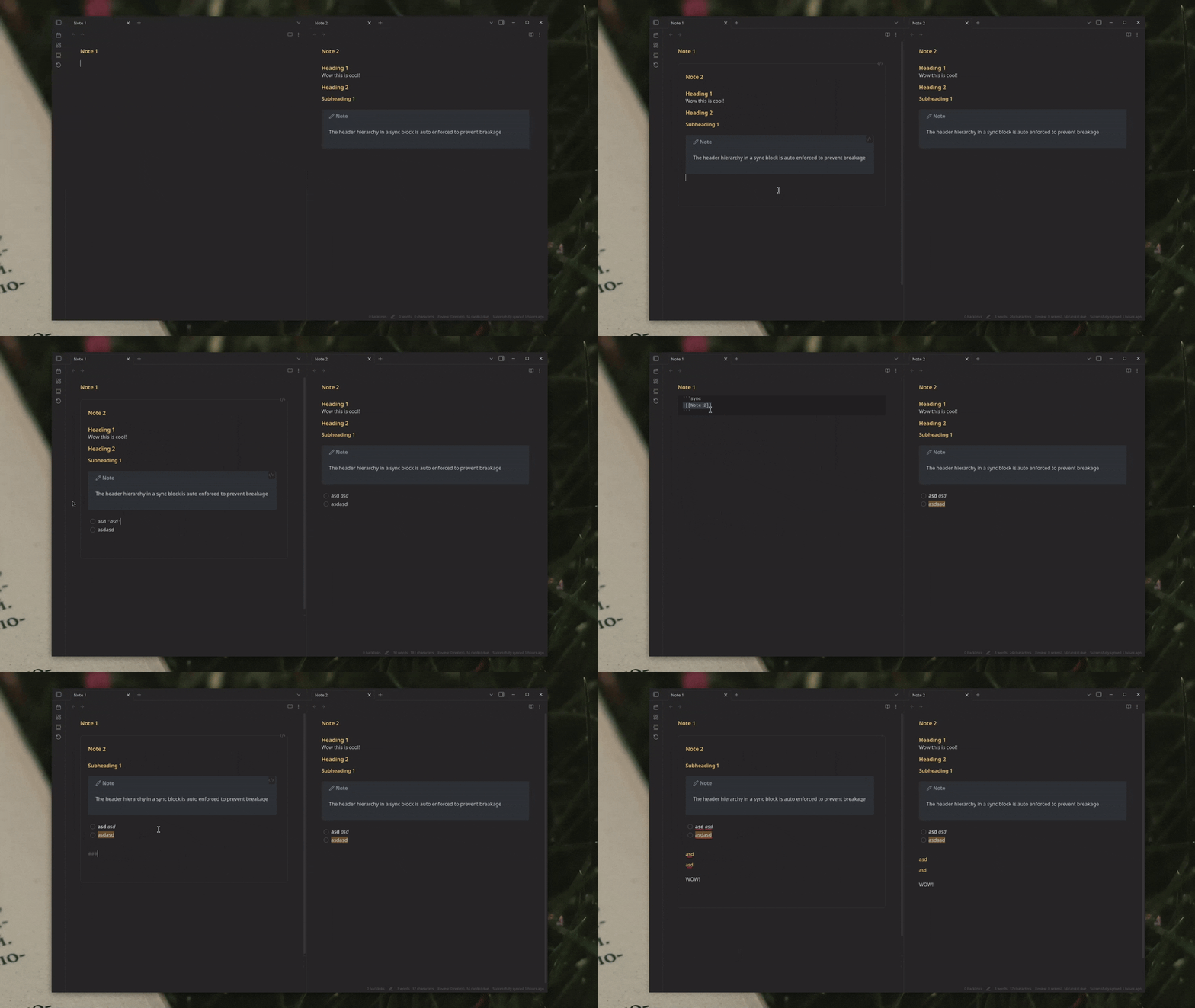
Like many of you, I’ve always wished I could just click into an embedded note and start typing. That little bit of friction was always a bump in my workflow.
After following the long-running feature request and trying the amazing workarounds from other developers, I decided to take a crack at building a lightweight, stable solution that felt as native as possible.
Today, I’m excited to share my new plugin: Sync Embeds .
The goal is simple: to make embeds feel like a live, seamless part of the note you’re currently in.
Key Features
 Truly In-Place Editing: No popups, no new windows. Just click and type directly in the embed.
- Native feel: Creates an editor instance rather than a complex sync solution
- Full Keyboard Shortcut Support: The biggest hurdle is solved. All your hotkeys for checklists (Ctrl+L), formatting, and more work perfectly.
- Embed Specific Sections: You can use the standard ![[Note#Header]] syntax to edit just one part of a larger note.
- Lightweight & Simple: The plugin does this one thing well, without changing the rest of your UI or adding bloat.
How to Install (Beta)
I have just submitted the plugin for official review. Until it’s accepted, the best way to install it is with the BRAT plugin (available in the Community Plugins browser).
- Install BRAT.
- Go to BRAT’s settings and “Add Beta plugin”.
- Use this repository: uthvah/sync-embeds
The Future
I’m looking into features like regex/dataview support, and I would love to hear your feedback, bug reports, and ideas.
While we all hope this becomes a native feature someday, I hope Sync Embeds can make our workflows a little smoother in the meantime.
Thanks for checking it out!